Wix Form Builder — Without the Plan Limits
Wix Forms is capable, but metered. You get 4 forms without upgrading, as few as 10 fields per form on the entry tier, and file upload, signature and payments only from Core upward. FormNX gives you unlimited Wix forms and unlimited responses on every plan, free included. Build it in FormNX, paste one snippet into a Wix Embed HTML element.
















































Start here
Does Wix Have a Form Builder?
Yes. Wix Forms is built into the editor. You go to Add Elements, click Contact & Forms, then Create New Form, or start from a premade form. It supports conditional rules, multiple pages, a signature field, file upload and payments, and every response lands in a Forms & Submissions dashboard you can sort, filter and export from.
So let us be straight about this, because plenty of pages in this search result will not be: Wix Forms is a good product. If you need one contact form on your about page, use it and move on. You do not need a third-party form builder for Wix to collect a name and an email address.
People go looking for the best form builder for Wix for a different reason. Not because Wix cannot do the thing, but because Wix meters how much of it you get. Four forms without upgrading. As few as ten fields per form on the entry tier. Two notification recipients. File upload, signature and payments unavailable until you move up a plan. A Wix form builder like FormNX is a hosted builder you embed: you build the form in FormNX, paste one snippet into a Wix Embed HTML element, and the caps stop applying because the form is not counted against your site plan.
"I really appreciate FormNX for its simplicity and intuitiveness. It's easy to use and just works perfectly for my needs. The form builder is especially straightforward, and I've found the OTP function to be a great feature. Setting it up was extremely easy, and I was able to have a form ready within an hour."

What each plan actually includes
Is Wix Forms Free?
Partly, and this is the detail that sends people looking for an alternative. In Wix's own words: "Without upgrading, you can create 4 forms for free." After that, almost everything about your forms is tied to your site plan.
| What Wix meters | Light | Core | Business | Business Elite | FormNX Every plan |
|---|---|---|---|---|---|
| Forms you can create | 4 | 10 | 25 | 75 | Unlimited, including on the free plan |
| Fields per form | Up to 10 | Up to 50 | Up to 75 | Up to 100 | No per-form cap, and long forms split across steps |
| Submission email recipients | Up to 2 | Up to 7 | Up to 20 | Up to 20 | As many addresses as you need, on any plan |
| File upload, signature & file download fields | Not included | Included | Included | Included | Included free, uploads and e-signature both |
| Accept payments on the form | Not included | Included | Included | Included | Stripe, PayPal & Razorpay on the same form |
Figures above are Wix's own published allowances, from the Upgrading Wix Forms page in the Wix Help Center. Wix Studio uses the equivalent tiers Basic, Standard, Plus and Elite with the same 4 / 10 / 25 / 75 form allowance, and Studio Basic starts at up to 50 fields per form. Wix can change plan names and allowances at any time, so check the Wix Help Center for the current figures before you decide.
The point is not that Wix Forms is missing features. It is that your form allowance is bundled into a website subscription. FormNX prices forms as forms: unlimited forms and unlimited responses on every plan, so a fifth form or a sixtieth field never means upgrading your website.
The case for FormNX
Why Wix Owners Add a Dedicated Form Builder
Six reasons people embed a form builder on a Wix site, and what changes when they do.
Stop counting your forms
Four forms without upgrading, and 75 even on Business Elite. That sounds generous until you run a separate form per service, per location or per campaign, and every A/B variation spends part of the allowance. FormNX has no form limit on any plan, so a contact form, a quote form, an intake form and a dozen campaign forms all coexist for free.
Take payment without upgrading your site
Accepting payments through Wix Forms needs Core or Standard and above, so an entry-plan site cannot charge for a deposit or a paid registration at all. FormNX puts native Stripe, PayPal and Razorpay on the same form, with calculation fields for dynamic totals, whatever plan your Wix site is on.
Logic and steps that come with the room to use them
Credit where it is due: Wix Forms does support conditional rules and multiple pages per form. The constraint sitting next to them is the field allowance, which starts at up to 10 fields per form. Branching logic is not much use when the branches have nowhere to go. FormNX gives you unlimited conditional logic rules and multi-step forms with no per-form field cap.
Signatures and uploads without upgrading
File upload, signature and file download are among the field types Wix does not include on Light or Basic, so an entry-plan site cannot collect a signed waiver or a CV through Wix Forms. FormNX includes e-signature with an audit trail and file and image uploads with type and size controls, on the free plan.
Notify everyone who needs to know
Wix caps submission email recipients by plan: up to 2 on Light or Basic, up to 7 on Core or Standard. If an inquiry needs to reach sales, support and a shared inbox, you hit that fast. FormNX sends notification emails to as many addresses as you like on any plan, with CC and BCC so everyone who needs the lead gets it, plus an automatic confirmation email back to the person who submitted.
Your forms outlive your website
A form built in Wix Forms belongs to that Wix site, so a redesign or a move to another platform means rebuilding it, and the submission history stays behind. A FormNX form is hosted independently: the same form and every response stay in your account, and the same snippet drops into WordPress, Squarespace or plain HTML unchanged.
What is included in FormNX
Everything Your Wix Forms Need, Built In
"Has everything I need to build forms for my client websites. I love the fact that I can create a google sheet per client and all the data can be seen on the google sheet. The developers reply back always and have even implemented a few requests FAST to make the form set up even better. I Highly recommend. Also, hoping..."

One snippet, one element
How to Add a Form to Your Wix Site
Create a form in FormNX first, then embed it. In the Wix editor the path is Add Elements → Embed Code → Popular Embeds → Embed HTML. Pick Embed HTML rather than Embed a site, because the second option expects a website address, not a code snippet.
Step 1 & 2 — build and copy
Build the form in FormNX with whatever fields you need, including payment, signature and file upload. Open the Publish tab, choose the website embed option, and copy the snippet. FormNX embeds are served over HTTPS, which matters because Wix states that only HTTPS codes and URLs are displayed.
Step 3 & 4 — paste and publish
Add the Embed HTML element, click Enter Code, paste the snippet under "Add your code here" and click Apply. Drag the element to roughly your form's height, publish, then submit a test entry on the live page to confirm it reaches your FormNX dashboard.
Three things worth knowing before you paste, all from Wix's own documentation:
- HTTPS only. Wix states that only HTTPS codes and URLs are displayed, so an embed served over plain HTTP will not render. Every FormNX embed already uses HTTPS.
- Embeds are iframes, and Wix says they will not be responsive even when the embedded content is responsive on its own. This is the single most common complaint about embedding anything on Wix, and it is why the FormNX snippet ships with an auto-resize script: the form reports its own height so it fits instead of getting cut off or leaving a gap on mobile.
- Wix does not support third-party code. Wix is explicit that it cannot help with code it did not create, so pick a form builder whose own support will. That one is on us.
Prefer not to embed at all? Every FormNX form also works as a standalone hosted link, a popup or a QR code, so you can put a Wix form in front of people without touching the editor at all.
Building the most common one? See the step-by-step guide to a no-code website contact form with spam protection and instant email alerts.
Native forms vs embedded builder
Wix Forms vs FormNX
A dimension-by-dimension look at Wix's built-in forms next to an embedded FormNX form. Wix wins some of these outright.
| Dimension | FormNX (embedded) Recommended | Wix Forms |
|---|---|---|
| Number of forms | Unlimited on every plan, including free. | 4 without upgrading, rising to 75 on the top tier. |
| Fields per form | No per-form cap, and long forms split across steps. | Up to 10 on the entry tier, up to 100 at the top. |
| Payments on the form | Stripe, PayPal and Razorpay on any plan, with calculation fields for totals. | Available from Core or Standard upward, not on the entry tier. |
| Signature & file upload | Both included on the free plan, with an audit trail on signatures. | Included from Core or Standard upward, not on Light or Basic. |
| Notification recipients | Any number of addresses on any plan, plus logic-based routing and auto-replies. | Up to 2 on the entry tier, up to 20 at the top. |
| Conditional logic | Unlimited show, hide and skip rules on any field type, on every plan. | Conditional rules are supported and work well. |
| Multi-step forms | Multiple pages with a progress bar and per-step validation. | Supported. You can create multiple pages for a form. |
| Where submissions live | Your FormNX dashboard, with search, filtering, CSV export and response charts, independent of any website. | A Forms & Submissions dashboard with sorting, filtering and export from the submission table. |
| Setup effort | Build once, paste one snippet, and reuse the same form as a link, popup or QR code. | Fastest possible start. It is already in the editor, with nothing to embed. |
| Design & branding | Full control: themes, your own colors, fonts and logo, custom CSS, and white label on paid tiers. | Styles inside the Wix editor alongside the rest of your site. |
| Works beyond Wix | The same form and its responses move with you to WordPress, Squarespace or plain HTML. | Built for the Wix site it lives on. |
Bottom line: if you need a couple of forms and your plan already covers the fields you want, Wix Forms is the fastest route and there is no reason to add anything. Move to an embedded builder when you run out of forms, hit the field cap, need payments or signatures without upgrading the whole site, or want the form to work outside Wix too.
Finding your responses
Where Do Wix Form Submissions Go?
Into the area Wix calls Wix Forms and Submissions, inside your Wix account. Wix lets you sort and filter each form's submissions separately and export the data from the submission table, and notification emails go out as entries arrive. It is a proper submissions area, not just an inbox, and it is one of the better parts of Wix Forms.
The constraint is who gets told. Wix caps submission email recipients by plan: up to 2 on Light or Basic, up to 7 on Core or Standard, and up to 20 above that. For a solo site that is fine. For a team where a new inquiry should hit sales, support, a shared inbox and the person who owns that service line, the entry-tier ceiling of two addresses is the thing people run into first. The other consideration is ownership: your form submissions live in the Wix account that owns the site, so access follows the website rather than your team.
An embedded FormNX form separates the two. Every response is written to your FormNX dashboard with search, filtering, CSV export and response charts. Notification emails go to as many addresses as you want on any plan, using CC and BCC. The person who filled the form in gets an automatic confirmation email, you can pull their answers into the email body with dynamic tags, attach a PDF of the submission on paid plans, and send from your own domain with custom SMTP so nothing arrives from a generic noreply address.
Because the form is hosted in FormNX rather than in the site, changing your Wix plan, redesigning the site or moving off Wix entirely does not touch your responses. If you also want the data elsewhere, FormNX connects to Google Sheets, Mailchimp, Zapier and webhooks on top of the dashboard rather than instead of it.
Common use cases
Wix Forms People Build With FormNX
Wix contact forms
The case the native form handles well. Move your Wix contact form to FormNX when you want spam filtering, notifications going to more than two addresses, or replies routed by what the visitor selected. See the contact form guide.
Wix application forms and hiring
A Wix job application form usually needs a CV attached and more than ten fields, which is exactly where the entry-tier caps bite. Split it across steps, branch on earlier answers, and collect the file. See the job application form builder.
Client intake and onboarding forms
The forms that run to 40 fields and end in a signature. Multi-step pages keep them readable, conditional logic hides what does not apply, and the agreement is signed in the same submission.
Wix surveys, quizzes and feedback forms
Run a Wix survey or a Wix quiz through FormNX and answers are charted for you, with scoring and result pages on quizzes. See the online survey builder and online quiz maker.
Order, quote and registration forms
A Wix order form with product options, quantities and a live total, or a paid Wix registration form that takes the deposit on submit. See the order form builder.
Donation and nonprofit forms
A Wix donation form that takes payment on the form itself on any plan, with amounts, designations and gift-aid style questions. See the nonprofit form builder.
"I have been using formnx for the past 2 weeks and have found it easy to build forms quickly and have been able to make modifications efficiently. A real asset in using this app is the quick response time by the vendor, quite often. within 10 minutes. The vendor has also made changes, within days, to the builder as per..."

Start from a template
Form Templates to Start From
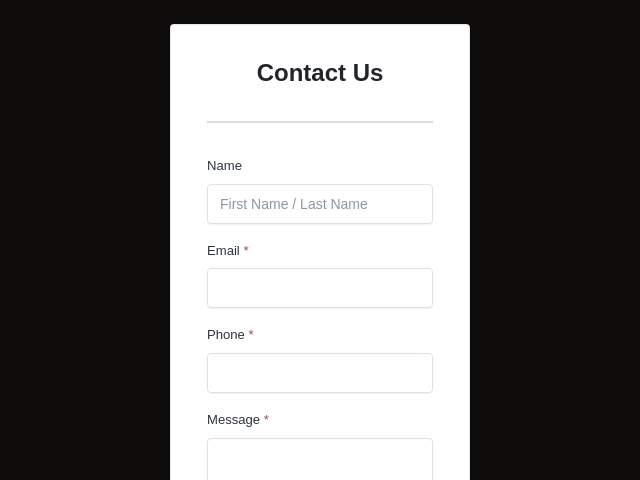
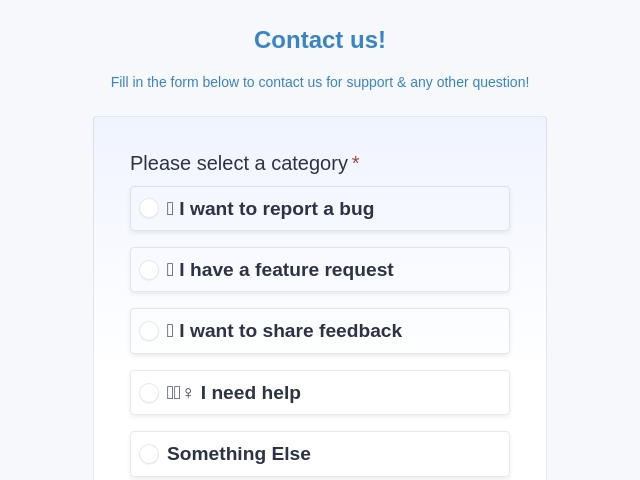
Start from a ready-made template, change the fields and branding, then paste one snippet into a Wix Embed HTML element. Faster than rebuilding a form field by field inside the editor.

FormNX vs Wix Forms: FAQs
-
Does Wix have a form builder?
Yes. Wix Forms is built into the editor: go to Add Elements, click Contact & Forms, then Create New Form, or start from a premade form. It is a capable builder with conditional rules, multiple pages, a signature field, file upload and payments, plus a Forms & Submissions dashboard you can sort, filter and export from. The catch is not capability, it is quantity: how many forms you get, how many fields each one holds, and which field types unlock depend on your site plan. FormNX is what people add when those caps start to bite.
-
Is Wix Forms free?
Partly. In Wix's own words, "Without upgrading, you can create 4 forms for free." Beyond that, the allowance rises with your site plan: 10 forms on Core or Standard, 25 on Business or Plus, and 75 on Business Elite or Elite. Wix also gates specific field types by tier, so file upload, signature and file download, along with accepting payments, need Core or Standard and above. FormNX gives you unlimited forms and unlimited responses on every plan including the free one, with conditional logic, multi-step forms and file uploads included.
-
How do I create a fillable form in Wix?
In the Wix editor, go to Add Elements, click Contact & Forms, click Create New Form and drag the form element onto the page, then add your fields. To use a FormNX form instead, build it in FormNX, copy the embed snippet, then in Wix go to Add Elements → Embed Code → Embed HTML, click Enter Code, paste under "Add your code here" and click Apply. Publish and check the live page.
-
Can I use a different form builder on Wix?
Yes. Any hosted form builder that gives you an embed snippet works on Wix through the Embed HTML element, and there are third-party form apps in the Wix App Market too. The embed route keeps the form on your own page and your submissions in your own account rather than tied to the site plan. One requirement from Wix's documentation: "Only HTTPS codes and URLs are displayed", which every FormNX embed already satisfies.
-
How many forms can I create with Wix Forms?
Four without upgrading. After that it tracks your site plan: 10 forms on Core or Standard, 25 on Business or Plus, and 75 on Business Elite or Elite. That is a real ceiling if you run separate forms per service, per location or per campaign, because each variation spends part of your allowance. FormNX has no form limit on any plan, so you can run a contact form, a quote form, an intake form and a dozen campaign-specific landing forms without counting them.
-
How many fields can a Wix form have?
It depends on your plan. On Wix Premium the documented allowance is up to 10 fields per form on Light, up to 50 on Core, up to 75 on Business and up to 100 on Business Elite. Ten fields is tight for anything past a basic contact form, and an application or client intake form will pass it immediately. FormNX has no comparable per-form field cap, and long forms can be split across multiple steps with a progress bar so a 40-field intake does not read as one wall of questions.
-
Where do Wix form submissions go?
Into your Forms & Submissions dashboard in your Wix account, where Wix lets you sort and filter each form's submissions separately and export the data from the submission table. Notification emails also go out, but the number of recipients is capped by plan: up to 2 on Light or Basic, up to 7 on Core or Standard, and up to 20 on the higher tiers. With FormNX, responses land in your FormNX dashboard with search, filtering, CSV export and response charts. Notifications go to as many addresses as you like on any plan, and none of it is tied to the Wix site or account that hosts the page.
-
How do I change where Wix form submission emails are sent?
You set the submission email recipients in the form's settings in your Wix dashboard. How many addresses you can add is limited by your site plan: up to 2 recipients on Light or Basic, up to 7 on Core or Standard, and up to 20 above that. If you need inquiries split across sales, support and a shared inbox, that ceiling arrives quickly. FormNX lets you send notification emails to any number of addresses on any plan, with CC and BCC so everyone who needs the lead gets it. The person who filled the form in gets an automatic confirmation email, you can pull their answers into the email with dynamic tags, attach a PDF of the submission on paid plans, and send from your own domain with custom SMTP.
-
Can Wix forms take payments?
Yes, but only on the right plan. Accepting payments through Wix Forms is available on Core or Standard and above, so a form on the entry tier cannot charge anyone. FormNX includes native Stripe, PayPal and Razorpay on the same form, with calculation fields for dynamic totals, so a deposit, donation or paid registration is collected inside the form regardless of which Wix plan the surrounding site is on.
-
Can Wix forms collect signatures?
Yes on Core or Standard and above. Wix Forms includes a signature field and documents an e-sign capability, but signature, file upload and file download are among the field types not included on the Light or Basic tier. FormNX has a built-in signature field with an audit trail on the same form as everything else, so a waiver, consent form or client agreement is signed in one submission alongside the details you are collecting.
-
Does Wix Forms support conditional logic?
Yes. Wix documents conditional rules that, in its words, "improve the way you collect information based on your visitor responses", so Wix Forms can show and hide questions based on earlier answers. This is a genuine feature and worth using if your form is already in Wix. FormNX offers unlimited conditional logic rules on every plan including free, with show, hide and skip behavior on any field type at any depth, so one form can serve several audiences instead of asking everybody everything.
-
Can I create a multi-step form on Wix?
Yes. Wix supports creating multiple pages for a form to keep longer questionnaires manageable. Where FormNX differs is what surrounds it. Multi-step forms come with a progress bar and per-step validation, and there is no per-form field cap to work around. The same multi-step form can also be embedded on Wix, shared as a standalone link, opened as a popup or handed out as a QR code without rebuilding it.
-
Can I add a file upload to a Wix form?
On Core or Standard and above, yes. File upload is one of the field types Wix does not include on the Light or Basic tier, so an entry-plan site cannot collect a CV, a brief or a photo through Wix Forms. FormNX includes file and image uploads with file type and size controls, and respondents never need to sign in to any account to attach something.
-
Is there a free form builder for Wix?
Wix Forms gives you 4 forms without upgrading, and FormNX has a free plan with unlimited forms and unlimited responses, including the drag-and-drop builder, conditional logic, multi-step forms and file uploads, all embeddable on a Wix page at no cost. Payments, e-signatures, PDF generation and white labeling sit on the paid tiers. You can build a real Wix form and put it live on the free plan.
-
What happens to my forms if I move off Wix?
A form built with Wix Forms belongs to that Wix site, so rebuilding is usually part of any migration, and the submission history lives in the Wix dashboard. A FormNX form is hosted independently: the same form and every response stay in your FormNX account, and the embed snippet can be pasted into WordPress, Squarespace or plain HTML without rebuilding anything. If a redesign or a platform change is even a possibility, that portability is worth having before you need it.
-
Wix Forms or FormNX: which should I use?
Use Wix Forms when you need a couple of straightforward forms, you are comfortable inside the Wix dashboard, and your plan already covers the field types you want. It is well integrated and matches your site automatically. Reach for FormNX when you have run out of forms, hit the per-form field cap, need payments or signatures without upgrading the whole site plan, want notifications going to more inboxes than your tier allows, or want the same form to work outside Wix as well. FormNX bundles all of that into one plan and keeps unlimited forms and responses on the free tier.
Still comparing?
Ask your favorite AI how FormNX stacks up against Wix Forms.
Build Your Wix Form in Minutes
Free to start, no credit card. Unlimited forms and unlimited responses on every plan, with payments, e-signatures and file uploads included rather than gated behind a site upgrade.
Get Started Free Book a Demo
 Reviews on Trustpilot
- Alternatives
- Jotform Alternative
- Typeform Alternative
- Google Forms Alternative
- SurveyMonkey Alternative
- Contact Form 7 Alternative
- Paperform Alternative
- Microsoft Forms Alternative
- Fillout Alternative
- Tally Forms Alternative
- Gravity Forms Alternative
- Cognito Forms Alternative
- Formstack Alternative
- Wufoo Alternative
- Zoho Forms Alternative
- WPForms Alternative
- All Alternatives
- Pricing Guides
- Jotform Pricing
- Typeform Pricing
- SurveyMonkey Pricing
- Use Cases
- No-Code Form Builder
- Online Survey Builder
- AI Form Builder
- Online Quiz Maker
- Job Application Form Builder
- Order Form Builder
- Screen Printing Order Form
- Wholesale Order Form
- WordPress Form Builder
- Contact Form
- Email Form
- Nonprofit Form Builder
- Squarespace Form Builder
- Wix Form Builder
- Webflow Form Builder
- Framer Form Builder