Drag and Drop Form Builder
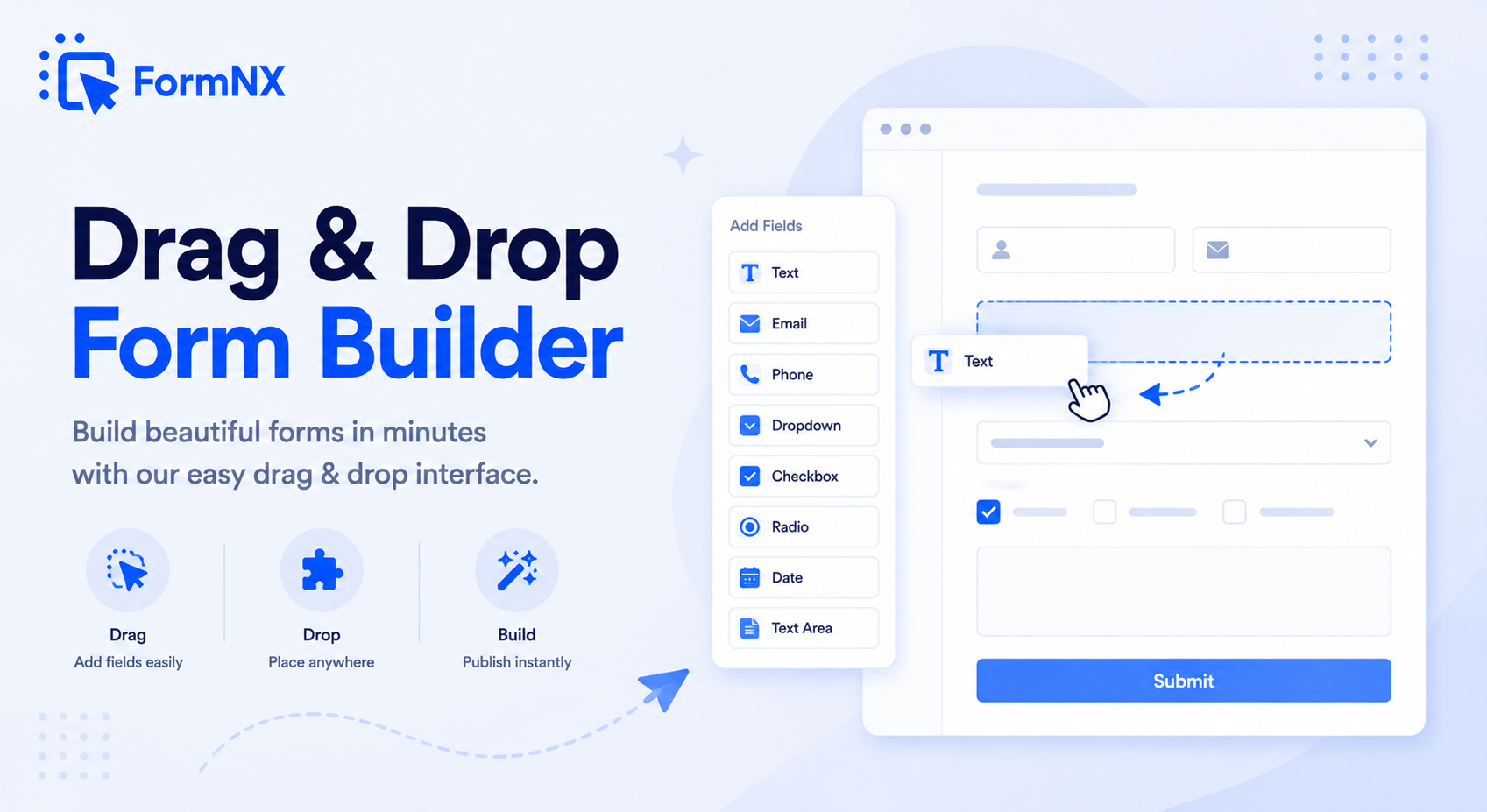
Build any web form by dragging fields onto a visual canvas. No HTML, no code - just pick a field, drop it in place, set your rules, and publish. Your first form is live in under 60 seconds.








































What makes it essential for your forms
Why Use Drag & Drop Form Builder?
No Coding or HTML Required
Build complete web forms by dragging and dropping - no HTML, CSS, or JavaScript knowledge needed. If you can use a mouse, you can build a form.
Real-Time Visual Preview
See exactly how your form looks to respondents as you build it. Every change you make - fields, styling, logic - updates the preview instantly.
35+ Field Types Ready to Use
Text, dropdowns, checkboxes, file uploads, signatures, star ratings, matrix tables, date pickers, and more. Every field type is available on all plans.
Mobile-Responsive Out of the Box
Every form you build automatically adapts to phones, tablets, and desktops. No separate mobile version to maintain - it just works.
Conditional Logic Built In
Create dynamic forms that adapt per respondent. Show, hide, or require fields based on previous answers - all configured visually inside the drag and drop builder.
Publish and Embed Anywhere
Share via link, embed on your website, trigger as a popup, or add to WordPress. One form, every platform - and it updates everywhere when you edit it.
Get up and running in minutes
How to Use Drag & Drop Form Builder
Start with a Template or Blank Canvas
Drag and Drop Your Form Fields
Customize the Design
Publish and Share Anywhere
Step-by-step tutorial
Watch Drag & Drop Form Builder in action
What Is a Drag and Drop Form Builder?
A drag and drop form builder is a visual tool that lets anyone create web forms without writing HTML, CSS, or JavaScript. Instead of hand-coding form elements, you select field types from a menu and drag them onto a canvas. You can rearrange fields, resize columns, and configure validation - all through a point-and-click interface.
FormNX takes this further with conditional logic built right into the builder. You can create dynamic forms that adapt to each respondent: show different questions based on earlier answers, calculate totals in real time, and split long forms into multi-step pages - all without leaving the visual editor.
Why Choose FormNX Over Other Drag and Drop Form Builders?
Most drag and drop form builders limit what you can do on free plans - capping submissions, hiding advanced fields behind paywalls, or adding their branding to your forms. FormNX gives you unlimited forms and unlimited responses on every plan, including the free tier.
Here is what sets FormNX apart:
- 35+ field types included free - text, number, date, file upload, signature, voice recorder, star ratings, matrix tables, and more. No paid add-ons for advanced fields.
- Conditional logic on all plans - show, hide, or require fields based on respondent answers. No upgrade needed.
- Native integrations - connect directly to Google Sheets, Stripe, Slack, Discord, Mailchimp, and more. Or use Zapier and Make for 5,000+ apps.
- Real-time collaboration - invite team members to build and manage forms together in shared workspaces.
- White-label option - remove FormNX branding entirely and use your own logo and domain.
No-Code Form Builder for Non-Developers
The drag and drop form builder is the easy-mode side of FormNX. If you do not know HTML, CSS, or JavaScript - and do not want to learn - you can still ship a complete form with payment, conditional logic, e-signatures, and PDF exports in under an hour. There is nothing to install, no plugin to maintain, and no developer to hire. Drag the fields, configure validation, embed the form, and you are done. For a deeper breakdown of who picks no-code form builders over custom-coded forms and why, see the dedicated no-code form builder page covering use cases, comparison tables, and the trade-offs versus building forms from scratch.
Build HTML Forms Without Code
Every form you create with the FormNX drag and drop builder generates clean, responsive HTML that works on any device and any browser. You can embed it on your website, WordPress, Webflow, Shopify, or any platform that supports HTML embeds. The form automatically adapts to the screen size - no separate mobile version needed.
For developers who want more control, FormNX also supports custom CSS injection and custom JavaScript - so you can extend the form behavior beyond what the visual builder offers, without losing the convenience of drag and drop for the basics.
Because the builder runs in the browser, there is nothing to download and nothing to host. It is an online, web-based HTML form builder: you sign in, build the form, and the HTML5 markup, validation and responsive layout are generated for you. That matters if you have inherited a site you cannot easily add a plugin to, or you need a form live on a landing page this afternoon. The free plan covers this end to end - unlimited forms and unlimited responses, with no credit card - so a working HTML form costs nothing to put into production. Removing the FormNX badge is a Pro-plan option if you need the form completely unbranded.
What You Can Build With the Drag and Drop Form Builder
Because every field is a drag-and-drop block, the same builder handles almost any form type - no templates or code required:
- Registration & signup forms - events, classes, and memberships, built with conditional logic and file uploads from ready-made registration form templates.
- Contact & inquiry forms - a drag-and-drop contact form builder with spam protection and instant email alerts.
- Order & payment forms - add a price field and connect Stripe or PayPal payments for a working checkout.
- Surveys & feedback forms - star ratings, matrix tables, and multi-step pages.
- Application & lead-generation forms - long multi-step forms with progress bars and partial-save.
Drag and Drop Contact Form Builder
A contact form is the fastest thing to build here and the most common reason people reach for a drag and drop form builder. Drop in name, email, subject and message fields, and you have a working contact form in well under a minute. What turns it into something you can actually leave running on a live site is what you add next: disposable-email blocking and reCAPTCHA so bots and burner addresses never reach your inbox, an instant email alert to your team the moment a message arrives, and a branded auto-reply back to the sender so nobody is left wondering whether the form worked. Add a file-upload field when people need to attach a brief or a screenshot, and conditional logic to route enquiries - sales questions to one address, support to another - from the same form.
Drag and Drop Registration Form Builder
Registration and signup forms ask more of a builder than contact forms do, because they usually have to handle capacity, payment or approval. Drag in the attendee fields you need, then set a response limit so the form closes itself the moment the last place goes, and use scheduling to open and close registration on fixed dates without anyone remembering to do it manually. Take the fee at the point of signup by connecting Stripe or PayPal, split a long form into multi-step pages with a progress bar so it does not feel like a wall of questions, and generate a branded confirmation PDF from each submission through the PDF builder. Start from a registration form template if you would rather not build from an empty canvas.
Drag and Drop Form Builder for WordPress
You do not need a WordPress plugin to put a drag-and-drop form on a WordPress site, and skipping the plugin is often the point. Build the form here, then embed it with the Gutenberg block, a shortcode-style embed snippet, or as a popup - there is nothing to install, nothing to keep updated, and no plugin conflict to debug after a core release. The same embed code works on Webflow, Shopify, Wix, Squarespace and plain HTML, so a form built once can be reused across every client site you run. See the WordPress form builder page for the full setup.
Whichever of these you are building, the process is identical: drag the fields you want onto the canvas, set your rules, and publish - the drag and drop form creator turns it into a clean, responsive web form you can embed anywhere.
Common use cases where Drag & Drop Form Builder excels
What You Can Build with Drag & Drop Form Builder
Don't just take our word for it
Hear from our customers
"I've been looking for an alternative to Jotform - one that would accept payments directly from the form. The learning curve is short, supported by great customer service which never let me down."


"There are super features in this form creator. They REALLY took a lot of time to create a fantastic program. I was using another form creator but switching a lot of my forms to this application. The tech support is amazing."

"Easy to build forms from scratch with a long list of fields. Don't want to start from scratch? No problem — many templates available. Every integration I can think of is available. Customer support is quick and very helpful."


Drag & Drop Form Builder: Frequently Asked Questions
-
What is a drag and drop form builder?
A drag and drop form builder is a visual tool that lets you create web forms by dragging field elements (text inputs, dropdowns, checkboxes, etc.) onto a canvas and arranging them without writing any HTML or code. FormNX is a free drag and drop form builder with 35+ field types, conditional logic, and real-time preview.
-
Can I build HTML forms without coding using drag and drop?
Yes. FormNX generates clean, responsive HTML forms automatically as you drag and drop fields onto the canvas. You never need to touch code - just pick your fields, configure settings visually, and publish. The output works on any website, WordPress included.
-
Does the drag and drop form builder work with WordPress?
Absolutely. You can embed forms built with FormNX into WordPress via Gutenberg block, Classic Editor shortcode, or Elementor widget. The form updates automatically whenever you edit it in the builder - no re-embedding needed.
-
Is FormNX really free to use?
Yes. FormNX offers a free forever plan with unlimited forms and unlimited responses. The drag and drop builder, all 35+ field types, and core features like conditional logic and email notifications are included on every plan.
-
What is the best free drag and drop form builder?
The best free drag and drop form builder is one that does not cap you as you grow. FormNX includes unlimited forms and unlimited responses on its free plan, with all 35+ field types, conditional logic, and real-time preview - while many builders limit submissions, lock advanced fields, or add their own branding on free plans. And if you later need payments, e-signatures, or PDF generation, they are built into the same platform instead of a separate tool.
-
Can I build registration and contact forms with the drag and drop builder?
Yes - these are exactly what it is built for. Drag in the fields you need (name, email, date, dropdowns, file upload) and your registration form, contact form, or signup form is ready in minutes. Start from a blank canvas or a ready-made template, add conditional logic to show or hide fields, then embed the finished form on any website or WordPress page. Ready-made registration form templates help you start faster.
-
Is FormNX an open-source or JavaScript drag and drop form builder?
FormNX is a hosted, no-code drag and drop form builder - not an open-source library or a JavaScript, jQuery, or React component you self-host. There is nothing to install, configure, or keep updated: you build forms visually in the browser and they are ready to use. For developers who want more control, FormNX still supports custom CSS and JavaScript and embeds into any HTML, React, or WordPress page - so you get the speed of drag and drop without giving up code-level customization.
Need More Help?
Check out the detailed documentation for Drag & Drop Form Builder
View DocumentationReady to Use Drag & Drop Form Builder?
Start building professional forms with this powerful feature today
Get Started Free NowOther features that work great with Drag & Drop Form Builder
More Related Features
Ready-Made Templates
Skip the blank page. Pick from 1,000+ templates for surveys, registrations, orders, feedback, and more - then customize...
See How It WorksPowerful Form Fields
35+ field types - from text inputs and dropdowns to signature capture, matrix tables, star ratings, and voice recording....
See How It WorksConditional Logic Forms
Build dynamic forms that show, hide, or skip fields based on what each respondent answers. Set up unlimited conditional...
See How It Works
- Alternatives
- Jotform Alternative
- Typeform Alternative
- Google Forms Alternative
- SurveyMonkey Alternative
- Contact Form 7 Alternative
- Paperform Alternative
- Microsoft Forms Alternative
- Fillout Alternative
- Tally Forms Alternative
- Gravity Forms Alternative
- Cognito Forms Alternative
- Formstack Alternative
- All Alternatives
- Pricing Guides
- Jotform Pricing
- Typeform Pricing
- SurveyMonkey Pricing
- Use Cases
- No-Code Form Builder
- Online Survey Builder
- AI Form Builder
- Online Quiz Maker
- Job Application Form Builder
- Order Form Builder
- Screen Printing Order Form
- Wholesale Order Form
- WordPress Form Builder
- Contact Form
- Nonprofit Form Builder
- Squarespace Form Builder
- Wix Form Builder
- Webflow Form Builder
- Framer Form Builder