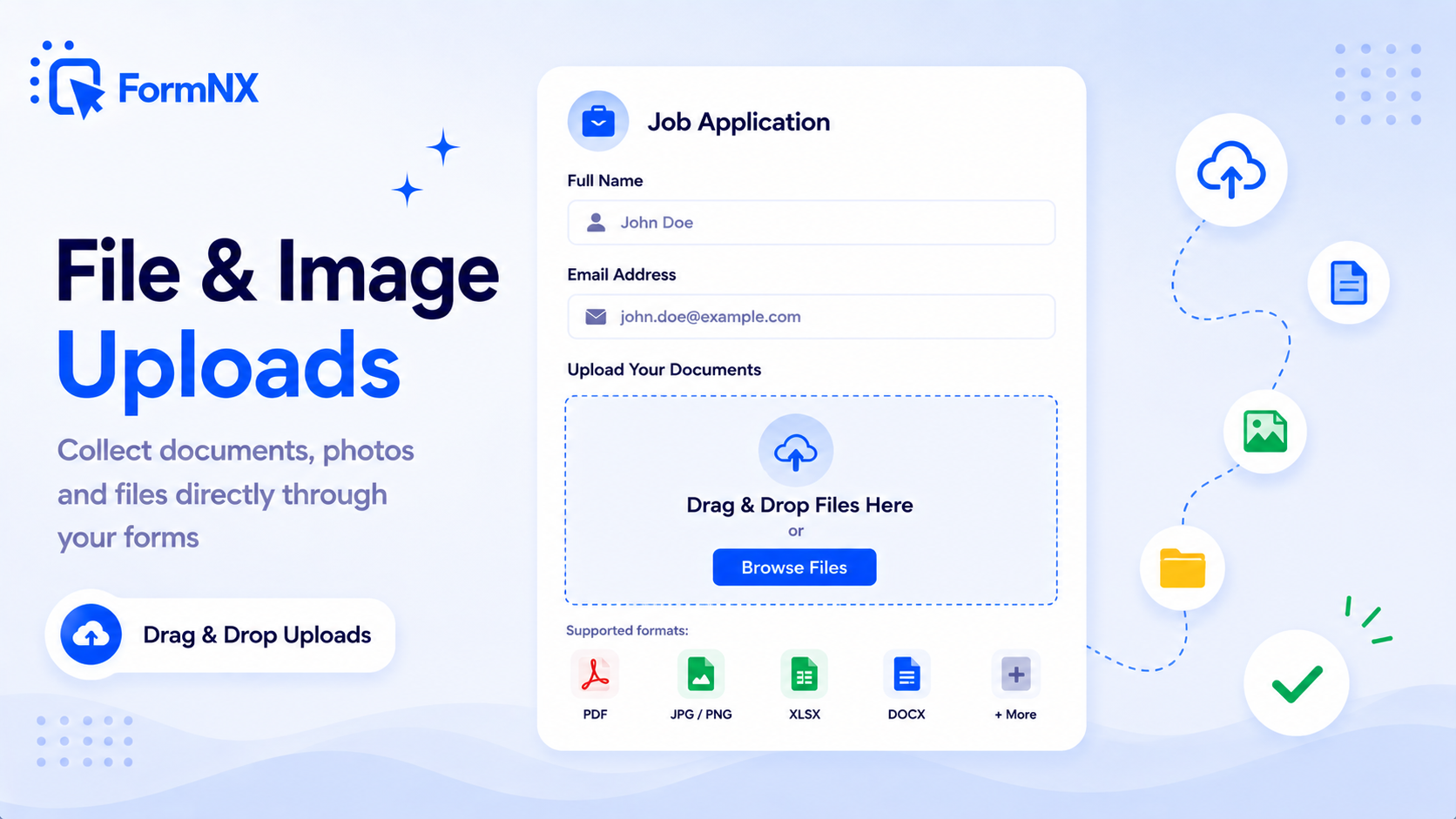
File & Image Uploads
Build a file upload form that lets respondents attach documents, images, or any file type to their submission. Set per-file size limits and allowed file types to keep uploads under control.








































Why collecting files is harder than it should be
The Real Cost of Collecting Files Without an Upload Form
Email Attachments Scatter Across Inboxes
Files arrive on different threads, from addresses that do not match the name on the application, called things like final_v2.pdf. Matching every attachment back to the right person is manual work you repeat with each new batch.
Google Forms Locks Out Anyone Without a Google Account
The moment you add an upload question to a Google Form, respondents are forced to sign in to a Google account before they can attach anything. Job applicants, clients and customers who do not use Google simply cannot finish your form.
Some Builders Put Uploads Behind a Paywall
File upload is a paid-tier field type in several form tools, and on Webflow it also depends on the site plan. A simple resume or artwork form ends up forcing an upgrade before you have collected a single response.
Shared Drive Links Break the Chain
Asking people to drop files into a shared folder gives you loose documents with no answers attached, permission prompts to approve, and no reliable link between a file and the person who sent it.
No Control Over What Gets Sent
Without file type and size rules, someone uploads an enormous video or a format nothing on your machine will open - and you only discover it when you sit down to review the responses.
Files and Answers Live in Two Different Places
The form responses sit in one tool and the documents sit in another. Every review turns into cross-referencing two systems to rebuild a single application.
What an upload field actually gives you
Everything Arrives Attached to the Right Answer
Uploads Are Included on the Free Plan
File and image uploads work on the FormNX free plan, alongside unlimited forms and unlimited submissions. You can publish a working upload form without entering a card.
Anyone Can Upload - No Sign-In
Whoever has the link can attach a file. No account, no login wall, and no lost applicants who gave up at a sign-in screen they did not expect.
You Set the Rules Per Field
Allowed file types, maximum size for each file, and how many files the field accepts are all yours to configure - and they can differ from one field to the next on the same form.
Files Stay Attached to the Submission
Open a response and the documents that person sent are right there to view or download. No folder to search, no filename to decode.
One Field, One File or Many
Keep a resume field to a single document while a portfolio field accepts a batch of images - both on the same form.
Images Get a Purpose-Built Field
The dedicated image upload field suits photo entries, ID pictures, damage evidence and product shots, while the file field handles documents and archives.
Get up and running in minutes
How to Use File & Image Uploads
Add a File Upload or Image Upload Field
Choose Which File Types Are Allowed
Set the Per-File Size Limit and File Count
Share the Form - Files Arrive With Each Submission
What Is a File Upload Form?
A file upload form is an online form with an upload field, so respondents can attach documents, images, or any other file directly to their answers. The files arrive with each submission, stored against that response, and you control which file types are allowed and how large each file can be. It replaces asking people to email attachments separately, which leaves you matching files to names by hand.
People search for this in a dozen ways - an upload form, an online form with file upload, a form builder with file upload, a form uploader, forms that allow file upload, or a form to upload files - and they all describe the same thing: one form where the answers and the attachments arrive together.
Image Upload Forms and Photo Upload Forms
Alongside the general file field, FormNX has a dedicated image upload field built for pictures. Use an image upload form when what you need is visual: photo contest entries, damage evidence on an insurance claim, ID or passport photos on a verification form, product shots from a supplier, or before-and-after pictures on a service report. You still control the accepted formats and the size allowed for each image, and respondents can send one picture or a set, depending on how you configure the field.
Document Upload Forms for Resumes, Invoices and Contracts
A document upload form is the same field pointed at paperwork. Restrict it to PDF and DOC and it becomes a resume collector on a job application form; point it at invoices and receipts and it becomes an expense submission form; pair it with an e-signature field and you can collect a signed contract and its supporting documents in a single step. Because each file is tied to its own submission, reviewing an application means opening one response rather than assembling it from an inbox.
How to Create an Upload Form Without Writing Code
Building the form takes about as long as describing it. In the drag-and-drop builder, drag a File Upload or Image Upload field onto your form, choose the formats you are willing to accept, set the maximum size for each file and how many files the field will take, then publish. Share it as a hosted link, embed it on your website, or open it as a popup. There is no backend to build, no storage bucket to configure, and no upload script to maintain - the field, the storage, and the delivery are all handled for you.
Your Respondents Never Sign In to Upload
This is the practical difference that decides most upload forms. Google Forms requires respondents to sign in to a Google account before they are allowed to attach a file, which quietly excludes anyone who does not use Google - and job applicants, clients and customers regularly do not. A FormNX upload form works for whoever has the link. No account, no login prompt, and no applications lost at a sign-in screen nobody expected.
File Types, File Counts and Per-File Size Limits
Every upload field carries three controls. Allowed file types restrict the field to the formats you actually want - PDF for paperwork, JPG and PNG for photos, MP4 for a short video clip, ZIP for artwork - so anything outside the list is rejected before the form submits. Maximum file size caps how large an individual file can be - and it is worth knowing that this limit applies to each file separately, not to the submission as a whole, so a field allowing five files at a 1MB limit accepts five files of 1MB each. File count sets how many files that one field will take, which is what separates a single-resume field from a multi-image portfolio field.
A Free Form Builder With File Upload Included
File and image uploads are part of the FormNX free plan, not a paid add-on, and they sit alongside unlimited forms and unlimited submissions. That matters because upload capability is exactly where several builders draw the paid line - Webflow gates its file upload element behind higher site plans, and Wix leaves it out of entry tiers altogether. If you need a free file upload form that real people can actually complete, you can build one, publish it, and start collecting documents without a card. Browse ready-made file upload form templates to start from a working example instead of a blank form.
Common use cases where File & Image Uploads excels
What You Can Build with File & Image Uploads
Don't just take our word for it
Hear from our customers
"I've been looking for an alternative to Jotform - one that would accept payments directly from the form. The learning curve is short, supported by great customer service which never let me down."


"There are super features in this form creator. They REALLY took a lot of time to create a fantastic program. I was using another form creator but switching a lot of my forms to this application. The tech support is amazing."

"Easy to build forms from scratch with a long list of fields. Don't want to start from scratch? No problem — many templates available. Every integration I can think of is available. Customer support is quick and very helpful."


File & Image Uploads: Frequently Asked Questions
-
How do I create a file upload form?
Add a File Upload field to any form, choose which file types you want to accept, set a maximum size for each file and the number of files allowed, then share or embed the form. Every uploaded file arrives attached to that submission, ready to view or download from your dashboard.
-
Can I create a file upload form for free?
Yes. File and image uploads are included on the FormNX free plan, along with unlimited forms and unlimited submissions. You can build an upload form, publish it, and start collecting files without entering a card.
-
Do people need an account to upload a file?
No. Anyone with the form link can attach a file. This is the main practical difference from Google Forms, which requires respondents to sign in to a Google account before they can upload anything - a blocker for applicants, clients and customers who do not use Google.
-
Can respondents upload multiple files at once?
Yes. A single upload field can accept one file or several. You set the maximum number of files the field will take, so a portfolio field can carry a batch of images while a resume field stays limited to one document.
-
Is the file size limit per file or for the whole submission?
Per file. If you set a 1MB size limit and allow a maximum of 5 files, each of those 5 files can be up to 1MB - the limit applies to every individual file rather than to the submission as a whole.
-
Which file types can I accept?
You choose. Restrict the field to the formats you actually want - PDF and DOC for resumes, JPG and PNG for photos, ZIP for artwork - and anything outside that list is rejected before the form submits.
-
What is the difference between a file upload field and an image upload field?
The file upload field accepts any format you allow, which suits documents, archives and mixed attachments. The image upload field is purpose-built for pictures, so it fits photo contests, ID photos, damage evidence and product shots.
-
Where do uploaded files go after someone submits?
Each file is stored against its own submission, so you open the response and view or download exactly what that person sent. Nothing lands in a shared folder where you have to work out who uploaded what.
-
Can I add an upload field to a form on my own website?
Yes. Build the form once and embed it on WordPress, Wix, Squarespace, Webflow, Shopify or plain HTML with a single snippet, or share it as a hosted link or popup. The upload field behaves the same way wherever the form is embedded.
Ready to Use File & Image Uploads?
Start building professional forms with this powerful feature today
Get Started Free NowOther features that work great with File & Image Uploads
More Related Features
Quiz Mode
Turn any form into a scored quiz. Set correct answers per question, assign points (per-question or a default), define yo...
See How It WorksForm Timer
Add a countdown time limit to any form or quiz. Set a whole-form timer or per-page timers, auto-submit when time runs ou...
See How It WorksE-Signature Forms
Add a real e-signature field to any form. Respondents draw their signature right inside the form on any device - free, n...
See How It Works
- Alternatives
- Jotform Alternative
- Typeform Alternative
- Google Forms Alternative
- SurveyMonkey Alternative
- Contact Form 7 Alternative
- Paperform Alternative
- Microsoft Forms Alternative
- Fillout Alternative
- Tally Forms Alternative
- Gravity Forms Alternative
- Cognito Forms Alternative
- Formstack Alternative
- Wufoo Alternative
- All Alternatives
- Pricing Guides
- Jotform Pricing
- Typeform Pricing
- SurveyMonkey Pricing
- Use Cases
- No-Code Form Builder
- Online Survey Builder
- AI Form Builder
- Online Quiz Maker
- Job Application Form Builder
- Order Form Builder
- Screen Printing Order Form
- Wholesale Order Form
- WordPress Form Builder
- Contact Form
- Nonprofit Form Builder
- Squarespace Form Builder
- Wix Form Builder
- Webflow Form Builder
- Framer Form Builder