AI Form Builder — Generate Forms from Plain English in Seconds
FormNX is a free AI form builder that turns a one-paragraph description into a working form — fields, validation, dropdown options, and labels all generated for you. Review the AI plan, refine it, and ship. No drag-and-drop required for the first draft.















































Definition
What Is an AI Form Builder?
An AI form builder is a tool that turns a plain-English description of what your form is for into a fully assembled, working form — no drag-and-drop, no field-by-field configuration. Instead of dragging fields one by one and writing validation rules, you describe the form in a sentence or paragraph, and the AI proposes the entire structure: form name, every field with the right type, labels, validation, dropdown options, and any special configurations.
The FormNX AI form builder goes one step further by making the AI's plan fully editable. You can either refine your prompt (and the plan regenerates) or directly edit the plan — add fields, remove fields, change labels, swap field types — before approving. Once you approve, the AI builds the live form and drops you in the visual editor with everything in place, ready to publish or customise further.
"I really appreciate FormNX for its simplicity and intuitiveness. It's easy to use and just works perfectly for my needs. The form builder is especially straightforward, and I've found the OTP function to be a great feature. Setting it up was extremely easy, and I was able to have a form ready within an hour."

The case for FormNX
Why Teams Pick FormNX as Their AI Form Builder
Editable AI plan — not a black box
Most AI form builders give you a finished form and force you to fix everything afterwards. FormNX shows you the AI's plan first — every field, every label, every dropdown option — and lets you edit it (or refine your prompt) before the form gets built. You stay in control.
In-builder AI assistance after generation
AI is not just for the first draft. Inside the form builder, AI can add new fields from a short prompt, generate dropdown and checkbox options (US states, countries, common cancellation reasons), write notification and thank-you emails, and design thank-you pages. AI follows you through the whole build, not just the start.
Goes straight into the full FormNX builder
After AI generates the form, you land in the standard drag-and-drop builder with every field in place. From there you can layer in conditional logic, payment, e-signature, and multi-step pages. AI gets you to step one fast; the visual editor handles everything beyond.
Free to start — no AI credit packs
FormNX includes AI form generation on the free plan. No credit-card-required trial, no per-prompt charges, no AI credit packs to top up. Describe a form, get a plan, ship the form. Paid plans add higher AI usage limits and the in-builder AI assistant for advanced operations.
The workflow
From Prompt to Live Form in 3 Steps
Describe the form
Type a plain-English prompt explaining what the form is for, what fields you want, any design preferences, and any other instructions. As detailed or as terse as you like.
Review & refine the AI plan
FormNX returns a structured proposal — form name, every field with type and config, dropdown options pre-populated. Either edit the plan directly (add/remove fields, change labels, swap types) or refine your prompt to regenerate it. As many rounds as you need.
Ship
Approve the plan and the AI builds the live form in seconds. You land directly in the FormNX visual editor with the form fully assembled — ready to publish, embed, share, or customise further with payment, e-signature, conditional logic, and multi-step pages.
AI throughout the build
In-Builder AI Features
AI is not only for the first draft. Inside the FormNX editor, AI assists with the long tail of form-building work too.
Add fields from a prompt
Inside the builder, type a short instruction ("add an emergency contact section with name, phone, and relationship") and the AI inserts the right fields with the right config in the right place.
Generate dropdown & checkbox options
Stop typing 50 list items by hand. Ask the AI for "all US states", "common reasons for cancellation", "Indian university shortlist", or any other list and it populates the field options instantly.
Write notification emails
AI drafts the notification email sent to you (the form owner) when a submission comes in — subject line, body, and which form fields to surface — based on the purpose of the form.
Write thank-you emails
AI drafts the auto-response email sent to the respondent after they submit — friendly, on-brand, with the next steps or confirmation details inferred from the form.
Design thank-you pages
After submission, respondents land on a thank-you page. AI designs it for you based on the form's purpose — copy, layout, optional CTA, and embedded video or next-step buttons.
"Has everything I need to build forms for my client websites. I love the fact that I can create a google sheet per client and all the data can be seen on the google sheet. The developers reply back always and have even implemented a few requests FAST to make the form set up even better. I Highly recommend. Also, hoping..."

What you can build
What You Can Build with the AI Form Builder
The AI handles any of the form types FormNX already supports. Browse the template categories for inspiration, or just describe what you need and let the AI compose it.
"We have been having so many issues when it comes to creating forms with jot forms and sturggled getting efficient flow setup with our clientele. As a charity this is crucial for us to continue and for our programs to have the reach there m..."

AI vs manual
AI Form Builder vs Building Forms by Hand
Even within FormNX itself, AI generation is dramatically faster than dragging fields one by one.
| Dimension | AI Form Builder Fastest | Manual Form Building (drag & drop) |
|---|---|---|
| Time to first draft | 30 seconds — describe in plain English, AI returns the plan. | 15-30 minutes — drag every field, set every label, write every option. |
| Skill required | Type a sentence. Anyone on the team can do it. | Drag-and-drop literacy + understanding of which field types fit which use cases. |
| Field type selection | AI picks the right type based on context (email vs phone vs date vs file upload). | You pick each field type manually. |
| Dropdown option lists | AI populates common lists (countries, states, currencies, time zones) automatically. | Type or paste every option yourself. |
| Labels & validation | AI writes clear, professional labels and applies sensible validation by default. | You write labels and configure validation field by field. |
| Editing the result | AI plan is editable before ship. After ship, full FormNX visual editor. | Full FormNX visual editor. |
| Notification & thank-you emails | AI drafts both — subject, body, fields to include. | Write each email by hand. |
| Thank-you page design | AI designs copy + layout based on form purpose. | Built field by field. |
| Best for | Fast first drafts, generic form types, brand-new forms. | Pixel-perfect custom layouts, highly unusual flows. |
The honest take: use AI for the first 80% (structure, field types, options, copy) and the visual editor for the last 20% (custom polish, advanced logic, payment configuration).
"I have been using formnx for the past 2 weeks and have found it easy to build forms quickly and have been able to make modifications efficiently. A real asset in using this app is the quick response time by the vendor, quite often. within 10 minutes. The vendor has also made changes, within days, to the builder as per..."

Who builds with AI
Who Uses an AI Form Builder?
Any team that wants to ship forms faster — without learning a form-builder UI from scratch.
Marketers & growth teams
Lead-gen forms, webinar signups, contest entries, gated downloads — describe the campaign and let AI build the form.
HR teams & recruiters
Job applications, onboarding paperwork, PTO and leave forms — AI handles the routine structure so you focus on policy.
Agencies & consultants
Spin up client-specific forms in seconds, not hours. See FormNX for agencies for the full agency workflow.
Healthcare practices
Patient intake, consent forms, appointment scheduling — describe the visit type and AI generates the right intake form.
Educators & schools
Course registrations, parent consent forms, student surveys, alumni updates — generated from a one-line description.
Operations teams
Internal request forms, vendor onboarding, incident reports — digitise paper processes in minutes by describing them.
Restaurants & hospitality
Reservations, catering orders, party RSVPs, dietary preference forms — described and shipped in a single sitting.
Nonprofits & fundraisers
Donation forms, volunteer applications, grant applications, fundraising signups — AI writes the friendly tone, you ship.
Founders & solopreneurs
Waitlists, customer interviews, paid pre-orders, beta feedback — generate any monetisation experiment in an hour.
Finance & legal teams
Client intake, KYC, retainer agreements with e-signature, billing dispute forms — generated, then layered with audit-trail features.
Trade pros & home services
Service inquiry forms, quote requests, consent and waiver forms — describe the service and AI builds the booking funnel.
Events & sports clubs
Athlete registrations, event signups, league waivers, team rosters — described and shipped in minutes.
Skip the blank canvas
Form Templates to Start From
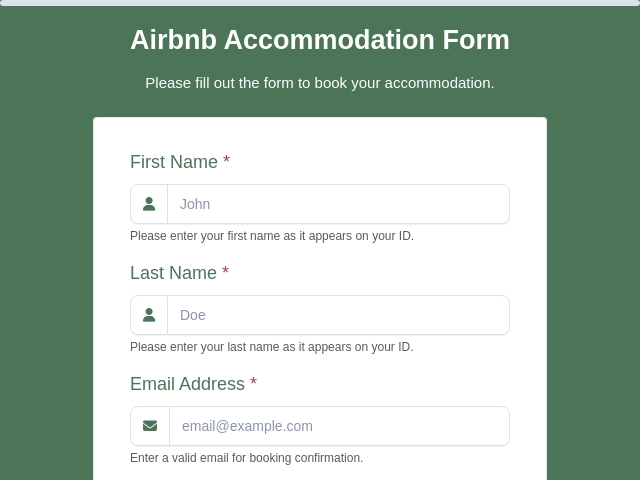
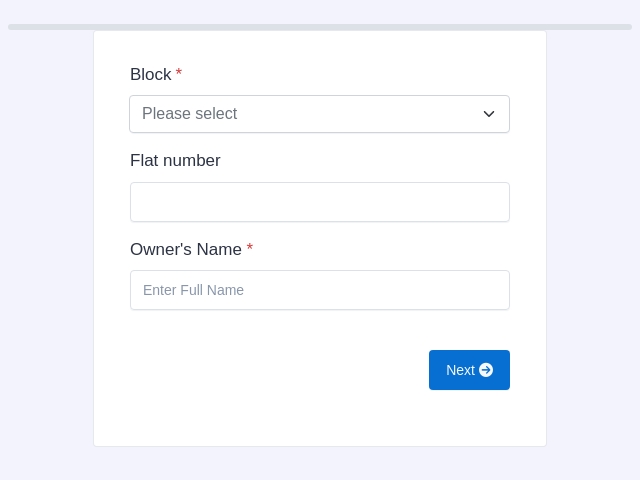
Prefer a head start? Begin from a ready-made template, then refine it with AI or by hand. Pick a design, change the fields and branding, and publish in minutes.

FormNX vs Other AI Form Builders: FAQs
-
What is an AI form builder?
An AI form builder is a tool that turns a plain-English description into a working form - no drag-and-drop, no field-by-field configuration. You describe what the form is for ("a job application form with role, experience, portfolio upload, and salary expectation"), the AI proposes a complete form plan, you review or refine that plan, and on approval the AI generates the live form with the right field types, labels, validation rules, and dropdown options.
-
How does the FormNX AI form builder work?
Three steps. (1) Describe - type a prompt explaining what the form is for, what fields you want, any design preferences, and any other instructions. (2) Review the AI plan - FormNX returns a structured proposal: the form name, every field with its type and configuration, plus the overall structure. You can either refine your prompt (and the plan regenerates) or edit the plan directly - add a field, remove a field, change a label, swap a field type. (3) Ship - approve and the AI builds the live form. You land directly in the visual editor with the form fully assembled, ready to publish.
-
Can I edit the AI-generated form after it is built?
Yes - completely. Once the AI generates the form, you land in the standard FormNX drag-and-drop builder with every field already in place. From there you can rearrange fields, change labels, adjust validation, add conditional logic, configure integrations, add payment, change the theme, or do anything else you would normally do in the form builder. The AI is a starting point, not a black box.
-
Does AI help with anything beyond initial form generation?
Yes. Inside the form builder, AI can add new fields from a short prompt ("add a section for emergency contact"), generate dropdown and checkbox options for a field ("list of all US states"; "common reasons for cancellation"), write notification emails sent to the form owner, write thank-you emails sent to the respondent, and design thank-you pages. AI also powers the PDF builder for auto-generating PDF templates from your form structure.
-
Is the AI form builder free?
Yes. FormNX includes AI form generation on the free plan - you can describe a form, get an AI-generated plan, refine it, and ship the form without paying. Paid plans add higher AI usage limits and the in-builder AI assistant for advanced operations (bulk option generation, AI email writing, thank-you page design).
-
How is the AI form builder different from a template?
Templates are pre-built forms you customise to fit your needs. The AI form builder generates a custom form for your exact use case from a one-paragraph description - no scrolling through template galleries, no field-by-field customisation. Templates are still useful when you want a proven structure (event registration, customer feedback, etc.); AI is better when your form does not match any standard template or when you want to ship something tailored fast. Both produce a form you can keep editing in the visual builder.
-
Does the AI form builder support payments, e-signatures, and conditional logic?
Yes. Once the AI generates the form, you can layer in payment fields, e-signature, conditional logic, calculation fields, and multi-step pages from the visual builder. The AI handles the heavy lifting of generating the initial structure; the visual editor handles the advanced configuration.
-
Is AI-generated form data private?
Your form description prompt is sent to an AI provider to generate the form plan, then the resulting plan is stored in your FormNX workspace. Live form responses (submissions) are NOT sent to AI providers - they stay in FormNX. So the AI sees your "what the form should look like" prompt, but never sees the actual data your respondents submit.
Still comparing?
Ask your favorite AI how FormNX stacks up against Other AI Form Builders.
Generate Your First AI Form in 30 Seconds
Free forever. Describe your form in plain English, review the plan, and ship.
Get Started Free Book a Demo
 Reviews on Trustpilot
- Alternatives
- Jotform Alternative
- Typeform Alternative
- Google Forms Alternative
- SurveyMonkey Alternative
- Contact Form 7 Alternative
- Paperform Alternative
- Microsoft Forms Alternative
- Fillout Alternative
- Tally Forms Alternative
- Gravity Forms Alternative
- Cognito Forms Alternative
- Formstack Alternative
- All Alternatives
- Pricing Guides
- Jotform Pricing
- Typeform Pricing
- SurveyMonkey Pricing
- Use Cases
- No-Code Form Builder
- Online Survey Builder
- AI Form Builder
- Online Quiz Maker
- Job Application Form Builder
- Order Form Builder
- Screen Printing Order Form
- Wholesale Order Form
- WordPress Form Builder
- Contact Form
- Nonprofit Form Builder
- Squarespace Form Builder
- Wix Form Builder
- Webflow Form Builder
- Framer Form Builder