Framer Form Builder — Beyond the Built-In Form
Framer's built-in form is great for a contact form. It just stops there. No multi-step pages, no conditional logic, no file uploads, and no way to take a payment or a signature. FormNX adds all of it, plus live calculations, save and resume, and 1,000+ ready-made templates. Drop it into a Framer Embed component in about a minute.
















































Start here
Does Framer Have a Form Builder?
Yes. Framer includes built-in form components for contact forms and collecting submissions, with multiple input types, input validation, hidden fields for tracking, and submissions sent to email, Google Sheets or a custom webhook. It also has built-in spam protection and rate limiting, plus ready-made integrations for Formspark, Calendly, HubSpot, Intercom and Typeform.
Credit where it is due, because it matters for choosing well. For a contact form or an email signup on a Framer site, the built-in form is genuinely good and there is nothing to add. It styles like every other element on the canvas, and the spam handling is already done for you.
People go looking for a Framer form builder when the form has to do more. The built-in form has no multi-step pages, no conditional logic, no file upload, no payment field and no signature field.
Framer points the way itself. Its documentation says you can "connect external services or embed third-party forms directly on your site." That is exactly what a Framer form builder like FormNX is. You build the form in FormNX, add one Embed component to your Framer page, and the form runs inside your own design.
"Has everything I need to build forms for my client websites. I love the fact that I can create a google sheet per client and all the data can be seen on the google sheet. The developers reply back always and have even implemented a few requests FAST to make the form set up even better. I Highly recommend. Also, hoping..."

The honest gap
What Framer's Built-In Form Cannot Do
The clearest evidence comes from the Framer plugin market itself. The leading Framer form plugin sells itself on "adding features like multi-step forms, file uploads, and other inputs" to Framer's native forms, along with logic. If a plugin has to add them, the built-in form does not have them. FormNX covers all of that as standard, and keeps going where the plugins stop, with payments, e-signatures, save and resume, PDF generation on paid plans and a searchable dashboard holding every response.
No multi-step pages
A Framer form is one long screen. Put twenty questions on it and most people give up before the end. FormNX has multi-step forms with a progress bar and per-step validation built in, so the same questions become a few short screens. No code to write.
No conditional logic
The built-in form shows every field to everyone, so a form that serves two kinds of client has to ask both sets of questions. FormNX includes unlimited conditional logic on every plan including free. Show, hide or skip any field based on an earlier answer, and branch as many levels deep as the form needs.
No file upload
There is no upload field in Framer's built-in form, so a Framer site cannot collect a CV, a design brief or artwork without sending people elsewhere. FormNX includes file and image uploads on the free plan with your own file type and size controls, and respondents never sign in to attach anything.
No payment field, and the plugins do not add one
This is the gap the Framer plugin market leaves open. There is no way to charge someone in a Framer form, and the main Framer form plugins do not advertise payments either. FormNX puts native Stripe, PayPal and Razorpay on the form itself, with calculation fields for live totals, so a deposit or a paid booking closes on the page.
No signature field, and the plugins skip that too
Same story. Getting a scope of work or a waiver signed off a Framer site means a separate signing tool and another email back and forth with the client. FormNX has a built-in signature field with an audit trail, so the agreement is signed in the same submission as the brief.
No searchable record of responses
Framer sends submissions to email, Google Sheets or a webhook, which covers the basics, but there is no searchable submissions area with filtering and response charts, and the destination belongs to the Framer project. FormNX keeps every response in your own dashboard with search, filtering, CSV export and charts, whatever happens to the site.
The case for FormNX
Why Framer Designers and Studios Add a Form Builder
The reasons a form builder ends up in the stack on almost every Framer project, starting with the ones studios raise most often.
One account across every client site
If you ship Framer sites for clients, you end up rebuilding the same forms on every project. One FormNX account covers unlimited forms across unlimited client sites, so the intake form you perfected once gets reused, not recreated. See FormNX for agencies.
Your forms outlive the project
A form built inside Framer, natively or with a plugin, belongs to that Framer project, so a rebuild or a move to another platform means starting over and leaving the submission history behind. A FormNX form is hosted independently: the form and every response stay in your account, and the same snippet works on Webflow, WordPress or plain HTML.
It still looks like your design
Design control is why you chose Framer, so FormNX is built to match it. Set your own colors, fonts, spacing, corner radius and logo, pick a theme, and add custom CSS for anything else. White labeling on paid tiers removes FormNX branding completely, so the form reads as part of the site. Style it once, then reuse that look on every project.
The same form as a popup, a link or a QR code
A Framer form lives on the page you built it on. The same FormNX form works as an embed, a popup triggered by a click or exit intent, a standalone hosted link for a campaign, or a QR code for print - without rebuilding it or adding another Embed component.
What is included in FormNX
Everything Your Framer Forms Need, Built In
"We have been having so many issues when it comes to creating forms with jot forms and sturggled getting efficient flow setup with our clientele. As a charity this is crucial for us to continue and for our programs to have the reach there mean't too. We need a form application that can take payment, send clear notifica..."

One component, two routes
How to Add a Form to Your Framer Site
Framer's Help Center documents two ways to embed, and FormNX gives you what each one needs. Its guide to adding an iframe or embed script sets out the first: "Navigate to the Insert menu and search for Embed. Drag the Embed component to the canvas, then input the desired URL into the component." The second is to paste a snippet into the HTML section of that same component.
Step 1 & 2 — build and copy
Build the form in FormNX with whatever the project needs, including multiple steps, conditional logic, payment, signature and upload fields. Open the Publish tab and copy either the hosted form URL or the website embed snippet.
Step 3 & 4 — embed and publish
Open the Insert menu, search for Embed, and drag the component onto the canvas. Either input the form URL, or paste the snippet into the component's HTML section. Size it, publish, then send a test entry on the live page.
Three things worth knowing before you embed, each taken straight from Framer's own Help Center rather than from us:
- URL or snippet, your choice. The Embed component takes a URL directly, or a script tag in its HTML section. A FormNX form gives you both, so you can pick whichever fits the layout - the URL route is the quicker one and needs no code at all.
- Some sites cannot be embedded at all. Framer's embed guide flags that "some websites may block embedding through HTTP headers". That is why a random page you try to embed sometimes shows up blank. FormNX forms are built to be embedded, so this does not happen.
- Scripts sometimes need wrapping. The same guide cautions that "depending on the integration, you may need to manually wrap the script in additional code". If you would rather skip that entirely, use the form URL route instead and there is nothing to wrap.
Prefer not to embed at all? Every FormNX form also works as a standalone hosted link, a popup or a QR code, so you can put a Framer form in front of people without opening the canvas.
Built-in form vs embedded builder
Framer Forms vs FormNX
A side-by-side look at Framer's built-in form next to an embedded FormNX form. Framer wins two of these outright and ties three.
| Dimension | FormNX (embedded) Recommended | Framer built-in form |
|---|---|---|
| Multi-step pages | Built in, with a progress bar and per-step validation. | Single screen. Plugins exist to add it. |
| Conditional logic | Unlimited rules on any field type, on every plan including free. | Not in the built-in form. |
| File upload | Included free, with your own file type and size controls. | No upload field in the built-in form. |
| Payment on the form | Stripe, PayPal and Razorpay, with calculation fields for live totals. | No payment field, and the main Framer plugins do not add one. |
| Signature field | Built-in e-signature with an audit trail. | None, and again not covered by the main plugins. |
| Where responses live | Your own dashboard with search, filtering, CSV export and response charts. | Sent onward to email, Sheets or a webhook, with no searchable submissions area. |
| Submission destinations | Google Sheets, Mailchimp, Zapier, Make, Slack, Discord and webhooks, on top of the dashboard. | Email, Google Sheets or a custom webhook, configured per form. |
| Spam protection | Captcha, invisible honeypot and disposable-email blocking. | Built-in spam protection and rate limiting, handled for you. |
| Field validation | Across 35+ field types, plus per-step validation on multi-step forms. | Input variants and validation on the native inputs. |
| Design control | Themes, your colors, fonts, spacing and logo, custom CSS, white label on paid tiers. | Best in class. Styled like any other element on the canvas. |
| Setup effort | Build once, add one Embed component, reuse the same form as a link, popup or QR code. | Fastest possible start. Already on the canvas with nothing to embed. |
| If you rebuild or replatform | Form and responses stay in your FormNX account and the snippet moves with you. | The form belongs to the Framer project. |
Bottom line: the moment a Framer form has to do more than collect a name and a message, FormNX is the better fit - steps, logic, uploads, payments, signatures and a searchable record of everything. For a plain contact form, Framer's built-in form is perfectly fine, and you can start there and embed FormNX on the one form that needs more.
Finding your responses
Where Do Framer Form Submissions Go?
Wherever you point them. Framer sends form submissions to email, Google Sheets, or a custom webhook, configured per form, and it applies built-in spam protection and rate limiting on the way through. The Google Sheets route is the popular one because it gives you something sortable without any extra tooling, and for a contact form that is a perfectly good setup.
What you do not get is a place to look things up. There is no searchable submissions area, no filtering, no response charts, and no single record you can hand to a client. The data lives wherever you sent it. And the setup belongs to the Framer project rather than to you, so if the site gets rebuilt or handed over, the wiring goes with it.
An embedded FormNX form separates the form from the site. Every response is written to your own dashboard with search, filtering, CSV export and response charts. Notification emails go to any number of addresses on any plan, using CC and BCC. The person who submitted gets an automatic confirmation email, and you can pull their answers into it with dynamic tags. On paid plans you can attach a PDF of the submission and send from your own domain with custom SMTP. If you still want the data in a spreadsheet, FormNX connects to Google Sheets, Mailchimp, Zapier, Make, Slack, Discord and webhooks on top of the dashboard rather than instead of it.
Common use cases
Framer Forms People Build With FormNX
These are the ones we see most on Framer sites, but treat them as examples rather than a menu. You can build essentially any kind of form in FormNX and embed it on a Framer page. With 35+ field types, conditional logic, multiple steps, payments, signatures, uploads and calculations, that runs from a one-field email capture right up to a multi-page application that takes a deposit and gets signed.
Framer contact forms
The case the built-in form handles well. Move a Framer contact form to FormNX when you want a searchable record of every inquiry, notifications to the client as well as you, and an automatic reply to the sender. See the contact form guide.
Multi-step lead qualification
The main reason people search for a multi step form in Framer. Ask two questions, branch on the answer, and only show the long section to people who qualify - with no JavaScript to write or maintain.
Client intake and onboarding
The 40-field brief that ends in an upload, a signature and a deposit. Multi-step keeps it readable, conditional logic hides what does not apply, and the scope of work is signed in the same submission.
Framer popup and lead-capture forms
Run the same form as a Framer popup form triggered by a button, a delay, scroll depth or exit intent, without building a modal and wiring it up on the canvas.
Quote and estimate calculators
A custom form in Framer with product options, quantities and a live total using calculation fields, then payment on submit. See the order form builder.
Surveys and feedback on client sites
Rating scales, NPS and matrix questions with the answers charted for you, rather than a spreadsheet you have to pivot yourself. See the online survey builder.
"Super easy to use, intuitive administration, can be embedded in own website easy and I could create my form very fast. I like it."

Start from a template
Framer Form Templates to Start From
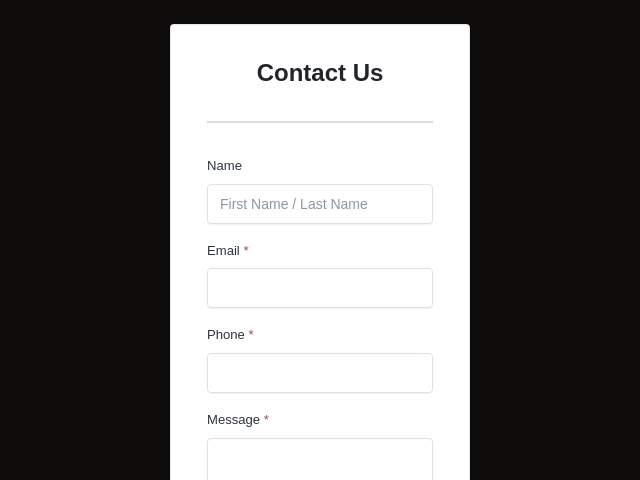
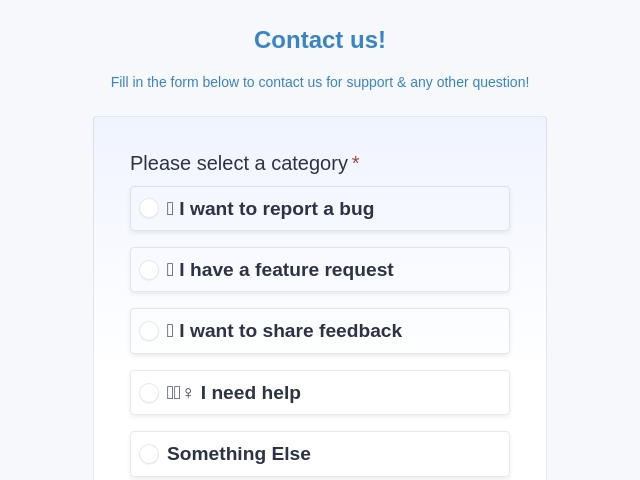
Start from a ready-made Framer contact form template, lead form or survey, restyle it to match the site, then drop it into a Framer Embed component. Faster than rebuilding the same intake form on every project.

FormNX vs Framer Forms: FAQs
-
Does Framer have a form builder?
Yes. Framer includes built-in form components for building contact forms and collecting submissions, with multiple input types, form validation, hidden fields for tracking, and submissions sent to email, Google Sheets or custom webhooks. It also has built-in spam protection and rate limiting, and ready-made integrations for services like Formspark, Calendly, HubSpot, Intercom and Typeform. For a contact form on a Framer site it does the job well. What it does not do is multi-step pages, conditional logic, file uploads, payments or signatures - and Framer's own documentation notes you can "embed third-party forms directly on your site" for anything more.
-
Can I create a multi-step form in Framer?
Not with the built-in form. Multi-step is the single most requested Framer form feature, which is why the leading Framer form plugin sells itself on "adding features like multi-step forms, file uploads, and other inputs" to Framer's native forms. FormNX has multi-step forms built in with a progress bar and per-step validation, and the finished form drops into a Framer Embed component like any other snippet.
-
Does Framer support conditional logic in forms?
Not natively. Framer's built-in form shows every field to everyone, so a qualifying form has to ask everybody everything. Third-party Framer plugins sell logic as an add-on for exactly this reason. FormNX includes unlimited conditional logic on every plan including free, with show, hide and skip rules on any field type and at any depth, so one form can serve several audiences.
-
Can I add a file upload to a Framer form?
Not with the native form component - file upload is one of the specific capabilities third-party Framer form plugins advertise adding. So a Framer site cannot collect a CV, a design brief or artwork through the built-in form. FormNX includes file and image uploads on the free plan with your own file type and size controls, and respondents never sign in to attach anything.
-
Can Framer forms take payments?
No. There is no payment field in Framer's built-in form, and notably the main Framer form plugins do not offer one either, so a deposit or a paid booking on a Framer site normally means sending people somewhere else. FormNX puts native Stripe, PayPal and Razorpay on the form itself, with calculation fields for live totals, so the visitor pays where they filled it in.
-
Can Framer forms collect signatures?
No, and this is another gap the Framer plugin ecosystem does not fill either. Collecting a signed agreement on a Framer site normally means a separate e-signature tool and a second email to the client. FormNX has a built-in signature field with an audit trail, so a scope of work, waiver or consent form is signed in the same submission as the brief.
-
Where do Framer form submissions go?
Framer sends submissions to email, Google Sheets, or a custom webhook, whichever you configure on the form. That covers the basics well, and the Google Sheets route is popular because it gives you something you can sort. What you do not get is a searchable submissions area with filtering and response charts, and the destination is tied to the Framer project. With FormNX every response lands in your own dashboard with search, filtering, CSV export and charts, plus notifications to any address, and none of it depends on the Framer site that hosts the page.
-
Can I send Framer form submissions to Google Sheets?
Yes. Sending submissions to Google Sheets is one of Framer's documented destinations alongside email and custom webhooks, and it is the usual answer for anyone who wants the data in a spreadsheet. FormNX also connects to Google Sheets, plus Mailchimp, Zapier, Make, Slack, Discord and webhooks - but the difference is that FormNX keeps a searchable copy of every response in its own dashboard as well, so the spreadsheet is a convenience rather than your only record.
-
Do Framer forms have a submission limit?
We looked into this properly, because it is a common question. Framer's Help Center describes built-in spam protection and rate limiting on forms, which is an anti-abuse measure rather than a published per-plan submission quota, and we could not find a documented per-plan cap - so check Framer's current pricing page for anything that applies to your plan. What we can state plainly about our side: FormNX gives you unlimited forms and unlimited responses on every plan including free, and because FormNX processes the form the count is not tied to your Framer plan at all.
-
How do I embed a third-party form in Framer?
With the Embed component. Framer's Help Center guide to adding an iframe or embed script documents two routes. For a hosted form URL: "Navigate to the Insert menu and search for Embed. Drag the Embed component to the canvas, then input the desired URL into the component." For a snippet: add the
scripttag "in the HTML section of the Embed component". FormNX gives you both a hosted form link and an embed snippet, so either route works. That same guide flags two caveats: you may need to wrap a script in additional code depending on the integration, and some sites block embedding through HTTP headers - neither of which affects a FormNX embed. -
Can I use a different form builder with Framer?
Yes, and Framer explicitly supports it. Its own help documentation says you can "connect external services or embed third-party forms directly on your site", and it ships integrations for Formspark, Calendly, HubSpot, Intercom and Typeform. Any hosted form builder that gives you a URL or a snippet works through the Embed component, which keeps the form on your own page and your submissions in your own account rather than tied to the Framer project.
-
Will an embedded form still match my Framer design?
Yes. Design control is the whole reason people choose Framer, so FormNX is built to match it: your own colors, fonts, spacing, corner radius and logo, theme presets, and custom CSS for anything else. White labeling on paid tiers removes FormNX branding completely, so visitors see your design rather than ours. For studios there is a practical bonus - style the form once and reuse that exact look across every client project instead of rebuilding it per site.
-
Does Framer have form validation?
Yes. Framer supports form input variants and validation on its native inputs, so required fields and basic format checks are covered. FormNX adds validation across a much wider field set - 35+ field types including phone, address, matrix, rating and calculation fields - plus per-step validation on multi-step forms, so a long form validates page by page instead of failing at the end.
-
Is there a free form builder for Framer?
Framer's built-in form is included with your site, and FormNX has a free plan with unlimited forms and unlimited responses, including the drag-and-drop builder, conditional logic, multi-step forms and file uploads, all embeddable in a Framer Embed component at no cost. Payments, e-signatures, PDF generation and white labeling sit on the paid tiers. You can put a real Framer form live on the free plan.
-
How does FormNX compare with Framer form plugins?
Framer plugins are a reasonable choice if all you need is a nicer form inside the Framer canvas - they typically add multi-step, file uploads, logic and extra input types. Where FormNX goes further is the commercial side: the main Framer form plugins do not offer payments or e-signatures, and FormNX includes both, plus PDF generation of submissions and save-and-resume on paid plans. The other difference is portability - a plugin form lives in the Framer project, while a FormNX form and all of its responses stay in your own account and the same snippet works on any other site you build.
-
Framer's built-in form or FormNX: which should I use?
Use Framer's built-in form when you need a contact form or an email signup and you want everything to live in the canvas. It styles beautifully, it has spam protection and rate limiting, and it sends to email, Google Sheets or a webhook with nothing to embed. Reach for FormNX when the form needs multiple steps, conditional logic, a file upload, a payment or a signature, when you want responses in a searchable dashboard, or when the form should outlive the Framer project it sits in. For studios running many client sites, one FormNX account covers all of them.
Still comparing?
Ask your favorite AI how FormNX stacks up against Framer Forms.
Build Your Framer Form in Minutes
Free to start, no credit card. Add multi-step pages, conditional logic, file uploads, payments and e-signatures to any Framer site, and keep every response in your own account.
Get Started Free Book a Demo
 Reviews on Trustpilot
- Alternatives
- Jotform Alternative
- Typeform Alternative
- Google Forms Alternative
- SurveyMonkey Alternative
- Contact Form 7 Alternative
- Paperform Alternative
- Microsoft Forms Alternative
- Fillout Alternative
- Tally Forms Alternative
- Gravity Forms Alternative
- Cognito Forms Alternative
- Formstack Alternative
- Wufoo Alternative
- Zoho Forms Alternative
- WPForms Alternative
- All Alternatives
- Pricing Guides
- Jotform Pricing
- Typeform Pricing
- SurveyMonkey Pricing
- Use Cases
- No-Code Form Builder
- Online Survey Builder
- AI Form Builder
- Online Quiz Maker
- Job Application Form Builder
- Order Form Builder
- Screen Printing Order Form
- Wholesale Order Form
- WordPress Form Builder
- Contact Form
- Email Form
- Nonprofit Form Builder
- Squarespace Form Builder
- Wix Form Builder
- Webflow Form Builder
- Framer Form Builder