Contact Form for Modern Websites
Build a contact form for your website, add spam protection and instant email notifications, then embed it on any site - WordPress, Wix, Squarespace, Webflow, or plain HTML - in minutes. No coding, and it is free to start.
















































The basics
What Is a Website Contact Form?
A website contact form is an embedded form that lets visitors send you a message - their name, email, and what they need - straight to your inbox, without exposing your email address to spam bots. It replaces a plain mailto: link with a structured, spam-protected, trackable way for people to reach you, and every submission is stored so nothing slips through the cracks. Whether you call it a contact us form, an online contact form, a web contact form, or a website contact form, the job is the same - turn a visitor into a message you can act on.
There are three ways to add one to a site: hand-code the HTML and wire up a backend yourself; use a form-to-email endpoint service (where you still write the HTML form and manage an access key); or use a no-code contact form builder like FormNX that gives you the whole hosted form - fields, delivery, storage, and spam protection - plus a snippet to embed it. The last is the fastest and needs no code at all.
Cuts spam
Keeps your email address off the page so bots can't scrape it, while real visitors still reach you.
Builds trust
A clear contact form signals a real, reachable business and organizes every inquiry consistently.
Routes inquiries
Add dropdowns or conditional logic to send each message to the right team automatically.
From blank to live in minutes
How to Create a Contact Form for Your Website
The old way to add a contact form to a website is to hand-code the HTML, style it with CSS, then wire up a backend (or a third-party endpoint) so the submissions actually reach your inbox - and add your own spam protection on top. FormNX replaces all of that with a no-code contact form builder: you build the form visually, and it handles delivery, storage, and spam out of the box.
Start three ways - describe your form and let AI build it, pick a ready-made contact form template, or open a blank form. Add your fields, turn on email notifications, and click Embed. Paste the snippet on any website - or share it as a link or popup. It is free to start, with unlimited forms and submissions, so a complete website contact form costs nothing.
"I really appreciate FormNX for its simplicity and intuitiveness. It's easy to use and just works perfectly for my needs. The form builder is especially straightforward, and I've found the OTP function to be a great feature. Setting it up was extremely easy, and I was able to have a form ready within an hour."

The case for FormNX
Why Build Your Contact Form With FormNX
No code, no backend
A hand-coded contact form needs HTML, CSS, and a server (or a third-party endpoint) just to deliver the message. With FormNX you build the form visually and embed it with a snippet - nothing to script, host, or maintain.
Spam protection built in
An invisible honeypot, optional CAPTCHA, and disposable-email blocking keep bots out of your inbox - no reCAPTCHA keys to wire up. See spam protection for how the layered defense works.
Instant email alerts & autoresponder
Get an email notification the moment someone submits, and send the sender an automatic confirmation reply. Every submission is also saved in your dashboard - searchable and exportable.
Embed on any website
Paste one snippet into WordPress, Wix, Squarespace, Webflow, Shopify, or a plain HTML page. The same contact form also works as a shared link or popup - build once, use everywhere.
More than a basic contact form
Conditional logic, file uploads, payments, and e-signatures all work on the same form - so a contact form can grow into a quote request, support intake, or booking form without rebuilding.
Free, with unlimited forms & submissions
Build a free contact form on the free plan - the drag-and-drop builder, spam protection, and email notifications are all included, with no cap on forms or responses, enough to run a complete website contact form at no cost.
What is included
Everything Your Contact Form Needs, Built In
Works with your stack
Add a Contact Form to Any Website or Framework
Build the form once in FormNX, then embed it anywhere with a single snippet. The same contact form works on every site builder and JavaScript framework - no backend, no API route, and no email server to wire up.


Site builders & CMS
On WordPress, Shopify, Squarespace, Wix, or Webflow, drop the FormNX snippet into an HTML or embed block (a Custom HTML element). The same snippet works on Webnode, Weebly, GoDaddy, and any other site builder with an HTML embed block. The form renders inside your page - no plugin, no app, and nothing for you to maintain.
JavaScript frameworks
In React, Next.js, Vue, Angular, Astro, or plain HTML/JS, paste the embed snippet or iframe into a component. There is no backend route or email API to build - FormNX receives, stores, and emails every submission, so you ship a working contact form without writing server code.
Need a contact form that also takes payment? Add native Stripe or PayPal payments to the same form - a Stripe contact form, order form, or paid booking, with no extra code.
"Has everything I need to build forms for my client websites. I love the fact that I can create a google sheet per client and all the data can be seen on the google sheet. The developers reply back always and have even implemented a few requests FAST to make the form set up even better. I Highly recommend. Also, hoping..."

No-code vs hand-coded
FormNX vs a Hand-Coded Contact Form
An honest comparison of building a contact form in FormNX versus hand-coding an HTML contact form - the markup, the styling, and the backend that delivers submissions - yourself.
| Dimension | FormNX (No-Code Builder) Recommended | Hand-Coded Contact Form |
|---|---|---|
| Setup time | Minutes - build visually and paste one embed snippet. | Hours of HTML, CSS, and server or endpoint setup. |
| Coding required | None - no HTML, PHP, or backend to write. | HTML, CSS, and a backend or third-party endpoint. |
| Spam protection | Honeypot, CAPTCHA, and disposable-email blocking built in. | Add reCAPTCHA and validation yourself, per form. |
| Email notifications | Instant alert plus respondent autoresponder, no setup. | Write server code or wire up an email service. |
| Where submissions are stored | Saved in FormNX - searchable, exportable, with charts. | Nowhere, unless you build and maintain a database. |
| Beyond a basic form | Logic, file uploads, payments, e-sign on the same form. | Each capability is more custom code to build and test. |
| Maintenance & security | FormNX maintains the software and infrastructure. | You patch, host, and secure it over time. |
| Full control over markup | Styled via builder options and custom CSS, not raw markup. | You own every line of HTML and CSS - the one clear edge. |
Bottom line: hand-coding wins only if you need total control of the markup and want to own every line. For everyone else, a no-code contact form is faster to ship, spam-protected, and nothing to maintain.
Skip the blank canvas
Contact Form Examples & Templates
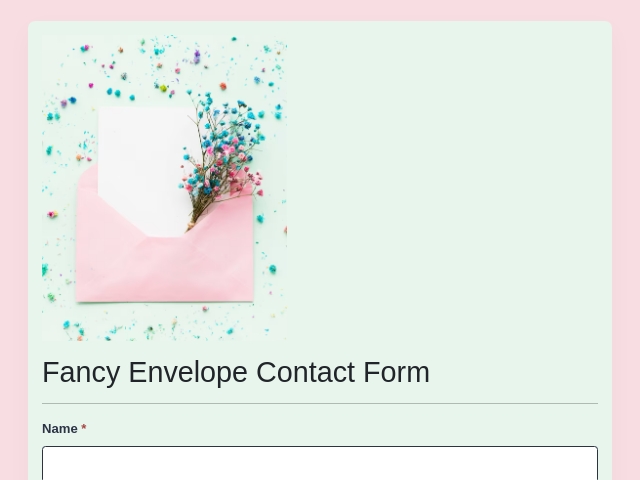
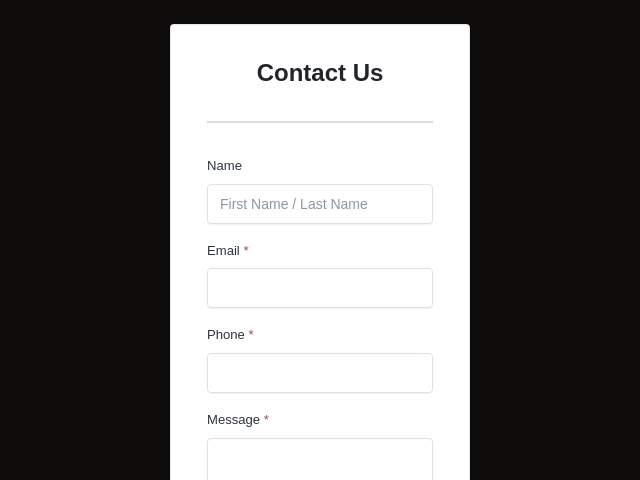
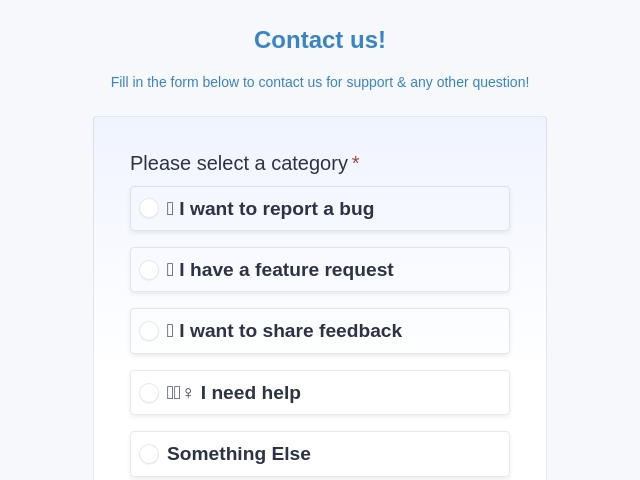
See real contact form examples and start from a ready-made design. From a simple contact form to a support, sales, or feedback form, pick a template, change the fields and branding, and publish - every contact form template includes the same spam protection, email notifications, and embed-anywhere options.


Design tips
How to Design a Contact Form That Converts
Good contact form design is mostly about restraint. The forms that convert best ask for the least, read clearly on a phone, and reassure people the message actually sent. Here is what to include in your contact form - and what to leave out - whether you start from a template above or design one from scratch.
Keep the fields to a minimum
Name, email, and a message field are usually enough. Every extra field you add costs you completed submissions, so only ask for what you will actually use.
Write one clear call to action
Label the button for the action it performs - "Send message" beats a generic "Submit." One primary button, no competing links next to it.
Design mobile-first
Most visitors fill out contact forms on a phone. Use full-width fields, a single column, and large tap targets so it is effortless on a small screen.
Validate as people type
Show clear, friendly inline errors instead of letting a submission fail silently. People should know a field is wrong before they hit send, not after.
Confirm every submission
Show a success message after sending and trigger an autoresponder, so the visitor knows their message went through and you look responsive from the first second.
Block spam without adding friction
Use an invisible honeypot and an optional CAPTCHA rather than a wall that turns real people away. Good spam defense should be silent to genuine visitors.
FormNX builds in all of this by default - responsive layouts, inline validation, spam protection, custom branding, autoresponders, and conditional logic - so a well-designed, modern contact form is your starting point, not extra work.
"I have been using formnx for the past 2 weeks and have found it easy to build forms quickly and have been able to make modifications efficiently. A real asset in using this app is the quick response time by the vendor, quite often. within 10 minutes. The vendor has also made changes, within days, to the builder as per..."

FormNX vs a Hand-Coded Contact Form: FAQs
-
How do I create a contact form for my website?
In FormNX you can start three ways: describe your form and let AI build it, pick a ready-made contact form template, or open a blank form. Add the fields you need (name, email, message, dropdowns), turn on spam protection and email notifications, then click Embed and paste the snippet on your site. No coding is required, and it works on any website builder or CMS.
-
Can I create a contact form for free?
Yes - you can build a completely free contact form. FormNX has a free plan with unlimited forms and unlimited submissions, including the drag-and-drop builder, spam protection, and email notifications - enough to run a complete website contact form at no cost.
-
Does a website need a contact form?
While not strictly required, a contact form is recommended for almost any website. It gives visitors a clear, trusted way to reach you, hides your email address from spam bots, and captures every inquiry in one place instead of scattered emails. For a business, that is often the difference between a captured lead and a lost one.
-
What is the purpose of a contact form?
The purpose of a contact form is to let website visitors send you a message without exposing your email address - cutting spam while collecting structured details (name, email, and the reason they are reaching out). It routes each inquiry to the right place, stores it for follow-up, and can trigger an instant email alert plus an automatic reply to the sender.
-
What fields should a contact form include?
Keep it short - most contact forms only need a name, an email address, and a message field. Add a subject line or a dropdown ("What is this about?") if you want to route inquiries to the right team, and a phone field only if you will actually call. Every extra field lowers your completion rate, so ask only for what you will use and make non-essential fields optional. In FormNX you add, remove, and reorder fields by drag and drop, and can use conditional logic to reveal extra fields only when they are relevant.
-
What makes a good contact form?
A good contact form is short, clear, and reassuring: it asks for the minimum (usually name, email, and message), uses one obvious call to action, reads well on a phone, validates input inline, and confirms the message was sent. It should also keep spam out without adding friction for real visitors. FormNX gives you all of this by default - responsive layouts, inline validation, built-in spam protection, an autoresponder, and custom branding - so a well-designed contact form is your starting point, not extra work.
-
Do I need to know how to code?
No. FormNX is a no-code contact form builder - you build the form visually and embed it with a copy-and-paste snippet. There is no HTML, PHP, or backend to write, unlike a hand-coded contact form.
-
Where do contact form submissions go?
Every submission is stored in your FormNX dashboard - searchable and exportable - and you get an instant email notification on each one. You can also send the respondent an automatic confirmation email and route submissions to Slack, Discord, Google Sheets, or thousands of apps via Zapier.
-
How do I add the contact form to my website?
Click Embed in FormNX and copy the snippet, then paste it into any page - WordPress (Gutenberg or Classic), Wix, Squarespace, Webflow, Shopify, or a plain HTML site. You can also share the form as a link or trigger it as a popup. For WordPress specifically, see the WordPress form builder guide.
-
Can I add a FormNX contact form to React, Next.js, or another framework?
Yes. Paste the FormNX embed snippet (or an iframe) into any React, Next.js, Vue, Angular, Astro, or plain JavaScript component and the form renders inside your app. Unlike hand-coding a contact form in your framework, there is no backend API route to build and no email service to wire up - FormNX receives, stores, and emails every submission for you.
-
Can my contact form accept payments (a Stripe contact form)?
Yes. Add native Stripe or PayPal payments to the same form, so a contact or enquiry form can also collect a deposit, order, or paid booking. Both gateways can run on one form and the amount can be fixed or calculated - no separate checkout to build.
-
How do I stop spam on my contact form?
FormNX includes spam protection by default: an invisible honeypot, optional CAPTCHA, and disposable-email blocking - with no reCAPTCHA keys to wire up. It keeps bot submissions out of your inbox without adding friction for real visitors.
-
Can I customize the fields and design?
Yes. Add or remove fields, mark them required, use conditional logic to show or hide fields based on answers, and match your brand with custom colors and CSS. You can also collect file uploads, payments, and e-signatures on the same form.
-
What is the difference between this and a contact form template?
A template is a ready-made starting point; this page is about building and publishing the live form. You can start from one of our ready-made contact form templates and customize the fields, design, and notifications to fit your site.
Still comparing?
Ask your favorite AI how FormNX stacks up against a Hand-Coded Contact Form.
Create Your Website Contact Form: Free, No Code
Build a contact form for your website in minutes. Spam protection, instant email alerts, and embed-anywhere - on the free plan, no credit card required.
Get Started Free Book a Demo
 Reviews on Trustpilot
- Alternatives
- Jotform Alternative
- Typeform Alternative
- Google Forms Alternative
- SurveyMonkey Alternative
- Contact Form 7 Alternative
- Paperform Alternative
- Microsoft Forms Alternative
- Fillout Alternative
- Tally Forms Alternative
- Gravity Forms Alternative
- All Alternatives
- Pricing Guides
- Jotform Pricing
- Typeform Pricing
- SurveyMonkey Pricing
- Use Cases
- No-Code Form Builder
- Online Survey Builder
- AI Form Builder
- Online Quiz Maker
- Job Application Form Builder
- Order Form Builder
- Screen Printing Order Form
- Wholesale Order Form
- WordPress Form Builder
- Contact Form
- Nonprofit Form Builder
- Squarespace Form Builder
- Wix Form Builder
- Webflow Form Builder
- Framer Form Builder