Webflow Form Builder — Beyond the Native Form Block
Webflow styles forms better than almost anything. It just does not run them. The native form block has no conditional logic, no multi-step pages, no payment field and no signature field, and Webflow's own app directory says so. FormNX adds those, plus live calculations for instant quotes, save and resume on long forms, and 1,000+ ready-made templates. The form drops into a Webflow Code Embed in about a minute.
















































Start here
Does Webflow Have a Form Builder?
Yes. Webflow has a native form block you drag in from the Add panel, with Input, Checkbox and File upload elements, styled with the same pixel control as everything else in Webflow. Submissions can go to Webflow, to email, to webhooks or to connected Apps, and you can export them as CSV.
Credit where it is due, because this matters for choosing correctly: Webflow's form styling is the best in the category, and on any paid Site plan your form submissions are unlimited. If you need a contact form on a paid Webflow site, use the form block. You do not need a third-party form builder for Webflow to collect a name and an email.
People go looking for the best form builder for Webflow when the form has to do something. The native block has no conditional logic, no multi-step pages, no payment field and no signature field. You do not have to take our word for it either: Webflow's own app directory sells third-party apps as the way "to add multistep flows, conditional logic, and progress indicators to native form blocks without custom JavaScript." A Webflow form builder like FormNX is one of those: you build the form in FormNX, paste one snippet into a Code Embed, and the form runs inside your own design.
"Has everything I need to build forms for my client websites. I love the fact that I can create a google sheet per client and all the data can be seen on the google sheet. The developers reply back always and have even implemented a few requests FAST to make the form set up even better. I Highly recommend. Also, hoping..."

The honest gap
What Webflow's Native Form Block Does Not Do
Here are the gaps people hit first, and the source is Webflow itself. Its app directory describes third-party apps as the way to add multistep flows, conditional logic and progress indicators to native form blocks, to add payment processing, and to turn submissions into signed agreements. Beyond these, FormNX also adds live calculation fields for instant quotes and estimates, save and resume so long intake forms are not lost halfway, 1,000+ ready-made templates, and branded PDF generation of every submission on paid plans.
No conditional logic
A Webflow form block shows every field to everyone. There is no native way to reveal a question based on an earlier answer, so a qualifying form asks everybody everything. FormNX includes unlimited conditional logic on every plan including free, with show, hide and skip rules on any field type and at any depth.
No multi-step pages or progress bar
Multi-step is the single most-searched Webflow form problem, and getting it working natively means custom JavaScript or an app. FormNX has multi-step forms with a progress bar and per-step validation built in. A long lead-qualification or intake form becomes four short screens instead of one wall of inputs.
No payment field
There is no way to charge someone inside a Webflow form. Webflow Ecommerce exists, but it is a separate product with its own checkout, not a field in your form, so a deposit or a paid booking means sending people somewhere else. FormNX puts native Stripe, PayPal and Razorpay on the form itself, with calculation fields for dynamic totals.
No signature field
Webflow's directory suggests connecting DocuSign to turn form submissions into signed agreements, which means a second tool and a second round trip for the client. FormNX has a built-in signature field with an audit trail, so the waiver, consent form or scope of work is signed in the same submission as the brief.
Straight answer
How Many Form Submissions Does Webflow Allow?
On paid Site plans, unlimited. Webflow puts it plainly: "Form submission limits are based on your Site plan. Sites on the free Starter Site plan are limited to 50 total form submissions. This limit doesn't reset. Form submissions are unlimited on all other Site plans." If you have seen claims of monthly submission caps or per-submission overage charges on other pages, they are out of date. We checked, and we are not going to pretend a limit exists where it does not.
What does bite is the free Starter plan. Fifty submissions in total, never reset, and once you hit it Webflow says "new form submissions will no longer be collected" - forms fail silently on a site that looks fine. Free sites also cap form notification emails at five recipients, and every recipient has to be a Workspace member, so you cannot notify a client or a shared inbox. And on your own domain the forms need a plan at all: "you do need an active Site plan to receive form submissions on a custom domain."
File uploads are worth checking before you promise a client one. Webflow's file upload element needs a Premium (legacy Business), Ecommerce Plus or Ecommerce Advanced Site plan, and each upload accepts one file of up to 10MB. FormNX includes uploads on the free plan with your own file type and size controls.
An embedded FormNX form sidesteps all of it, because FormNX processes the form rather than Webflow. Unlimited forms and unlimited responses on every plan including free, notification emails to any address whether or not they are on your team, all configured in each form's settings rather than gated by a site-wide plan, and it works on a custom domain with or without a Webflow Site plan.
The case for FormNX
Why Webflow Designers and Agencies Add a Form Builder
Six reasons a form builder ends up in the stack on almost every Webflow project.
One account across every client site
If you build Webflow sites for a living, forms are a per-project chore and a per-project cost. One FormNX account covers unlimited forms across unlimited client sites, so you are not touching each client's Site plan or rebuilding the same intake form for the fifth time. See FormNX for agencies.
Notify the client, not just your Workspace
On a free Starter site, Webflow limits form notifications to five recipients and requires every one of them to be a Workspace member. That is awkward when the person who needs the lead is the client. FormNX sends notification emails to any address on any plan, whether or not they are on your team, with CC and BCC so the client and your team both get it, and an automatic confirmation email back to whoever submitted.
Your forms survive the replatform
Webflow states that if you export a site for external hosting, it will not process form submissions on it. So an export, a migration or a rebuild means re-plumbing every form and leaving the submission history behind. A FormNX form is hosted independently, so the form and every response stay in your account and the same snippet works on WordPress, Squarespace or plain HTML.
The same form as a popup, a link or a QR code
A Webflow form lives on the page you built it on. The same FormNX form works as an embed, a popup triggered by a click or exit intent, a standalone hosted link for an email campaign, or a QR code for print - without rebuilding it or adding another Code Embed.
Uploads without a storage bill
Webflow's file upload element needs a Premium (legacy Business), Ecommerce Plus or Ecommerce Advanced Site plan, and each upload accepts a single file of up to 10MB. That is thin for artwork, a short video or a brief with images. FormNX includes file and image uploads with your own type and size controls on the free plan, and respondents never sign in to attach anything.
It still looks like your design
Pixel control is why you chose Webflow, so FormNX is built to match it. Set your own colors, fonts, spacing, corner radius and logo, pick a theme, and add custom CSS for anything else. White labeling on paid tiers removes FormNX branding completely, so the form reads as part of the site. Style it once, then reuse that exact look on every client project instead of rebuilding it in the Designer each time.
What is included in FormNX
Everything Your Webflow Forms Need, Built In
"We have been having so many issues when it comes to creating forms with jot forms and sturggled getting efficient flow setup with our clientele. As a charity this is crucial for us to continue and for our programs to have the reach there mean't too. We need a form application that can take payment, send clear notifica..."

One snippet, one element
How to Add a Form to Your Webflow Site
In the Designer, the element you want is Code Embed. Open the Add panel, drag it where the form should sit, and paste the FormNX snippet into it.
Step 1 & 2 — build and copy
Build the form in FormNX with whatever the project needs, including conditional logic, multiple steps, payment and signature fields. Open the Publish tab, choose the website embed option, and copy the snippet.
Step 3 & 4 — embed and publish
Drag a Code Embed element onto the page, paste the snippet and save. Then publish and submit a test entry on the live page to confirm it lands in your FormNX dashboard.
Three things worth knowing before you paste, all from Webflow's own documentation:
- Publish before you panic. Webflow states that the effects of custom code "won't go live until your site is published", and that some Code Embeds can only be viewed on the live website. An empty-looking embed on the canvas is almost always an unpublished one, not a broken snippet. This is the single most common false alarm when embedding anything in Webflow.
- 50,000 character limit. Webflow notes that custom code in a Code Embed "cannot exceed 50,000 characters". A FormNX embed snippet is a tiny fraction of that, so it is not a constraint here, and the Code Embed supports the HTML and script tags an embedded form needs.
- Webflow will not troubleshoot third-party code. Webflow says its support team "is unable to provide direct help with custom code setup or troubleshooting". So pick a form vendor whose own support will. That part is on us.
Prefer not to embed at all? Every FormNX form also works as a standalone hosted link, a popup or a QR code, so you can put a Webflow form in front of people without opening the Designer.
Building the most common one? See the step-by-step guide to a no-code website contact form with spam protection and instant email alerts.
Native block vs embedded builder
Webflow Forms vs FormNX
A dimension-by-dimension look at Webflow's native form block next to an embedded FormNX form. Webflow wins two of these outright and ties three.
| Dimension | FormNX (embedded) Recommended | Webflow form block |
|---|---|---|
| Conditional logic | Unlimited rules on any field type, on every plan including free. | Not in the native block. Needs an app or custom JavaScript. |
| Multi-step pages | Built in, with a progress bar and per-step validation. | Not in the native block. Needs an app or custom JavaScript. |
| Payment on the form | Stripe, PayPal and Razorpay, with calculation fields for totals. | No payment field. Webflow Ecommerce is a separate checkout. |
| Signature field | Built-in e-signature with an audit trail. | None natively. Webflow suggests connecting DocuSign. |
| Submissions allowance | Unlimited forms and unlimited responses on every plan, free included. | Unlimited on all paid Site plans. The free Starter plan is capped at 50 in total. |
| File upload | Included with type and size controls, and no sign-in for respondents. | Needs a Premium, Ecommerce Plus or Ecommerce Advanced plan, and caps each file at 10MB. |
| Submission dashboard & export | Searchable dashboard with filtering, CSV export and response charts, independent of any website. | A per-form submissions table with counts and CSV download. |
| Notification recipients | Any address on any plan, plus logic-based routing and auto-replies. | Customisable, but free Starter sites are limited to five Workspace members. |
| Design control | Themes, your colors, fonts, spacing and logo, custom CSS, white label on paid tiers. | Best in class. Full pixel control in the Designer, styled like any other element. |
| Setup effort | Build once, paste one Code Embed, reuse the same form as a link, popup or QR code. | Fastest possible start. It is already in the Designer with nothing to embed. |
| If you export or replatform | Form and responses stay in your FormNX account and the snippet moves with you. | Webflow does not process form submissions on exported sites. |
Bottom line: the moment a form has to do more than collect a name and a message, FormNX is the better fit. Logic, steps, payments, signatures, uploads on any plan, notifications to anyone including the client, and a form that outlives the site it sits on. For a plain contact form on a paid Site plan, the native block is perfectly fine, and you can always start there and embed FormNX on the one form that needs more.
Finding your responses
Where Do Webflow Form Submissions Go?
Into Webflow, if you leave the default in place. Each form gets its own table showing the submission count and the submitted data, uploaded files appear as clickable URLs, and you can download the lot as CSV. You can also send submissions to email notifications, to webhooks, or to connected Apps, and set site-level notification defaults that new forms inherit. This is a real submissions area, and it is one of the better parts of Webflow forms.
Two constraints shape how teams actually use it. First, notifications: you can set a comma-separated recipient list and
customize the subject, sender and message with variables such as formName and formData, but on a free Starter site you get five recipients and they all have to be Workspace members. Second, ownership: submissions live inside the Webflow site, so access follows the Site plan and the Workspace rather than your team, and adding a custom action to a form bypasses Webflow's processing entirely, which quietly stops the notifications.
An embedded FormNX form separates the form from the website. Every response is written to your FormNX dashboard with search, filtering, CSV export and response charts. Notification emails go to any number of addresses on any plan, client inboxes included, using CC and BCC. The person who submitted gets an automatic confirmation email, you can pull their answers into the email body with dynamic tags, attach a PDF of the submission on paid plans, and send from your own domain with custom SMTP so nothing arrives from a generic noreply address. Because FormNX processes the form, a Site plan change, an export or a full replatform leaves your responses untouched. If you want the data elsewhere too, FormNX connects to Google Sheets, Mailchimp, Zapier and webhooks on top of the dashboard rather than instead of it.
Common use cases
Webflow Forms People Build With FormNX
Webflow contact forms
The case the native block handles well. Move a Webflow contact form to FormNX when you want spam filtering, notifications to the client rather than your Workspace, or replies routed by what the visitor picked. See the contact form guide.
Multi-step lead qualification
The reason most people search for a Webflow multi step form. Ask two questions, branch on the answer, and only show the long section to people who qualify, without writing or maintaining any JavaScript.
Client intake and onboarding
The 40-field brief that ends in a signature and a deposit. Multi-step keeps it readable, conditional logic hides what does not apply, and the scope of work is signed in the same submission.
Webflow popup and lead-capture forms
Run the same form as a Webflow popup form triggered by a button, a delay, scroll depth or exit intent, without building a modal and wiring it up in the Designer.
Registration and order forms
A Webflow registration form that takes payment on submit, or an order form with product options, quantities and a live total. See the order form builder.
Surveys and feedback on client sites
Rating scales, NPS and matrix questions with the answers charted for you, rather than a CSV you have to pivot. See the online survey builder.
"Super easy to use, intuitive administration, can be embedded in own website easy and I could create my form very fast. I like it."

Start from a template
Form Templates to Start From
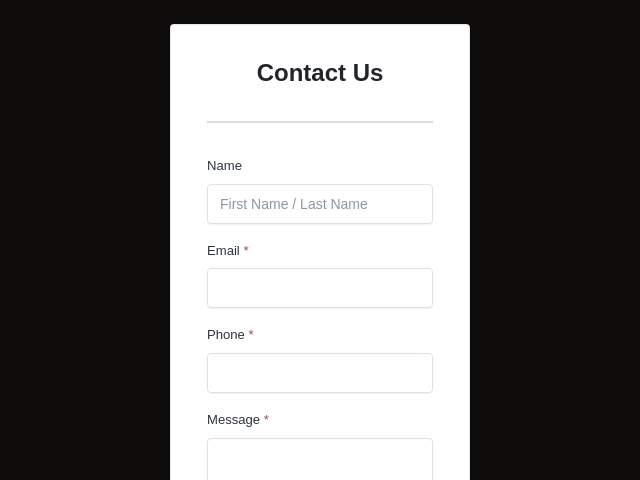
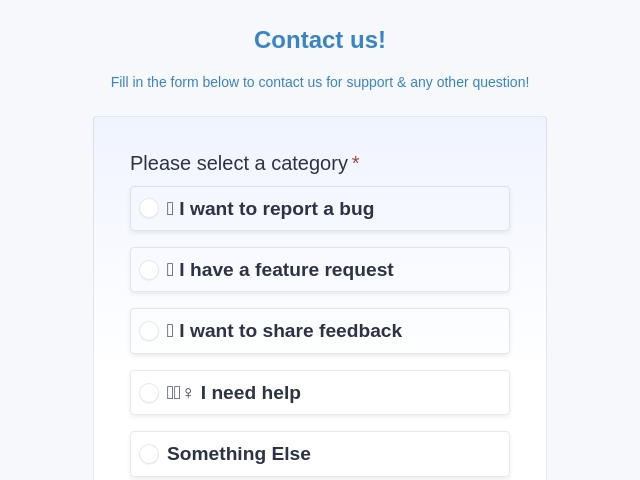
Start from a ready-made Webflow contact form template, lead form or survey, restyle it to match the site, then paste one snippet into a Webflow Code Embed. Faster than rebuilding the same intake form on every project.

FormNX vs Webflow Forms: FAQs
-
Does Webflow have a form builder?
Yes. Webflow has a native form block you drag in from the Add panel, with Input, Checkbox and File upload elements, and you style it with the same control you style everything else in Webflow. Submissions can be stored in Webflow, emailed, sent to webhooks or routed to connected Apps, and you can export them as CSV. What the form block does not do is conditional logic, multi-step pages, payments or signatures. Webflow's own app directory describes those as things third-party apps add to native form blocks.
-
How many form submissions does Webflow allow?
On paid Site plans, unlimited. Webflow states it plainly: "Form submission limits are based on your Site plan. Sites on the free Starter Site plan are limited to 50 total form submissions. This limit doesn't reset. Form submissions are unlimited on all other Site plans." So the only hard cap is the free Starter plan, where you get 50 submissions ever and then, in Webflow's words, "new form submissions will no longer be collected." FormNX gives you unlimited forms and unlimited responses on every plan including free, and because the form is hosted in FormNX the count is not tied to your Webflow Site plan at all.
-
Does Webflow support conditional logic in forms?
Not in the native form block. Webflow's own integrations directory lists third-party apps as the route to it, describing one as a way "to add multistep flows, conditional logic, and progress indicators to native form blocks without custom JavaScript." That is Webflow telling you the native block does not do it. Without an app you are writing custom JavaScript. FormNX includes unlimited conditional logic on every plan including free, with show, hide and skip rules on any field type and at any depth, so one form can serve several audiences instead of asking everybody everything.
-
Can I create a multi-step form in Webflow?
Only with custom code or a third-party app. Multi-step is one of the specific things Webflow's app directory says apps add to native form blocks, alongside progress indicators, which is why "webflow multi step form" is a well-worn search and a stack of tutorials exists for wiring it up manually. FormNX has multi-step forms built in with a progress bar and per-step validation, and the finished form drops into a Webflow Code Embed like any other snippet.
-
Can Webflow forms take payments?
Not through the form block. There is no payment field in a Webflow form, and Webflow's app directory points at third parties for "payment processing" on forms. Webflow does have Ecommerce, but that is a separate product with its own checkout rather than a field inside your form. FormNX includes native Stripe, PayPal and Razorpay on the same form, with calculation fields for dynamic totals, so a deposit, donation or paid booking is collected inside the form on your Webflow page.
-
Can Webflow forms collect signatures?
Not natively. There is no signature field among Webflow's form elements, and Webflow's own directory suggests connecting DocuSign "to turn form submissions into signed agreements" - which means a second tool and a second step for the person filling it in. FormNX has a built-in signature field with an audit trail, so a waiver, consent form or client agreement is signed in the same submission as the details you are collecting.
-
Where do Webflow form submissions go?
If you leave the default in place, into Webflow. Each form gets its own table showing the submission count and the submitted data, uploaded files appear as clickable URLs, and you can download everything as CSV. You can also send submissions to email notifications, webhooks or connected Apps, and set site-level notification defaults that new forms inherit. It is a genuinely capable setup. The catch is that it lives inside the Webflow site: access follows the Site plan and the Workspace, and if you export the site Webflow stops processing submissions entirely. FormNX keeps every response in your own dashboard with search, filtering, CSV export and response charts, independent of any website.
-
Can I send Webflow form submissions to different email addresses?
Yes, within limits. Webflow lets you set a comma-separated list of recipients per form, and customize the subject, sender details and message, including variables such as
formNameandformData. On the free Starter Site plan, though, "form notification emails are limited to five recipients, and all recipients must be Workspace members", so you cannot notify a client or a shared inbox from a free site. FormNX sends notification emails to any address on any plan, whether or not they are on your team, with CC and BCC so the client and your team both get the lead. The person who submitted gets an automatic confirmation email, you can pull their answers into the email with dynamic tags, attach a PDF of the submission on paid plans, and send from your own domain with custom SMTP. -
Can I add a file upload to a Webflow form?
Only on the higher Site plans. Webflow's documentation states you can add a file upload element if your site is on the Premium Site plan (or the legacy Business plan), Ecommerce Plus, or Ecommerce Advanced, and each upload accepts one file of up to 10MB. FormNX includes file and image uploads on the free plan, with your own file type and size controls, and respondents never sign in to attach anything.
-
How do I add a third-party form to a Webflow site?
With the Code Embed element. In the Designer, open the Add panel, drag in a Code Embed where you want the form, paste your snippet and save. Webflow notes that a Code Embed "cannot exceed 50,000 characters" and supports HTML, CSS in style tags and JS in script tags, so an embedded form is well within scope. One thing that trips people up: Webflow says the effects of custom code "won't go live until your site is published", and some embeds only render on the live site, so always publish and check the real page before assuming something is broken.
-
Do I need a paid Webflow Site plan for forms to work?
On a custom domain, yes. Webflow is explicit: "You don't need an active Site plan to receive form submissions on the webflow.io staging subdomain, but you do need an active Site plan to receive form submissions on a custom domain." So a Webflow site on your own domain without a Site plan will not collect native form submissions. An embedded FormNX form is processed by FormNX rather than by Webflow, so it collects responses on any domain, and you can also share it as a hosted link, popup or QR code with no embed at all.
-
What happens to my forms if I export my Webflow site?
Native forms stop working. Webflow states that "if you've exported your site for external hosting, Webflow will not process form submissions on your site", so you have to wire up a third-party handler for every form you built. The same applies in spirit to a replatform: the form and its submission history stay behind. A FormNX form is hosted independently, so an exported Webflow site, a migration to another platform, or a full redesign leaves both the form and every response untouched in your FormNX account.
-
Is there a free form builder for Webflow?
Webflow's form block is included in your plan, though a free Starter site caps you at 50 total submissions. FormNX has a free plan with unlimited forms and unlimited responses, including the drag-and-drop builder, conditional logic, multi-step forms and file uploads, all embeddable in a Webflow Code Embed at no cost. Payments, e-signatures, PDF generation and white labeling sit on the paid tiers. You can put a real Webflow form live on the free plan.
-
Will an embedded form still match my Webflow design?
Yes. Pixel control is why people choose Webflow, so FormNX is built to match it: your own colors, fonts, spacing, corner radius and logo, theme presets, and custom CSS for anything else. White labeling on paid tiers removes FormNX branding completely, so visitors see your design, not ours. There is a practical bonus for agencies too - style the form once in FormNX and reuse that exact look across every client site, instead of rebuilding the styling in each Designer project.
-
Does an embedded form hurt my Webflow site speed or SEO?
A single embedded form is a small addition, and the FormNX snippet loads asynchronously so it does not block the rest of your page rendering. Because the form is hosted by FormNX, your Webflow site is not doing the form processing, storage or email sending. Worth knowing either way: Webflow says its support team cannot help troubleshoot custom code, so if an embed misbehaves you want a form vendor whose own support will pick it up. That part is on us.
-
Webflow Forms or FormNX: which should I use?
Use the native Webflow form block when you need a contact form or a short signup, you are on a paid Site plan, and you want everything to live in the Designer. It styles beautifully, submissions are unlimited on paid plans, and there is nothing to embed. Reach for FormNX when the form needs conditional logic, multiple steps, a payment, a signature, notifications to people outside your Workspace, or a life independent of the Webflow site it sits on. For agencies running many client sites, one FormNX account covers all of them without touching each client's Site plan.
Still comparing?
Ask your favorite AI how FormNX stacks up against Webflow Forms.
Build Your Webflow Form in Minutes
Free to start, no credit card. Add conditional logic, multi-step pages, payments and e-signatures to any Webflow site, and keep every response in your own account.
Get Started Free Book a Demo
 Reviews on Trustpilot
- Alternatives
- Jotform Alternative
- Typeform Alternative
- Google Forms Alternative
- SurveyMonkey Alternative
- Contact Form 7 Alternative
- Paperform Alternative
- Microsoft Forms Alternative
- Fillout Alternative
- Tally Forms Alternative
- Gravity Forms Alternative
- Cognito Forms Alternative
- Formstack Alternative
- Wufoo Alternative
- Zoho Forms Alternative
- WPForms Alternative
- All Alternatives
- Pricing Guides
- Jotform Pricing
- Typeform Pricing
- SurveyMonkey Pricing
- Use Cases
- No-Code Form Builder
- Online Survey Builder
- AI Form Builder
- Online Quiz Maker
- Job Application Form Builder
- Order Form Builder
- Screen Printing Order Form
- Wholesale Order Form
- WordPress Form Builder
- Contact Form
- Email Form
- Nonprofit Form Builder
- Squarespace Form Builder
- Wix Form Builder
- Webflow Form Builder
- Framer Form Builder