Free Job Application Form Builder
Build a professional job application form in minutes - for free. FormNX is an online job application form builder that lets you collect applications online, accept resume uploads, capture an e-signature, and let candidates apply from any device - no printing, no Google sign-in, and no code.






Job Application Form








































Definition
What Is a Job Application Form?
A job application form is a standardised form employers use to collect the same information from every candidate - contact details, the position applied for, work history, education, references, availability, and a signed certification that the details are accurate. Because every applicant answers the same questions in the same order, a job application form makes candidates far easier to compare than free-form resumes alone.
An online job application form takes that paper form onto the web: applicants apply from any device, attach a resume, and sign electronically, while every submission lands in one dashboard you can review and manage. FormNX is an online job application form builder for small businesses, recruiters, restaurants, retailers, and HR teams who want to collect employment applications without printing, scanning, or paying for an enterprise ATS.
"I really appreciate FormNX for its simplicity and intuitiveness. It's easy to use and just works perfectly for my needs. The form builder is especially straightforward, and I've found the OTP function to be a great feature. Setting it up was extremely easy, and I was able to have a form ready within an hour."

The case for FormNX
Why Hire With a FormNX Job Application Form
Resume uploads with no applicant sign-in
Add a resume upload field and applicants attach a PDF, Word doc, or image in one tap. Unlike Google Forms - which forces every applicant to log into a Google account before they can upload a file - FormNX uploads work for anyone, so you never lose a candidate at the upload step.
E-signature & certification built in
Collect a legally useful applicant signature certifying their information is accurate, right inside the form. The e-signature field works on touchscreens and desktops - no DocuSign, no separate signing step, no printing.
Auto-PDF of every application
On paid plans, FormNX auto-generates a clean, branded PDF of each submitted application - perfect for the candidate file, the hiring manager, or your records. No retyping a paper form into a system, and you can print any application straight from its PDF.
Instant alerts + applicant management
Get an email the moment someone applies, while the applicant receives an automatic confirmation - both on the free plan. Every application lands in your dashboard to review; paid plans add search, filtering, and one-click export to Excel or CSV, plus Google Sheets, Zapier, and webhook sync to push applicants into your ATS.
Field checklist
What to Include in a Job Application Form
These are the fields most employers collect on an employment application form. Add the ones you need with drag-and-drop, and use conditional logic so follow-up questions only appear when they are relevant.
Start with these fields- Applicant contact details - Full name, email, phone, and address - with built-in email and phone validation.
- Position applied for - Role, department, desired pay, and how they heard about the opening.
- Work experience - Previous employers, job titles, dates, and responsibilities - repeatable for multiple roles.
- Education & qualifications - Schools, degrees, certifications, and licences relevant to the role.
- Resume / CV upload - A file upload field for a PDF, Word doc, or image - no applicant account required.
- References - Names, relationship, and contact details for professional references.
- Availability & start date - Days, shifts, full/part-time, and earliest start date.
- Screening questions - Work authorisation, age eligibility, willingness to relocate - shown conditionally.
- Voluntary EEO / diversity - Optional, anonymous equal-opportunity questions kept separate from screening.
- Signature & certification - An e-signature confirming the information provided is true and complete.
"I have been using formnx for the past 2 weeks and have found it easy to build forms quickly and have been able to make modifications efficiently. A real asset in using this app is the quick response time by the vendor, quite often. within 10 minutes. The vendor has also made changes, within days, to the builder as per..."

Keep it short, keep it complete
Simple Job Application Form: The Eight Fields That Matter
A simple job application form, the document HR teams call an employment application form, needs eight things and nothing else. Every extra field lowers completion on a phone, which is where most applicants fill it in.
- Full name and contact details: email and phone.
- Position applied for and earliest start date.
- Work eligibility and location.
- Most recent role and employer.
- Education or certifications relevant to the role.
- Resume upload (PDF or Word).
- Availability, and expected pay range if you ask for it.
- Signature and consent to a reference or background check.
Start from the job application form templates, delete what the role does not need, and add an e-signature field for the consent line. The field-by-field guide is in the section above.
One tool, whatever you call it
Job Application Form Maker for Employers
Maker, builder, generator, creator - people look for this in a dozen different ways, and they all mean the same thing: a way to put a job application form online without paying a developer or printing anything. That is what this is, and it is free to start. Search for a job application maker, a job application creator, a job application generator or a job application builder and you land on the same need, so this page covers all four.
Build it in minutes, not days
Start from a job application template or an empty canvas and drag in the fields you need. No coding, no plugin, nothing to install - and the form works on phones, which is where most applicants will open it.
An online form beats a PDF
A downloadable application form means the candidate has to print it, fill it by hand, scan it and email it back - and you retype it. An online job application form collects the CV as a file upload, captures the signed declaration, and drops every applicant straight into a searchable list.
Free, with no per-applicant fee
Unlimited application forms and unlimited applicants on the free plan, so a single hire and a hundred-role recruitment drive cost exactly the same. Nothing meters how many people apply.
Whether you searched for a job application maker, a job application generator, an application form creator or simply a way to create an online job application, this is the same builder - and you can have a live form before your next coffee.
AI job application generator: describe the role, get the form
Type "application form for a part-time barista with resume upload and availability by day" into the AI form builder and it drafts the fields and labels for you. Edit anything, set the notification email, publish. It is the fastest way to create a job application form when you have a role to fill today rather than a template to browse.
What is included
Everything Your Hiring Form Needs
Applicant dashboard
View and manage every application in one place. Advanced search, filtering, and one-click export to Excel, CSV, or Google Sheets are included on paid plans.
Spam & bot protection
Google reCAPTCHA, duplicate-submission checks, and the option to block disposable emails keep fake applications out.
Get a head start
Job Application Form Templates
Start from a ready-made job application template and customise it - or build your own from scratch.
The real comparison
FormNX vs a PDF Template vs Google Forms
How an online FormNX job application compares with a printable PDF/Word form and Google Forms.
| Capability | FormNX Recommended | PDF / Word template | Google Forms |
|---|---|---|---|
| Apply fully online | Any device, no download. | Print, fill, sign, scan, email back. | Online. |
| Resume / CV upload | Any applicant, no account needed. | Attached separately, by hand. | Requires applicant to sign in to a Google account. |
| Applications auto-collected in a dashboard | In your FormNX dashboard. | Manual filing. | Into Google Sheets. |
| Tag & shortlist applicants | Search, filter & export (paid plans). | Not possible. | Manual in a spreadsheet. |
| E-signature / certification | Built-in signature field. | Wet signature after printing. | Not supported. |
| Auto-confirmation email to applicant | Sent automatically on submit. | None. | Requires an add-on / script. |
| Auto-generate a PDF of each application | Branded PDF per submission. | The form is already a PDF, but data is not collated. | Not built in. |
| Embed on your careers page | WordPress, Webflow, Wix, any site. | Only as a download link. | Iframe only, limited styling. |
| Cost | Free - unlimited applications. | Free. | Free. |
Already using Google Forms to hire? See the full FormNX vs Google Forms comparison.
"We have been having so many issues when it comes to creating forms with jot forms and sturggled getting efficient flow setup with our clientele. As a charity this is crucial for us to continue and for our programs to have the reach there mean't too. We need a form application that can take payment, send clear notifica..."

Who hires with FormNX
Who Uses the FormNX Job Application Form
From a single-location cafe to a multi-site agency - anyone collecting employment applications without an enterprise ATS.
Small businesses & startups
Collect applications on your own careers page without paying for an ATS - resume upload, notifications, and a shortlist view included free.
Restaurants, retail & hospitality
High-volume hourly hiring? Put a QR code on a "Now Hiring" sign so walk-ins apply on their phone with a short 1-page form.
HR & people teams
Standardise applications across roles, route submissions to the right hiring manager, and export candidates to your HRIS or ATS.
Recruitment agencies
White-label the form with your own agency branding (remove FormNX branding), then push candidates straight into your pipeline via webhook.
Schools & internships
Collect internship, work-study, and entry-level applications with transcript uploads and availability questions.
Nonprofits & clinics
Recruit staff, volunteers, and caregivers with free unlimited applications, e-signature consent, and a PDF for each file.
Skip the blank canvas
Job Application Templates to Start From
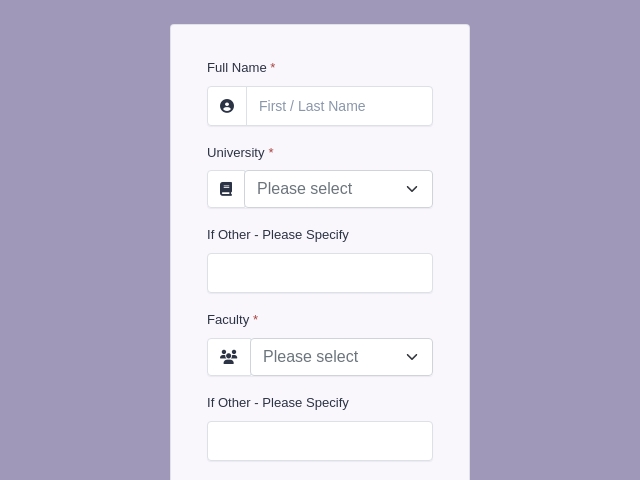
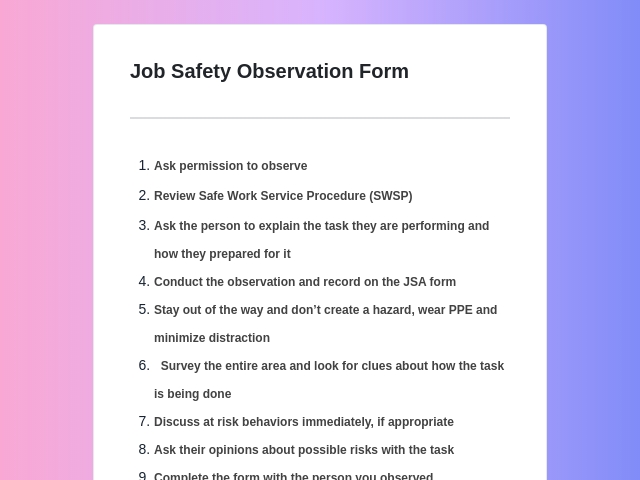
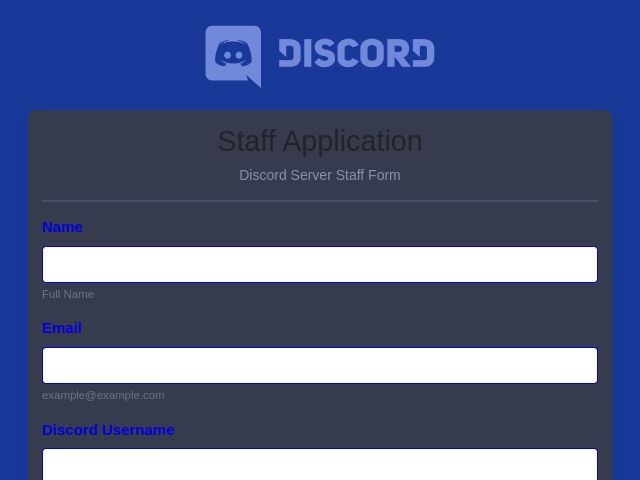
Pick a ready-made job application template, edit the fields and branding, and publish - every template includes resume upload, conditional logic, and e-signature.

FormNX vs Google Forms: FAQs
-
How do I create a free job application form?
Sign up for FormNX, then either start from a ready-made job application template or open the drag-and-drop builder and add the fields you need - applicant name, contact details, position applied for, work history, education, a resume upload field, references, availability, and an e-signature. Click publish and you get a shareable link plus an embed code for your careers page. It takes about 10 minutes, and the free plan places no cap on the number of applications you collect.
-
Can applicants upload a resume or CV?
Yes. Add a resume upload field and applicants can attach a PDF, Word doc, or image with their application. Unlike Google Forms - which forces applicants to sign in to a Google account before they can upload a file - FormNX file uploads work for anyone, no account required. Each uploaded resume is stored against that applicant's submission so you can review or download it later.
-
Can I download a job application as a PDF?
Yes. Applicants fill the form online, and on FormNX's paid plans you can automatically generate a branded PDF of every submitted application - ideal for the candidate's file or for a hiring manager who prefers paper - and print it in one click. Note: FormNX does not produce a downloadable blank form for offline filling; applications are completed online on any device, which removes the manual step of retyping a paper form into a system.
-
How do applicants fill out the job application form?
They open the link on any device - phone, tablet, or desktop - type their answers, upload a resume, sign with their finger or mouse, and tap submit. The form is mobile-friendly, supports multiple languages, and can be split into multi-step pages with a progress bar so a long application feels manageable. Applicants can even save a draft and finish later.
-
How do I collect job applications online instead of on paper?
Share the form's direct link in your job post, on LinkedIn, or in an email, embed it on your careers or "Work with us" page, or print a QR code on an in-store "We're hiring" sign. Every application lands in one dashboard you can review online - with search, filtering, and export available on paid plans - so there is no paper, no scanning, and nothing lost.
-
Is FormNX free for job application forms?
Yes - collecting job applications is free with no submission cap. The free plan includes unlimited forms and applications, the drag-and-drop builder, resume uploads, conditional logic, multi-step pages, e-signature, spam protection, email and OTP verification, ready-made templates, email notifications, and basic submission management (view, edit, delete). Paid plans add searching, filtering, and exporting applications to Excel or CSV, Google Sheets and webhook integrations, auto-generated application PDFs, white labeling (remove FormNX branding), and application fees via Stripe or PayPal.
-
How is this better than using Google Forms for job applications?
Google Forms works, but for hiring it has real gaps: resume uploads require the applicant to sign in to a Google account, there is no automatic confirmation email to the applicant, no auto-generated PDF of each application, no e-signature, and only basic section-level logic. FormNX adds all of these, plus an applicant dashboard and an embeddable form for your careers page. See the full FormNX vs Google Forms comparison.
-
Will I get notified when someone applies?
Yes. FormNX emails you the moment an application is submitted - included on the free plan - and at the same time an automatic confirmation email goes to the applicant so they know it was received, the kind of follow-up paper forms and Google Forms do not send by default. On paid plans you can also route notifications to Slack or Discord.
-
Can I export applications to Excel or my ATS?
Yes, on FormNX's paid plans. Export all applications to Excel or CSV in one click, send each submission straight to Google Sheets, or connect Zapier, Make, or a webhook to push new applicants into your ATS or HR system automatically.
-
How can I create my own job application form?
Two routes, both free. Open a ready-made job application template and change the questions to suit the role, or start from a blank canvas and drag in the fields you want - name, contact details, position applied for, work history, education, availability, a file upload for the CV, and a signature box for the declaration. There is no coding involved and nothing to install: you publish the form, share the link or embed it on your careers page, and applications arrive in your dashboard. Most people have a working application form live in about ten minutes.
-
How do I create a free online application form?
Sign up, pick a template or a blank form, add your questions, then publish. The free plan is what most small teams need to run hiring end to end: unlimited application forms, unlimited applicants, file uploads so candidates can attach a CV, and a signature field for the declaration - with no per-application charge and no credit card. Paid plans add the extras that matter once hiring is constant: submission and visitor reporting, branded PDF exports of each application, and extra workspaces for separate departments or clients.
-
What should a job application form include?
A solid job application form collects: applicant contact details (name, email, phone, address), the position applied for, work experience and education, a resume/CV upload, references, availability and desired start date, and a signed certification that the information is accurate. Many employers also add a voluntary EEO/diversity section and screening questions (work authorization, willingness to relocate) using conditional logic so follow-up questions only appear when relevant. See the field checklist above.
-
Where can I create an application form?
Right here. Sign up free, pick a job application form template or describe the role to the AI form builder, then share the link or embed the form on your careers page. The free plan includes unlimited forms and applications with resume upload and an e-signature field, and every application lands in your dashboard and your inbox.
-
How do I make an employment application form?
An employment application form is the same document as a job application form. Keep it to eight fields (name and contact, position, work eligibility, most recent employer, education, resume upload, availability, signature), collect it online rather than as a PDF so applicants can complete it on a phone, and add a consent line with an e-signature field. The simple job application form section above lists the fields in order.
Still comparing?
Ask your favorite AI how FormNX stacks up against Google Forms.
Start Collecting Job Applications Online Today
Free forever - unlimited applications, resume uploads, and auto-PDF included. No credit card required.
Get Started Free Book a Demo
 Reviews on Trustpilot
- Alternatives
- Jotform Alternative
- Typeform Alternative
- Google Forms Alternative
- SurveyMonkey Alternative
- Contact Form 7 Alternative
- Paperform Alternative
- Microsoft Forms Alternative
- Fillout Alternative
- Tally Forms Alternative
- Gravity Forms Alternative
- Cognito Forms Alternative
- Formstack Alternative
- All Alternatives
- Pricing Guides
- Jotform Pricing
- Typeform Pricing
- SurveyMonkey Pricing
- Use Cases
- No-Code Form Builder
- Online Survey Builder
- AI Form Builder
- Online Quiz Maker
- Job Application Form Builder
- Order Form Builder
- Screen Printing Order Form
- Wholesale Order Form
- WordPress Form Builder
- Contact Form
- Nonprofit Form Builder
- Squarespace Form Builder
- Wix Form Builder
- Webflow Form Builder
- Framer Form Builder