Payment Form Builder
Turn any form into an online payment form. Accept payments, donations, orders, and registrations with Stripe and PayPal - dynamic pricing, abandoned-checkout recovery, no developer needed, free to start.
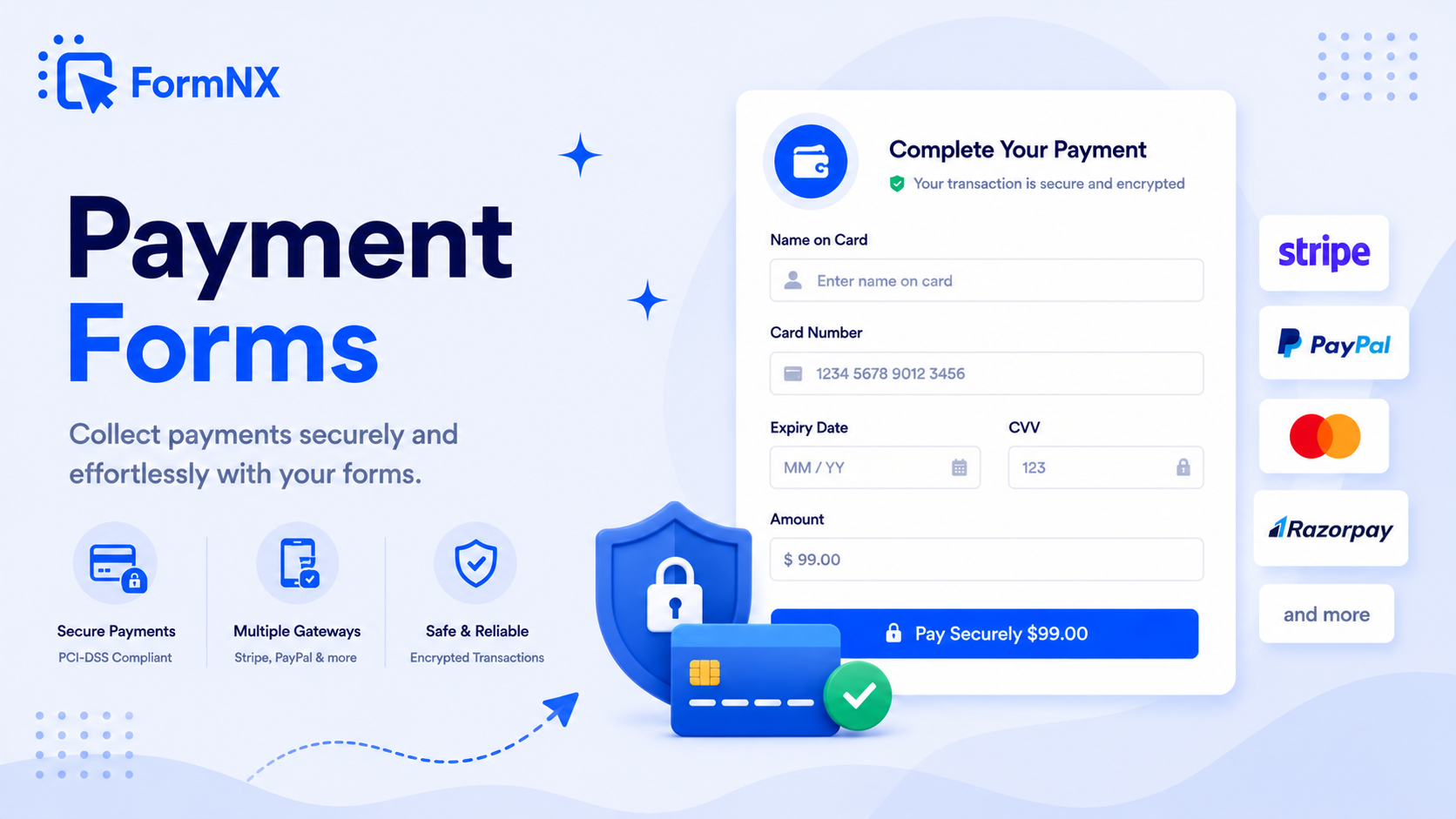








































What makes it essential for your forms
Why Use Payment Form Builder?
Stripe & PayPal on the Same Form
Run both processors side by side so customers pick the option they trust. Or use either one on its own - whichever fits your audience and region best.
Dynamic Pricing via Calculation Fields
Point the Price Field at a Calculation field and the total updates in real time as users change quantities, pick add-ons, or apply discount codes. No JavaScript.
Recover Abandoned Checkouts
Every submission carries a Paid or Due status. For any Due submission, regenerate the payment link in one click and resend - the order flips to Paid when the customer completes payment.
Multi-Currency Support
Charge in USD, EUR, GBP, CAD, AUD, INR, and 100+ other currencies. Use one currency per form, or run different forms for different regions.
PCI-Compliant by Default
Card details are entered on Stripe and PayPal checkout pages, never on FormNX. Your business stays out of PCI DSS scope - the payment processors handle encryption, tokenization, and fraud detection.
Works with Conditional Logic & Multi-Step Forms
Apply different pricing based on user selections, hide payment fields conditionally, or place the payment step at the end of a multi-page form. Every FormNX feature plays nicely with payments.
Get up and running in minutes
How to Use Payment Form Builder
Build Your Form & Add a Price Field
Connect Stripe or PayPal
Set Fixed or Dynamic Pricing
Embed Anywhere or Share the Link
How to Create a Form with Payment
A form with payment lets you collect information and charge customers in a single step - no separate checkout page, no developer needed. With FormNX, creating a form with payment takes four steps: build the form in the visual builder, drop a Number field for fixed prices or a Calculation field for dynamic totals, connect Stripe or PayPal in the Integrate tab, then publish. Your form with payment is live in minutes, with secure checkout handled by Stripe or PayPal on their own pages so your business stays out of PCI DSS scope.
The same form with payment pattern powers every common use case below - online orders, donations, event registration, course signups, and service bookings - all from the same builder, on every plan.
What Is an Online Payment Form?
An online payment form is a web form that collects information from a respondent and routes them to a payment processor at submission to complete the transaction. Instead of building a custom checkout page, integrating Stripe or PayPal SDKs, or chasing customers with manual invoices, a payment form does it all in one step - the customer picks options, sees a calculated total, hits Submit, and lands on a secure checkout to pay by card, PayPal, or digital wallet.
FormNX is a free no-code payment form builder. There is no JavaScript to write, no PCI scope on your servers, no developer needed. Connect Stripe or PayPal once, point the Price Field at a Number or Calculation field, and any form becomes a secure online payment form.
How to Build a Payment Form (No Code)
Creating a payment form with FormNX takes four steps:
- Add a price field - drop a Number field for fixed prices, or a Calculation field for dynamic totals that update based on user inputs (quantity, options, tiers, tax, shipping, discount codes).
- Connect Stripe or PayPal - in the form Integrate tab, paste your Stripe Secret Key or your PayPal Client ID and Secret. FormNX validates the credentials in real time. You can connect both processors and let customers pick at checkout.
- Pick the Price Field, currency, and customer email field - choose which form field drives the amount, which currency to charge in (USD, EUR, GBP, CAD, AUD, INR, and 100+ more), the product name shown at checkout, and which form field holds the customer email for receipts.
- Save and share - your payment form is live. Embed it on your site, share the direct link, or trigger it as a popup. Every submission routes the customer through secure checkout.
Why Use a No-Code Payment Form Builder?
A payment form replaces three pieces of software with one: a form builder for collecting data, a developer-built checkout for taking money, and a CRM for storing the customer details. Building that stack manually means weeks of development, PCI compliance scoping, payment gateway SDK work, and ongoing maintenance. A no-code payment form builder collapses all of it into one tool:
- No PCI scope on your servers - Stripe and PayPal handle card data on their secure checkout. Your site never sees a card number, which keeps you out of PCI DSS scope.
- Dynamic pricing without code - quantity multipliers, tiered pricing, member vs non-member rates, location-based tax, shipping by weight - all driven by Calculation fields, no JavaScript.
- One form does the job of three - data collection, payment, and CRM record in one submission. No reconciling spreadsheets with Stripe dashboards.
- Recover abandoned checkouts - for any unpaid submission, regenerate a payment link with one click and resend. The customer completes payment and the submission flips to Paid - no recreating the order.
- Multi-currency support - charge USD, EUR, GBP, CAD, AUD, INR, and 100+ other currencies depending on your Stripe and PayPal account settings.
- Works with conditional logic and multi-step forms - pair payments with skip logic to charge different amounts based on selections, or place the payment step at the end of a multi-page form.
Types of Payment Forms You Can Build
The same FormNX payment form builder powers every common payment use case - the only thing that changes is the form fields and pricing logic:
- Online order forms - product selectors with quantity, options, and a Calculation field that totals the order, or the Products field for a full catalogue with variants, a cart, and tax, shipping and discount codes worked out for you. Stripe or PayPal handles checkout.
- Donation forms - preset donation amounts ($25 / $50 / $100) or a free-entry amount field, optional recurring donations, and a custom thank-you page.
- Event registration with paid tickets - attendee info plus ticket-type selection that drives the price. Sell early-bird, regular, and VIP tiers from one form.
- Course and membership signups - plan selection, optional add-ons, and conditional fields based on the selected plan.
- Service booking forms - service type and add-ons set the total, plus date and time fields. The customer pays at booking, not after.
- Custom quote acceptance forms - send a unique link with the quote amount pre-filled; the customer reviews and pays in one step.
- Subscription and recurring billing forms - collect subscriber details and start a recurring Stripe subscription on submission.
- Invoice and bill payment forms - reference number plus amount fields let customers pay an invoice without account login.
- Tip and gratuity forms - simple Stripe forms for service businesses to collect tips after a job.
Stripe Payment Forms vs PayPal Payment Forms
FormNX supports Stripe and PayPal as separate integrations - use either, or both on the same form. Customers see both options at checkout and pick the one they prefer:
- Stripe payment forms - accept Visa, Mastercard, Amex, Discover, plus Apple Pay, Google Pay, and local payment methods depending on your Stripe configuration. Best for businesses already running on cards and digital wallets. See the Stripe integration →
- PayPal payment forms - accept PayPal balance, linked bank accounts, and cards through PayPal's checkout. Preferred by donors, international audiences, and customers who would rather not enter card details on a new site. See the PayPal integration →
- Both, on the same form - the highest-converting option for general audiences. Customers see Stripe and PayPal side by side at checkout and pick the method they already trust.
Secure Payment Forms - How FormNX Keeps Card Data Safe
Payment security on a FormNX payment form is built on the gateways themselves. Card details are entered on Stripe's and PayPal's own checkout pages, never on FormNX servers - which means your business stays out of PCI DSS scope and the payment processor handles encryption, tokenization, fraud detection, and 3-D Secure / SCA. Every payment form is served over HTTPS, every Stripe and PayPal credential is encrypted at rest, and FormNX uses the official Stripe and PayPal APIs for all transactions. The result is a secure payment form with bank-grade protection, set up in minutes.
Embed Your Payment Form Anywhere
Every payment form you build with FormNX works on any site. Embed it on WordPress (Gutenberg block, shortcode, or Elementor widget), Webflow, Shopify, Wix, Squarespace, or paste the embed code into a custom HTML site. You can also share the direct link in emails, on social media, or trigger the payment form as a popup overlay. Stripe and PayPal checkout flows behave identically wherever the form lives - no separate mobile checkout, no developer setup.
FormNX vs Other Payment Form Builders
Most popular payment form builders charge a per-submission platform fee on top of Stripe and PayPal processing fees (Jotform charges 3% on its free plan, Wufoo applies processing surcharges, Typeform gates payments behind paid tiers). FormNX charges 0% platform fees on paid plans - the only fees are the standard Stripe/PayPal processing fees that go to the payment processors directly. And unlike Google Forms, which has no built-in payment option at all - you have to bolt on a paid add-on like Payable Forms - FormNX accepts Stripe and PayPal natively on any form.
You also get features competitors charge extra for: dynamic pricing via Calculation fields, conditional pricing rules, multi-currency support, abandoned-checkout recovery, both Stripe AND PayPal on the same form, and payments that work natively with multi-step forms and conditional logic. The visual builder handles every part of the experience, so you never touch a payment SDK or write a line of code.
Common use cases where Payment Form Builder excels
What You Can Build with Payment Form Builder
Don't just take our word for it
Hear from our customers
"I've been looking for an alternative to Jotform - one that would accept payments directly from the form. The learning curve is short, supported by great customer service which never let me down."


"There are super features in this form creator. They REALLY took a lot of time to create a fantastic program. I was using another form creator but switching a lot of my forms to this application. The tech support is amazing."

"Easy to build forms from scratch with a long list of fields. Don't want to start from scratch? No problem — many templates available. Every integration I can think of is available. Customer support is quick and very helpful."


Payment Form Builder: Frequently Asked Questions
-
What is a payment form?
A payment form is an online form that collects information from a respondent and routes them to a payment processor at submission to complete a transaction. Instead of building a custom checkout, integrating Stripe or PayPal SDKs, or sending manual invoices, the form handles data collection and payment in one step - the customer picks options, sees a calculated total, hits Submit, and pays on a secure checkout.
-
How do I create a payment form with FormNX?
Build your form in the visual builder, drop a Number field for fixed prices (or a Calculation field for dynamic totals), connect Stripe or PayPal in the Integrate tab, pick the Price Field and currency, then save. Your form is now a fully functional online payment form - embed it on your site, share the link, or trigger it as a popup. No code, no SDK setup, no developer needed.
-
Is FormNX a free payment form builder?
Yes - you can build and test payment forms free with FormNX. Live payment collection via Stripe and PayPal is available on paid plans. FormNX itself charges 0% platform fees on paid plans, so the only fees on each transaction are the standard Stripe or PayPal processing fees that go directly to the payment processor.
-
Which payment processors does FormNX support?
FormNX has native integrations with Stripe and PayPal. You can run either one or both on the same form so customers pick their preferred method at checkout. Stripe accepts Visa, Mastercard, Amex, Discover, plus Apple Pay and Google Pay; PayPal accepts PayPal balance, linked bank accounts, and cards through PayPal's own checkout.
-
Can the payment amount change based on user selections?
Yes. Point the Price Field at a Calculation field and the total updates in real time as users change quantities, pick add-ons, choose tiers, or apply discount codes. Perfect for order forms with variable items, donation forms with multiple tiers, and registration forms with early-bird vs regular pricing.
-
What happens when a customer abandons checkout?
Every submission carries a payment status of Paid or Due. For any Due submission, you can regenerate the payment link in one click and resend it by email. The customer clicks, completes payment, and the submission flips to Paid - no need to recreate the order or rebuild the cart.
-
Is the payment form secure (PCI compliant)?
Yes. Card details are entered on Stripe's and PayPal's own checkout pages - never on FormNX servers. That keeps your business out of PCI DSS scope and lets the payment processors handle encryption, tokenization, 3-D Secure / SCA, and fraud detection. All FormNX payment forms are served over HTTPS, and gateway credentials are encrypted at rest.
-
Can I create a donation form with FormNX?
Yes. Use preset donation amounts ($25 / $50 / $100 buttons), add a custom amount field, or both. Connect Stripe or PayPal, customise the thank-you page, and your donation form is ready. You can also set up recurring donations via Stripe subscriptions for monthly giving programs.
-
Can I create an order form with payment integration?
Yes. Online order forms are one of the most common payment form use cases on FormNX. Add product selectors (dropdowns, checkboxes, or radio buttons) with prices, use a Calculation field to total the order including tax and shipping, and connect Stripe or PayPal for checkout. Customers see the total update in real time and pay at submission.
-
Does FormNX support multi-currency payment forms?
Yes. Each form can charge in any currency supported by your Stripe or PayPal account - USD, EUR, GBP, CAD, AUD, INR, JPY, and 100+ others. For multi-region businesses, you can run different forms for different currencies, or use conditional logic to route customers to the right pricing.
-
Can I embed a payment form on WordPress?
Yes. Payment forms built with FormNX embed on any WordPress site via Gutenberg block, Classic Editor shortcode, or Elementor widget. The same form works on Webflow, Shopify, Wix, Squarespace, or any HTML site. Stripe and PayPal checkout flows behave identically regardless of where the form is embedded.
-
How does FormNX compare to Jotform, Wufoo, or Typeform for payments?
Jotform charges 3% platform fees on its free plan and Wufoo applies processing surcharges, both on top of Stripe/PayPal fees. Typeform gates payments behind paid tiers and limits the payment processors supported. FormNX charges 0% platform fees on paid plans, supports both Stripe and PayPal on the same form, includes dynamic pricing via Calculation fields, and supports abandoned-checkout recovery - features competitors typically charge extra for.
-
Can I create a form with payment using FormNX?
Yes. FormNX is a free no-code form builder built to create a form with payment in minutes. Drop a Number field for fixed prices or a Calculation field for dynamic totals, connect Stripe or PayPal in the Integrate tab, and your form becomes a fully functional form with payment - no developer, no payment SDK, no PCI scope on your servers. The same workflow handles order forms, donation forms, event registration with paid tickets, and service bookings.
-
What is the cheapest form with payment builder?
FormNX is among the cheapest form with payment builders available because it charges 0% platform fees on paid plans - the only fees on each transaction are the standard Stripe or PayPal processing fees that go directly to the payment processor. Jotform charges an extra 3% on its free plan, Wufoo applies processing surcharges, and Typeform gates payments behind premium tiers. With FormNX, you only pay your subscription plan and the gateway processing fees, nothing else.
-
Do free form builders support payments?
Most free form builders support payments only with caveats - either by charging an extra platform fee per submission, capping the number of payment-enabled submissions, gating payments behind premium tiers, or supporting only one processor. FormNX supports building and testing payment forms for free, with live payment collection (Stripe and PayPal) available on paid plans at 0% platform fees. So while live payment collection is a paid feature, the total cost of ownership is typically lower than free form builders that charge per-submission surcharges on top of gateway fees.
-
Can you accept payments on Google Forms?
Google Forms has no built-in payment feature - on its own it cannot collect card or PayPal payments. To take payments through a Google Form you have to connect a paid third-party add-on (such as Payable Forms) or pipe responses to a separate checkout, which adds cost and setup and splits your data across tools. FormNX accepts Stripe and PayPal natively on any form, with dynamic pricing and a secure checkout, so you build a real payment form without bolting on an add-on - which is why teams that need a Google Form with payment switch to a dedicated payment form builder.
Ready to Use Payment Form Builder?
Start building professional forms with this powerful feature today
Get Started Free NowOther features that work great with Payment Form Builder
More Related Features
Ready-Made Templates
Skip the blank page. Pick from 1,000+ templates for surveys, registrations, orders, feedback, and more - then customize...
See How It WorksDrag & Drop Form Builder
Build any web form by dragging fields onto a visual canvas. No HTML, no code - just pick a field, drop it in place, set...
See How It WorksPowerful Form Fields
35+ field types - from text inputs and dropdowns to signature capture, matrix tables, star ratings, and voice recording....
See How It Works
- Alternatives
- Jotform Alternative
- Typeform Alternative
- Google Forms Alternative
- SurveyMonkey Alternative
- Contact Form 7 Alternative
- Paperform Alternative
- Microsoft Forms Alternative
- Fillout Alternative
- Tally Forms Alternative
- Gravity Forms Alternative
- Cognito Forms Alternative
- Formstack Alternative
- All Alternatives
- Pricing Guides
- Jotform Pricing
- Typeform Pricing
- SurveyMonkey Pricing
- Use Cases
- No-Code Form Builder
- Online Survey Builder
- AI Form Builder
- Online Quiz Maker
- Job Application Form Builder
- Order Form Builder
- Screen Printing Order Form
- Wholesale Order Form
- WordPress Form Builder
- Contact Form
- Nonprofit Form Builder
- Squarespace Form Builder
- Wix Form Builder
- Webflow Form Builder
- Framer Form Builder