Spam Protection
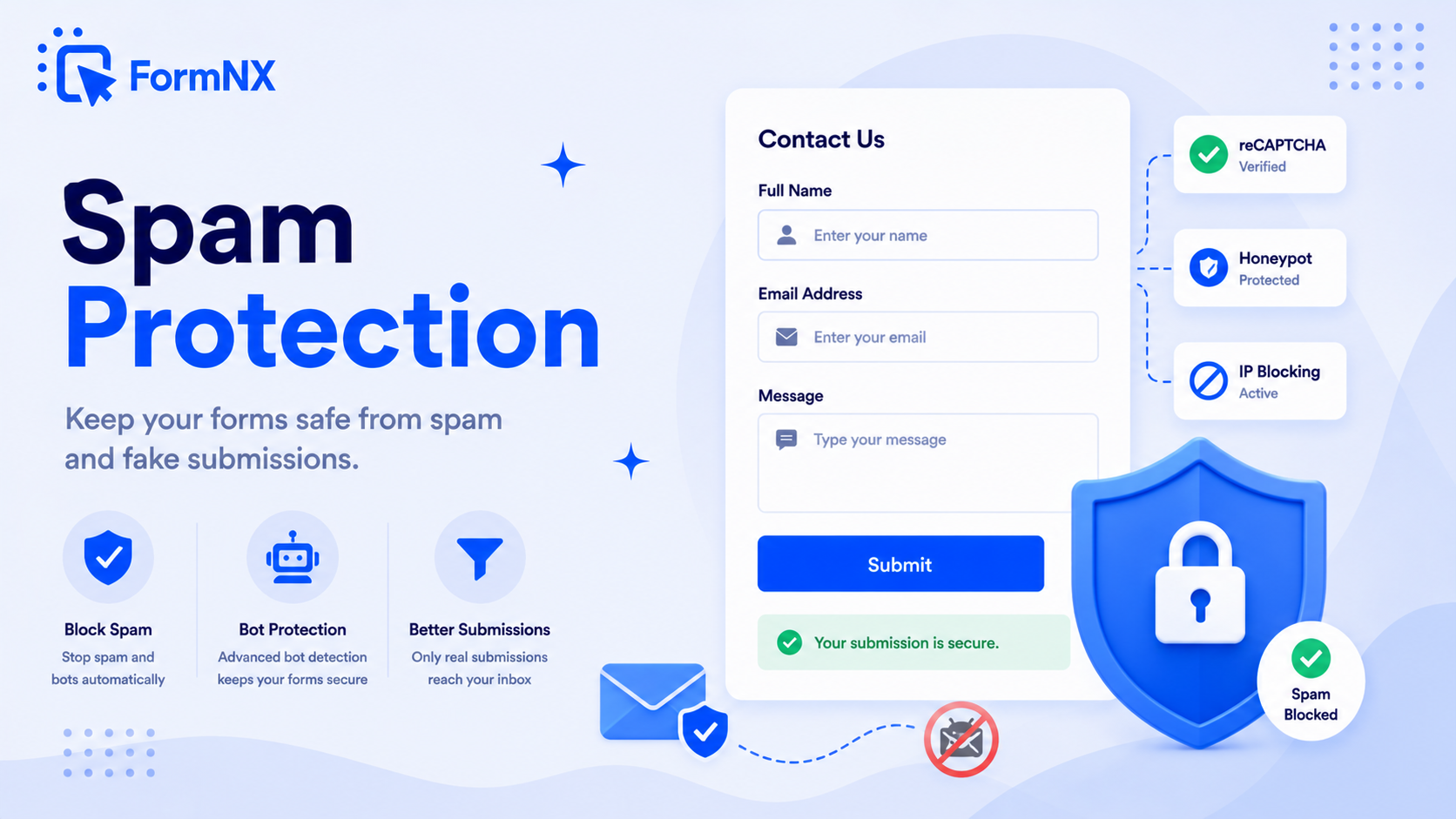
Block bots without breaking your forms. Built-in CAPTCHA, invisible honeypot, and disposable email blocking on every form — no Google reCAPTCHA API keys, no WordPress plugins, no developer setup.







































What unprotected forms cost you
Form Spam Is Quietly Wrecking Your Lead Pipeline
Bots Hit Your Form 50x a Day
Open contact and lead-gen forms get hammered by scrapers and mass-submission scripts the moment your URL is indexed. Real inquiries get lost in the flood.
CAPTCHA Tanks Your Conversion Rate
Research from Zuko found forms with CAPTCHA convert about 16 percentage points lower than forms without (64% vs 48%). The cure is often worse than the disease.
WordPress Plugins Break, Get Abandoned, Open Security Holes
Install Akismet, then a honeypot plugin, then a reCAPTCHA plugin, then watch one stop being maintained. Each plugin is a security surface and a compatibility risk on every WP update.
reCAPTCHA Setup Is a Time Tax
Register at Google, generate a site key and secret key, paste them into every site, manage them across environments. Real work just to keep bots out of your forms.
Lead-Gen Ad Budget Burns on Fake Submissions
Every bot signup on a Google or Facebook ad is real money spent on a contact who will never reply. Vanity submission counts hide how much budget is wasted.
Sales Reps Waste Hours Sorting Real From Junk
Reps trawl through 100 form submissions to find the 12 real ones. Lead routing breaks. Real prospects sit unattended while the team sorts spam.
Four layers that stop spam without breaking forms
What Built-In Form Spam Protection Does for Your Business
Invisible Honeypot (Zero Friction)
An invisible hidden field that bots fill out but real users never see. Catches the bulk of spam before it reaches your inbox — no captchas, no extra steps, no conversion hit.
Built-In CAPTCHA (No Google API Keys)
Enable CAPTCHA on any form with a single toggle. No Google reCAPTCHA account to register, no site key plus secret key to manage, no separate plugin to install.
Disposable Email Blocker
Reject submissions from throwaway providers like Mailinator, 10MinuteMail, Guerrilla Mail, Temp-Mail at submission time. Continuously-updated domain list maintained by FormNX.
Per-IP Rate Limiting
Throttle submissions from the same IP address. Real users never hit the limit; scrapers and bot floods are blocked after the first few attempts from the same source.
No WordPress Plugins to Maintain
FormNX runs your spam protection — no Akismet subscription, no plugin that breaks on a WP update, no plugin you have to re-evaluate for security every year.
Pairs With Email OTP Verification
Combine the spam layers with FormNX Email Verification (OTP) for the strongest contact-quality protection — spam blocks throwaway and bots, OTP confirms the rest are real.
Works Everywhere Your Form Lives
Web embeds, popup forms, WordPress embeds, shared form links — the same protection runs across every place your form is exposed, with no per-platform setup.
Protect Your Paid Ad Spend
Every fake submission from a Google or Facebook ad is real budget burned on a lead that will never reply. Blocking spam at the form layer keeps your cost-per-lead honest.
Get up and running in minutes
How to Use Spam Protection
Toggle the Spam-Protection Layers on Your Form
Honeypot Field Added Invisibly to Every Submission
CAPTCHA Shown Only When Enabled
Junk Submissions Blocked Before Your Inbox
Step-by-step tutorial
Watch Spam Protection in action
What Is Form Spam?
Form spam is automated submissions to online forms by bots — scrapers and mass-submission scripts that fill in fake names, throwaway emails, and link-stuffed messages. Stopping it reliably requires layered defense: no single technique catches every category of spam, but combining a honeypot field, CAPTCHA, disposable-email blocking, and per-IP rate limiting catches close to 100% without making real visitors solve image puzzles. FormNX builds all four layers into the form builder itself — no Google reCAPTCHA API keys, no WordPress plugins, no developer setup.
Why Your Forms Are Getting Spammed
Bots find forms by crawling the web for HTML <form> tags and POST endpoints. Once a bot identifies your form URL, it submits on a schedule — often hundreds of attempts a day across thousands of forms in parallel. The submissions are usually one of four categories: SEO spam (links to dodgy websites trying to build backlinks), credential harvesting (fake signups to test stolen email-password combos), competitor lead-gen sabotage (filling your CRM with junk so your sales team chases ghosts), or plain abuse (free-trial farming, contest gaming with burner inboxes).
If you are running paid ads — Google Ads, Facebook, LinkedIn, TikTok — the cost is sharper. Every fake submission attributable to an ad click is real budget burned on a contact who will never reply. Your dashboard submission count looks healthy; the reachable subset is a fraction of what you are reporting.
The Four Anti-Spam Layers FormNX Gives You
Each FormNX form has four toggleable spam-protection layers. Enable any combination — for most forms, honeypot plus disposable-email blocking is enough and adds zero user friction. CAPTCHA is available when you need it.
- Honeypot field — an invisible hidden field that bots fill out but real users never see. Submissions with the honeypot populated are silently rejected.
- CAPTCHA — built-in challenge that real users solve in seconds. No Google reCAPTCHA API keys required; FormNX manages the integration.
- Disposable email blocker — rejects submissions from Mailinator, 10MinuteMail, Guerrilla Mail, Temp-Mail, YOPmail, and the long tail of throwaway providers. Continuously-updated list.
- Per-IP rate limiting — throttles submissions from the same IP address. Real users never trip it; bot floods are blocked after the first few attempts.
Captcha for Forms: Built-In, No Google reCAPTCHA Setup
FormNX gives you CAPTCHA directly inside the form builder — flip a toggle on the form and a challenge is added at submission time. You do not need a Google reCAPTCHA account, you do not need to register a site key and secret key, and you do not need to paste API credentials into every site you embed the form on. FormNX handles the integration; you toggle the feature.
If you prefer the standard Google reCAPTCHA flow, FormNX supports that too — but most teams use the built-in option to avoid the management overhead. Either way, the challenge runs server-side at submission and blocks the request before it reaches your form-data store.
Honeypot Field: The Invisible Spam Filter
A honeypot is a hidden form field added via CSS that real users never see but bots can detect by reading the HTML. When a bot fills out the entire form including the hidden field, the form recognises the honeypot is populated and silently rejects the submission. Honeypots are the highest-leverage anti-spam technique available: zero user friction (no captchas, no extra clicks), invisible to the visitor, and effective against the overwhelming majority of unsophisticated form bots.
FormNX adds a honeypot field invisibly to every form when the protection is enabled — no developer setup, no manual CSS, no plugin. Caught submissions are silently dropped; legitimate submissions go through with no visible change. Honeypots are not a complete defence on their own (smart bots can detect and skip them), which is why FormNX pairs them with CAPTCHA, disposable-email blocking, and rate limiting.
Stopping Contact Form Spam Without Killing Conversion
The reason teams hesitate to bolt on CAPTCHA is that CAPTCHA hurts conversion. Research from Zuko (zuko.io) found forms without CAPTCHA achieve around 64% completion vs. 48% with CAPTCHA — a 16-percentage-point hit. For a lead-gen form, that is the difference between 64 leads and 48 leads from the same 100 visitors. The cure is often worse than the disease.
The FormNX approach: start with honeypot plus disposable-email blocking (zero friction, no conversion hit), and only add CAPTCHA if your form is being aggressively targeted by smarter bots that bypass honeypot. Most contact forms, lead-gen forms, and newsletter signups never need a visible CAPTCHA at all — the invisible layers do the work.
CAPTCHA vs Honeypot: When to Use Which
Both stop bots; they trade off differently on user friction and bot sophistication.
- Honeypot — zero friction for real users, effective against the bulk of unsophisticated bots, fails against smart bots that detect hidden fields. Default to this for every form.
- CAPTCHA — high friction (conversion hit), but stops smart bots that bypass honeypot. Add this when honeypot alone is not catching enough.
- Disposable-email blocker — different mechanism entirely: it does not care about the bot-vs-human question, it rejects submissions from known throwaway domains. Always on.
- Rate limiting — stops floods from a single IP. Always on.
Recommended stack for most teams: honeypot plus disposable-email blocker plus rate limiting always on; CAPTCHA off by default, on for high-value forms or when spam levels rise.
How FormNX Compares to Google reCAPTCHA + WordPress Plugins
The traditional path to spam protection is a Frankenstein stack: install Akismet, install a separate honeypot plugin, register at Google reCAPTCHA and install another plugin to inject the keys, then maintain all three. Each plugin you add is a security surface, a compatibility risk on WordPress updates, and another vendor to evaluate every year. With FormNX, the four layers ship as part of the form builder — one toggle per layer, one vendor, one place to update.
Form Spam Protection vs Email Verification (OTP)
Spam protection (honeypot + CAPTCHA + disposable-email blocking + rate limiting) stops bots and burner-domain abuse. Email OTP verification — a separate FormNX feature — sends a 4-digit code to the inbox and requires the respondent to enter it back, confirming the email is real and accessible to that person. For the strongest contact-quality protection, enable spam protection AND OTP: spam protection blocks the obvious junk upfront, OTP confirms the remaining addresses are reachable by the actual person.
Common use cases where Spam Protection excels
What You Can Build with Spam Protection
Don't just take our word for it
Hear from our customers
"I've been looking for an alternative to Jotform - one that would accept payments directly from the form. The learning curve is short, supported by great customer service which never let me down."


"There are super features in this form creator. They REALLY took a lot of time to create a fantastic program. I was using another form creator but switching a lot of my forms to this application. The tech support is amazing."

"Easy to build forms from scratch with a long list of fields. Don't want to start from scratch? No problem — many templates available. Every integration I can think of is available. Customer support is quick and very helpful."


Spam Protection: Frequently Asked Questions
-
What is CAPTCHA on a form?
CAPTCHA (Completely Automated Public Turing test to tell Computers and Humans Apart) is a challenge added to a form to verify the submitter is a human, not a bot. The challenge is usually clicking a checkbox ("I am not a robot"), solving an image puzzle (selecting all the traffic lights), or — in modern versions like reCAPTCHA v3 — running invisibly in the background and scoring user behaviour. On FormNX, you enable CAPTCHA per form with a single toggle, no Google API keys required.
-
How do I add CAPTCHA to my form on FormNX?
Open the form settings, find the Spam Protection section, and toggle on the CAPTCHA option. FormNX handles the integration end-to-end — there is no Google reCAPTCHA registration, no site key plus secret key to manage, no separate plugin to install. The CAPTCHA renders at submission and is verified server-side before any data is stored.
-
What is a honeypot field, and does it still work in 2026?
A honeypot is a hidden form field — invisible to real visitors but readable in the HTML by bots. Real users skip the field; bots fill in every field, including the hidden one. If the honeypot field has a value at submission, FormNX silently rejects the submission as spam. Honeypots still work in 2026 for the majority of unsophisticated form bots (which is most of them), with zero user friction. Smart bots can detect and skip hidden fields, which is why honeypot is one layer in a stack — not the only one.
-
CAPTCHA vs honeypot — which should I use first?
Honeypot first. Honeypot has zero user friction (invisible) and catches most spam bots. CAPTCHA visibly slows down real users — research from Zuko found forms with CAPTCHA convert about 16 percentage points lower than forms without. The recommended stack is honeypot plus disposable-email blocking on by default; add CAPTCHA only if spam levels rise above what honeypot is catching.
-
Does CAPTCHA reduce form conversion rates?
Yes, measurably. Research from Zuko (zuko.io) found that forms with CAPTCHA convert at about 48% vs. 64% for forms without — a 16-percentage-point hit. The conversion loss is why FormNX recommends starting with honeypot plus disposable-email blocking (zero-friction layers) and only adding visible CAPTCHA when needed.
-
Do I need a Google reCAPTCHA API key to use FormNX captcha?
No. FormNX provides built-in CAPTCHA that runs end-to-end inside FormNX — no Google reCAPTCHA account, no registration, no site key plus secret key to manage. If you prefer the standard Google reCAPTCHA integration, FormNX supports it too, but most teams use the built-in option to avoid the management overhead.
-
Can I use multiple anti-spam layers together?
Yes, and we recommend it. The four FormNX layers — honeypot, CAPTCHA, disposable-email blocking, per-IP rate limiting — are independent and complement each other. Honeypot catches bulk bots; CAPTCHA catches smart bots that skip honeypot; disposable-email blocking catches throwaway addresses from real humans abusing free trials and contests; rate limiting catches floods. Layered defense is the only reliable strategy.
-
How does FormNX block disposable emails?
FormNX maintains a continuously-updated list of disposable email domains — Mailinator, 10MinuteMail, Guerrilla Mail, Temp-Mail, YOPmail, and thousands of newer providers. When the disposable-email blocker is on, every submission email domain is checked against the list at submission time and rejected if it matches. See the Block Disposable Emails feature page for the full breakdown.
-
Can I stop contact form spam without using CAPTCHA?
Yes — and most contact forms should. The combination of honeypot plus disposable-email blocking plus per-IP rate limiting catches the majority of contact form spam with zero user friction. CAPTCHA is only needed when smart bots that bypass honeypot start hitting your form aggressively — which most contact forms never experience.
-
Does FormNX spam protection work on WordPress embeds?
Yes. The protection runs server-side at FormNX, so it applies to every embed of the form — web embeds, popups, WordPress embeds, shared form links, anywhere your form is exposed. You do not need to install Akismet, a separate honeypot plugin, or a reCAPTCHA plugin on WordPress. FormNX handles everything.
Ready to protect your forms from Spams?
Start building professional forms with this powerful feature today
Get Started Free NowOther features that work great with Spam Protection
More Related Features
Email Verification (OTP)
Send a 4-digit email verification code (OTP) and require respondents to verify their email before submitting. Stops fake...
See How It WorksBlock Disposable Emails
Block emails from throwaway email providers in one click. FormNX checks every submitted email against an updated disposa...
See How It WorksDuplicate Submission Check
Block repeat submissions by IP address or by matching a specific field value. Keep your data clean without any manual de...
See How It Works
- Alternatives
- Jotform Alternative
- Typeform Alternative
- Google Forms Alternative
- SurveyMonkey Alternative
- Contact Form 7 Alternative
- Paperform Alternative
- Microsoft Forms Alternative
- Fillout Alternative
- Tally Forms Alternative
- Gravity Forms Alternative
- Cognito Forms Alternative
- Formstack Alternative
- All Alternatives
- Pricing Guides
- Jotform Pricing
- Typeform Pricing
- SurveyMonkey Pricing
- Use Cases
- No-Code Form Builder
- Online Survey Builder
- AI Form Builder
- Online Quiz Maker
- Job Application Form Builder
- Order Form Builder
- Screen Printing Order Form
- Wholesale Order Form
- WordPress Form Builder
- Contact Form
- Nonprofit Form Builder
- Squarespace Form Builder
- Wix Form Builder
- Webflow Form Builder
- Framer Form Builder