Free Online Order Form Builder
Create an order form your customers can use to place orders from any device - for free. FormNX is an online order form builder that helps you create order forms with product lists, takes payment at checkout, provides complete order management, cart recovery & lots more.















































Definition
What Is an Order Form?
An order form is a document a customer uses to tell you exactly what they want to buy. It records who is ordering, what they are ordering and how many, the agreed price, where it should be delivered or collected, and how it will be paid for. Because every customer answers the same questions in the same order, an order form removes the guesswork and the back-and-forth that comes with taking orders by email, text, or over the phone.
An online order form moves that document onto the web. Customers order from any device, the total adds itself up as they choose items, payment can be taken there and then, and every order lands in one dashboard instead of a pile of paper slips or a spreadsheet you maintain by hand. A digital order form also validates what people type as they type it, so you stop receiving orders with a missing size or an unreadable address. FormNX is an online order form builder for small businesses, print shops, bakeries, restaurants, schools, clubs, and wholesalers who need to take orders properly without building a full e-commerce store.
You will see the same tool called different things - an order form creator, an order form generator, an order form maker, order form software, or just an order form app. The label does not matter; the job does. Whatever it is called, it has to let customers choose what they want, price it correctly including any tax, delivery or discount, and take the payment. FormNX does all three inside one form.
"I really appreciate FormNX for its simplicity and intuitiveness. It's easy to use and just works perfectly for my needs. The form builder is especially straightforward, and I've found the OTP function to be a great feature. Setting it up was extremely easy, and I was able to have a form ready within an hour."

The case for FormNX
Why Take Orders With a FormNX Order Form
The complete order cycle in one tool
Take the order, charge the basket total at checkout, send the customer a confirmation with the invoice PDF, then tag each order packed, shipped, and delivered from the same dashboard. No stitching a form to a spreadsheet, an invoice tool, and payment links.
Customers see what they are ordering
Attach an image to every choice so buyers pick a shirt colour, a cake design, or a menu item by looking at it instead of reading a text list. Fewer wrong orders, fewer refunds, and a form that sells rather than just collects.
Nothing gets lost between order and payment
Every order gets its own automatic reference number, and each submission is marked Paid or Due. If a customer abandons checkout or their card fails, regenerate the payment link and resend it - you recover the sale without rebuilding the order.
0% platform charge on your orders
FormNX never takes a commission on what you sell. Whether an order is $5 or $5,000, the platform fee is zero - only your payment provider's own processing fee applies. Compare that with marketplaces and store platforms that take a percentage of every sale.
Unlimited orders, one simple subscription
No per-order fees, no submission tiers, no surprise overage bills in your busy season. Collect ten orders or ten thousand on the same flat plan - your costs stay predictable while your order volume grows.
Field checklist
What to Include in an Order Form
These are the fields a complete order form needs. Add the ones that apply with drag-and-drop, and use conditional logic so questions like a delivery address only appear when they are relevant.
Start with these fields- Customer details - Name, email, and phone - with built-in validation so you can actually reach them about the order.
- Order date & reference number - Assigned automatically to every submission, with your own prefix such as ORD-1001.
- Products or services ordered - Your catalogue shown as product cards with photos, descriptions and prices - customers pick from it instead of reading a list.
- Quantity - A quantity selector on every product, with an optional cap on how many units one person can order.
- Options & variants - Size, colour, flavour, finish, or any other variant the customer must choose.
- Unit price & line totals - Prices you set per product - or per size and colour combination - multiplied out automatically so customers see the cost per line.
- Shipping or tax - A flat delivery charge and a tax rate set once in Basket Settings, with free shipping above any order value you choose.
- Order total - The final amount after any discount code, calculated live and passed to your payment gateway as the sum to charge.
- Delivery or pickup details - Address, preferred date, and collection instructions - shown conditionally by choice.
- Special instructions - A free-text field for personalisation, allergies, artwork notes, or access details.
- File upload - Artwork, a logo, a spec sheet, or a purchase order document attached to the order.
- Terms & signature - A checkbox for your terms, or an e-signature for quotes and larger B2B orders.
"I have been using formnx for the past 2 weeks and have found it easy to build forms quickly and have been able to make modifications efficiently. A real asset in using this app is the quick response time by the vendor, quite often. within 10 minutes. The vendor has also made changes, within days, to the builder as per..."

Step by step
How to Create an Order Form in 5 Steps
From blank page to a live, paid-up order form in about ten minutes - no design or coding skills needed.
Start from a template or a blank form
Pick a ready-made order form template and edit it, or drag your own fields onto a blank form. Everything is edited visually in the drag and drop form builder.
Add your products, options and prices
On Pro, drop in the Products field and build your catalogue: a title, price and up to five images per product, plus variant groups like size and colour that can each carry their own price and stock status. Prefer a simpler list? You can still add products as choice options with images, and use multi-column layout to line a long catalogue up neatly.
Total the order automatically
There is nothing to set up. The product basket adds the order up as customers shop, applies your tax rate and shipping charge, waives delivery above your free-shipping threshold, and takes the discount you set off the product total the moment a customer enters your code - all from the settings you already filled in.
Connect a payment provider to get paid
On the Pro plan, switch on Stripe, PayPal, or Razorpay and point the charge at your basket total, so each customer pays exactly what their order comes to. Prefer to invoice instead? Leave payment off and use the form purely to capture orders.
Publish, share and fulfil
Publish to get a link and an embed code, then share it, put it on your site, or print it as a QR code on a counter card. Every order arrives in your dashboard with its reference number and payment status.
Ready to take your first order?
The shortcut
Sell a Real Product Catalogue From Your Order Form
Drop in the Products field and your order form becomes a small shop: photos, prices, sizes and colours, a cart, and every total worked out for you. It is included on every Pro plan.
Product cards, not dropdown labels
Each product carries a title, a short summary, a full description, a price and up to five images. Customers order by sight instead of reading option text, and open a product to see the detail before adding it.
Sizes and colours that price themselves
Add variant groups such as Size and Colour and FormNX builds every combination for you. Give a 2XL its own price, mark one colourway out of stock, and leave the rest on the base price - no formula branches.
A cart with a running total
Customers set quantities and watch the basket total build as they shop. Cap how many units one person can order when stock is limited, or leave it unlimited.
Tax and shipping without the maths
Set a tax rate and choose whether it is added on top or already included in your prices. Add a flat delivery charge, and a free-shipping threshold that nudges customers to add one more item.
Discount codes with rules
Percent or fixed-amount codes, each with its own usage limit and expiry date. Run one for a newsletter, one for a partner and one for a seasonal sale on the same order form.
See how the product basket works
The faster route
Generate an Order Form From Plain English in Seconds
Do not want to place fields one by one? Describe the order form you need in plain English and let the AI form builder assemble it for you. Type something like "a bakery order form with cake size, flavour, filling, collection date, a photo upload for custom decoration, and card payment" and FormNX proposes a complete form plan - the right field types, labels, validation rules, and dropdown options already filled in.
Review the plan, refine anything you want changed, and approve it. The AI then builds the live form and drops you into the standard drag-and-drop editor with every field in place, so you can drop in your product catalogue, connect a payment provider, and publish. AI form generation is included on the free plan; paid plans add higher AI usage limits and an in-builder AI assistant for jobs like bulk option generation and writing your confirmation emails.
By use case
Types of Order Forms You Can Build
Every order form shares the same backbone - customer, items, quantities, total, payment - so one builder covers all of them. Here is what changes from one type to the next.
Service order form
Ordering a service instead of a product: the service package, date and location, hourly or flat rate feeding the total, and any prep notes - for cleaners, photographers, caterers, and repair pros.
What is included
Everything You Need to Collect Orders Online
From the moment a customer picks a product to the moment you mark it shipped - the whole order lifecycle in one form.
Options with images
Show a photo beside every product, colour, or size so customers order by sight, with image sizes you control.
Delivery & pickup details
Collect the delivery address, a preferred date, and collection instructions - shown only when the customer actually chooses delivery.
Abandoned-checkout recovery
Every order is marked Paid or Due. For a Due order, regenerate the payment link and resend it - recover the sale without rebuilding the order.
Track fulfilment with tags
Tag orders as packed, shipped, or delivered right in the responses screen, star the urgent ones, and filter by tag so nothing gets missed.
Spam & bot protection
Google reCAPTCHA, duplicate-submission checks, and disposable-email blocking keep fake orders out of your list.
Take your first order in about 10 minutes
The real comparison
FormNX vs a Printable Template vs Google Forms
How a FormNX order form compares with a printable PDF, Word, or Excel order form template and with Google Forms.
| Capability | FormNX Recommended | Printable PDF / Excel template | Google Forms |
|---|---|---|---|
| Customers order online | Any device, no download. | Print, fill in, scan or hand back. | Online. |
| Order total calculated automatically | Product basket totals it live with tax and shipping. When the customer enters your discount code, the amount you set comes off the product total. | Only in Excel, and only if nobody prints it. | No product catalogue, cart or order total. |
| Take payment at checkout | Stripe, PayPal & Razorpay (Pro plan), 0% platform fees. | Chase payment separately. | No built-in payments. |
| Product images on options | Image on every choice. | Static picture, not selectable. | Images supported, no pricing link. |
| Automatic order reference number | Custom prefix and start number. | Numbered by hand. | Not built in. |
| Track paid vs unpaid orders | Paid / Due status, resend payment link. | Manual ledger. | Manual in a spreadsheet. |
| Confirmation email to the customer | Automatic, with order details (paid plans). | None. | Requires an add-on or script. |
| PDF record of each order | Branded PDF per order (paid plans). | The blank form is a PDF, but order data is not collated. | Not built in. |
| Embed on your website | WordPress, Webflow, Wix, any site. | Only as a download link. | Iframe only, limited styling. |
| Cost | Free - unlimited orders. | Free, or paid on template marketplaces. | Free. |
Currently taking orders in Google Forms? See the full FormNX vs Google Forms comparison.
"We have been having so many issues when it comes to creating forms with jot forms and sturggled getting efficient flow setup with our clientele. As a charity this is crucial for us to continue and for our programs to have the reach there mean't too. We need a form application that can take payment, send clear notifica..."

Who sells with FormNX
Who Uses the FormNX Order Form
Anyone who takes orders but does not need - or want - a full e-commerce platform behind it.
Small shops & makers
Sell a short product list without paying for a store platform. Post the link on Instagram or Facebook and take payment on the form itself.
Restaurants, cafes & bakeries
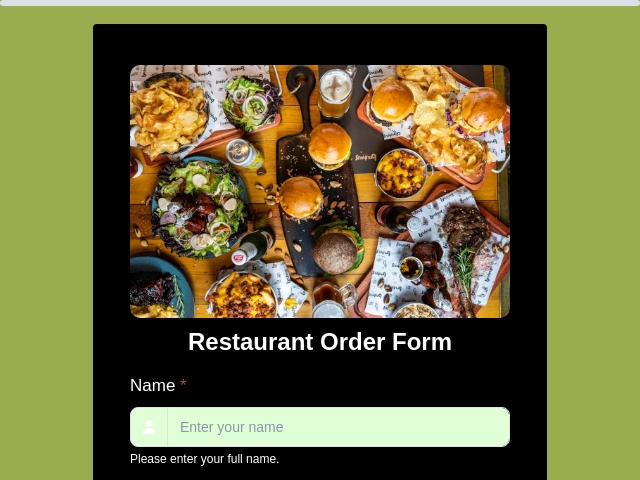
Take catering, cake, and pre-orders with photos of each item, a pickup slot, and a deposit collected up front. Put a QR code on the counter.
Print shops & apparel sellers
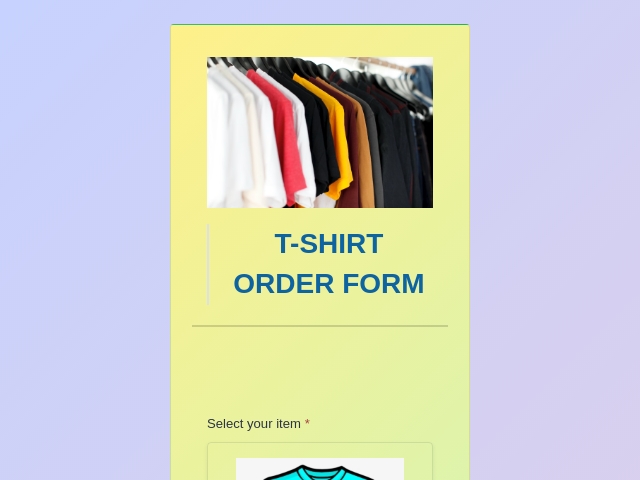
Collect shirt sizes, colours, and artwork uploads in one place, so you get a clean size breakdown instead of adding up paper slips.
Schools, teams & fundraisers
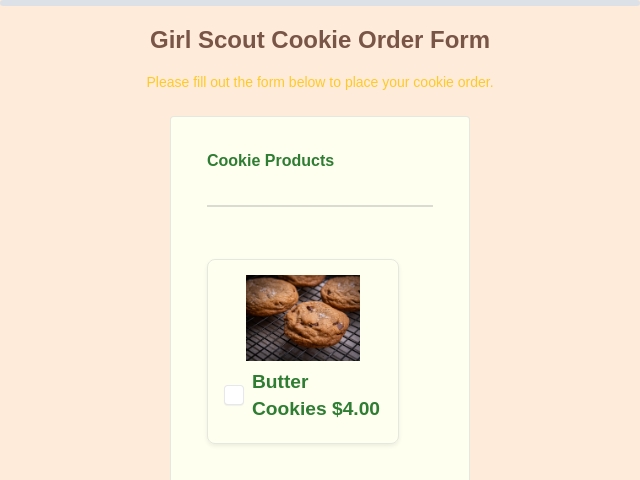
Run a spirit-wear, yearbook, or fundraiser order drive where parents order and pay online, and you export the full list when it closes.
Wholesalers & B2B suppliers
Give trade customers a self-serve reorder form with account details, case quantities, and an uploaded purchase order attached.
Offices & facilities teams
Standardise internal purchase requests, supply reorders, and maintenance work orders, with approval routed by conditional logic.
Skip the blank canvas
Order Form Templates to Start From
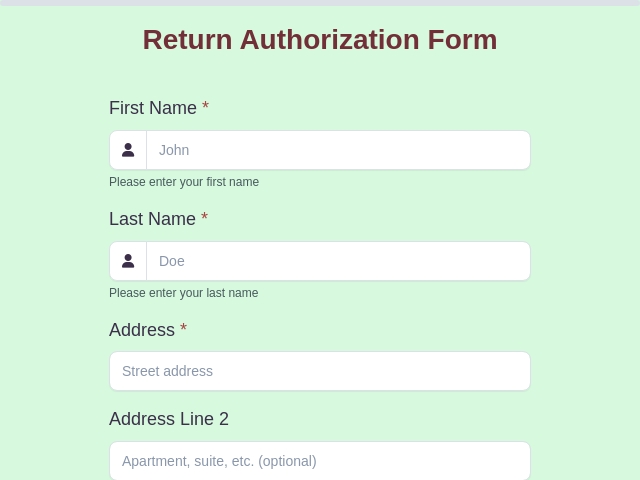
Pick a ready-made order form template, swap in your own products and prices, and publish - every template can take payment, calculate totals, and generate an order PDF.

FormNX vs Other Order Form Builders: FAQs
-
How do I create an order form?
Sign up for FormNX, then either start from a ready-made order form template or open the drag-and-drop builder and add the fields you need - customer name and contact details, delivery or pickup choice, the products being ordered with quantity and options, special instructions, and a total. The products themselves go in the Products field, which gives you a catalogue with images, size and colour variants, a cart, and a running total that adds tax and shipping and takes off any discount code the customer enters - there is no formula to write. Connect a payment gateway if you want to be paid at checkout, then publish. You get a shareable link plus an embed code for your website. Most people have a working order form in about 10 minutes - or a couple of minutes if you let the AI form builder generate it from a plain-English description instead.
-
Can AI create my order form for me?
Yes. Describe the order form you need in plain English - for example "a bakery order form with cake size, flavour, filling, collection date, a photo upload for custom decoration, and card payment" - and the AI form builder proposes a complete form plan with the right field types, labels, validation rules, and dropdown options already worked out. Review the plan, refine anything you want changed, and approve it; the AI then builds the live form and hands it to you in the normal drag-and-drop editor, where you add your product catalogue and payment provider before publishing. AI form generation is included on the free plan, and paid plans add higher AI usage limits plus an in-builder AI assistant for tasks like bulk option generation and writing your order confirmation emails.
-
How do I create a fillable order form?
Every FormNX order form is fillable online out of the box - customers open the link on a phone, tablet, or computer and type straight into it, with no app to install and no account to create. That is the difference between a fillable online order form and a fillable PDF: the online version validates what customers type, calculates the total for them, and files each order in your dashboard automatically, so nothing has to be retyped. On paid plans FormNX also generates a PDF of each completed order if you need a document copy for your records.
-
What should an order form include?
A complete order form collects: customer name and contact details; delivery or pickup information including the address and preferred date; the order itself (product or service, quantity, size, colour, or other options); customisations or special requests; the price per item and an auto-calculated order total including tax, shipping and any discount code; the payment method; and a confirmation that the customer agrees to your terms. Adding an order or reference number to every submission makes orders far easier to track later.
-
What are the different types of order forms?
The most common types are: purchase order forms (a buyer requesting goods from a supplier), sales order forms (a seller confirming what was sold), work order forms (requesting a job or repair to be carried out), product and e-commerce order forms, t-shirt and apparel order forms with size and colour options, food, catering, and bakery order forms, wholesale or B2B bulk order forms, and service order forms. All of them share the same core structure - customer, items, quantities, total, payment - so the same builder covers every one. See the order form types section above for what to include in each.
-
Can I accept payments on my order form?
Yes. On the Pro plan you can connect Stripe, PayPal, or Razorpay - and run more than one on the same form so the customer picks their method at checkout. FormNX charges a 0% platform fee, so only the payment provider's own processing fees apply. The amount charged comes straight from the basket total, so a customer ordering three shirts is charged for three shirts without you touching anything. Every submission is then marked Paid or Due, and for a Due order you can regenerate a payment link and resend it to recover the sale.
-
How do I automatically calculate the order total?
You do not have to. The Products field does it for you: it adds the cart up as the customer shops, takes any discount code off the subtotal, applies your tax rate to what is left, and waives delivery when the order clears your free-shipping threshold. The total updates live as the customer changes their order, and that exact figure is what your payment gateway charges - so a mispriced order is not really possible. If you need pricing that no catalogue can express, such as a quote scored from several answers, a calculation field covers that case separately.
-
Is FormNX free for order forms?
Yes. The free plan includes unlimited order forms and unlimited orders, the drag-and-drop builder, AI form generation, calculation fields for order totals, product options with images, conditional logic, multi-step pages, ready-made templates, spam protection, and new-order email notifications to you. The Pro plan adds automatic order reference numbers, the Products field - a browsable product catalogue with images, size and colour variants, per-variant pricing, a cart, tax, shipping and discount codes - plus online payments through Stripe, PayPal, and Razorpay with a 0% platform fee, automatic order confirmation emails to your customers, auto-generated order PDFs and PDF email attachments, searching, filtering and exporting orders to Excel or CSV, Google Sheets and webhook sync, and white labeling to remove FormNX branding.
-
How do I make a t-shirt order form?
Start from an order form template, then add the Products field and give the shirt a Size group (S, M, L, XL) and a Colour group. FormNX creates a row for every size and colour combination, so a 2XL can carry its own price and a sold-out colourway can be marked out of stock on its own while the rest stay on sale. Each product takes up to five photos, so buyers see the actual shirt instead of reading a list, and the cart totals itself as they choose quantities. Connect a payment gateway if you want payment up front, which is what most school, team, club, and fundraiser shirt orders need. Because it is an online form rather than a printed sheet, you get one tidy list of every size ordered instead of adding up paper slips by hand.
-
Can I print an order form or download it as a PDF?
Yes, on paid plans FormNX automatically generates a branded PDF of each completed order, which you can print, file, or attach to the confirmation email the customer receives. Note the difference from a printable template site: FormNX does not hand you a blank PDF to photocopy - customers fill the form online, and the PDF is produced from real order data, so nothing has to be transcribed afterwards.
-
Can I show a product catalogue with pictures on my order form?
Yes. The Products field displays your catalogue as product cards inside the form, with up to five images per product, a short summary on the card and a full description behind it. Customers browse in a one, two or three column layout, open a product to see the detail, pick their size or colour, choose a quantity and add it to the cart. It replaces the older approach of listing products as dropdown options.
-
Can I charge different prices for different sizes or colours?
Yes. Add a variant group for Size and another for Colour and FormNX generates a row for every combination - Small/Black, Medium/White and so on. Turn on Set Price for any combination that should cost more or less, and the rest fall back to the product's base price. Any single combination can also be marked out of stock without affecting the others, which is how you stop selling one size while the rest stay available.
-
Can I add tax, shipping and discount codes to an order form?
Yes, all three are settings on the product basket rather than something you build by hand. Set a tax rate and choose whether it is added on top of the total or already included in your prices. Add a flat shipping charge, plus an optional order value above which delivery becomes free. Create as many discount codes as you need, each percent-based or a fixed amount, with its own usage limit and expiry date.
-
Can I just use Google Forms for order forms?
You can collect the order details, but Google Forms has no built-in way to take payment, no product catalogue or cart to total an order automatically, and no PDF of each order - so you end up totalling orders by hand and chasing payment separately. FormNX does all three natively. See the full FormNX vs Google Forms comparison, or read the guide on collecting payments in Google Forms.
Still comparing?
Ask your favorite AI how FormNX stacks up against Other Order Form Builders.
Start Taking Orders Online Today
Free to start - unlimited order forms and unlimited orders. Add the Products field on Pro for a full catalogue with variants, a cart, tax, shipping and discount codes. No credit card required.
Get Started Free Book a Demo
 Reviews on Trustpilot
- Alternatives
- Jotform Alternative
- Typeform Alternative
- Google Forms Alternative
- SurveyMonkey Alternative
- Contact Form 7 Alternative
- Paperform Alternative
- Microsoft Forms Alternative
- Fillout Alternative
- Tally Forms Alternative
- Gravity Forms Alternative
- Cognito Forms Alternative
- Formstack Alternative
- Wufoo Alternative
- All Alternatives
- Pricing Guides
- Jotform Pricing
- Typeform Pricing
- SurveyMonkey Pricing
- Use Cases
- No-Code Form Builder
- Online Survey Builder
- AI Form Builder
- Online Quiz Maker
- Job Application Form Builder
- Order Form Builder
- Screen Printing Order Form
- Wholesale Order Form
- WordPress Form Builder
- Contact Form
- Nonprofit Form Builder
- Squarespace Form Builder
- Wix Form Builder
- Webflow Form Builder
- Framer Form Builder