Screen Printing Order Form Template
A screen printing order form is how a print shop collects the details of a custom print job. That means the garment and size breakdown, the ink colors, where the print goes, and the artwork file. Use the free template below, or build your own in a few minutes. Customers fill it in online, so every order reaches you complete and easy to read - with nothing for you to retype.















































What a Screen Printing Order Form Should Include
Every field below prevents a specific, expensive mistake: a wrong size run, a missed due date, artwork burned to the wrong screen.
| Field | Why it matters on press day |
|---|---|
| Customer & contact details | Name, email and phone, checked as the customer types. So you can always reach them to approve a proof. |
| Job name & due date | The date the customer needs the shirts by, not the date you hope to print. A date picker means you never get "ASAP". |
| Garment brand, style & color | Show each garment as a product card with a photo and price, and add size and color as variants. Brand, style number and color all change the price, and each variant can carry its own. |
| Quantity per size | Sizes S to 4XL are variants on the garment, each with its own quantity box. So an order for 60 shirts tells you exactly how many of each size. |
| Print locations & ink colors | Front, back and sleeve, each with its own ink color count. Every extra print location means more screens, so it changes the price. |
| Artwork upload | A file upload field, so the artwork arrives with the order. No more chasing the design three days later by email. |
| Placement & special instructions | Left chest or full front, exact ink matches, fold-and-bag requests. These are the details that get the job right the first time. |
| Pricing, setup & screen fees | Per-piece price, screen and setup charges, and any rush fee. The basket adds it all up, so the total the customer approves is the total you invoice. |
| Deposit & payment terms | Collect a deposit at the same time as the order. Stripe works on the free plan; PayPal and Razorpay are available on Pro. |
| Approval & signature | A terms and conditions checkbox or an e-signature field. The customer approves sizes and placement before you burn a single screen. |
Order Form vs Work Order vs Production Sheet
Shops often use these three names - order form, work order form, production sheet - for the same piece of paper. They are actually three different documents, each with its own job.
The order form
Who fills it in: your customer.
What it says: the garment, sizes, ink colors, artwork and due date.
When: at the very start, when they place the order. This is the document this page and the free template are about.
The work order
Who fills it in: you.
What it says: the same order rewritten for the shop floor - mesh counts, ink mixes, which press, how many screens.
When: once the order is confirmed and you are ready to set the job up.
The production sheet
Who fills it in: your press team.
What it says: each stage ticked off - screens burned, printed, cured, checked, boxed.
When: while the job moves through the shop, so anyone can see where it is.
Only the first one is the customer's job. The other two are yours - and the cost of getting the first one wrong is that you retype it twice. Put the order form online and the customer's own answers become the job record: names spelled right, sizes exact, artwork attached. Your work order and production sheet then start from clean data instead of handwriting. The same form also works as a quote request - leave payment off, and send the price back once you have seen the artwork.
"I really appreciate FormNX for its simplicity and intuitiveness. It's easy to use and just works perfectly for my needs. The form builder is especially straightforward, and I've found the OTP function to be a great feature. Setting it up was extremely easy, and I was able to have a form ready within an hour."

Printable PDF Template or Fillable Online Form?
Most shops start with a Word, Excel or Google Sheets template. Here is what changes when you put the screen printing order form online instead.
| What happens | Printable PDF / Word template | Fillable online form |
|---|---|---|
| Customer fills it in | Prints, handwrites, scans or photographs it back | Opens a link on any device and types |
| The size breakdown | Whatever fits in the box, however legible | A quantity box per size, on the garment itself |
| The artwork | Arrives separately by email, eventually | Attached to the order via file upload |
| Missing information | You phone the customer to fill the gaps | Required fields will not submit incomplete |
| The order total | You calculate it after the fact | The basket totals itself, with tax and any discount code |
| The deposit | Chased separately | Charged with the order (Pro plan) |
| Your copy of the job | The paper itself - hopefully not lost | Every order in one dashboard, plus an auto-generated PDF job ticket on paid plans |
Looking for a free download? The template above is free to use online. And if you want paper on the press, you still get it: paid plans turn every completed order into a branded, downloadable and printable PDF. The difference is that the customer typed the data, not you.
The simple way to add your garments
Add Your Garments as Products, Not Dropdowns
The old way to build an order form was a dropdown for the garment, another for the size, a number box for quantity, and a formula to total it. The Products field replaces all of that with one element.
Your garments become product cards with photos and prices. Size and color go in as variants, and each combination can carry its own price and stock status. Customers set quantities and the basket keeps a running total.
Tax and shipping are worked out as the order builds, and if you run a discount code the total drops the moment the customer enters it. Mark a garment or a single size out of stock and customers can see it but not order it. The exact basket total is what your payment gateway charges. No formula to write and nothing to keep in sync. The Products field is included on every Pro plan.
Products field handles
Garments as product cards, size and color variants, per-variant prices and stock, quantities, and the running order total.
You add on top
The screen-printing specifics: artwork upload, ink colors per print location, placement notes, due date, and a terms and conditions checkbox.
How to Create a Screen Printing Order Form
Start from the free template
Open the template and click Use Template, or start blank in the drag-and-drop builder.
Add garment & job fields
Contact details and due date, then your garments as product cards with size and color variants.
Capture the print details
Print locations, ink colors per location, placement notes, and an artwork file upload.
Add approval & payment
A terms and conditions checkbox or an e-signature field, plus a deposit or full payment collected right inside the form.
Publish & share
Get a link and embed code. Orders land in your dashboard; paid plans add a PDF job ticket per order.
Use it as a custom screen printing t-shirt order form, or for hoodies, tote bags and any other garment. The same structure also covers a screen printing and embroidery order form, DTF and heat transfer, and general custom apparel orders. Duplicate the form and rename the decoration fields. For the wider ordering workflow - order, payment, fulfillment - see the online order form builder.
From Order to Pickup in One Form
The order form does more than collect the job. It gives every order a number, takes the deposit, sends the customer a confirmation email with the job details, and tracks the job from artwork approved to ready for pickup. Here is the sequence, in the order it happens.
Stripe payments start on the free plan. Order numbers, confirmation emails with the PDF, job tags and integrations are included on every Pro plan.
The job arrives with an order number
Every order gets a unique reference number the moment it is submitted. You choose the format: a prefix like JOB- or your shop name, a start number and a minimum number of digits. You and the customer quote the same order number from proof to pickup.
The deposit is collected with the order
The basket total, or a deposit, is charged as the order is placed. Every order then shows a payment status of Paid or Due in your dashboard, so you know before you burn a screen whether the deposit is in.
A missed deposit is recovered in one click
If the customer closes the checkout or their card fails, the order is saved and marked Due. Regenerate the payment link from that order and resend it. They pay, the status flips to Paid, and nobody re-enters the job.
The customer gets an order confirmation email
A confirmation email goes out automatically, with the garment, sizes, ink colors and placement filled in from their answers. A PDF of the order is attached - the same PDF that works as your job ticket. A copy lands in your inbox too.
Each job is tagged as it moves through the shop
From the responses dashboard, tag a job artwork approved, then printed, then ready for pickup, and filter by tag to see what is still on the press. Star the rush jobs.
Orders flow into the tools you already use
Sync every order to Google Sheets, post new jobs to Slack, or push them to your shop software with a webhook. Export the lot to Excel or CSV whenever you need the file. See all integrations.
Skip the blank canvas
More Order Form Templates to Start From
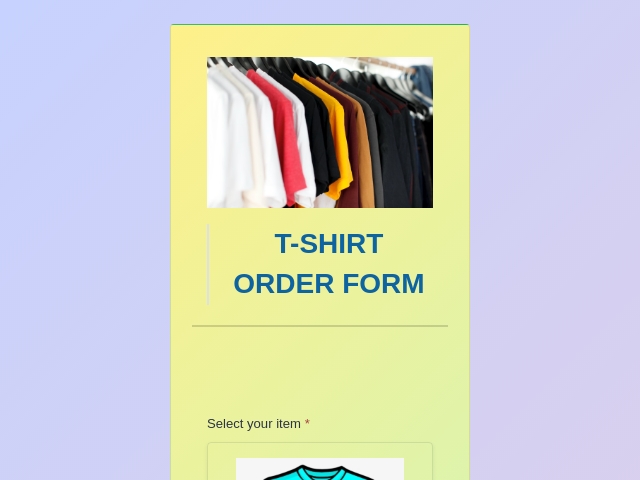
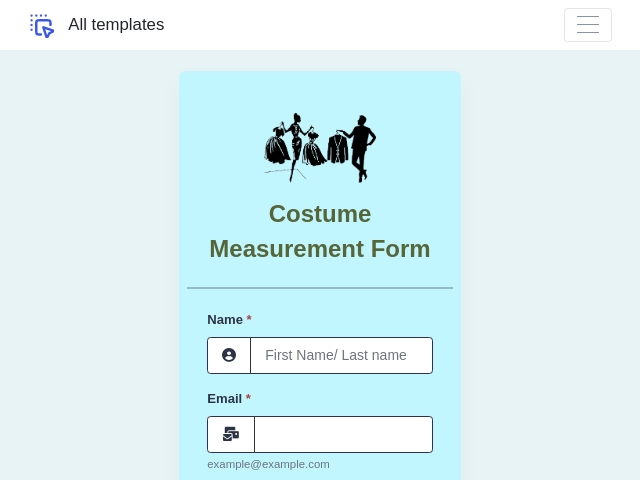
Every template is fillable online, takes artwork uploads, and can collect a deposit with Stripe.

Screen Printing Order Form: FAQs
-
How do I make a fillable screen printing order form?
Start from the free screen printing order form template and customize it in the drag-and-drop builder. Or make your own from scratch. Add customer contact fields, then the Products field for your garments, sizes and prices. Follow with print locations and ink colors, an artwork upload field, the due date and payment. Then publish. You get a link to send customers, plus an embed code for your site. Every order arrives in your dashboard, already legible and complete.
-
What should a screen printing order form include?
Ten things. The customer's name and contact details. The job name and due date. Garment brand, style and color. A quantity-per-size breakdown from S to 4XL or 5XL. Each print location - front, back, sleeve - with its number of ink colors. An artwork file upload. Placement notes. Your pricing, including any setup or screen fees. Deposit and payment terms. And a terms and conditions checkbox or signature, so the customer approves the job before you burn screens.
-
What is the difference between an order form, a work order and a production sheet?
The order form is what the customer fills in - what they want, in their words. The work order is your internal job ticket - the same job translated into shop language, with mesh counts, ink formulas and press assignments. The production sheet tracks the job through the shop - screens burned, printed, cured, checked, boxed. With an online order form, the customer's answers flow straight into the job record instead of being re-typed from paper.
-
Is the screen printing order form template free?
Yes. The template is free to use. The FormNX free plan covers unlimited forms and unlimited submissions, file uploads for artwork, and signature fields for order approval - so a working online order form costs you nothing. You can even take a deposit with Stripe on the free plan. Paid plans add PayPal and Razorpay, a branded PDF of every order, and a 0% platform fee.
-
What happens after a customer submits a print order?
The order is saved with its own order number and, if you take a deposit, marked Paid or Due. The customer receives an order confirmation email with a PDF of the job attached, and a copy reaches you. If the deposit was abandoned, you regenerate the payment link and resend it. From the dashboard you tag the job artwork approved, printed and ready for pickup, and it syncs to Google Sheets, Slack or your shop software by webhook - all from the one form.
-
Is there a free screen printing order form template in Word, Excel or PDF?
If you came looking for a screen printing order form PDF, a Word template, an Excel file or a free download, here is the better option. The free template on this page is a fillable online form, and that is the point. A downloaded file gets filled in by hand, photographed and re-typed. An online form is filled in on any device and the order arrives complete and legible. You still get your files: paid plans turn every order into a PDF job ticket and export the lot to Excel or CSV.
-
Can I get a printable PDF of each order?
Yes, on paid plans. FormNX auto-generates a branded PDF of every completed order. It works as the job ticket you hang on the press, or as a receipt for the customer. Note the difference from a printable template: FormNX does not hand you a blank PDF to photocopy. Customers fill the form online, and the PDF is produced from their real order data, so nothing gets transcribed by hand.
-
How do customers send me their artwork?
Add a file upload field and customers attach their logo or design when they place the order - PNG, AI, PDF, or whatever formats you accept. The artwork arrives with the order, so it is never lost in an email thread. File uploads are included on the free plan.
-
Can customers approve the order before I print?
Yes. Add a terms and conditions checkbox or an e-signature field. The customer then approves the sizes, colors and artwork placement as part of the order itself. That way you avoid the "that's not what I asked for" conversation after the shirts are printed. Signature fields are included on the free plan.
-
Can I take deposits or full payment with the order?
Yes, and you can start on the free plan. Connect Stripe and take a fixed deposit or the full amount at the moment the order is placed. On the Pro plan you can also connect PayPal or Razorpay, run more than one gateway on the same form, and FormNX charges a 0% platform fee.
-
Can I list my garments with prices so customers order like a catalog?
Yes, and it is the simplest way to build the form. The Products field (Pro) shows your garment range as product cards with photos and prices. Size and color go in as variants, each able to carry its own price and stock status. Customers pick their garments and quantities, and the order total works itself out - including tax, shipping and any discount code. There is no formula to write and no dropdowns to keep in sync with your price list.
-
Does the same form work for embroidery and DTF orders?
Yes. The structure is identical: garment, sizes, decoration location, artwork, due date, payment. Duplicate your screen printing form and rename the decoration fields - stitch count instead of ink colors, transfer size instead of screens. You have an embroidery or DTF order form in a few minutes.
Take Your Next Print Order Online
Free template, unlimited orders, artwork attached to every job. No credit card required.
Use the Free Template
 Reviews on Trustpilot
- Alternatives
- Jotform Alternative
- Typeform Alternative
- Google Forms Alternative
- SurveyMonkey Alternative
- Contact Form 7 Alternative
- Paperform Alternative
- Microsoft Forms Alternative
- Fillout Alternative
- Tally Forms Alternative
- Gravity Forms Alternative
- Cognito Forms Alternative
- Formstack Alternative
- Wufoo Alternative
- All Alternatives
- Pricing Guides
- Jotform Pricing
- Typeform Pricing
- SurveyMonkey Pricing
- Use Cases
- No-Code Form Builder
- Online Survey Builder
- AI Form Builder
- Online Quiz Maker
- Job Application Form Builder
- Order Form Builder
- Screen Printing Order Form
- Wholesale Order Form
- WordPress Form Builder
- Contact Form
- Nonprofit Form Builder
- Squarespace Form Builder
- Wix Form Builder
- Webflow Form Builder
- Framer Form Builder