Create an Email Form That Sends Every Submission to Your Inbox
Build an email form, choose who gets the answers, and put it on your website. When someone clicks submit, you get an email with everything they wrote. No code, and free to start.















































The basics
What Is an Email Form?
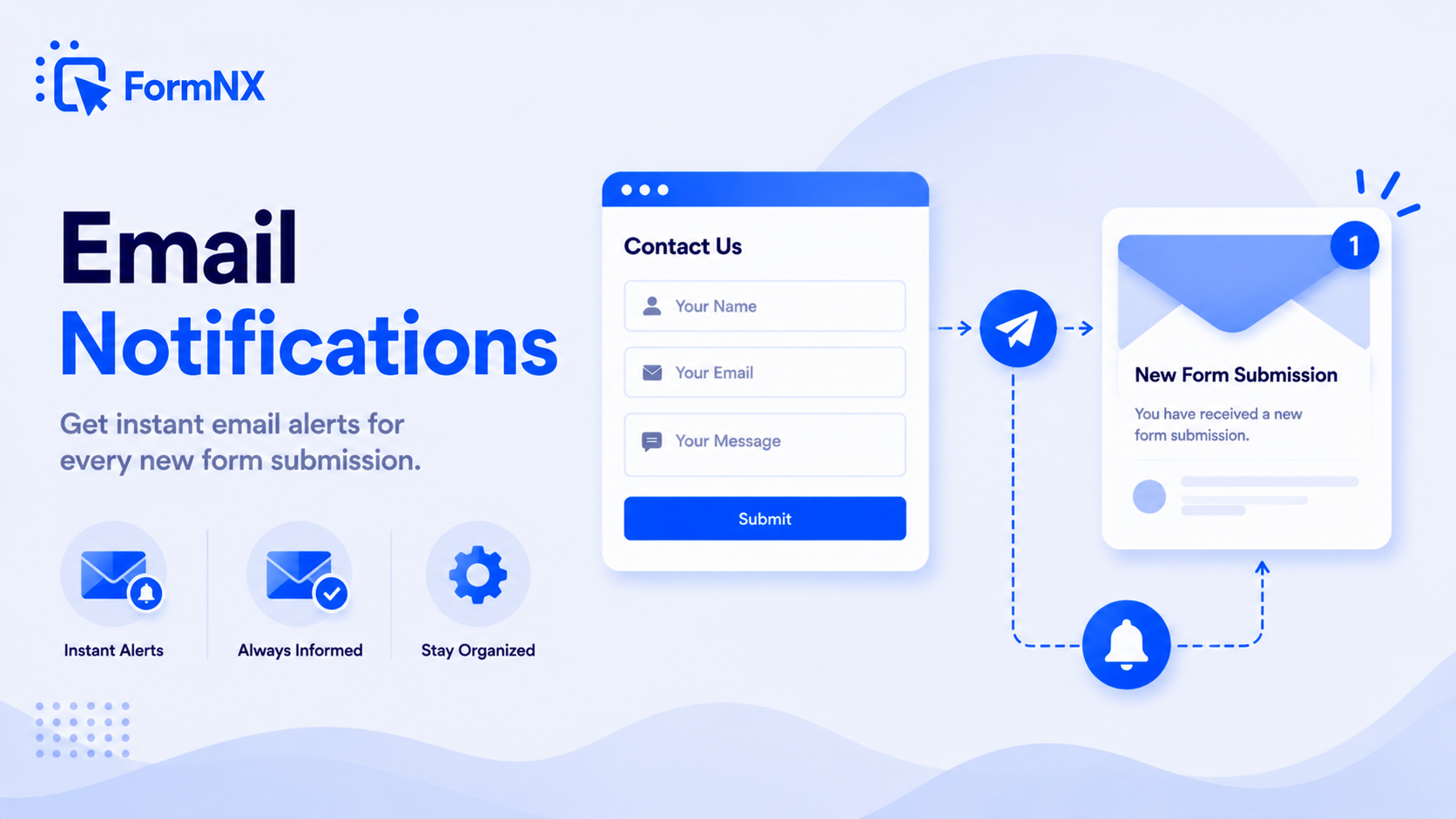
An email form is an online form that sends each submission to an email address. A visitor fills in fields such as name, email and message, clicks submit, and the answers arrive in your inbox. Your email address stays off the page, so spam bots can't collect it.
You'll also see it called an email to form, a form to email or a mail form. All three names describe a form whose answers get emailed to you.
In Microsoft Outlook, "email form" can also mean a saved message template. This page is about web forms that people fill in on your site or through a link.
Contact forms
The most common email form: name, email, message. See our contact form builder.
Sign-up forms
Collect a name and email for a newsletter, waitlist or event. Start from a sign-up form template.
Request and order forms
Quotes, bookings and orders, emailed to whoever handles them. See the order form builder.
No code needed
How to Create an Email Form in 4 Steps
Start a form
Pick a template, describe the form to the AI form builder, or start from a blank form.
Add your fields
Name, email and message cover most needs. Use the Email field so FormNX checks the address before the form is sent.
Turn on email notifications
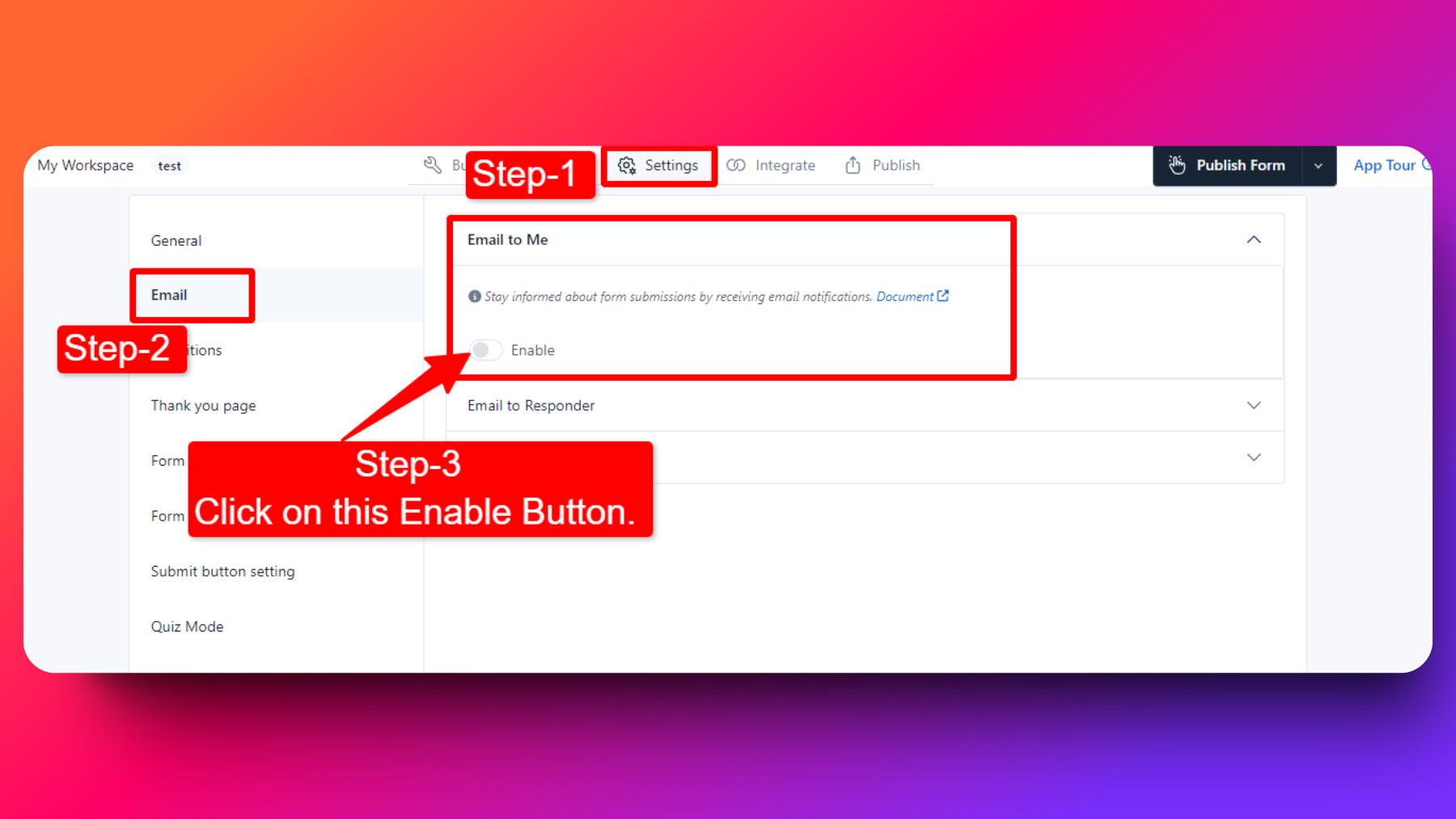
Open Settings › Email and enable Email to me. Add your address plus any CC or BCC recipients. Every answer is in the email by default. Click a tag such as [Name] to add an answer to the subject line.
Publish the form
Copy the embed code onto your website, add it to WordPress with the FormNX plugin, or share the form as a link or QR code. Send yourself a test submission to check the email arrives.
After someone clicks submit
What Your Email Form Sends You
An email with the full answers
Every field the visitor filled in, in the email itself. Use a subject like "New message from [Name]" so you can sort your inbox at a glance.
Sent to everyone who needs it
Add several recipients, CC a colleague, or BCC a shared inbox. Recipients don't need a FormNX account.
A copy saved in your dashboard
If an email lands in spam or gets deleted, the submission is still in FormNX, ready to search.
From your own address, if you want
Connect your own mail server (SMTP), such as Gmail or Outlook, and alerts come from your own email address.
Email Features by Plan
| Feature | Free | Pro |
|---|---|---|
| Email to you on every submission | Monthly email allowance | Included |
| Multiple recipients, CC and BCC | Included | Included |
| The person's answers inside the email | Included | Included |
| Send from your own mail server (SMTP) | Included | Included |
| Spam protection | Included | Included |
| Write your own email message | Not included | Included |
| Confirmation email to the person who filled in the form | Not included | Included |
| PDF of the submission attached to the email | Not included | Included |
| Weekly submission summary email | Not included | Included |
Want to send the person a confirmation too? See how FormNX email notifications work, or compare plans and prices.
"I really appreciate FormNX for its simplicity and intuitiveness. It's easy to use and just works perfectly for my needs. The form builder is especially straightforward, and I've found the OTP function to be a great feature. Setting it up was extremely easy, and I was able to have a form ready within an hour."

Start from a template
Email Form Examples and Templates
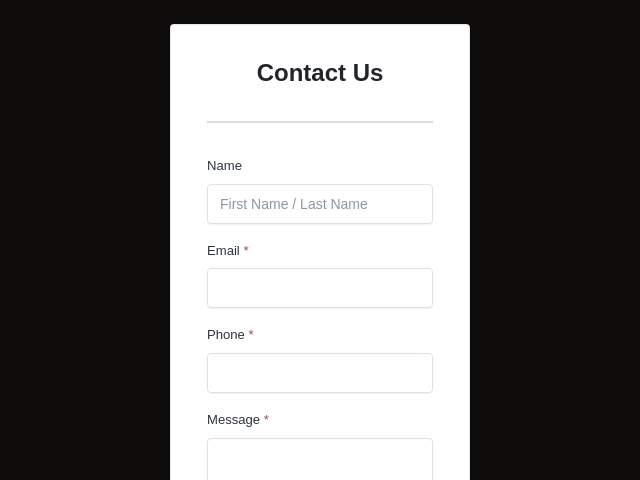
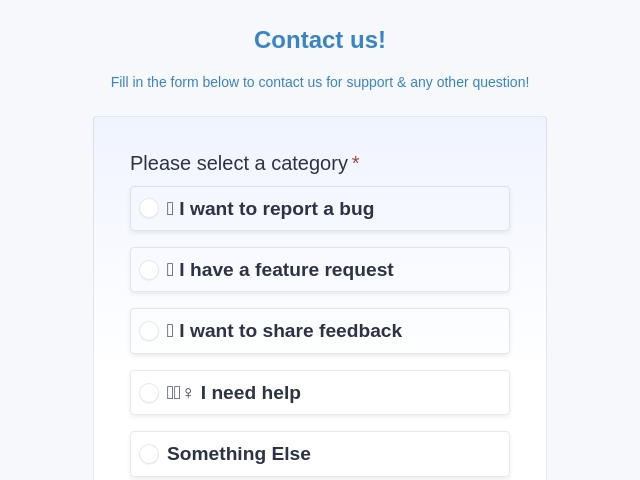
These email forms already have an Email field. Pick one, edit the questions, then enable Email to me so every submission reaches your inbox.

Compare your options
4 Ways to Make a Form Send Email
A form can't send email on its own. Something has to receive the answers and email them to you. These are the four common ways to set up form to email delivery.
| Method | Code needed | How it works | Best for |
|---|---|---|---|
| No-code form builder FormNX Easiest |
None | Build the form on screen, add your email address, and paste the embed code. Submissions are emailed and saved. | Anyone who wants a working form today |
| Form backend service Formspree, Web3Forms, FormSubmit |
HTML | You write the form in HTML and host it yourself. The service receives the answers and emails them to you. | Developers with a hand-built site |
| WordPress plugin Contact Form 7, WPForms |
Little | Install the plugin and set up its mail settings. Contact Form 7 doesn't save messages unless you add a second plugin. | WordPress-only sites |
| Hand-coded HTML or PHP | HTML + server | A mailto form opens the visitor's own email app. A PHP script needs a mail server set up, and its emails often go to spam. | Learning how forms work |
On WordPress? Paste the embed code on any page, with no plugin to install. Or use the free FormNX WordPress plugin to add your form as a block, shortcode or Elementor widget. See the WordPress form builder.
For the curious
Email Form HTML: The Basic Code and Its Limits
This is the simplest HTML email form. When someone clicks Send, the browser opens their email app with the answers filled in:
<form action="mailto:you@example.com"
      method="post" enctype="text/plain">
  <label>Name <input type="text" name="name" required></label>
  <label>Email <input type="email" name="email" required></label>
  <label>Message <textarea name="message"></textarea></label>
  <button type="submit">Send</button>
</form>
Problems with a mailto form
- It opens the visitor's email app instead of sending. With no email app set up, nothing happens.
- Your address sits in the page code, where spam bots can read it.
- Nothing is saved, and there's no spam filtering.
The no-code version
Build the same form in FormNX, copy the embed code, and paste it where the HTML would go. FormNX receives each submission, emails it to you and keeps a copy.
Make it without codeCan You Put a Form Inside an Email?
Not reliably. Most email apps, Outlook included, strip out or block forms inside a message, and Gmail only allows them in special emails most senders can't use. A form pasted into a newsletter will usually look broken or won't send.
Instead, add a button or link in your email that opens your FormNX form. People tap it, fill it in on their phone or computer, and you get the email alert as usual. For posters and flyers, download the form's QR code from the publish screen. Our guide to putting a form in an email walks through each option.
Tips
6 Tips for an Email Form That Works
Ask for three or four fields
Name, email and message are enough for most forms. Each extra field means fewer people finish.
Use the Email field type
It checks the address before the form is sent, so you can reply to every message.
Put the name in the subject line
A subject like "New message from [Name]" makes each submission easy to find and sort.
Send a test submission
Fill in your own form after every change and check that the email arrives, including in your spam folder.
Turn on spam protection
A hidden field catches bots, and an optional CAPTCHA stops the rest. See spam protection.
Send from your own address
Connect your mail server (SMTP) so alerts come from your own email address. Mail providers are less likely to flag them as spam.
"I have been using formnx for the past 2 weeks and have found it easy to build forms quickly and have been able to make modifications efficiently. A real asset in using this app is the quick response time by the vendor, quite often. within 10 minutes. The vendor has also made changes, within days, to the builder as per..."

Email Form FAQs
-
Is "email to form" the same as "email form" or "form to email"?
Yes. All three describe a form whose answers get emailed to you. "Form to email" is also the name developer services use for the delivery step behind a hand-coded HTML form.
-
Can I create an email form for free?
Yes. The free plan includes the form builder, email alerts to you and your team, spam protection, and unlimited forms and responses. Free alerts have a monthly sending allowance, or you can connect your own mail server (SMTP) and send through it. The confirmation email to the person who filled in the form, and PDF attachments, are on the Pro plan.
-
Can I send form submissions to more than one email address?
Yes. Under Email to me in the form's email settings, add several recipients plus CC and BCC addresses. This works on the free plan.
-
Can the person who fills out the form get a copy?
Yes. Turn on "Email to Responder" and FormNX sends a confirmation email to the address they entered. You write the subject and message, can include their answers, and can attach a PDF of the submission. This is a Pro feature. See email notifications for the details.
-
Why am I not getting emails from my form?
First, open Settings, then Email, and check that Email to me is enabled and the recipient address has no typo. Then look in your spam folder. Send yourself a test submission after every change. If emails keep landing in spam, connect your own mail server (SMTP) so alerts come from your own domain, which mail providers trust more.
-
How do I stop spam on an email form?
FormNX has spam protection built in: a hidden field that catches bots (a honeypot), an optional CAPTCHA, blocking of throwaway email addresses, and limits on repeat submissions. You switch each one on per form, with no reCAPTCHA keys to set up.
-
Can I use Google Forms to collect email addresses?
Yes. In Google Forms, open Settings, then Responses, and turn on "Collect email addresses". Google Forms will only tell you a new response arrived, though. It doesn't email you the answers unless you add an add-on. FormNX puts the answers in the email itself. Read more in our guide to Google Forms confirmation emails.
-
How do I make a form email in Gmail?
Gmail can't build forms itself. Make the form in FormNX, then add your Gmail address under Email to me so every submission lands in Gmail. To send the form to people, paste its link into a Gmail message.
-
Is FormSubmit free?
Yes. FormSubmit is a free form backend: you point your own HTML form at its URL and confirm your email address once. You still build and host the form yourself. With FormNX there's no HTML to write: it hosts the form and sends the email alerts for you.
-
How do I fill out a form that was emailed to me?
Click the link or button in the email. The form opens in your browser, on a phone or a computer, with nothing to install. Fill it in and press submit. If you received a PDF attachment instead, open it in a PDF reader that supports fillable fields, save it, and email it back.
Want a second opinion?
Ask your favorite AI which email form builder fits your site.
Create Your Free Email Form
Make the form once. Every new submission then shows up in your inbox with the answers inside.
Create my free email form Book a Demo
 Reviews on Trustpilot
- Alternatives
- Jotform Alternative
- Typeform Alternative
- Google Forms Alternative
- SurveyMonkey Alternative
- Contact Form 7 Alternative
- Paperform Alternative
- Microsoft Forms Alternative
- Fillout Alternative
- Tally Forms Alternative
- Gravity Forms Alternative
- Cognito Forms Alternative
- Formstack Alternative
- Wufoo Alternative
- Zoho Forms Alternative
- All Alternatives
- Pricing Guides
- Jotform Pricing
- Typeform Pricing
- SurveyMonkey Pricing
- Use Cases
- No-Code Form Builder
- Online Survey Builder
- AI Form Builder
- Online Quiz Maker
- Job Application Form Builder
- Order Form Builder
- Screen Printing Order Form
- Wholesale Order Form
- WordPress Form Builder
- Contact Form
- Email Form
- Nonprofit Form Builder
- Squarespace Form Builder
- Wix Form Builder
- Webflow Form Builder
- Framer Form Builder