Online Quiz Maker for Tests, Assessments, Personality & Lead-Gen Quizzes
Free online quiz maker for teachers, trainers, HR teams, coaches, recruiters, and marketers.









































Definition
What Is an Online Quiz Maker?
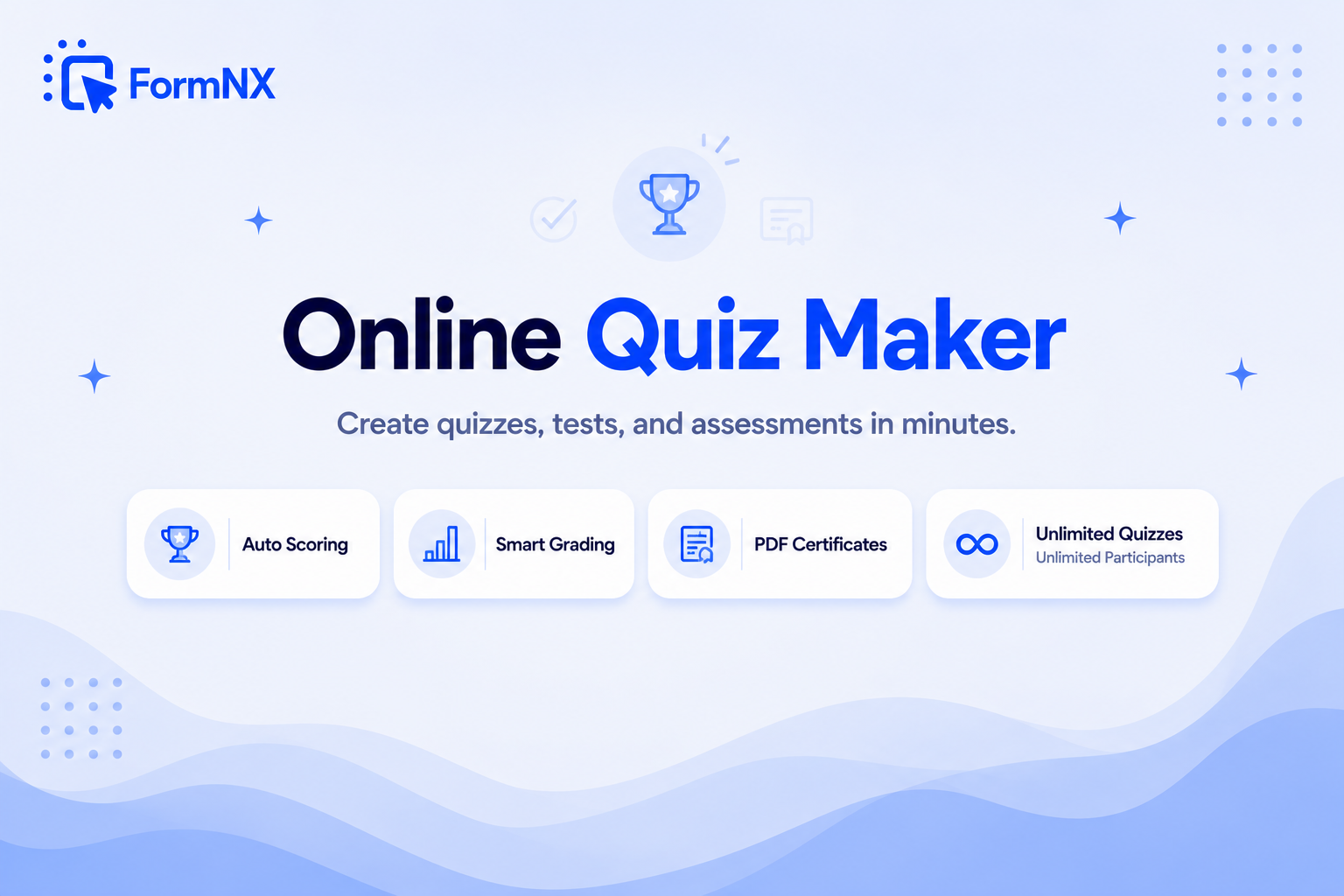
An online quiz maker, also called an online quiz builder or quiz creator, is a tool that lets anyone build interactive web-based quizzes, such as tests, assessments, knowledge checks, training evaluations, certification exams, personality quizzes or trivia, without writing any code. You add questions, mark which option is correct, set point values, and the platform auto-scores every submission and reports results back to participants and admins.
Online quiz makers are used by teachers grading homework, trainers running compliance assessments, recruiters screening candidates, marketers running personality quizzes for lead generation, HR teams running pre/post training evaluations, and coaches certifying course completion. FormNX is an online quiz maker built for all of these: launch your first quiz in 15 minutes, configure auto-scoring and grading in a few clicks, then send branded certificates to participants who pass.
"After creating several forms in FormNX completely from scratch I fully agree with other reviews that this is the top tier form builder. It is very easy to use, and the interface is well laid and making sense, so despite lots of functionality available you won't get overwhelmed, and creating simple functional form is ju..."

The case for FormNX
Why Teams Pick FormNX as Their Online Quiz Maker
Unlimited free quizzes & participants
Jotform Quiz Maker caps free-plan responses at 100/month, and ProProfs charges $19.99 for every 100 active quiz takers a month. FormNX gives you unlimited quizzes and unlimited participants on the free plan, including auto-scoring, multiple correct answers, per-question feedback, randomization, and the full admin dashboard. You only upgrade for premium features like white labeling and PDF certificates, never because you hit a participant limit.
Custom grading with min-max ranges & remarks
Define grade bands by point range, such as 0-40 = Fail, 41-70 = Pass, 71-85 = Merit, 86-100 = Distinction. Give each band a grade name and add custom remarks or feedback shown alongside the grade ("Strong understanding, well done!"). Google Forms has no grade bands at all. FormNX includes them on the free tier.
Anti-cheat toolkit included free
Duplicate-submission check (by IP or email) prevents repeat attempts. Shuffled answer options make answer-sharing useless. Password protection restricts access to authorized participants only. Form scheduling sets exam-window open/close times. On Pro, add question-order shuffling and email OTP verification for tighter exams. All of it is built in, with no add-ons to install.
PDF certificates emailed after every quiz
Pair Quiz Mode with the PDF builder to send every participant a branded certificate with their name, the date and your logo. The PDF lands in their inbox with the result email, which can also show their score and grade. No widget add-on, no separate certificate tool.
What is included
Quiz Features Built In
Every feature a serious online quiz builder needs, in one place.
Auto-scoring with correct/wrong tracking
Mark each question as a quiz question, set the correct option(s), and FormNX auto-scores every submission. Total points, percentage and per-question results are stored in the dashboard.
Default + per-question point values
Set a default point value that applies to all quiz questions (e.g., 10 points each), then override individual questions where some are worth more, such as 5 for easy and 20 for hard.
Multiple correct answers per question
Designate one OR more correct options for radio, dropdown, checkbox, and short-text questions. Perfect for "select all that apply" style scoring.
Correct & incorrect feedback per question
Show custom feedback text when the participant gets a question right ("Great work!") AND a different message when wrong ("Almost! The answer is X because..."). Turns every quiz into a learning experience.
Grading with min-max ranges & remarks
Define grade bands by point range, assign a grade name (A, B, Pass, Distinction), and add a custom remark or feedback for each grade. Auto-assigned on submission and included in result emails.
Randomize questions & options
Shuffle the question order so no two participants see the quiz in the same sequence. Shuffle answer options too so the correct answer is in a different position every time. Cheating by sharing "the answer to Q5 is C" stops working.
Question bank: a different paper per participant (Pro)
Load 50 questions into one quiz and show each participant a random 10. Everyone answers a different set, and every retake draws a fresh one, so shared answers and memorized papers are worth nothing. Scoring and grading work exactly as usual. Give every question the same point value so the maximum score is identical for everyone.
Anti-cheat: duplicate check, password, scheduling
Block second attempts by IP or email. Password-protect quizzes for authorized participants only. Schedule open/close times for strict exam windows. All on the free tier.
Score card on thank-you & email
Show each participant their full score sheet, with total points, percentage, grade and a per-question breakdown, on the thank-you page right after submission, in their inbox, or both. You decide what to share.
Beautiful, customizable designs
Match your quiz to your brand with colors, fonts, a logo, a header image and button styles, or pick from polished pre-built themes. Mobile-responsive on every screen, no design skills required.
Analytics & insights dashboard
See every participant's score in one dashboard: total points, grade, per-question correctness, plus average / median / range across the whole cohort. Export to Excel or CSV for deeper analysis.
"While testing formNX with the free plan, I thought it had a really elegant design. Like other forms, it offers many features, has a good design from a user experience perspective, and is excellent in terms of functionality like webhooks. What I like the most is the trust I feel due to the very proactive response to con..."

AI-assisted quiz building
AI Quiz Maker: Build Your Quiz Faster with AI
FormNX pairs AI quiz creation with a real scoring engine. The AI drafts your questions; you set the answer key in Quiz Mode; every submission is graded automatically. That is the difference between an AI quiz maker you can actually run an assessment on and a generator that only spits out disposable question text.
1. Describe it and AI drafts the questions
Tell the AI your topic and how many questions you want, and it generates the question fields, such as multiple choice, dropdown, checkbox and true/false, right in the builder. Use AI form generation to draft a whole quiz from a one-line description, then refine the plan before it builds.
2. Set the answer key in Quiz Mode
This is where FormNX beats one-shot AI quiz generators. Turn the AI-drafted questions into a scored quiz: mark the correct answer(s), assign point values, and define grade bands. You stay in control of what is right and what each question is worth, with no guessing whether the AI scored it correctly.
3. Auto-grade, feedback & certificates
Every submission is auto-scored with per-question feedback, grade bands, a participant score card, and an optional PDF certificate. That is the full assessment layer a pure AI quiz generator can't give you. AI can also write your quiz's result emails and thank-you page and generate answer-option lists for any question.
Why not one-click? Most "AI quiz maker" and "AI quiz generator" tools produce disposable question text. FormNX uses AI to remove the busywork of writing questions, then hands you a real assessment engine with auto-scoring, multiple correct answers, anti-cheat randomization, grading and analytics. The quiz you generate is one you can actually run, grade, and certify.
Timed quizzes & exams
Online Quiz Maker with Timer: Timed Tests & Auto-Submit
Turn any quiz into a timed quiz or online exam. Set one countdown for the whole quiz, or a separate time limit for each page, and FormNX auto-submits and scores the moment time runs out, with everything the participant has already answered saved, never lost.
Whole-quiz countdown
Set a total time limit in minutes. A live countdown shows on the quiz and it auto-submits when it reaches zero, so every participant gets the same window and nobody keeps answering past the deadline.
Per-page & per-question timers
Give each page its own countdown in seconds for paced or speed quizzes. The quiz auto-advances when a page runs out and submits on the last one. Put one question per page and it becomes a per-question timer.
Time taken on every result
FormNX records how long each participant took and shows it on their score card and in your dashboard, so you can see who rushed, who used every minute, and how paced your quiz really is.
The timer is built into the quiz, not a bolt-on add-on. See the form timer feature for the full details, then pair it with auto-scoring for a complete timed exam.
Not just quizzes
Create Online Tests for Employees, Training & Assessments
The same Quiz Mode doubles as an online test maker and grader. HR teams and trainers use it for compliance checks, onboarding tests, product-knowledge assessments and screening, built once and auto-marked forever.
Auto-marked, instantly graded
Assign points per question and FormNX marks every submission the moment it lands. Set grade ranges and a pass mark, and each employee sees their result on screen, and their score, grade and remarks can also go to them by email. No spreadsheet marking after a training day.
Exam conditions, enforced
Set a time limit that auto-submits when it runs out, shuffle question and answer order so no two people see the same sequence, block second attempts with the duplicate check, and password-protect the test so only your team can open it.
Proof for the audit trail
Every employee can automatically receive a branded PDF certificate with their name and the date, and results export to CSV or Excel. That is the record compliance training actually requires.
Whether you call it a quiz maker, a test generator or a free assessment maker, it is the same builder underneath: unlimited tests and unlimited participants on the free plan, so a 40-person team and a 4,000-person rollout cost the same to assess: nothing.
When a quiz has to count
Free Online Test Maker: Create a Timed, Auto-Graded Test
A test is a quiz with consequences: a pass mark, a time limit, one attempt per person and a result someone has to act on. FormNX is a free online test maker and test creator for exactly that: the same builder, with the controls switched on. Here is how to create an online test in six steps.
- Start from a template or describe the test. Pick a knowledge-test template below, or type "20-question food safety test with a 70% pass mark" and let the AI draft the questions.
- Turn on Quiz Mode and set the answer key. Mark the correct option for each question, allow multiple correct answers where needed, and give harder questions more points.
- Set the pass mark. Grading ranges turn a score into Pass, Fail or a letter grade, each with its own remark shown to the candidate.
- Add the timer. A countdown for the whole test or per page, with auto-submit when time runs out and the time taken saved on every result (Pro plans).
- Lock it down. One attempt per person with the duplicate check, a password or scheduled open and close times, shuffled questions and options, and a question bank so no two candidates see the same paper.
- Share and grade automatically. Send a link or QR code. Every test is auto-marked the moment it is submitted, the candidate gets a score card on screen and by email, and each one can receive a PDF certificate.
This makes FormNX a free online test maker for knowledge checks, course and training tests, employee screening tests and certification quizzes. It is not a proctored exam platform: there is no webcam or screen proctoring, and we do not claim there is.
For the classroom
Free Online Test Maker for Teachers and Students
Teachers use FormNX to set class tests, weekly quizzes and homework checks that mark themselves. You build the test once, share one link, and every student's answers come back scored, with an average, median and score range for the whole class. Unlimited tests and unlimited students are free, and students do not need an account to take a test.
Vocabulary and spelling tests that mark themselves
Use a short-answer question and type the correct spelling into the answer key. You can add more than one accepted answer, such as colour and color, so a vocabulary quiz or spelling test is marked automatically instead of by hand. Mix in multiple-choice definitions and picture questions in the same test.
Practice tests with instant feedback
Turn a chapter into a practice test: write a short explanation for the right and the wrong answer on each question, and show students their score the moment they submit. Leave the duplicate check off so they can take it again before the real test, and use a question bank to draw a fresh set of questions for every attempt.
Multiple-choice tests with one or several right answers
Build a multiple-choice test from radio buttons, checkboxes or dropdowns. A question can have one correct answer or several, harder questions can carry more points, and the answer options can be shuffled for every student so the right answer is never in the same place.
No test maker app to install
FormNX runs in the browser, so you build tests on a laptop and students take them on a phone, tablet or Chromebook without downloading an app. Share the test as a link, embed it in your class website or learning platform, or put a QR code on the board.
That makes FormNX a free vocabulary quiz maker, spelling test maker, practice test maker and multiple choice test maker in one, for every subject you teach.
Moving over from Google Forms? Import your existing Google Form into FormNX in one click, then add the grade bands, pass mark and certificates that Google Forms quizzes do not have. Our Google Forms quiz guide shows exactly where Google Forms stops.
Assessments, not just quizzes
FormNX as an Online Assessment Tool
An online assessment tool lets you build a test, send it as a link, and get every answer scored automatically. FormNX works as free online assessment software for classrooms, training teams and hiring: you set the questions and the pass mark once, and every submission is marked and recorded for you.
Teachers and trainers
Run class tests, end-of-module checks and homework assessments with unlimited participants. Grade ranges turn raw scores into letter grades or pass and fail, and each student sees where they landed as soon as they submit.
Skills and knowledge checks
Screen candidates before an interview, verify product knowledge across a sales team, or confirm that compliance training actually landed. Randomised question order and the question bank mean each person gets a different paper.
Controls that keep it fair
A countdown that auto-submits, a scheduling window that opens and closes the assessment, a password, duplicate-submission blocking, and optional email verification so you know who answered.
Scoring, grade bands, scheduling, passwords and duplicate blocking all run on the free plan with unlimited participants, so a 30-student class test and a 3,000-person compliance rollout cost exactly the same to assess: nothing. Whether you would call this an online test creator, a test builder or an exam maker, the job is the same: make your own quiz or test once, share the link, and let the scoring run itself. For classroom tests, training and compliance checks, and hiring screens, these are the controls that decide whether the results are worth trusting.
Personality quizzes
Personality Quiz Maker: Create a "Which One Are You?" Quiz
A personality quiz has no right or wrong answers. Each answer adds points, and the total decides which result a person gets, such as "You're a Planner" or "Your coffee is a Latte". FormNX builds this with features that are all on the free plan, so it works as a free personality quiz maker or personality test maker, with no code. Here is how to create a personality quiz, step by step.
How to make a personality quiz in FormNX
- Turn on Quiz Mode. In Settings, turn on Enable Quiz and set Show Score to Later, so nobody sees a score or right and wrong answers.
- Write the questions. Add 5 to 8 multiple-choice questions. On each one, turn on Is Quiz Question?, give it 1 point and mark the answer that fits your first result, such as the planner's answer.
- Add the results. Under Grades, add one grade for each result, with a points range, a name and a short remark. With 6 questions: 0 to 2 is "Explorer", 3 to 4 is "Balanced" and 5 to 6 is "Planner".
- Show the result. Add the Quiz grade and Quiz grade remark tags to your thank-you page. Each person sees their result the moment they submit.
- Share it. Send the link, or embed the quiz on your website.
Want answers worth different amounts, such as 1 to 4 points? Give the options Calculation Values in Option Settings, total them in a hidden Form calculation and show each result with conditional logic.
Why make it in FormNX
- Free to build and run. Unlimited quizzes and unlimited responses on the free plan.
- Each person sees one result. Only the result that matches their score appears.
- Turn takers into leads. Ask for an email in the quiz, and every answer and result lands in your submissions.
- Works anywhere. Share a link or a QR code, or embed the quiz on your website or WordPress page.
Pick the right format
Quiz Types You Can Build on FormNX
Every common quiz format, from school exams to lead-gen personality quizzes, built with FormNX Quiz Mode, calculations and conditional logic.
School quizzes & exams
Subject tests, weekly quizzes, mid-terms, end-of-unit assessments, with auto-grading, scheduling, randomization, and parent / student result emails.
Training & compliance assessments
Mandatory annual training assessments (data protection, anti-harassment, safety) with pass/fail grading, time-stamped completion records, and PDF certificates for compliance audits.
Certification quizzes
Course completion assessments that send every participant a branded PDF certificate. Perfect for online courses, bootcamps and continuing-education programs.
Personality & lead-gen quizzes
"Which X are you?" style quizzes with branching logic and personalized result pages. They turn website traffic into qualified leads by capturing an email at the start.
Trivia & fun quizzes
Pub trivia, team-building games, holiday quizzes and fan quizzes. Every player's score is in your submissions, so picking the winner is quick.
Pre & post-training assessments
Measure training effectiveness with paired pre- and post-quizzes, and compare results to prove knowledge transfer for learning teams, internal academies, and L&D programs.
Recruiting screening tests
Job-skill quizzes, role-fit assessments, technical screening tests. Filter candidates objectively before interviews with timestamps, grades, and exportable score reports.
Product & brand knowledge quizzes
Sales-team product certification, partner / reseller knowledge checks, customer-facing "do you know our product" engagement quizzes. Track who knows what across teams.
Product recommendation quizzes
"Which product is right for you?" style quizzes that recommend the best product, plan, or bundle based on the user's answers. Drive ecommerce conversions and personalize purchase paths.
Get a head start
Ready-Made Quiz Templates
Pick a template, open it in the FormNX online quiz builder, and launch in minutes, or customize everything from scratch.
"Has everything I need to build forms for my client websites. I love the fact that I can create a google sheet per client and all the data can be seen on the google sheet. The developers reply back always and have even implemented a few requ..."

3-way comparison
FormNX vs Jotform Quiz Maker vs Google Forms
The real comparison teams make when choosing an online quiz maker.
| Capability | FormNX Recommended | Jotform Quiz Maker | Google Forms |
|---|---|---|---|
| Free-plan participants | Unlimited on every plan. | Capped at 100 submissions/month on free plan. | Unlimited. |
| Quizzes on the free plan | Unlimited. | 5 forms. | Unlimited. |
| Custom grade ranges + remarks | Min-max grade bands with custom grade names and per-grade feedback. | Built by hand with the Form Calculation widget and conditions. | Total score only, no grade bands. |
| Per-question correct/wrong feedback | Different text shown per question for right vs wrong answers. | Set up with conditional logic. | Supported for correct and incorrect answers. |
| Randomize questions + options | Question order and option order shuffled per participant, plus a question bank that gives every person a different random set. | Question order through the Shuffle widget. | Shuffles questions and options; no question bank. |
| Timer with auto-submit | Whole-quiz or per-page countdown that auto-submits and records time taken. | Countdown widget that starts when the test opens. | No built-in timer; needs an add-on. |
| Anti-cheat: duplicate check + password + scheduling | Full toolkit included on free plan. | Standard form settings, on every plan. | One response per Google login and a close date; no password. |
| PDF certificate generation | Built-in via PDF builder, personalized for each participant. | Through Jotform's PDF Editor. | Not supported natively. |
| Branching / adaptive quizzes | Unlimited conditional logic rules on every plan. | Supported. | Jumps between sections only. |
| Starting paid price | $19/month (or $190 billed yearly). | $34/month billed yearly (Bronze), $39 month-to-month. | Free with a Google account. |
See the focused breakdowns on the dedicated FormNX vs Jotform and FormNX vs Google Forms pages. Already on Google Forms? Import your existing forms in one click by pasting the link.
"I really appreciate FormNX for its simplicity and intuitiveness. It's easy to use and just works perfectly for my needs. The form builder is especially straightforward, and I've found the OTP function to be a great feature. Setting it up was extremely easy, and I was able to have a form ready within an hour."

Who runs quizzes with FormNX
Who Uses FormNX as Their Online Quiz Maker?
Anyone running assessments at scale, from a 30-person classroom test to a 30,000-person corporate compliance program.
Teachers & schools
Weekly quizzes, end-of-unit tests, surprise pop quizzes, homework checks, auto-graded, with parent / student result emails and timestamped completion records.
University faculty & researchers
Course assessments, knowledge checks, comprehension tests, research questionnaires, with no respondent login, so a research questionnaire stays anonymous when you leave out name and email fields, and PDF certificates for course completion.
Corporate trainers & L&D
Pre/post training assessments, microlearning quizzes, training-effectiveness measurement and mandatory annual compliance quizzes, all with branded certificates.
HR & onboarding teams
New-hire knowledge checks, handbook quizzes, policy acknowledgments, compliance training assessments. Prove every employee passed every required quiz.
Coaches & course creators
Module completion quizzes, certification tests and knowledge-check gates between course modules, with auto-graded results and branded PDF certificates.
Marketers (lead-gen quizzes)
"What kind of X are you?" personality quizzes, product-recommendation quizzes, niche-finder quizzes. Capture leads at the start and route them to personalized result pages.
Bootcamps & online courses
Cohort knowledge checks, pre-class skill assessments, end-of-cohort exit assessments. Track student progress and issue completion certificates automatically.
Compliance officers
Annual security training quizzes, data-protection knowledge checks, anti-harassment training assessments, with time-stamped, exportable records for audits.
Recruiters & talent teams
Pre-interview screening tests, technical-knowledge quizzes, role-fit assessments. Filter candidates objectively with timestamped, exportable score reports.
Healthcare educators
Continuing-medical-education quizzes, clinical-skills assessments, patient-education comprehension checks, with PDF certificates for CME credits.
Sports clubs & coaches
Rules-of-the-game quizzes for new members, referee certification quizzes, athlete safeguarding-knowledge tests, with pass/fail grading and certificates.
Faith communities & nonprofits
Bible study quizzes, volunteer orientation tests, program participant knowledge checks. Free unlimited responses mean you reach everyone without budget blockers.
Skip the blank canvas
Quiz Templates to Start From
Start from a ready-made quiz template instead of a blank page. Pick one, set your questions and answer key in Quiz Mode, and publish, with auto-scoring, grading and certificates built in.
FormNX vs Jotform Quiz Maker: FAQs
-
What is an online quiz maker?
An online quiz maker is a tool that lets you build interactive web-based quizzes, such as tests, assessments, knowledge checks, training evaluations, certification exams, personality quizzes or trivia, without writing any code. You add questions, mark correct answers, set point values, and the platform auto-scores every submission and shows results to participants and admins. FormNX is an online quiz maker built for teachers, trainers, HR, recruiters, marketers, and anyone running assessments at scale. Auto-scoring, grade ranges and core anti-cheat features are all included on the free plan, with unlimited quizzes and participants. Branded PDF certificates are available on paid plans.
-
Is FormNX a free online quiz maker?
Yes. FormNX is a free online quiz maker with unlimited quizzes and unlimited responses on the free plan. That includes auto-scoring, multiple correct answers per question, randomized answer options, grading with custom min-max ranges, correct/incorrect feedback per question, and the full admin dashboard with score statistics. Paid plans add white labeling, PDF certificate generation, advanced integrations, email OTP verification, the timer and the question bank. Unlike Jotform, which caps its free plan at 100 submissions a month, or ProProfs, which charges per 100 active quiz takers, FormNX never charges by the number of people who take your quiz.
-
How does the auto-scoring work in FormNX?
Enable Quiz Mode on the form, then toggle "Is Quiz Question?" on each element you want scored (radio, dropdown, checkbox, or small text). For each scored question, select the correct option(s) and set a point value (or use the default that applies to all). When a respondent submits, FormNX adds up the points scored out of the total possible and assigns a grade based on your point ranges. It stores the full breakdown, with each given answer and the correct answer, in the admin dashboard. The score can be shown immediately on the thank-you page, emailed to the participant, or both.
-
Can I assign different point values to different questions?
Yes. You can set a default point value that applies to every quiz question, such as 10 points each. Then change the points on any question that is worth more or less, such as 5 points for easy questions and 20 for hard ones. FormNX also supports multiple correct answers per question, which is useful for "select all that apply" questions where the respondent must pick every correct option to get the points.
-
Can I add grading and certificates to my quiz?
Yes. Define grade bands by point range, such as 0-40 = Fail, 41-70 = Pass, 71-85 = Merit and 86-100 = Distinction. Give each band a grade name and a remark, such as "Strong understanding of the material, well done!" On submission, FormNX assigns the grade and can show it on the thank-you page, in the result email and in the admin dashboard. For branded certificates, pair Quiz Mode with the PDF builder: design the certificate once, and every participant gets a PDF with their name and the date by email.
-
How do I prevent cheating on online quizzes?
FormNX includes a full anti-cheat toolkit. Duplicate-submission check by IP address or by a field such as email blocks second attempts. Randomize question order shows each taker a different sequence. Randomize answer options moves the correct answer for every taker. Password protection lets only invited people open the quiz. Form scheduling opens and closes the quiz at set dates and times for exam windows. Email OTP verification (Pro plan) makes people confirm their email with a 4-digit code before they submit. Use the duplicate check, a password and OTP together for the strongest one-attempt-per-person setup.
-
Can I set a time limit or timer on my quiz?
Yes. FormNX has a built-in timer, so you can run a timed quiz or online exam without a separate add-on. Set one countdown for the whole quiz in minutes, or a per-page time limit in seconds for paced and speed quizzes. When time runs out the quiz auto-submits (or auto-advances to the next page and submits on the last one) and is scored automatically, with the answers already entered saved. FormNX also records how long each participant took and shows it on their score card. See the form timer feature for details.
-
Can I show the quiz score immediately or send it by email?
Both, and you choose per quiz. The thank-you page after submission can display the participant's score, percentage, grade, and grade-specific feedback using dynamic tags. You can also enable an auto-response email that sends the same score sheet (or just the total) to the participant's email. Many teachers and trainers enable both: instant feedback on screen plus a permanent record in the inbox. The admin separately receives a notification email with the full submission detail (every answer given) for record-keeping or review.
-
Does FormNX have an AI quiz maker / AI quiz generator?
Yes. FormNX combines AI quiz creation with a real scoring engine, which is what separates it from one-shot AI quiz generators. You describe your quiz (topic and the questions you want) and the AI drafts the question fields for you, such as multiple choice, dropdown, checkbox and true/false, right in the builder. AI form generation can even draft a whole quiz from a one-line description. You then set the answer key in Quiz Mode: mark the correct option(s) and assign points, so you stay in control of what is correct, instead of trusting an AI to grade. From there FormNX auto-scores every submission, applies your grade bands, shows per-question feedback, and can generate a PDF certificate. AI can also write your quiz result emails, thank-you page, and answer-option lists. In short: AI removes the busywork of writing questions; the FormNX assessment engine handles the scoring, grading, anti-cheat, and analytics a pure AI quiz generator does not.
-
Can I use FormNX as an online assessment tool?
Yes. FormNX works as online assessment software for classroom tests, training and compliance checks, and hiring screens. You get unlimited participants, auto-scoring against your answer key, grade bands, randomized question order so no two people get the same paper, a question bank, a timer that auto-submits, scheduling windows that open and close the assessment, password protection, duplicate-submission blocking and PDF certificates for every participant. Start from a ready-made template or create your own test from a blank form. Either way, results are recorded and exportable, so you have the record compliance training actually requires.
-
How is FormNX different from Jotform Quiz Maker?
Jotform Quiz Maker caps free-plan submissions at 100 a month, and its paid plans start at $34 a month billed yearly. FormNX gives you unlimited quizzes and unlimited responses free, with the core anti-cheat toolkit (duplicate check, password, answer-option randomization, scheduling), per-question feedback, and custom grade ranges with remarks all included on the free plan. PDF certificates come from the built-in PDF builder, and white labeling is available on the standard Pro plan with self-serve monthly or yearly billing, so you do not need the highest tier or an enterprise contract for it. See the FormNX vs Jotform comparison for the full feature-by-feature breakdown.
-
What is the best free quiz maker for teachers?
For teachers, the best free quiz maker is one that grades for you, not just one that collects answers. FormNX gives teachers unlimited quizzes and unlimited student submissions free. You get auto-scoring, custom grade bands (Pass / Merit / Distinction with remarks), per-question correct and incorrect feedback, and randomized answer options to deter copying, plus a results dashboard showing every answer. Students take the quiz from a link or embed with no account or sign-up required, and PDF certificates and branded result emails are available on the Pro plan.
-
Is FormNX an online quiz maker like Kahoot?
It depends on the kind of quiz you run. Kahoot is built for live, gamified quizzes played together in real time, like a classroom or event game show. FormNX is built for self-paced, graded quizzes and assessments that people take on their own time from a link or embed: tests, training and certification exams, knowledge checks, and personality or lead-gen quizzes, with auto-scoring, grade bands, anti-cheat, and PDF certificates. For graded assessments with scoring, results, and certificates, FormNX is the better fit, and every result is saved with its score instead of disappearing when the game ends.
-
How do I create my own online test?
Start from a knowledge-test template or describe the test to the AI. Turn on Quiz Mode, mark the correct answers with their points and set a pass mark with grading ranges. Add a timer with auto-submit, then limit it to one attempt per person with the duplicate check and shuffle the questions. Share the link or QR code: every submission is auto-marked, the candidate sees a score card, and each candidate can get a PDF certificate. The free plan allows unlimited tests and participants with full auto-scoring; the timer is a Pro-plan feature.
-
Can I create a timed quiz in Google Forms?
Not natively. Google Forms has no timer, so a timed quiz needs a Workspace Marketplace add-on such as Quilgo, which adds its own limits and permissions. FormNX has the timer built in: a countdown for the whole quiz or per page, auto-submit when time runs out, and the time taken recorded on every result. The timer is included on FormNX Pro plans; the free plan covers unlimited quizzes with full auto-scoring.
-
Can ChatGPT make quizzes?
ChatGPT can draft questions and answer options, but it cannot host the quiz, time it, grade it or issue a certificate; you still have to rebuild the questions in a quiz tool. FormNX does both halves: describe the quiz and the AI drafts the question fields, then Quiz Mode adds the answer key, points, timer, auto-grading and PDF certificates.
-
What is the best online quiz maker?
For tests and assessments that must be timed, auto-graded and fair, FormNX is the best online quiz maker. You get unlimited participants, a pass mark, shuffled questions, one attempt per person and a PDF certificate for every participant. It marks every submission against your answer key, turns scores into grade bands with remarks, and keeps every result on record. Live, gamified apps such as Kahoot or Quizizz are built for a room playing together, and Google Forms stops at a total score with no grade bands, timer or certificates, so neither replaces a graded assessment. Start free with unlimited quizzes and participants.
-
Is there a free test maker app?
You do not need one. FormNX is a free online test maker that runs in the browser, so you build a test on a computer and students or candidates take it on a phone, tablet or Chromebook without installing an app. Share it as a link, embed it on a web page, or print a QR code. Unlimited tests and unlimited participants are included on the free plan.
-
Can I make a vocabulary or spelling test that grades itself?
Yes. Add a short-answer question, turn it into a quiz question and type the correct word into the answer key. You can add more than one accepted answer, for example both British and American spellings, and FormNX marks every submission automatically. Combine typed-answer questions with multiple-choice definitions in the same vocabulary quiz or spelling test.
-
How do I make a practice test online?
Create a quiz, set the answer key and points, and add feedback for correct and incorrect answers so every question teaches as well as tests. Turn on Show Score so students see their result straight away, and leave the duplicate check off so they can retake it. A question bank can give each attempt a different random set of questions.
-
How do I make a personality quiz?
Use Quiz Mode. Turn on Enable Quiz and set Show Score to Later. Give each question 1 point and mark the answer that fits one result. Then add one grade for each result, with a points range, a name and a remark, and put the Quiz grade and Quiz grade remark tags on your thank-you page. Each person sees their result as soon as they submit.
-
Is there a free personality quiz maker?
Yes. FormNX is a free personality quiz maker. Everything a personality quiz needs is on the free plan: Quiz Mode, grades with remarks and a custom thank-you page that shows each result. You can make unlimited quizzes and collect unlimited responses, and nobody needs an account to take your quiz.
Still comparing?
Ask your favorite AI how FormNX stacks up against Jotform Quiz Maker.
Build Your First Online Quiz in Under 15 Minutes
Free forever. Unlimited quizzes, unlimited responses, auto-scoring and grading included.
Get Started Free Book a Demo
 Reviews on Trustpilot
- Alternatives
- Jotform Alternative
- Typeform Alternative
- Google Forms Alternative
- SurveyMonkey Alternative
- Contact Form 7 Alternative
- Paperform Alternative
- Microsoft Forms Alternative
- Fillout Alternative
- Tally Forms Alternative
- Gravity Forms Alternative
- Cognito Forms Alternative
- Formstack Alternative
- Wufoo Alternative
- Zoho Forms Alternative
- WPForms Alternative
- All Alternatives
- Pricing Guides
- Jotform Pricing
- Typeform Pricing
- SurveyMonkey Pricing
- Use Cases
- No-Code Form Builder
- Online Survey Builder
- AI Form Builder
- Online Quiz Maker
- Job Application Form Builder
- Order Form Builder
- Screen Printing Order Form
- Wholesale Order Form
- WordPress Form Builder
- Contact Form
- Email Form
- Nonprofit Form Builder
- Squarespace Form Builder
- Wix Form Builder
- Webflow Form Builder
- Framer Form Builder