E-Signature Forms
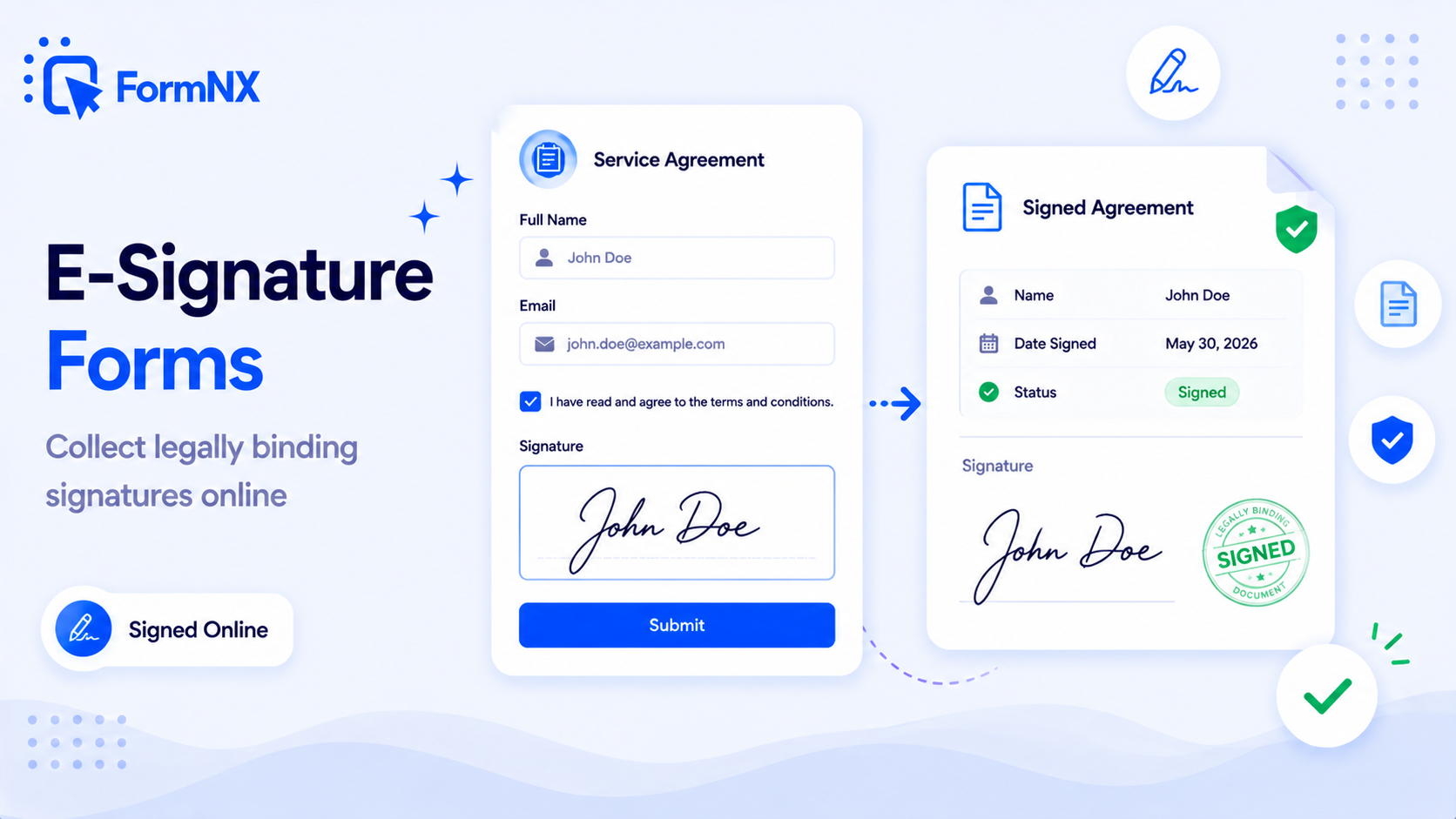
Add a real e-signature field to any form. Respondents draw their signature right inside the form on any device - free, no DocuSign account, full audit trail (signature + timestamp + IP) on every submission.








































What makes it essential for your forms
Why Use E-Signature Forms?
Free Electronic Signature Field
No DocuSign or Adobe Sign account, no per-signature fee, no monthly subscription for the signing feature. The Signature field is included on every FormNX plan, free.
Full Audit Trail on Every Signature
Each signed submission records the signature image, the form contents the signer agreed to, the date and time of signing, the IP address, and a unique reference number - the audit trail behind every signed record.
Sign on Any Device
Respondents draw their signature with a mouse on desktop or with a finger on tablet and mobile. The signature box is fully responsive - signing on a phone produces a more natural-looking signature than mouse drawing on a laptop.
Signature in Signed PDF Export
Every signature is automatically embedded into the PDF export of the submission. Generate a signed PDF for compliance, audit, email-to-signer, or storage in your CRM or Google Drive.
Works with Multi-Step & Conditional Logic
Put the signature at the end of a multi-step form, or show it conditionally only when respondents tick "I accept the terms." The Signature field plays nicely with every FormNX feature.
Sign and Pay in One Flow
Combine the Signature field with Stripe or PayPal on the same form. Customers sign your terms and pay in a single step - perfect for service contracts, freelance agreements, and bookings with upfront acceptance.
Get up and running in minutes
How to Use E-Signature Forms
Drag a Signature Field Onto the Form
Mark It Required & Customise the Label
Respondents Sign on Any Device
Signature Saved to Submission & PDF
What Is an E-Signature Form?
An e-signature form - sometimes written as an electronic signature form or esignature form - is a web form that collects a signature as part of the submission. Instead of printing a contract, signing it with a pen, and scanning it back, a respondent draws their signature with a finger or mouse directly on the form. The signature is saved as an image, attached to the submission record, and can be embedded into a PDF version of the signed document for your files.
FormNX is a free no-code e-signature form builder. There is no DocuSign account to manage, no Adobe Sign subscription, no developer to involve. Drop a Signature field onto any form and that form becomes an electronic signature form - work for consent forms, contracts, waivers, NDAs, job offers, patient intake, anything that needs a sign-off.
How to Add an E-Signature to a Form (No Code)
Adding an electronic signature field to a FormNX form takes under a minute:
- Open the form builder - start a new form or open one you already have.
- Drag the Signature field onto the canvas - find "Signature" in the field panel and drop it where you want the sign-off to appear (usually at the end, after the form text or terms).
- Mark it as required - this enforces that respondents cannot submit without signing. You can also customise the field label ("Sign here", "Patient signature", "Accept terms by signing", etc.).
- Pair it with other fields - put a Date field for the sign-on date, a Name field for the signatory name, and (optionally) the terms text as a paragraph block right above the signature.
- Publish and share - embed the form on your site, share the direct link, or trigger it as a popup. Every submission saves the signature as an image and stores it alongside the rest of the response.
What Audit Trail Does FormNX Capture on Each Signature?
Every time someone signs a FormNX form, the submission stores a complete audit trail behind the signature - the data most e-signature frameworks rely on to verify a signed record:
- Signature image - the drawn signature itself, captured as an image and attached to the submission.
- Form contents the signer agreed to - the full form data and any terms text the signer saw when they signed, preserved with the submission so the document cannot be edited after the fact.
- Date and time of signing - timestamped down to the second, stored in UTC and shown in your dashboard timezone.
- IP address of the signer - the network address of the device used to sign, useful for identifying the signer when paired with their email or other identifying form fields.
- Unique reference number - every submission gets its own reference ID that travels through to the PDF export and any downstream integration.
This audit trail is what gives the signature its evidentiary value. For most everyday business use - consent forms, waivers, terms acceptance, internal approvals, NDAs, basic contracts - this is the foundation you need. For highly regulated transactions (real estate deeds, certain financial agreements, some healthcare workflows), specific jurisdictions may require a notarised or qualified digital signature with PKI-based identity verification - in which case a dedicated e-signature platform like DocuSign or Adobe Sign is the right tool. If you are unsure whether your specific use case requires that level, check with a qualified lawyer for your jurisdiction.
E-Signature vs Digital Signature - What is the Difference?
The two terms get used interchangeably, but they technically describe different things:
- E-signature (electronic signature) - a broad legal category. Any electronic mark that reflects the signer's intent to sign. Drawing your name on a touchscreen, typing your name into a field, or clicking "I Agree" all count as e-signatures. FormNX captures e-signatures as drawn images.
- Digital signature - a specific technical mechanism using public/private key cryptography (PKI) to mathematically prove who signed and that the document was not altered. Digital signatures are a way to implement e-signatures, used by platforms like DocuSign and Adobe Sign for their highest-assurance signature types.
For most forms - consent, waivers, internal contracts, intake forms - the drawn e-signature FormNX captures is the right tool. It is fast, free, legally valid, and friendly to non-technical signers.
E-Signature Form Examples (Use Cases)
Common e-signature form use cases include:
- Consent forms - photo release, GDPR consent, medical research consent, parental consent. Often used in healthcare, education, and marketing.
- Waiver and release forms - gym waivers, sports activity waivers, event liability waivers, COVID-19 risk acknowledgements.
- Contract acceptance forms - service agreements, freelance contracts, vendor agreements, software EULAs.
- Job application and offer letter forms - applicant sign-off on background-check authorisation; new hire signing the offer letter and policy acknowledgements.
- NDA (non-disclosure agreement) forms - quick mutual or one-way NDAs for vendor onboarding, beta testing, advisory work.
- Patient intake forms - HIPAA-style consent, medical history acknowledgement, and treatment authorisation.
- Real estate showing and offer forms - viewing acknowledgements, simple offers, tenant applications (NB: deed signing usually needs notarised signatures).
- School permission slips and field-trip forms - parent or guardian signatures for school activities.
- Rental and lease agreement forms - short-term rental rules acceptance, equipment rental contracts.
E-Signature Forms vs DocuSign and Adobe Sign
FormNX is a form builder with a built-in signature field; DocuSign and Adobe Sign are dedicated e-signature platforms. They overlap, but the right choice depends on what you need:
- FormNX e-signature forms - best when you are collecting form data AND a signature in the same flow. Job applications, patient intake, registration with terms acceptance, consent forms. Free, no separate account, signature is one field in a richer form. The signed PDF is generated automatically from your submission.
- DocuSign and Adobe Sign - best when you are sending a fully-prepared contract to a specific person for signing, possibly with multiple signers in a defined order. They are heavy-duty for negotiated contracts, real estate deeds, financial agreements. They cost $10-40 per user per month and require each signer to be invited individually.
For 90% of "I just need a signature on this form" use cases, the FormNX signature field is the simpler, free choice. For high-stakes negotiated contracts with multiple signers and a defined sign order, a dedicated e-signature platform is the right tool.
Signing on Desktop, Tablet, and Mobile
The FormNX signature field works on every device. On desktop, respondents draw with their mouse or trackpad. On tablet and mobile, they sign with a finger or stylus directly on the touchscreen - the most natural signing experience. The captured signature is the same regardless of device, and the form layout is fully responsive so the signature box scales correctly on small screens. Most respondents prefer signing on mobile because the touchscreen produces a more natural-looking signature than mouse drawing.
Signature in PDF Exports
Every signature captured on a FormNX form is automatically embedded into the PDF export of that submission. Generate a signed PDF for your records, email it to the signer, attach it to a CRM record, or store it in Google Drive - the PDF contains the form contents the signer agreed to, the signature image, the date and time of signing, and a unique reference number. This gives you a self-contained signed document for compliance, audit, and record-keeping.
FormNX vs Other Form Builders with E-Signature
Most form builders gate their signature field behind paid plans (Jotform charges for Sign features, Formstack puts e-signatures on enterprise tiers, Cognito Forms includes basic signing on free but adds limits, Ninja Forms requires a paid signature add-on for WordPress). FormNX includes the Signature field on every plan - including the forever-free plan - with no limit on the number of signatures or submissions you can collect.
You also get features competitors charge extra for: signature in PDF export, signatures that work with multi-step forms and conditional logic, signatures combined with Stripe/PayPal payments (sign and pay in one flow), and embedding on any platform - WordPress, Webflow, Shopify, Wix, or any HTML site - without a separate plugin or developer setup.
Common use cases where E-Signature Forms excels
What You Can Build with E-Signature Forms
Don't just take our word for it
Hear from our customers
"I've been looking for an alternative to Jotform - one that would accept payments directly from the form. The learning curve is short, supported by great customer service which never let me down."


"There are super features in this form creator. They REALLY took a lot of time to create a fantastic program. I was using another form creator but switching a lot of my forms to this application. The tech support is amazing."

"Easy to build forms from scratch with a long list of fields. Don't want to start from scratch? No problem — many templates available. Every integration I can think of is available. Customer support is quick and very helpful."


E-Signature Forms: Frequently Asked Questions
-
What is an e-signature form?
An e-signature form (also called an electronic signature form or esignature form) is a web form that captures a signature as part of the submission. Respondents draw their signature directly on the form with a finger or mouse, and the signature is saved as an image attached to the submission record - replacing the print-sign-scan process for contracts, consent forms, waivers, and other documents that need a sign-off.
-
How do I create an e-signature form with FormNX?
Open the form builder, drag a Signature field onto the canvas where you want the sign-off to appear, mark it as required, and customise the label ("Sign here", "Patient signature", etc.). Add a Date field and a Name field next to it for a full sign-off block. Publish the form, share it, and respondents sign on any device when they fill it in.
-
What audit information is captured with each signature?
Every signed FormNX submission stores the signature image, the full form contents the signer agreed to, the date and time of signing (down to the second), the IP address of the signer, and a unique submission reference number. Together these form the audit trail behind the signed record - the data e-signature frameworks generally rely on to support the evidentiary value of an electronic signature. For specific legal applications, consult a qualified lawyer for your jurisdiction.
-
Is FormNX a free e-signature tool?
Yes. The Signature field is included on every FormNX plan, including the forever-free plan, with no limit on the number of signatures or submissions you can collect. Unlike DocuSign ($10-40 per user/month) or dedicated e-signature platforms, FormNX charges nothing extra for the signing feature.
-
How is an e-signature form different from DocuSign or Adobe Sign?
FormNX is a form builder with a built-in signature field - best when you are collecting form data AND a signature in one flow (job applications, patient intake, consent forms, registrations with terms acceptance). DocuSign and Adobe Sign are dedicated e-signature platforms - best when you are sending a fully-prepared contract to a specific person to sign, often with multiple signers in a defined order. For most "just need a signature on this form" use cases, FormNX is the simpler, free choice.
-
What is the difference between an e-signature and a digital signature?
An e-signature (electronic signature) is the broad legal category - any electronic mark that reflects the signer's intent. Drawing on a screen, typing your name, or clicking "I Agree" all count. A digital signature is a specific technical mechanism using public/private key cryptography (PKI) to mathematically prove the signer's identity and that the document was not altered. FormNX captures e-signatures as drawn images, which is the right tool for most everyday business forms.
-
Can respondents sign on a mobile phone or tablet?
Yes. The Signature field works on every device. On desktop, respondents draw with a mouse or trackpad. On tablet and mobile, they sign with a finger or stylus directly on the touchscreen - which produces a more natural-looking signature than mouse drawing. The signature box is fully responsive and scales correctly on small screens.
-
Is the signature included in the PDF download of the submission?
Yes. Every signature is automatically embedded into the PDF export of the submission. The PDF contains the form contents the signer agreed to, the signature image, the date and time of signing, and a unique reference number - giving you a self-contained signed document for compliance, audit, or sharing with the signer.
-
Can I use e-signatures on multi-step forms?
Yes. The Signature field works on any step of a multi-step form - though it is most commonly placed on the final step, after the form contents the signer is agreeing to. You can also combine the Signature field with conditional logic to show it only when respondents tick "I accept the terms" or similar.
-
Can I collect a signature AND a payment on the same form?
Yes. Pair the Signature field with Stripe or PayPal payments on the same form. The customer signs your service agreement or terms, then pays - all in one submission. Perfect for service contracts, freelance agreements, retainers, and any booking that needs upfront terms acceptance plus payment.
-
Does the e-signature form work on WordPress?
Yes. E-signature forms built with FormNX embed on any WordPress site via Gutenberg block, Classic Editor shortcode, or Elementor widget - no separate WordPress signature plugin required. The Signature field, PDF export, and audit trail all work identically whether the form is embedded on WordPress, Webflow, Shopify, Wix, or shared via a direct link.
Ready to Use E-Signature Forms?
Start building professional forms with this powerful feature today
Get Started Free NowOther features that work great with E-Signature Forms
More Related Features
Quiz Mode
Turn any form into a scored quiz. Set correct answers per question, assign points (per-question or a default), define yo...
See How It WorksForm Timer
Add a countdown time limit to any form or quiz. Set a whole-form timer or per-page timers, auto-submit when time runs ou...
See How It WorksCalculation Form Builder
Build a calculation form with live totals, prices, and scores - drop a Calculation field, write a formula, and the value...
See How It Works
- Alternatives
- Jotform Alternative
- Typeform Alternative
- Google Forms Alternative
- SurveyMonkey Alternative
- Contact Form 7 Alternative
- Paperform Alternative
- Microsoft Forms Alternative
- Fillout Alternative
- Tally Forms Alternative
- Gravity Forms Alternative
- Cognito Forms Alternative
- Formstack Alternative
- All Alternatives
- Pricing Guides
- Jotform Pricing
- Typeform Pricing
- SurveyMonkey Pricing
- Use Cases
- No-Code Form Builder
- Online Survey Builder
- AI Form Builder
- Online Quiz Maker
- Job Application Form Builder
- Order Form Builder
- Screen Printing Order Form
- Wholesale Order Form
- WordPress Form Builder
- Contact Form
- Nonprofit Form Builder
- Squarespace Form Builder
- Wix Form Builder
- Webflow Form Builder
- Framer Form Builder