Intake Form Templates
Stop chasing client info over email. FormNX intake form templates let you collect everything a new client, patient, or project needs - contact details, history, files, signatures, even payment - in one branded online form. Every template above is free to use, fully customizable, and ready to embed on your website, share by link, or send through email. No code.


What Is an Intake Form?
An intake form is the first structured conversation between a service provider and a new client, patient, or project. It collects everything you need to deliver good work - contact details, background, goals, history, consent, sometimes payment - in one place, before the first session or kickoff.
A good intake form replaces three things that waste time:
- The "send me your details" email thread
- The PDF-print-sign-scan-email-back loop
- The 20-minute discovery call where you ask the same questions every time
Modern intake forms are online forms - not PDFs. They're filled out from a phone or laptop, automatically saved, routed to your CRM or inbox, and stored securely. The intake form templates on this page are all online, embeddable, and free to launch with FormNX.
Why Use an Intake Form Template (Instead of Building from Scratch)
You could build an intake form from a blank page. But you'd be reinventing fields that thousands of practitioners have already battle-tested. A template gives you:
Without a template
- Hours guessing what to ask
- Generic fields that miss your industry
With a FormNX intake template
- A vetted question set, live in minutes
- GDPR or vertical-specific fields baked in
- Structured data, routed where you want it
- Conditional questions, auto-reminders, payments
- Integrations with 4,000+ apps via Webhook using any automation tools like Zapier
Each template on this page was built around how real practitioners actually onboard clients - not a "10 essential fields" list scraped from a blog.
Types of Intake Form Templates (Pick by Your Industry)
Different industries need different intake fields. Use the templates below as a starting point — every one is fully editable.
Client Intake Forms (Generic)
Best for: consultants, freelancers, agencies, service businesses adding their first client onboarding flow. Captures contact info, project scope, budget range, timeline, and how the client heard about you.
→ Generic Client Intake Form
→ New Client Intake Form
Web Design & Agency Client Intake Forms
Best for: web designers, dev shops, digital agencies, freelance developers. Collects brand assets, competitor URLs, technical requirements, content readiness, hosting access, and project timeline. Reduces revision cycles by surfacing scope creep before the kickoff call.
→ Web Development Client Intake Form
Patient & Medical Intake Forms
Best for: clinics, private practices, telehealth, specialty providers. Captures medical history, current medications, insurance details, allergies, emergency contact, and HIPAA-style consent — all in one mobile-friendly form. Use FormNX's e-signature field to capture consent without printing.
→ Plastic Surgery Patient Intake Form
→ Doctor Appointment Form (intake + booking)
Massage & Wellness Intake Forms
Best for: massage therapists, spas, bodywork practitioners. Includes pressure preferences, problem areas, recent injuries, medical conditions, and a body diagram field. Auto-loads returning clients without re-asking the same questions.
Therapy, Counseling & Coaching Intake Forms
Best for: therapists, counselors, life coaches, executive coaches. Sensitive-content sections (history, goals, presenting issues) stay behind a confidentiality acknowledgment. Conditional fields adapt to whether the form is a first-session intake or a re-engagement.
→ Use the generic client intake as a starting point — duplicate and customize.
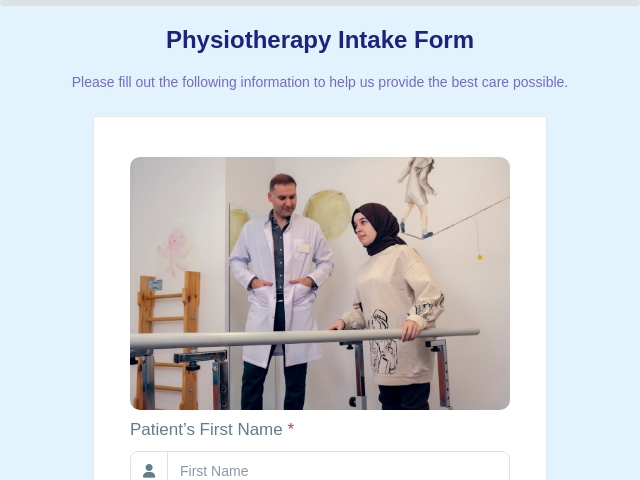
Physiotherapy & Rehab Intake Forms
Best for: PTs, chiropractors, sports rehab. Pain scales, mobility questions, injury timeline, current activity level, treatment history. Pair with FormNX's file upload to collect imaging or referrals upfront.
Personal Training & Fitness Intake Forms
Best for: personal trainers, gyms, online coaches. Goals, current fitness baseline, injury history, PAR-Q-style screening, training availability, payment plan selection — all in one form. Add a payment field to collect deposits at signup.
→ Build from the generic client template and add fitness-specific fields.
Legal Intake Forms
Best for: law firms, solo attorneys, paralegals, family law practitioners. Case type, opposing party check (conflict of interest), preferred contact method, retainer acknowledgment. Use conditional logic to branch by practice area (family, immigration, personal injury, etc.).
→ Family Law Intake Form (Divorce)
Tax & Accounting Client Intake Forms
Best for: CPAs, bookkeepers, tax preparers. Income sources, dependents, prior-year return upload, filing status, estimated payments. Time-sensitive forms with smart deadlines built in.
→ Use the generic client intake template + FormNX's file upload field for W-2s and prior returns.
How to Create an Intake Form (In 6 Steps with FormNX)
If you're starting from one of the templates above, you can skip steps 1 and 2.
- Pick a template that matches your industry. Don't start from scratch - a template gives you 80% of the fields you'll keep and shows you what to cut.
- Edit field labels to match your voice. Replace generic "How can we help?" with the specific phrasing your clients use.
- Add conditional logic for branching paths. If a client picks "couples therapy," show partner contact fields. If they pick "individual," hide them. FormNX's conditional fields handle this without code.
- Wire up integrations. Send submissions to Google Sheets, your CRM, Slack, or 4,000+ apps via Webhook using automation tools. Set up an auto-reply email so clients know their form was received.
- Customize the look. Add your logo, brand colors, and a custom thank-you page. Use FormNX's white-label option if you don't want "Powered by" branding.
- Embed, share, or send. Drop the form on your website with one line of HTML embed code, send the share link in your booking confirmation email, or let FormNX host it on a custom subdomain.
A typical FormNX user gets from "open template" to "first submission" in under 10 minutes.
What to Include in a Good Intake Form
Across 13,000+ forms built on FormNX, the intake forms that convert (and don't get abandoned) tend to follow the same structure:
- Reassurance up top. Two lines telling the client what this form is for, how long it takes, and what happens after. Drop-off rates fall sharply when expectations are set.
- Contact basics first. Name, email, phone — fields the client expects to fill instantly. Save complex questions for later.
- Service-specific qualifiers next. What they need help with, scope, timeline, urgency. This is where conditional logic earns its keep - branch based on the answer.
- History and context. Medical history, prior providers, project background, business context - whatever your work requires.
- Consent, disclaimers & e-signature. Always last, never first. Use FormNX's signature field instead of "type your name" - it's legally stronger and signals professionalism.
- Payment (optional). If you collect a deposit or full payment at intake, the FormNX payment field handles Stripe and PayPal natively. No redirects.
- A clear "what happens next." Set expectations on response time on the thank-you page.
7 Best Practices for Designing Intake Forms That Convert
- Keep it shorter than you think. Every field is a place to abandon. Cut anything you can ask after the form is submitted.
- Use progress indicators on multi-step forms. FormNX's step indicator increases completion rates because clients can see they're 70% done, not lost in a wall of fields.
- Mark only the truly required fields as required. Optional context fields collect more data overall because clients don't bail when stuck on a non-essential question.
- Mobile-test before launching. More than 60% of intake forms are opened on a phone. FormNX templates are mobile-first, but always preview your edits.
- Enable auto-save. Clients abandon forms mid-fill all the time. FormNX auto-saves partial responses so they can resume from the same link.
- Send an instant confirmation email. The form was received. Here's what's next. Here's how to reach you. Three sentences max.
- Review your form quarterly. Look at your submission data. Which fields are skipped most? Which ones cause confusion? Trim and refine.
Why FormNX for Intake Forms
We built FormNX because most intake form tools force a choice: simple but underpowered (Google Forms) or powerful but priced like enterprise software (Jotform Enterprise, Formstack). FormNX sits in the middle - every feature on this page is available on the free plan or affordable paid tiers.
- Free plan that actually works for intake forms. Unlimited monthly submissions and every core field type included.
- Conditional logic without complexity. Show, hide, and skip questions based on answers, in a visual builder.
- File upload, e-signature, and payments built in. No add-on apps, no extra fees.
- No-code embedding. One line of embed code drops the form anywhere - website, Notion, Webflow, WordPress, anywhere.
- GDPR-ready, with data export and deletion controls.
- Trusted by 7,000+ customers processing 500,000+ submissions with 99.99% uptime.
Frequently Asked Questions
What is an intake form?
An intake form is an online form used to collect essential information from a new client, patient, or project at the start of a working relationship. It typically captures contact details, background information, goals, consent, and any documents or payment needed before the first session or kickoff.
What do intake forms look like?
A modern intake form is a single-page or multi-step online form with fields for name and contact info, service-specific questions, history, file uploads (like ID or prior records), an e-signature for consent, and an optional payment section. Every FormNX intake form template is mobile-first and fully branded to your business.
How do I create an intake form for free?
Pick any template on this page, click "Use this template," edit the fields to match your business, and either share the link or embed the form on your website. FormNX's free plan covers intake forms with unlimited submissions per month - no credit card required.
What's the difference between an intake form and a registration form?
A registration form collects basic sign-up information (often just name, email, and a few preferences). An intake form goes much deeper - it gathers history, context, consent, and sometimes payment, because the goal is to fully onboard someone into a service or treatment, not just record their existence.
Are FormNX intake forms HIPAA-compatible?
FormNX provides the technical building blocks for compliant intake forms - encrypted data transmission and storage, access controls, audit logs, e-signature, and data retention policies.
Can I embed an intake form on my own website?
Yes. Every FormNX form generates a one-line embed code that works on WordPress, Webflow, Squarespace, Wix, Notion, Framer, and any HTML page. You can also share the form as a hosted link or send it via email.
Can clients save their progress and finish later?
Yes, FormNX saves the progress of form responses, but you need to enable the "Draft" feature for this to work. When a client clicks the draft button, a link will be generated. Users can then use this draft link to pick up exactly where they left off, ensuring that no work is lost.
Collect payment with an intake form?
Yes. You can collect payments with an intake form directly using Stripe and PayPal payment Integration.
Who fills out an intake form?
The new client, patient, or project sponsor fills it out - typically before the first appointment, session, or project kickoff. Some practices send the intake form as part of the booking confirmation email so it's complete before the meeting starts.
Can I export intake form responses to Excel, Google Sheets, or my CRM?
Yes. FormNX exports submissions as CSV, syncs to Google Sheets in real time, and integrates with HubSpot, Salesforce, Pipedrive, Airtable, and 4,000+ other apps through Webhook integration using third-party automation tools.
Related Form Categories & Resources
If an intake form isn't quite the right shape for what you need:
- Registration Form Templates — for events, classes, memberships
- Appointment Booking Form Templates — for clinics, salons, consultants
- Contact Form Templates — for general website inquiries
- Order Form Templates — for product or service ordering with payment
- Survey Form Templates — for client feedback after the intake
Ready to launch your intake form? Pick a template above, customize it to your workflow, and have your first response in your inbox today.

 Reviews on G2
 Reviews on Trustpilot
- Alternatives
- Jotform Alternative
- Typeform Alternative
- Google Forms Alternative
- SurveyMonkey Alternative
- Contact Form 7 Alternative
- Paperform Alternative
- Microsoft Forms Alternative
- Fillout Alternative
- Tally Forms Alternative
- Gravity Forms Alternative
- Cognito Forms Alternative
- Formstack Alternative
- All Alternatives
- Pricing Guides
- Jotform Pricing
- Typeform Pricing
- SurveyMonkey Pricing
- Use Cases
- No-Code Form Builder
- Online Survey Builder
- AI Form Builder
- Online Quiz Maker
- Job Application Form Builder
- Order Form Builder
- Screen Printing Order Form
- Wholesale Order Form
- WordPress Form Builder
- Contact Form
- Nonprofit Form Builder
- Squarespace Form Builder
- Wix Form Builder
- Webflow Form Builder
- Framer Form Builder