Payment Form Templates
Browse FormNX's free online payment form templates and start collecting money in minutes - no code required. Every payment form template is fully customizable and mobile-ready, with Stripe and PayPal built in so customers can pay by card or wallet right inside the form. Add calculation fields to total quantity, price, tax, and shipping automatically, then send an instant confirmation and PDF receipt after each payment. Use these payment form examples for order forms, service bookings, event registration fees, donations, memberships, and subscriptions. Whether you need a simple payment form for a small business or a branded online checkout, pick a sample payment form above, customize it to match your brand, and publish a secure online payment form for free.

Payment Form Templates
What is a Payment Form?
An online payment form lets you collect money and customer details in one step, with no separate checkout page.
Who needs Payment Forms?
Businesses and organizations that need to accept payments from customers, clients, or subscribers require payment forms. These payment forms are typically used by:
- E-commerce Stores: For processing online purchases.
- Subscription-Based Services: For collecting payments for memberships, courses, etc.
- Event Organizers: For managing ticket sales and registrations.
- Educational Institutions: For collecting tuition fees and course payments.
- Non-profit Organizations: For accepting donations and event registrations.
- Gyms and Fitness Studios: For selling memberships and class packages.
- Freelancers and Consultants: For accepting payments for their services.
- Small Business Owners: For managing online transactions.
- Creators: For selling digital products or services.
What information needs to be collected in the Payment Forms?
- Customer's Personal Information (Name)
- Contact Information (Email address, Phone number)
- Billing Address
- Product/Service Description
- Order details
- Total Amount
- Payment (collect payment through Stripe Integration)
What are the benefits of online payment Forms?
For Businesses:
- Enhances security
- Reduced Errors
- Online payment forms allow businesses to accept payments from customers worldwide.
- Easy Integration
- Better customer experience
- Convenient and flexible
For Customers:
- Customers can make payments from anywhere at any time.
- Online payments are faster and more efficient than traditional payment methods, such as cash or checks.
- Online payment forms offer a secure and reliable way to make payments.
Different types of Payment Forms available in FormNX
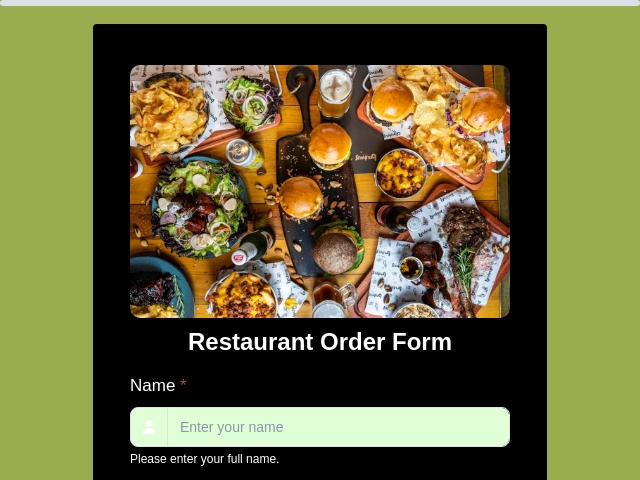
- Restaurant order Form
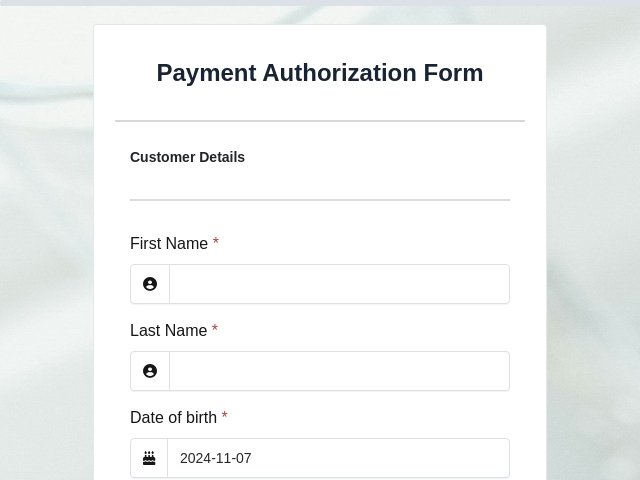
- Payment Authorization Form
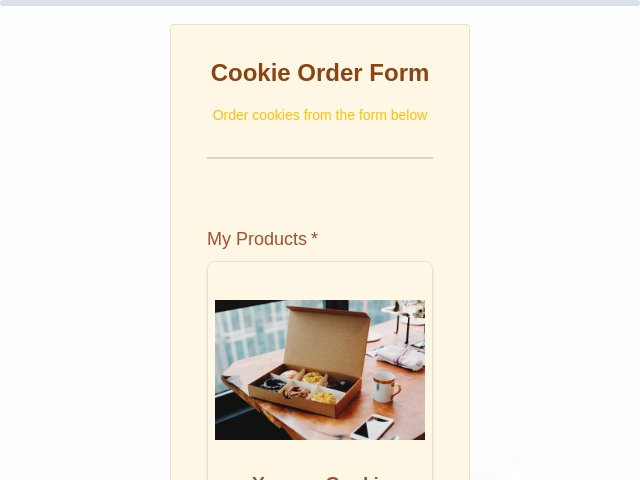
- Cookie Order Form
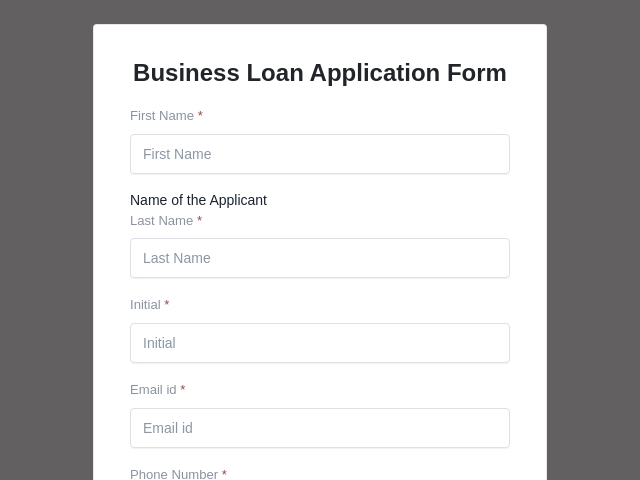
- Business Loan Application Form
- Order Form Templates
Tips to make an effective Payment Form
- Use simple and clear language.
- Keep the form concise.
- Add only the necessary fields that are required to collect relevant details for the payment process for the product/service.
- Include fields for customer information, product details, order details, and payment details.
- Connect Stripe Integration in the form to collect payments.
- Enable email settings to receive Real-time notifications on the submission of forms.
- Add a logo/image of your business or organization.
- Break down information into sections and use headings.
- Use clear labels to avoid confusion.
Switching from Google Forms? See how to collect payments in Google Forms and why a native payment form is simpler.
Payment Form FAQs
How do I create a payment form for free?
Pick a template above, customize the fields, connect Stripe or PayPal, and publish - no code required. FormNX's free plan lets you build and share an online payment form in minutes.
What payment methods can I accept?
FormNX payment forms support both Stripe and PayPal on the same form, so customers can choose at checkout.
Can I add automatic calculations to a payment form?
Yes. Use calculation fields to multiply quantity × price, add tax or shipping, and show a live order total before the customer pays.
Can I collect payments through Google Forms?
Not natively, Google Forms has no built-in payments. See our guide on how to collect payments in Google Forms for the workarounds, or use a FormNX payment form that accepts Stripe and PayPal out of the box.
Can I generate a receipt after payment?
Yes. FormNX can auto-generate instant PDF receipts for every payment.
Are these payment form templates free?
Yes, every payment form template here is free to use and customize on FormNX's free plan, with no platform fees on paid plans.
By following these tips and utilizing FormNX's customizable Payment form templates, you can streamline your ordering and payment process.
Get Started Now: pick a template, connect Stripe or PayPal, and publish in minutes.

 Reviews on G2
 Reviews on Trustpilot
- Alternatives
- Jotform Alternative
- Typeform Alternative
- Google Forms Alternative
- SurveyMonkey Alternative
- Contact Form 7 Alternative
- Paperform Alternative
- Microsoft Forms Alternative
- Fillout Alternative
- Tally Forms Alternative
- Gravity Forms Alternative
- Cognito Forms Alternative
- Formstack Alternative
- Wufoo Alternative
- All Alternatives
- Pricing Guides
- Jotform Pricing
- Typeform Pricing
- SurveyMonkey Pricing
- Use Cases
- No-Code Form Builder
- Online Survey Builder
- AI Form Builder
- Online Quiz Maker
- Job Application Form Builder
- Order Form Builder
- Screen Printing Order Form
- Wholesale Order Form
- WordPress Form Builder
- Contact Form
- Nonprofit Form Builder
- Squarespace Form Builder
- Wix Form Builder
- Webflow Form Builder
- Framer Form Builder