Sales Processing Form Templates
Browse FormNX's free sales processing form templates and run a smoother sales process - no code required. Each sales form is fully customizable, mobile-ready, and connects to your CRM, capturing the details your sales team needs at every stage. Use them as a sales order form, quote or estimate request, sales lead intake form, deal or opportunity intake, sales return (RMA) form, and sales call report. Add calculation fields for live totals, conditional logic, and instant notifications so nothing slips through. Pick a sales processing form template below, customize it, and start closing and processing sales faster.

About Sales Processing Form Templates
What Are Sales Processing Forms or What Are Sales Forms?
Sales Processing Forms are crucial forms used by businesses for managing and organizing customer orders, monitoring sales activities, and simplifying the process of fulfilling orders. These forms play a vital role in ensuring a successful sales process, ensuring accuracy, effectiveness, and customer satisfaction.
Why Do You Need a Form in Your Sales Process?
A properly formatted Sales Process Form can:
- Boost Efficiency: Simplify the order-taking process to reduce errors and save time.
- Improve Customer Experience: Offer a simple and professional ordering process.
- Improve Record Keeping: Keep detailed records of all sales transactions for inventory management and financial reporting.
- Streamline Communication: Ensure that the sales, fulfillment, and finance teams have access to the same, accurate information.
What Information to Collect in Sales Processing Forms
A thorough Sales Processing Form should include:
- Customer Contact Information
- Product or Service Details
- Quantity Ordered
- Pricing and Payment Information
- Delivery Instructions and Preferences
- Special Requests or Instructions
- Use conditional logic and calculation fields to show product options and total the order automatically.
Different Types of Sales Processing Forms
- Sales Order Form: Collect all details of customer orders from product selection to payment.
- Supply Order Form Template: Use for internal requests or orders from suppliers to manage inventory.
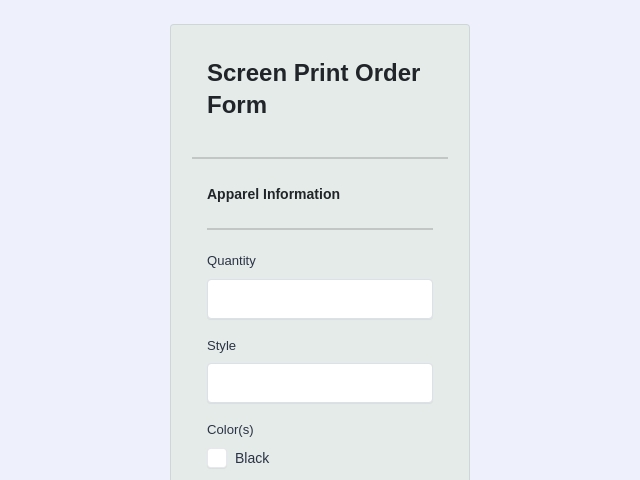
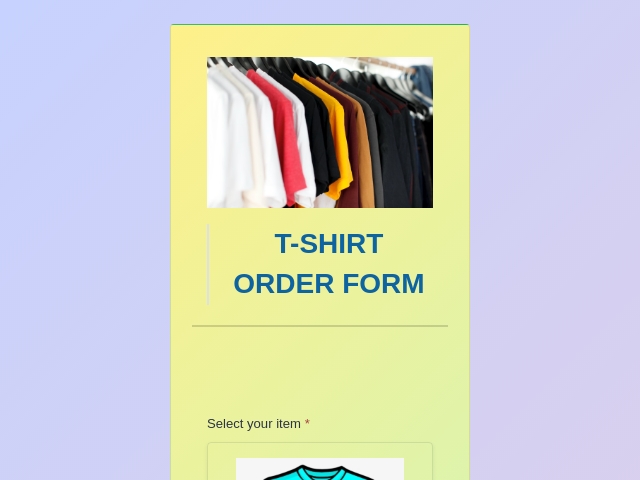
- T-Shirt Order Forms/Clothing Order Form: Ideal for clothing businesses; allows users to choose sizes, colors, and design options.
- Pre-Order Form: Ideal for managing orders before the product is released to ensure you meet your initial needs efficiently.
- Sample Sales Order Form Template: A starting point for creating a form that suits your sales process needs.
- Quote / Estimate Request Form: let prospects request a price quote with their requirements.
- Sales Lead Intake Form: capture and qualify new sales leads for your pipeline.
- Deal / Opportunity Intake Form: log new deals with value, stage, and next steps.
- Sales Return (RMA) Form: process returns and refunds after a sale.
- Sales Call / Visit Report: let reps log call outcomes and follow-ups.
For product and customer-facing order forms, see our order form templates; to capture new prospects, see our lead generation form templates; and to take payment on an order, use our payment form templates.
Tips to Make an Effective Sales Processing Form
- Clarity is Key: Use clear, simple language to ensure customers understand what information is needed.
- Customization Options: Allow customers to customize their orders to meet their specific needs.
- Mobile-Friendly Design: Make sure your forms are easy to access and fill out on any device.
- Quick Turnaround: Design your form to facilitate a quick review and processing of orders.
- Security Measures: Make sure customers' personal information and payments are safe.
Who Uses These Sales Processing Forms?
- Retail businesses are looking to streamline their sales and order fulfillment processes.
- E-commerce sites aim to provide a seamless ordering experience for their customers.
- B2B companies require detailed order forms for their supply chain management.
- Event organizers and merchandisers need specific forms like t-shirt or clothing order forms.
How do I create a sales form?
Follow these steps to create a Sales form:
- Step 1: Log in to your FormNX account.
- Step 2: Determine which product you want to sell through your form.
- Step 3: Customize the existing Sales Processing Forms template or start from scratch to create sales forms.
- Step 4: Keep the design of your form to match your brand.
- Step 5: Add images of the product.
- Step 6: Include fields for personal information of the customer, like name, email, address, etc.
- Step 7: Include questions related to the products, such as choosing the size, color, design, quantity, etc.
- Step 8: Include a field of Price that displays the total sum based on the selection of products.
- Step 9: Connect the Stripe or PayPal Integration to your form for the payment process.
- Step 10: Set how you will get a notification when someone submits the form. You will get an email or connect it to other tools you use to get notified.
- Step 11: Test the form to make sure it works well. Fill it out yourself to see if everything is smooth.
- Step 12: Publish or share the form where you want to share or embed according to your needs.
What is a sales order Template?
A sales order template is designed to simplify the process of tracking sold products, managing company orders, and processing orders.
Sales Processing Form FAQs
What's the difference between a sales order and a purchase order?
A purchase order is sent by the buyer to request goods; a sales order is the seller's confirmation of that order - what will be supplied, at what price, and when.
Can I take payment on a sales order form?
Yes - connect Stripe or PayPal so the customer pays the order total at submission, with tax and totals calculated live.
Can I create a sales form in Word or Excel instead?
You can, but Word/Excel forms can't calculate totals live, collect submissions, or notify your team. An online sales form does all three - and these templates are free.
Are these sales processing form templates free?
Yes - every sales processing form template here is free to use and customize on FormNX's free plan.
By integrating FormNX's Sales Processing Forms Templates into your sales strategy, you not only optimize your sales process but also improve the overall customer experience and lay the foundation for increased sales and customer loyalty.
Get started today and watch your sales process transform into a more efficient, effective, and customer-friendly process.
Create your free sales form - customize a template, connect your CRM, and process sales faster.

 Reviews on G2
 Reviews on Trustpilot
- Alternatives
- Jotform Alternative
- Typeform Alternative
- Google Forms Alternative
- SurveyMonkey Alternative
- Contact Form 7 Alternative
- Paperform Alternative
- Microsoft Forms Alternative
- Fillout Alternative
- Tally Forms Alternative
- Gravity Forms Alternative
- Cognito Forms Alternative
- All Alternatives
- Pricing Guides
- Jotform Pricing
- Typeform Pricing
- SurveyMonkey Pricing
- Use Cases
- No-Code Form Builder
- Online Survey Builder
- AI Form Builder
- Online Quiz Maker
- Job Application Form Builder
- Order Form Builder
- Screen Printing Order Form
- Wholesale Order Form
- WordPress Form Builder
- Contact Form
- Nonprofit Form Builder
- Squarespace Form Builder
- Wix Form Builder
- Webflow Form Builder
- Framer Form Builder