Form Scheduling
Set a start and end date and your form opens and closes on its own - no need to remember to toggle it. Show a custom message when it is closed. Perfect for event registrations, limited-time offers, and application windows.
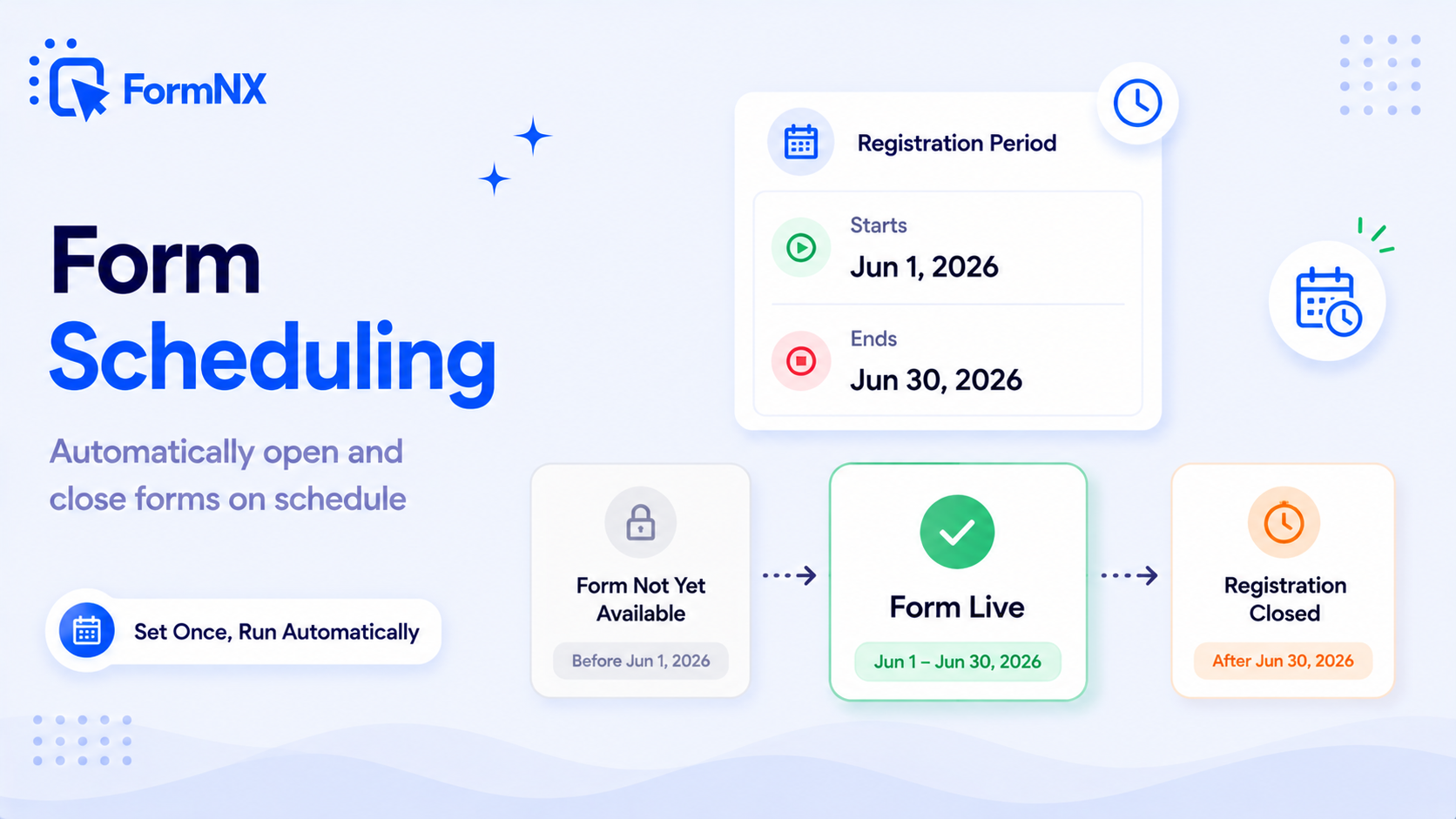








































The gap between "I set a deadline" and a form that actually enforces it
Opening and Closing a Form on Time Is Harder Than It Should Be
You Have to Remember to Turn the Form Off
Deadlines pass at midnight and on weekends. If closing the form is a manual toggle, it stays open long after registration ended - and you keep collecting responses you never meant to accept.
Forms Go Live Too Early
You build a registration a week ahead, but there is no way to hold it back. People find the link and start submitting before the campaign, the sale, or the event is actually meant to open.
The Form Closes at the Wrong Local Time
A deadline set without a clear timezone closes hours early or late for your audience, cutting off submissions you wanted or accepting ones after the cutoff you announced.
A Closed Form Is a Dead End
When a form simply stops working, visitors get a blank or generic error. There is no way to tell them registration ended, point them to a waitlist, or say when the next round opens.
Google Forms Still Needs an Add-On to Open on Time
Google Forms can now close on a date, but it still cannot open on one. A scheduled start means a marketplace add-on with a license key - the kind that spawns "is this safe?" threads and tends to break on the exact day it matters.
Plans Change and Rebuilding Is Painful
A deadline gets extended or an event moves. If the schedule is baked into a workaround, adjusting it means untangling the whole setup instead of changing one date.
A schedule built into the form, not bolted on
What Built-In Form Scheduling Gives You
Auto-Open on a Start Date
Set a start date and time and the form stays closed until that moment, then opens on its own. Build a registration ahead of time and let it go live exactly when it should - not a minute early.
Auto-Close on an End Date
Set an end date and time and the form closes automatically when the deadline passes. No reminder to yourself, no manual toggle, no form left open collecting late responses over the weekend.
Define a Full Open Window
Use a start and end date together to run a form only during a set window - a promotion, an application period, an event registration - that opens and closes itself from both ends.
Your Own Closed Message
When the form is closed, visitors see a message you write in a rich text editor - not a bland system line. Explain that registration ended, link to a waitlist, or point people to next time.
Timezone-Aware Deadlines
Start and end times run on your account timezone, so a form that should close at 5 PM your time closes at 5 PM your time - not hours off because of a server clock somewhere else.
No Add-On, No License Key
Scheduling is native to FormNX. There is nothing to install from a marketplace, no license key to renew, and no third-party script that can quietly break on the day your deadline matters most.
Change the Schedule Anytime
Extend a deadline, bring an opening forward, or reopen a closed form in seconds. Adjust the dates whenever plans change and the new schedule takes effect right away - no rebuilding.
Pair It With a Response Limit
Need to close by headcount as well as by date? Add a <a href="/form-features/response-limit">response limit</a> and the form closes on whichever comes first - the deadline or the cap.
Get up and running in minutes
How to Use Form Scheduling
Open Settings and Turn On Form Scheduling
Set a Start Date, an End Date, or Both
Write the Message People See When the Form Is Closed
FormNX Opens and Closes the Form Automatically
What Is Form Scheduling?
Form scheduling lets you set the exact dates and times a form is open, so it opens and closes on its own instead of relying on you to flip a switch. You set a start date and time, an end date and time, or both, and FormNX handles the rest: the form stays closed until the start, accepts responses during the window, and closes automatically at the end. It is the simplest way to run any time-bound form - an event registration, a limited-time offer, an application period - without babysitting it. Because scheduling is built into the form builder, there is nothing to install and no separate tool to manage.
Auto-Open Your Form on a Start Date
Set a start date and time and the form stays closed until that exact moment, then opens by itself. This lets you build and finalize a form well in advance and schedule it to go live precisely when a campaign launches, tickets drop, or registration opens - not a minute early because someone found the link. Anyone who visits before the start sees your closed message rather than a form they should not be able to submit yet.
Auto-Close Your Form on an End Date
Set an end date and time and the form closes automatically the moment the deadline passes. Deadlines fall at midnight, on weekends, and on holidays - times you do not want to be logging in to turn a form off. With a scheduled end date you never collect late responses you meant to reject, and you never have to remember to close registration manually. The form simply stops accepting submissions and shows your closed message from that point on.
Define a Full Open Window
Use a start and end date together to run a form only during a set window. A promotion form that is live for exactly one week, an application that accepts entries only during the hiring period, an event registration that opens on announcement day and closes the night before - all of these are a single scheduling setup. The form opens itself at the start and closes itself at the end, so the entire lifecycle is handled without a single manual step.
Show a Custom Message When the Form Is Closed
Whenever a form is closed - before it has opened or after it has ended - visitors see a closed message you write yourself in a rich text editor. Instead of a dead link or a generic error, you can say registration has ended, thank people for their interest, link them to a waitlist or a different form, or announce when the next round opens. You can format the text and even add an image, so a closed form stays useful and on-brand rather than being a dead end.
Deadlines That Respect Your Timezone
A scheduled open or close time is only useful if it fires at the right local moment. FormNX runs start and end times on your account timezone, so a form set to close at 5 PM closes at 5 PM for you, not hours off because of where a server happens to sit. If a scheduled form ever seems to open or close at the wrong time, it is almost always the account timezone - set it once under My Profile and every scheduled form lines up with your local clock.
Scheduling Without a Google Forms Add-On
Since January 2026 Google Forms can close a form on a date or after a number of responses on its own (see how to close a Google Form). What it still cannot do is open a form automatically at a later time, so a scheduled start means installing a marketplace add-on - with license keys, permission prompts and a habit of failing on the exact day it matters. FormNX handles both ends natively, so there is nothing to install and nothing that can silently stop working. If you are choosing a form tool specifically to avoid the Google Forms add-on treadmill, see the Google Forms alternative comparison for the full picture.
Change the Schedule Anytime
Plans change, and the schedule changes with them. You can edit the start date or the end date at any point - before the form opens or while it is live. Extend a deadline that arrived too soon, bring an opening forward, or reopen a form that already closed, all in a few seconds. The new schedule takes effect immediately, so managing a busy registration period never means rebuilding the form.
Close by Date, by Headcount, or Both
Scheduling closes a form based on time. Sometimes you also need to close it based on how many people have responded - an event with a fixed number of seats, a giveaway capped at a set number of entries. For that, pair scheduling with a response limit. When you set both a deadline and a cap, the form closes on whichever comes first: hit the cap early and it closes early, otherwise it closes on the date. Together they cover the whole life of any time-bound or capacity-bound form.
Common use cases where Form Scheduling excels
What You Can Build with Form Scheduling
Don't just take our word for it
Hear from our customers
"I've been looking for an alternative to Jotform - one that would accept payments directly from the form. The learning curve is short, supported by great customer service which never let me down."


"There are super features in this form creator. They REALLY took a lot of time to create a fantastic program. I was using another form creator but switching a lot of my forms to this application. The tech support is amazing."

"Easy to build forms from scratch with a long list of fields. Don't want to start from scratch? No problem — many templates available. Every integration I can think of is available. Customer support is quick and very helpful."


Form Scheduling: Frequently Asked Questions
-
Can I close a form on a specific date and time?
Yes. In your form settings, turn on Form Scheduling and set an end date and time. The form closes automatically when that moment passes and shows the closed message you wrote instead of the form.
-
Can I schedule a form to open automatically later?
Yes. Set a start date and time and the form stays closed until then, opening on its own at that exact moment. This lets you build a form ahead of time and have it go live precisely when you want.
-
How do I make a Google Form open or close on a schedule?
Google Forms can close itself on a date or after a set number of responses (added in January 2026), but it cannot open a form automatically at a later time - that still needs an add-on. In FormNX, both ends are built in: set a start date and an end date and the form opens and closes itself. Our guide on how to close a Google Form walks through the Google side step by step.
-
What do people see when the form is closed?
They see a closed message that you write yourself in a rich text editor. You can explain that registration has ended, thank them, link to a waitlist or another form, or say when the next round opens - and even add an image - so a closed form still does something useful.
-
Does scheduling use my timezone?
Yes. Start and end times are based on the timezone set on your FormNX account. If a scheduled form opens or closes at an unexpected time, check that your account timezone under My Profile matches your local time.
-
Can someone still submit after the form has closed?
No. Once the end date and time have passed, the form stops accepting submissions and shows your closed message. If you want to capture late entries differently, you can link to a separate form from that message.
-
Can I change the scheduled dates after publishing the form?
Yes. You can edit the start date or end date at any time, before or after the form goes live. Extend a deadline, bring an opening forward, or reopen a closed form and the new schedule takes effect immediately.
-
Can I close a form by number of responses instead of a date?
Yes. Use a response limit to cap the total number of responses, on its own or alongside a schedule. With both set, the form closes on whichever comes first - the deadline or the response cap.
-
Can I schedule recurring forms, like a weekly survey?
Native scheduling covers a single open window per form. For a recurring survey, you can duplicate the form and set a new window each cycle, or reopen the same form by updating its dates when the next round begins.
-
Do I need a paid add-on for form scheduling?
No add-on at all. Scheduling is a native FormNX feature configured right in the form settings - there is nothing to install from a marketplace and no license key to manage.
Ready to put your form on a schedule?
Start building professional forms with this powerful feature today
Get Started Free NowOther features that work great with Form Scheduling
More Related Features
Reporting & Charts
See responses as pie charts, bar graphs, and summary stats - no spreadsheet gymnastics required. Share visual reports wi...
See How It WorksAutomatic Reference Numbers
Auto-assign a unique tracking ID to every submission. Customize the prefix, suffix, start number, and digit count to mat...
See How It WorksPDF Builder
Auto-generate branded PDFs - invoices, certificates, contracts, summaries - filled with each respondent's data. Email th...
See How It Works
- Alternatives
- Jotform Alternative
- Typeform Alternative
- Google Forms Alternative
- SurveyMonkey Alternative
- Contact Form 7 Alternative
- Paperform Alternative
- Microsoft Forms Alternative
- Fillout Alternative
- Tally Forms Alternative
- Gravity Forms Alternative
- Cognito Forms Alternative
- Formstack Alternative
- Wufoo Alternative
- All Alternatives
- Pricing Guides
- Jotform Pricing
- Typeform Pricing
- SurveyMonkey Pricing
- Use Cases
- No-Code Form Builder
- Online Survey Builder
- AI Form Builder
- Online Quiz Maker
- Job Application Form Builder
- Order Form Builder
- Screen Printing Order Form
- Wholesale Order Form
- WordPress Form Builder
- Contact Form
- Nonprofit Form Builder
- Squarespace Form Builder
- Wix Form Builder
- Webflow Form Builder
- Framer Form Builder