Voice Recorder for Forms
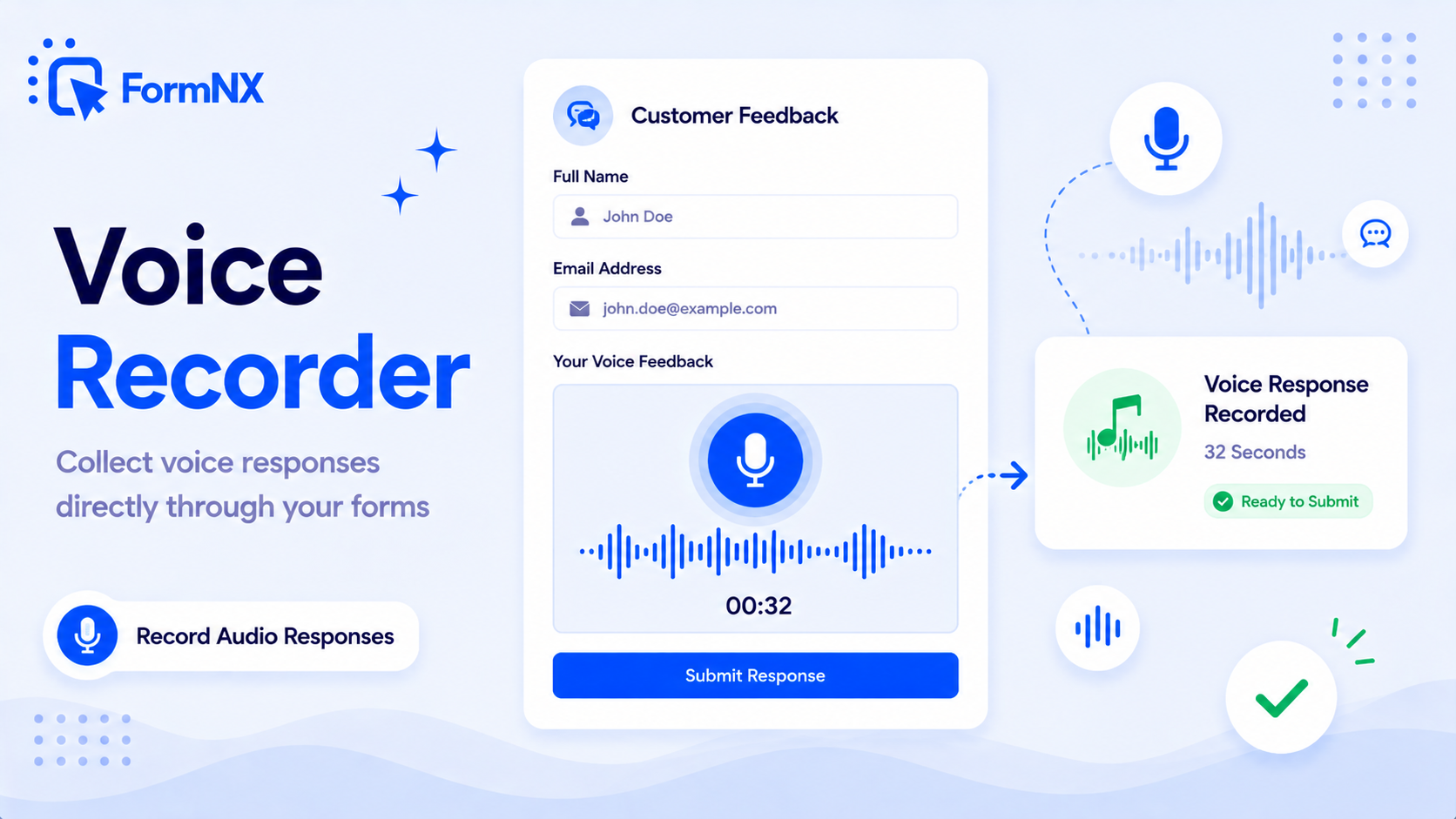
Capture audio responses right inside your form. Respondents record, preview, and re-record - ideal for feedback, testimonials, language assessments, and support requests.








































Get up and running in minutes
How to Use Voice Recorder
Add the Voice Recorder Element to Your Form
Respondent Taps Record and Speaks
They Preview and Re-record if Needed
The Audio Arrives With the Submission
What Is a Voice Recorder Form Field?
A voice recorder field is a form question answered by speaking instead of typing. You add the Voice Recorder element to your form, the respondent taps record and talks, and the audio arrives attached to their submission alongside every other answer. It runs in the browser they already have open - there is no app to download, no plugin to install, and no separate recording tool to send them to.
The reason to use one is simple: people say more than they type. A text box asking "how did you find the service?" gets you a sentence. The same question asked aloud gets you a paragraph, with tone and detail a form field would never have captured.
When a Voice Answer Beats a Text Box
- Customer feedback and testimonials - a spoken testimonial carries conviction that typed text does not, and people are far less likely to abandon the question.
- Language and pronunciation assessments - the audio is the answer, so a text field cannot do the job at all.
- Support and bug reports - describing a problem out loud takes seconds where writing it takes minutes, and you get the detail people would otherwise skip.
- Accessibility - for respondents who find typing difficult or slow, speaking is simply the easier route through your form.
Recording Audio Without a Second Tool
The usual workaround is to ask people to record on their phone and upload the file, which means a recording app, a saved file, a file-upload field, and several chances to give up along the way. Capturing the audio inside the form removes all of that - and because the respondent can play their recording back and re-record before submitting, what reaches you is a considered answer rather than a first attempt.
It is also an uncommon field in form software. Paperform, for example, has no built-in voice recorder, which is why teams needing audio answers usually end up with the upload workaround. On FormNX it is a standard element in the builder, and it works with the rest of the form - conditional logic can show the voice question only when it is relevant, and multi-step forms can place it on its own page so it does not get lost among the text fields.
Don't just take our word for it
Hear from our customers
"I've been looking for an alternative to Jotform - one that would accept payments directly from the form. The learning curve is short, supported by great customer service which never let me down."


"There are super features in this form creator. They REALLY took a lot of time to create a fantastic program. I was using another form creator but switching a lot of my forms to this application. The tech support is amazing."

"Easy to build forms from scratch with a long list of fields. Don't want to start from scratch? No problem — many templates available. Every integration I can think of is available. Customer support is quick and very helpful."


Voice Recorder: Frequently Asked Questions
-
Can a form record audio?
Yes. Add the Voice Recorder element to a FormNX form and respondents can record an audio answer directly in the browser. They tap record, speak, play it back, and re-record if they want to before submitting. The recording is saved with their submission, so you can listen to it alongside their written answers.
-
Do respondents need an app to record audio in a form?
No. Recording happens in the browser on the device they already opened the form with - phone, tablet or desktop. There is nothing for them to download, no account to create, and no plugin to install. Their browser will ask permission to use the microphone the first time, which is the only step involved.
-
What are voice answers on a form useful for?
Anywhere a written box gets you a thin answer. Customer feedback and testimonials, where people say far more out loud than they will type. Language and pronunciation assessments, where the audio is the whole point. Support requests, where describing a problem aloud is quicker than writing it. And accessibility - some respondents simply find speaking easier than typing.
-
Which form builders have a built-in voice recorder?
Very few. It is one of the least common fields in form software - Paperform, for instance, has no built-in voice recorder at all, which is why teams needing audio answers usually end up bolting on a separate recording tool and asking respondents to upload a file. FormNX includes the voice recorder as a standard element in the builder, so the audio is captured inside the form itself rather than in a second app.
Ready to Use Voice Recorder?
Start building professional forms with this powerful feature today
Get Started Free NowOther features that work great with Voice Recorder
More Related Features
Quiz Mode
Turn any form into a scored quiz. Set correct answers per question, assign points (per-question or a default), define yo...
See How It WorksForm Timer
Add a countdown time limit to any form or quiz. Set a whole-form timer or per-page timers, auto-submit when time runs ou...
See How It WorksE-Signature Forms
Add a real e-signature field to any form. Respondents draw their signature right inside the form on any device - free, n...
See How It Works
- Alternatives
- Jotform Alternative
- Typeform Alternative
- Google Forms Alternative
- SurveyMonkey Alternative
- Contact Form 7 Alternative
- Paperform Alternative
- Microsoft Forms Alternative
- Fillout Alternative
- Tally Forms Alternative
- Gravity Forms Alternative
- Cognito Forms Alternative
- Formstack Alternative
- Wufoo Alternative
- All Alternatives
- Pricing Guides
- Jotform Pricing
- Typeform Pricing
- SurveyMonkey Pricing
- Use Cases
- No-Code Form Builder
- Online Survey Builder
- AI Form Builder
- Online Quiz Maker
- Job Application Form Builder
- Order Form Builder
- Screen Printing Order Form
- Wholesale Order Form
- WordPress Form Builder
- Contact Form
- Nonprofit Form Builder
- Squarespace Form Builder
- Wix Form Builder
- Webflow Form Builder
- Framer Form Builder