White Label Form Builder
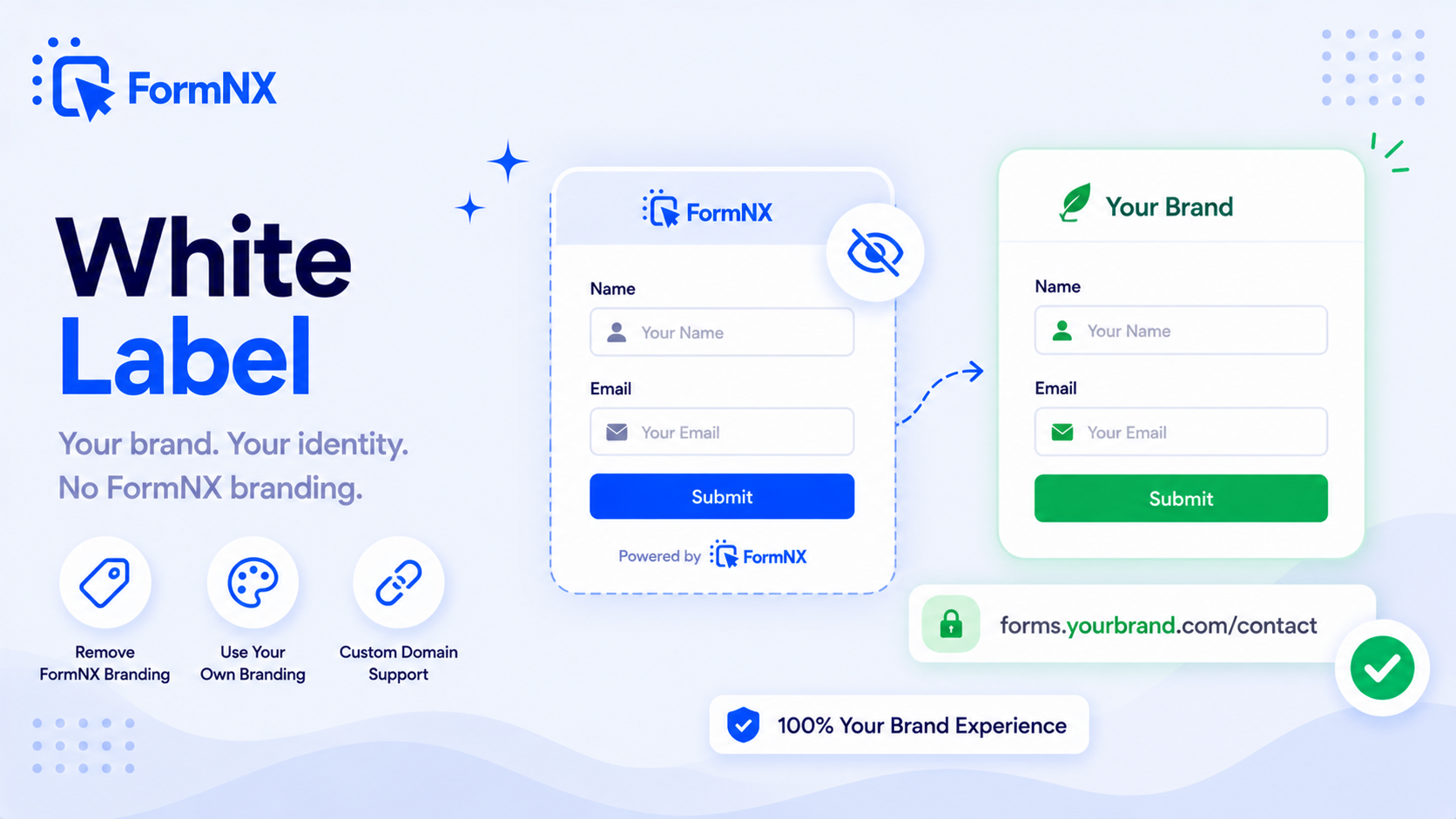
Rebrand FormNX as your own form builder - replace the logo, drop the "Powered by" badge, customise SEO metadata, and ship white-label PDFs and emails. No enterprise tier required.








































What makes it essential for your forms
Why Use White Label Form Builder?
Embed on Your Website Like Your Own Form
The form lives on your domain - yourdomain.com/contact, /register, /apply. Respondents see your URL, your header/footer, and the form picks up your page CSS exactly. No visible third-party tool.
Remove FormNX Branding
No "Powered by FormNX" footer, no FormNX logo on the submit button, no backlink to FormNX. The form, the PDF, and the email all carry only your brand.
White-Label PDF Exports
Auto-generated PDFs from form submissions carry your logo, your colours, your header and footer - and zero FormNX branding. Perfect for branded receipts, contracts, and reports.
White-Label Email Notifications
Send confirmation and admin emails from your own domain via SMTP, with your from-name, your template, and no FormNX wordmark in the footer.
Per-Form SEO Metadata
Set the page title, meta description, OG image, and canonical URL per form - so each form has its own brand identity, not a shared global setting.
No Enterprise Contract Required
Jotform and 123FormBuilder gate white labeling behind Enterprise (custom contract, sales-led). FormNX ships all white-label controls on the Pro tier - self-serve, monthly/yearly billing.
Get up and running in minutes
How to Use White Label Form Builder
Upload Your Logo & Favicon
Turn Off the FormNX Badge
Send Emails From Your Domain (SMTP)
Customise SEO Metadata Per Form
What Is a White Label Form Builder?
A white label form builder lets you serve forms under your own brand rather than the form-builder vendor's brand. End users see your logo, your colours, your email sender, and your per-form metadata - not the third-party tool that powers it. For agencies serving clients, SaaS products embedding forms inside their app, consultants building intake flows, and partner channels rolling out shared forms, white labeling is not cosmetic - it is the difference between looking professional and looking like you outsourced.
FormNX is a white label form builder that ships every white-label control in the Pro tier - no enterprise sales call, no minimum seat count, no custom contract. You get a real form builder for agencies and SaaS teams: embed on your own website, logo and favicon replacement, badge removal, white-label PDFs, white-label emails, and per-form SEO control - end to end.
Embed on Your Website Like It is Your Own Form
The most practical white-label experience is the form living inside your website. Embed the FormNX form on your yourdomain.com/contact page, yourdomain.com/register page, or any URL you own, and respondents never leave your site - they see your domain in the browser bar, your header and footer around the form, and your existing page layout surrounding it. Use the Gutenberg block on WordPress, the embed snippet on Webflow, Shopify, Wix, or any HTML site, or trigger the form as a popup overlay on top of your own page. With custom CSS the form picks up the typography, colours, and spacing of the surrounding page exactly - so it fits the page the way you want it, indistinguishable from a form you custom-coded yourself.
Remove the "Powered by FormNX" Badge
Every free-tier form builder shows a "Powered by" footer on submitted forms - the vendor's ad on your form, on your audience. The FormNX white label form builder turns it off entirely. No "Powered by FormNX" badge in the form footer, no FormNX logo on the submit button, no link back to FormNX from your forms. The form is yours, end to end.
Custom Logo, Favicon & Brand Colours
Upload your logo to replace the FormNX logo in the form header, set a custom favicon shown in the browser tab, and define brand colours that flow through buttons, accents, progress bars, and validation states. Combine with custom CSS for pixel-level styling beyond the brand colour controls - if you need a specific shadow, type ramp, or component override, you can drop it in.
White-Label PDF Exports: Branded Receipts, Contracts and Reports
Every form submission can auto-generate a branded PDF receipt, contract, or report via the PDF builder. White-label PDFs include your logo (not FormNX's), your colours, your header and footer, your contact information, and no FormNX branding anywhere on the document. The same PDF can be emailed to the respondent, downloaded by the admin, or sent to a workflow integration.
White-Label Email Notifications From Your Own Domain
Confirmation emails, auto-response emails, and admin notification emails all support white labeling. Send from your own domain (with SMTP setup), use your own from-name and reply-to, drop the FormNX wordmark from the email footer, and customise the email template HTML. The respondent sees a polished email that looks like your team sent it - not a generic transactional notification from a third-party tool.
Per-Form SEO Metadata Control
Most form builders give you one global brand identity. The FormNX white label form builder lets you customise SEO metadata per form: the page title, meta description, Open Graph image, and canonical URL. So a contact form on a client's domain can show that client's branding and metadata in social previews, while a registration form for a different client shows their identity - even though both run on the same FormNX workspace.
White Label Form Builder for Agencies
Agencies building forms for multiple clients need workspace separation, per-workspace branding, and the ability to invite clients without exposing FormNX as the underlying tool. The agency workflow on FormNX: create one workspace per client, upload their logo and favicon, configure their email sender (SMTP), customise their brand colours and per-form SEO metadata, embed each form directly on the client's website so it lives at their domain, and invite the client as a workspace member. Each client sees their own brand only - no shared FormNX dashboard, no mixed branding, no "Powered by" footer revealing the agency's tool stack. See the form builder for agencies page for the full agency workflow.
White Label Form Builder for SaaS & Embedded Use Cases
SaaS products that embed forms inside their own app - intake flows, support requests, feedback widgets, lead capture - need the form to feel like a native part of the product, not a third-party iframe. FormNX white labeling makes embedded forms indistinguishable from in-product UI: your CSS, your typography, your interactive states, your branding, no badge. Combine with custom JavaScript for hooking form events into your product analytics or workflow.
FormNX White Label vs Jotform Enterprise vs 123FormBuilder Enterprise
Jotform offers white labeling only on the Enterprise plan (custom contract, sales-led). 123FormBuilder also gates white labeling behind Enterprise. Wufoo removes its badge on paid plans but still sends every notification from [email protected], and SurveyMonkey does not offer true white labeling at all on standard plans. FormNX ships every white-label control - embed on your website, logo replacement, badge removal, white-label PDFs, white-label emails, per-form SEO - on the Pro tier. No enterprise sales call, no minimum seat count, no custom contract. Self-serve, monthly/yearly billing, white-label form builder ready in minutes.
The practical difference is not the feature list - most of these tools can eventually remove their branding. It is what you have to do to get there. Here is how each one gates it:
| Form builder | What it takes to remove branding | Sales call required? | Scope |
|---|---|---|---|
| FormNX | Pro plan - self-serve signup | No | Logo, favicon, badge removal, white-label PDFs and emails, per-form SEO metadata |
| Jotform | Enterprise - custom contract | Yes | Full white label, but only after an enterprise agreement |
| 123FormBuilder | Enterprise tier | Yes | White-label controls published under their Enterprise plan |
| SurveyMonkey | Premier tier and above | No, but it is the top individual tier | Lower tiers still show the "Powered by SurveyMonkey" footer |
| Typeform | Plus plan and above | No | Removes Typeform branding; not a full white-label suite |
| Formidable Forms | Paid licence | No | WordPress sites only - not a hosted form builder |
Three of the results that currently outrank this page for "white label form builder" are Enterprise landing pages. If you are an agency with four clients or a consultant with one, an enterprise contract is not a pricing tier - it is a barrier. That is the gap FormNX is built for. Competitor plan names change over time, so check each vendor's own pricing page before you commit; the gating pattern above is what to look for.
Common use cases where White Label Form Builder excels
What You Can Build with White Label Form Builder
Don't just take our word for it
Hear from our customers
"I've been looking for an alternative to Jotform - one that would accept payments directly from the form. The learning curve is short, supported by great customer service which never let me down."


"There are super features in this form creator. They REALLY took a lot of time to create a fantastic program. I was using another form creator but switching a lot of my forms to this application. The tech support is amazing."

"Easy to build forms from scratch with a long list of fields. Don't want to start from scratch? No problem — many templates available. Every integration I can think of is available. Customer support is quick and very helpful."


White Label Form Builder: Frequently Asked Questions
-
What is a white label form builder?
A white label form builder is a form-building tool that lets you serve forms under your own brand rather than the vendor's brand. End users see your logo, your colours, your email sender, and no "Powered by" footer - so forms look like a native part of your product, agency work, or SaaS offering. FormNX is a white label form builder that ships embed-on-your-website, logo replacement, badge removal, white-label PDFs and emails, and per-form SEO control on its Pro tier.
-
How does the form look like part of my own website?
You embed the FormNX form directly on your website (WordPress Gutenberg block, Webflow embed, Shopify, Wix, or plain HTML snippet on any site). The form then lives at your URL - for example yourdomain.com/contact - inside your existing page layout, header, and footer. Respondents never leave your site and never see formnx.com in the browser bar. With custom CSS the form also picks up the surrounding page typography, colours, and spacing exactly, so it fits the page the way you want it to and looks indistinguishable from a form you custom-coded in-house.
-
Does FormNX remove the "Powered by" footer on white-label forms?
Yes. On the Pro tier white-label form builder, the "Powered by FormNX" footer is removed entirely. No badge in the form footer, no FormNX logo on the submit button, no backlink to FormNX. The form is yours, end to end - and the same applies to PDF exports and email notifications.
-
Is white labeling included in the free plan?
No - white labeling (embed-on-your-website, logo replacement, badge removal, white-label PDFs and emails, per-form SEO) is a Pro-tier feature. Unlike Jotform and 123FormBuilder, FormNX does NOT require an enterprise contract for white labeling. It is on a standard self-serve Pro plan with monthly/yearly billing, available to any user without sales calls or minimum seat counts.
-
Can each form have its own SEO metadata?
Yes. Each form on the FormNX white label form builder can have its own page title, meta description, Open Graph image, and canonical URL. So an agency can run a contact form for Client A with Client A's branding and metadata in social previews, plus a registration form for Client B with Client B's identity - on the same workspace.
-
Do exported PDFs and emails include FormNX branding?
On the white-label tier, no. PDF exports generated from form submissions carry only your logo, colours, header, and footer - no FormNX branding anywhere on the document. Email notifications (confirmations, auto-responses, admin alerts) are sent from your own domain via SMTP, with your template, your from-name, and no FormNX wordmark in the email footer.
-
Is FormNX a good white label form builder for agencies?
Yes - the FormNX white label form builder is built for agency workflows. Create one workspace per client, upload their logo and favicon, configure their email sender (SMTP), customise their brand colours and per-form SEO metadata, embed each form directly on the client's website so it lives at their domain, and invite them as a workspace member. Each client sees only their own brand - no shared FormNX dashboard, no mixed branding, no "Powered by" footer that reveals the agency's tool stack. See the form builder for agencies page for the full agency workflow.
-
How does FormNX white labeling compare to Jotform Enterprise or 123FormBuilder Enterprise?
Jotform and 123FormBuilder both gate white labeling behind their Enterprise plans (custom contract, sales-led, minimum seat counts, often annual commitments). FormNX includes every white-label control - embed-on-your-website, logo replacement, badge removal, white-label PDFs and emails, per-form SEO - on a standard self-serve Pro plan with monthly/yearly billing. No enterprise contract, no sales process, no minimum seats. White-label form builder ready in minutes, not weeks.
-
Can I white label Jotform, or do I need Jotform Enterprise?
Jotform only offers white labeling - removing Jotform branding, adding your own logo, and a custom domain - on its Enterprise plan, which is custom-quoted, sales-led, and carries minimum seat counts. There is no white labeling on Jotform's Starter, Bronze, Silver, or Gold tiers. FormNX takes the opposite approach: every white-label control - badge removal, your own logo, white-label PDFs and emails, per-form SEO, and embedding the form on your own domain - is included on the self-serve Pro tier, with no enterprise contract and no sales call.
-
Can I use my own domain for white-label forms?
The branded experience comes from embedding the form on a page you already own. Drop it on yourdomain.com/contact or yourdomain.com/apply and respondents see your domain in the address bar, your header and footer around the form, and your page layout - they never leave your site. For agency and SaaS work that is usually exactly what "our own domain" means in practice. To be straight about the limit: FormNX does not currently offer a CNAME option that re-hosts the standalone form link itself on your domain, so if you share the direct form URL rather than embedding it, that link is a FormNX address. If a custom form domain is a hard requirement for your use case, talk to our team before you buy rather than assuming it is available.
-
Can SaaS companies and ISVs white label FormNX inside their own product?
Yes, for the embedded case. You can drop a form inside your own application - intake, onboarding, support requests, feedback - and use custom CSS and JavaScript so it inherits your product's typography, spacing and interactive states rather than looking like a third-party iframe. The badge is off, PDFs and notification emails carry your branding, and each customer can sit in their own workspace with their own logo, sender address and per-form metadata. What we would not want you to assume from a marketing page is the commercial side: OEM, reseller and partner-channel arrangements depend on volume and on how you intend to bill your own customers, and those terms are not published here. Contact us with your model and we will tell you plainly whether it fits.
-
Is white labeling forms legal?
Yes. White labeling is a standard, legal business model - you are licensing a tool and presenting it under your own brand, which is exactly what white-label software is built for. When you white label forms on the FormNX Pro tier you are within FormNX's terms: you remove FormNX branding and serve the forms as your own to your clients or users. White labeling only becomes a problem if you breach a vendor's specific terms - for example, stripping branding on a plan that does not permit it - so always white label on a plan that supports it, which on FormNX is the Pro tier.
Need More Help?
Check out the detailed documentation for White Label Form Builder
View DocumentationReady to Use White Label Form Builder?
Start building professional forms with this powerful feature today
Get Started Free NowOther features that work great with White Label Form Builder
More Related Features
Options with Images
Make radio buttons and checkboxes visual. Add images and descriptions to each option - ideal for product selection, visu...
See How It WorksProgress Bar
Show respondents exactly how far along they are. The visual progress bar reduces abandonment and keeps people moving thr...
See How It WorksSEO Optimization
Add custom meta titles, descriptions, and Open Graph tags so your standalone forms rank in search results and look great...
See How It Works
- Alternatives
- Jotform Alternative
- Typeform Alternative
- Google Forms Alternative
- SurveyMonkey Alternative
- Contact Form 7 Alternative
- Paperform Alternative
- Microsoft Forms Alternative
- Fillout Alternative
- Tally Forms Alternative
- Gravity Forms Alternative
- Cognito Forms Alternative
- Formstack Alternative
- Wufoo Alternative
- All Alternatives
- Pricing Guides
- Jotform Pricing
- Typeform Pricing
- SurveyMonkey Pricing
- Use Cases
- No-Code Form Builder
- Online Survey Builder
- AI Form Builder
- Online Quiz Maker
- Job Application Form Builder
- Order Form Builder
- Screen Printing Order Form
- Wholesale Order Form
- WordPress Form Builder
- Contact Form
- Nonprofit Form Builder
- Squarespace Form Builder
- Wix Form Builder
- Webflow Form Builder
- Framer Form Builder