Response Limits
Cap the total number of responses your form accepts. Set a limit - say 100 - and the form automatically stops accepting new responses the moment it reaches that many completed submissions. Built in, no add-on required.
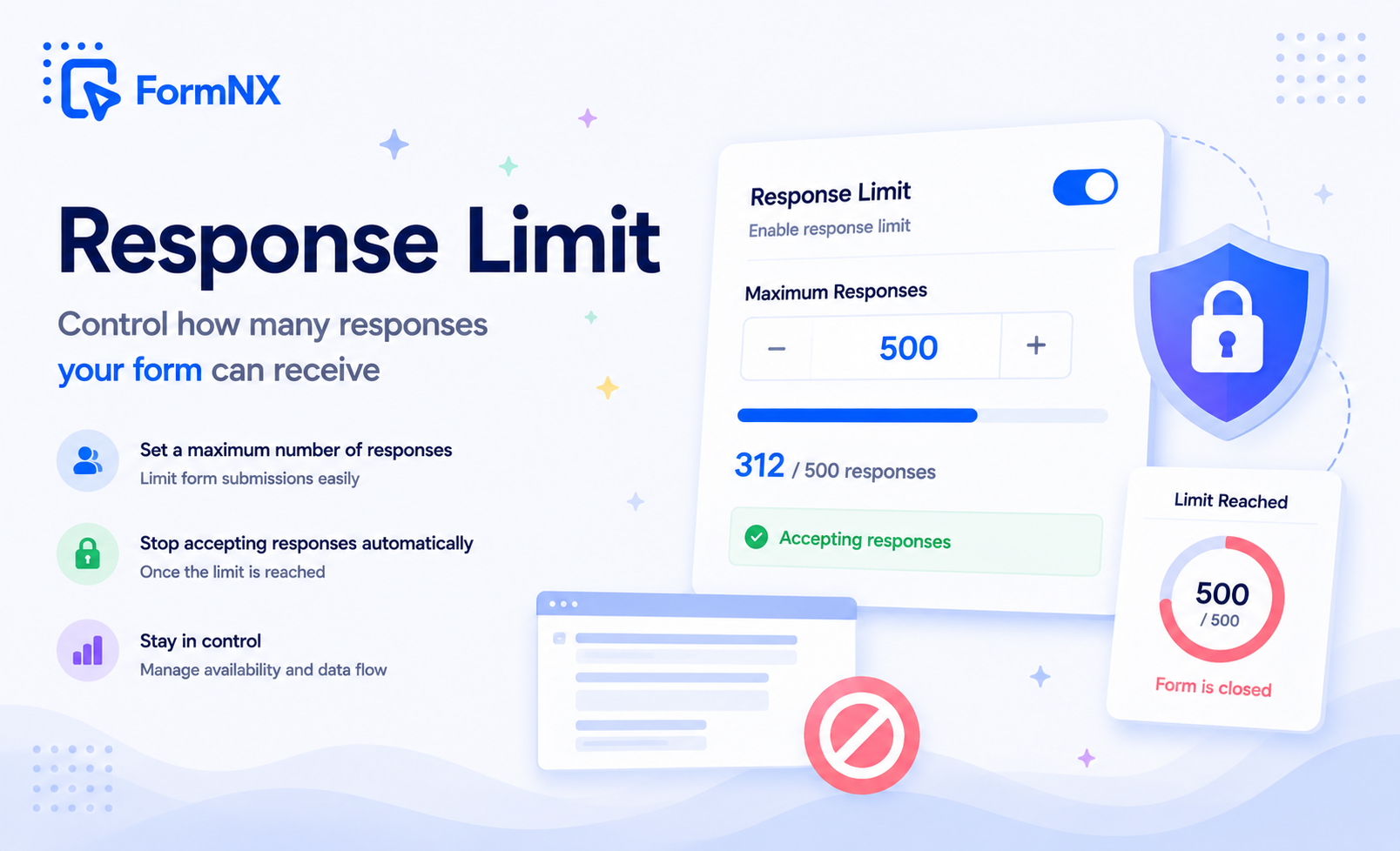








































The gap between "we can only take so many" and a form that enforces it
Capping Responses Is Harder Than It Should Be
Signups Blow Past Capacity
An event has 100 seats, but the form keeps taking submissions after number 100. Now you are emailing people to say they did not actually get in, or scrambling to build a waitlist after the fact.
You Are Stuck Watching the Count
Without an automatic cap, the only way to stop at a number is to refresh the responses and close the form by hand at the right second - impossible when submissions arrive overnight or in a rush.
Google Forms Can Only Limit Signed-In Users
Google Forms can now cap the total, but "one response per person" only works by forcing every respondent to sign in to Google - which loses the customers, patients and guests who do not have or want an account.
Native Caps Are Bare and Unbranded
Even where a response cap exists, the closed screen is a plain "not accepting responses" line. There is no room to explain what happened, point people to a waitlist, or keep it on-brand.
Half-Finished Forms Skew the Count
If a cap counts every person who opened the form, abandoned attempts eat into your limit and it closes before you actually have the responses you needed.
A Date Alone Is Not Enough
A deadline cannot stop a form at a headcount. If demand spikes, a date-only close lets a form blow past the number you can actually handle long before the deadline arrives.
A response cap built into the form, not bolted on
What Built-In Response Limits Give You
Cap the Number of Responses
Enter a response limit - 50, 100, 1,000, whatever you need. The form automatically stops accepting new responses the moment it reaches that many completed submissions, so you never go over capacity.
Closes Itself at the Limit
No refreshing the response count and closing the form by hand. The cap is enforced automatically, whether the last submission arrives at 3 PM or 3 AM, so you can set it and walk away.
Only Completed Submissions Count
People who open the form and leave without finishing do not use up a slot. The cap reflects real, completed responses - so you get the number you actually asked for, not a room full of half-filled forms.
Your Own "Form Is Full" Message
When the cap is reached, visitors see a message you write in a rich text editor - not a bland system line. Say the spots are gone, link to a waitlist, or point people to the next opening.
Cap and Deadline Together
Combine a response limit with <a href="/form-features/form-scheduling">form scheduling</a> and the form closes on whichever comes first - the cap or the date. "100 responses or Friday, whichever is sooner" is a single setup.
No Add-On, No License Key
Response limits are native to FormNX. There is nothing to install from a marketplace, no license key to renew, and no third-party script that can quietly break on the day your cap matters most.
Works Wherever You Publish
The cap travels with the form itself - shared link, website embed, or popup. Once the limit is hit it is closed everywhere at once, with nothing to reconfigure per channel.
Change the Cap Anytime
Raise the limit when you find room for more people, lower it, or reopen a form that already filled up - in seconds. Edit the number whenever plans change and it takes effect right away.
Get up and running in minutes
How to Use Response Limits
Open Settings and Turn On Form Scheduling
Enter Your Maximum in the Responses Limit Field
Write the Message People See Once It Is Full
FormNX Closes the Form When the Cap Is Reached
What Is a Form Response Limit?
A form response limit is a cap on how many submissions a form will accept. You set a number - say 100 - and the form automatically stops accepting new responses once it reaches that many completed submissions, then shows a "closed" message instead of the form. It is the simplest way to run a first-come, first-served signup, hold an event to its seat count, or cap a giveaway, without watching the response count and closing the form by hand. FormNX builds the response limit into the form builder, so it is a single field in your form settings - nothing to install and no add-on to manage.
How to Set a Response Limit
Open your form settings, turn on Form Scheduling, and enter your maximum in the Responses Limit field. That is the whole setup. From then on, FormNX counts completed submissions against your number and closes the form the instant the count reaches it. The cap is enforced automatically whether the final response lands at 3 in the afternoon or 3 in the morning, so you can set the limit and step away instead of refreshing the responses page waiting to close it at the right moment.
Only Completed Submissions Count
FormNX counts a response toward your limit only when it is actually completed. Someone who opens the form, starts typing, and leaves without submitting does not use up one of your slots. That matters: if a cap counted every visitor who touched the form, abandoned attempts would eat into your limit and close the form before you had the responses you needed. Counting completed submissions means the cap reflects real responses, so a limit of 100 gives you 100 finished responses, not 100 people who merely opened the page.
Show a Custom Message When the Form Is Full
When the limit is reached, visitors see a closed message you write yourself in a rich text editor - not a bland system line. Use it to say the spots are gone, thank people for their interest, link them to a waitlist or a different form, or announce when the next round opens. You can format the text and even add an image. A full form becomes a useful signpost instead of a dead end, and it stays on-brand rather than showing a generic "not accepting responses" notice.
Response Limits Compared With Google Forms
Since January 2026 Google Forms can close itself after a set number of responses (see how to limit responses in Google Forms). Its one-response-per-person limit still works only by making every respondent sign in to Google, and scheduled opening still needs an add-on such as Form Limiter, with license keys, permission prompts and a habit of failing on the day it matters. FormNX needs none of that: the response limit is a native feature of the builder, so there is nothing to install and nothing that can silently stop working mid-signup. If you are choosing a form tool specifically to escape the Google Forms add-on treadmill, see the Google Forms alternative comparison for the full picture.
Cap by Number, Deadline, or Both
A response limit closes a form based on headcount. Sometimes you also want to close it based on time - registration ends Friday whether or not you hit the cap. Because the response limit and form scheduling live in the same settings panel, you can use either or both. Set both a limit and an end date and the form closes on whichever comes first: reach the cap early and it closes early, otherwise it closes on the date. "100 responses or Friday at 5 PM, whichever is sooner" is one configuration, not a workaround.
First-Come, First-Served, Enforced Automatically
Response limits shine any time supply is fixed and demand is not. A workshop with a set number of seats, a giveaway capped at a fixed number of entries, a volunteer slot with limited places, a product drop with limited stock - all of them need the form to stop at a number, on its own, the moment that number is reached. FormNX turns "we can only take the first 50" from a promise you have to police into a rule the form enforces for you, so nobody submits after the spots are gone.
Change the Limit Whenever You Need To
Caps are not always final. You can edit the response limit at any time - raise it when a bigger venue frees up more seats, lower it, or reopen a form that already filled by increasing the number. The change takes effect immediately, so responding to demand never means rebuilding the form or exporting and starting over. The limit is a setting you can adjust as the situation changes, not a one-way decision.
Common use cases where Response Limits excels
What You Can Build with Response Limits
Don't just take our word for it
Hear from our customers
"I've been looking for an alternative to Jotform - one that would accept payments directly from the form. The learning curve is short, supported by great customer service which never let me down."


"There are super features in this form creator. They REALLY took a lot of time to create a fantastic program. I was using another form creator but switching a lot of my forms to this application. The tech support is amazing."

"Easy to build forms from scratch with a long list of fields. Don't want to start from scratch? No problem — many templates available. Every integration I can think of is available. Customer support is quick and very helpful."


Response Limits: Frequently Asked Questions
-
Can I limit the number of responses a form accepts?
Yes. In your form settings, turn on Form Scheduling and enter a number in the Responses Limit field. FormNX counts completed submissions and automatically closes the form the moment it reaches that limit, so you never collect more than you set.
-
What happens when the form reaches its response limit?
The form stops accepting new responses and shows the closed message you wrote instead of the form. Anyone who opens the link after the limit is reached sees that message rather than being able to submit.
-
How do I limit responses on Google Forms?
Google Forms can now close after a set number of responses, and its Limit to 1 response setting stops repeats by requiring a Google sign-in. Our guide on how to limit responses in Google Forms walks through both. In FormNX the response limit is built in, and duplicate checks work on email or IP address without any sign-in.
-
Do incomplete or abandoned submissions count toward the limit?
No. Only completed submissions count against your response limit. Someone who opens the form and leaves without finishing does not use up a slot, so the cap reflects real responses rather than casual visitors.
-
Can I use a response limit and a deadline together?
Yes. Combine a response limit with form scheduling and the form closes on whichever comes first. For example, "close at 100 responses or on Friday" is a single setup - hit 100 early and it closes early, otherwise it closes Friday.
-
Can I change the response limit after publishing the form?
Yes. You can edit the limit at any time, before or after the form goes live. Raise the cap when you have room for more people, lower it, or reopen a filled form by increasing the number - the change takes effect immediately.
-
What do people see when the form is full?
They see a closed message that you write yourself in a rich text editor. You can say the spots are gone, thank them, link to a waitlist or another form, or say when the next round opens - and even add an image - so a full form still does something useful.
-
Does the response limit work on embedded and shared forms?
Yes. The cap belongs to the form itself, so it applies everywhere you publish it - a shared link, a website embed, or a popup. Once the limit is reached the form is closed across every channel at once.
-
Do I need a paid add-on for response limits?
No add-on at all. Response limits are a native FormNX feature configured right in the form settings - there is nothing to install from a marketplace and no license key to manage.
-
Can I set a response limit per day?
The response limit is a total cap across the life of the form rather than a per-day quota. To run a fresh cap each day, you can reopen or duplicate the form and reset the limit for the new period.
Ready to cap responses on your form?
Start building professional forms with this powerful feature today
Get Started Free NowOther features that work great with Response Limits
More Related Features
Reporting & Charts
See responses as pie charts, bar graphs, and summary stats - no spreadsheet gymnastics required. Share visual reports wi...
See How It WorksAutomatic Reference Numbers
Auto-assign a unique tracking ID to every submission. Customize the prefix, suffix, start number, and digit count to mat...
See How It WorksPDF Builder
Auto-generate branded PDFs - invoices, certificates, contracts, summaries - filled with each respondent's data. Email th...
See How It Works
- Alternatives
- Jotform Alternative
- Typeform Alternative
- Google Forms Alternative
- SurveyMonkey Alternative
- Contact Form 7 Alternative
- Paperform Alternative
- Microsoft Forms Alternative
- Fillout Alternative
- Tally Forms Alternative
- Gravity Forms Alternative
- Cognito Forms Alternative
- Formstack Alternative
- All Alternatives
- Pricing Guides
- Jotform Pricing
- Typeform Pricing
- SurveyMonkey Pricing
- Use Cases
- No-Code Form Builder
- Online Survey Builder
- AI Form Builder
- Online Quiz Maker
- Job Application Form Builder
- Order Form Builder
- Screen Printing Order Form
- Wholesale Order Form
- WordPress Form Builder
- Contact Form
- Nonprofit Form Builder
- Squarespace Form Builder
- Wix Form Builder
- Webflow Form Builder
- Framer Form Builder