🔀 Randomising Quiz Question Options
Randomizing quiz question options enhances the integrity of your quizzes.
Randomizing options ensures that the answer choices are presented in different orders for different quiz-takers, preventing potential cheating.
It can be enable for Dropdown, Radio, and Checkbox quiz questions in FormNX.
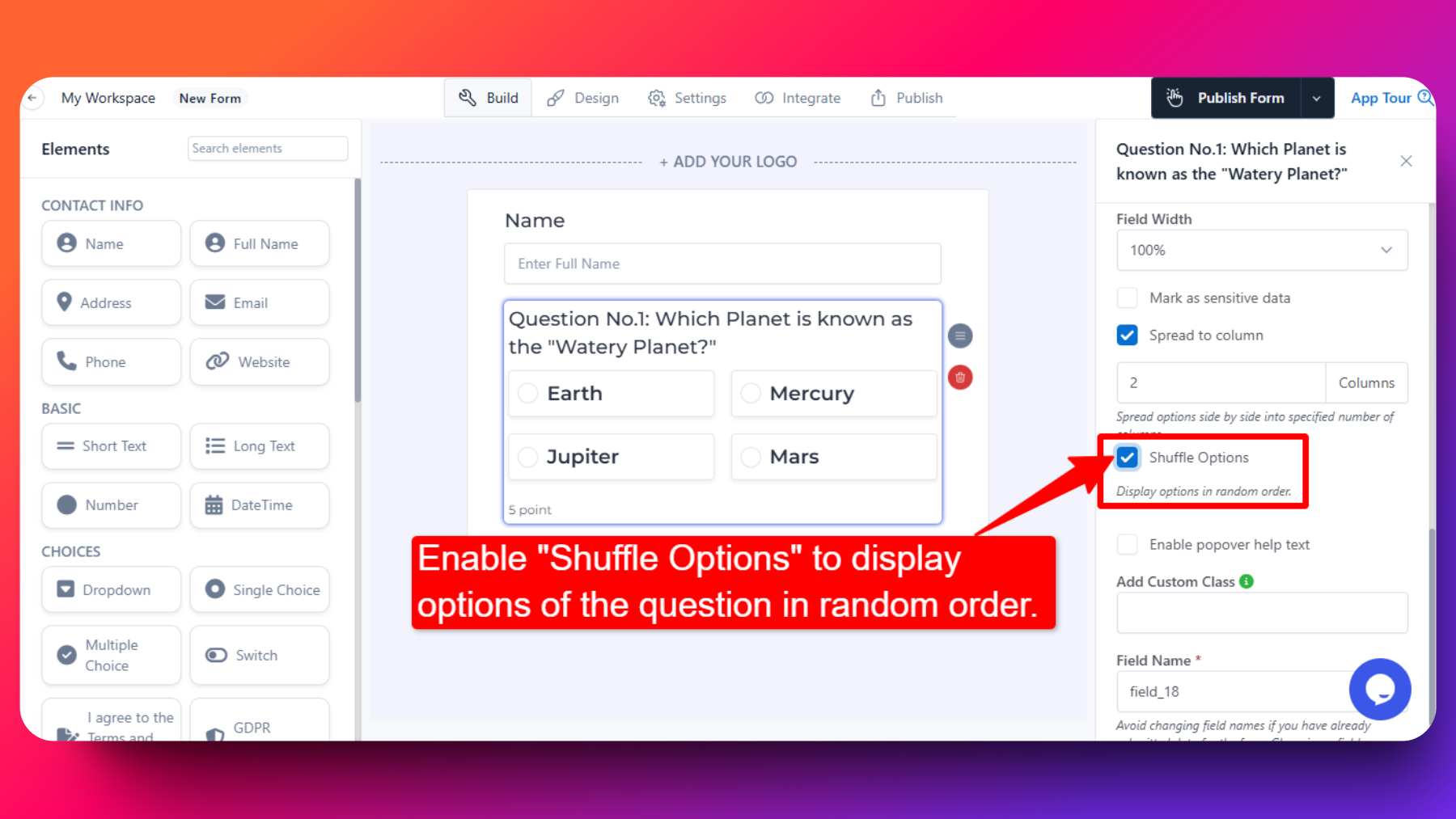
Steps to Randomizing Quiz Question Options
For each question where you want to randomize the options, turn on the "Shuffle Options" toggle switch in the element config.
This ensures that the answer choices are presented in a different order for each quiz-taker.
Randomising options vs. randomising questions
Shuffle Options changes the order of the answer choices inside a question — everyone still gets the same questions.
If you want each respondent to get a different set of questions altogether, use Show a Random Subset of Questions instead (a Pro feature): build a large question bank in one form and let FormNX pick a limited number of questions at random for each respondent.
You can use both together — different questions and differently ordered options.
FAQs
Does randomizing options impact the correct answer?
No
Can I randomize which questions each respondent gets, not just the options?
Yes. Turn on Show a random subset of questions in Settings → Quiz Mode and enter how many questions each respondent should answer. See Show a Random Subset of Questions.
Will enabling shuffle impact the visual layout of my form?
Enabling shuffle only affects the order in which options are presented to quiz-takers. It does not impact the overall visual layout or design of your form.