Supervisor Evaluation Form Template
What is a Supervisor Evaluation Form?
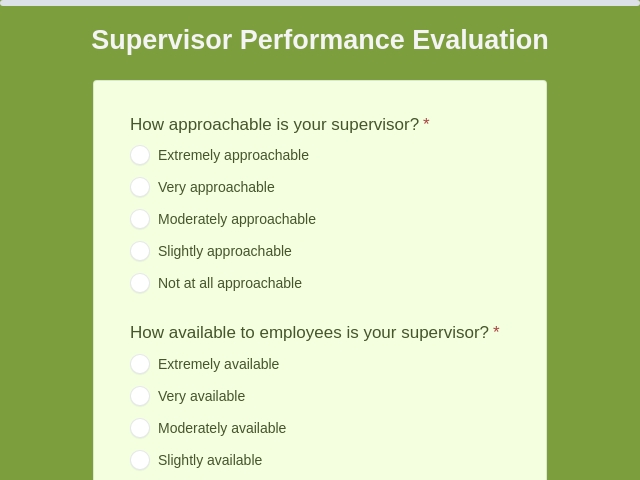
The Supervisor Evaluation Form is a feedback tool employees use to rate their manager's leadership, communication, and management skills. It helps to identify strengths and areas for improvement.
What is the use of the Supervisor Evaluation Form?
This form gathers honest employee feedback on supervisor effectiveness, work ethic, and management style. HR uses it for performance reviews, promotions, or training needs. It improves workplace culture, boosts team morale, and ensures fair leadership evaluations.
What information is collected in the Supervisor Evaluation Form?
A Supervisor Evaluation Form typically collects the following information:
- Employee Information (Name, department, employee ID)
- Supervisor Details (Name, position, team size managed)
- Leadership Skills
- Communication Skills
- Management Abilities (Problem-solving, time management)
- Work Ethic (Punctuality, professionalism, ethical standards)
- Support and Development
- Overall Rating
- Comments Section (Strengths, improvement areas, specific examples)
- Signature (Employee and reviewer confirmation)
Who can use this Supervisor Evaluation Form?
The Supervisor Evaluation Form can be used by:
- Employees: Team members rating their direct supervisor performance
- HR Departments: Collecting 360-degree feedback for manager reviews
- Managers: Self-evaluating or peer reviewing fellow supervisors
- Companies: During annual performance appraisals or promotion cycles
- Team Leads: Getting feedback from direct reports on leadership style
What are the benefits of an online Supervisor Evaluation Form?
The benefits of an online Supervisor Evaluation Form include:
- Anonymous submissions encourage honest feedback without fear of retaliation
- Automated rating scales and sliders make evaluations quick and consistent
- Employees can fill it out anytime, anywhere, using any device.
- Easy export to PDF for HR records or performance review meetings
- It saves time with instant data collection and no paperwork.
- Responses are automatically stored and organized, making it easy to analyze.
- Results can be quickly reviewed and shared.
- Forms can be tailored to fit specific needs and criteria.
How can you create a supervisor evaluation form or how to make an evaluation form?
To create a supervisor evaluation form, follow the steps mentioned below:
- Step 1: Log in to your FormNX account.
- Step 2: Choose from the existing template or start from scratch to create a new evaluation form.
- Step 3: Adjust the template according to your needs.
- Step 4: Include only the necessary fields that are relevant to collect feedbacks.
- Step 5: Customize the design of your form by adding a logo, background image, font style, form design, etc., to match your branding.
- Step 6: Customize the Thank You page according to your need for your users.
- Step 7: Enable Email to Me email settings so that on every submission of a form, you will receive an email notification.
- Step 8: Test the form once to make sure it works well.
- Step 9: Publish or share the form where you want to share according to your needs. You can also embed the form on your website.
Tips to Create an Effective Supervisor Evaluation Form
To create an effective Evaluation form, follow these tips:
- Use easy words that everyone understands.
- Add yes/no, ratings, and open-ended questions.
- Ask clear questions for detailed answers
- Limit to 10-15 questions to avoid overwhelm.
- Use 1-5 rating scales for skills like "communication".
- Use progress bars to show completion status.
- Cover essential topics like communication, decision-making, team management, and conflict resolution.
- Assure confidentiality for truthful feedback.
Advanced Features that you can use in FormNX
FormNX offers many advanced features to enhance your forms, such as:
With FormNX, you can create customizable Supervisor Evaluation Forms for fair performance reviews & better leadership development. Get started now!
read more...