
If you've been collecting payments through Google Forms, chances are you've installed the Payable Forms add-on at some point. It's the most popular workaround for an old Google Forms gap — there's no native way to accept money in a Google Form, so the Payable Apps add-on stitches Stripe, PayPal, Square, Rapyd, or Razorpay into the response flow.
The add-on works. But it's still an add-on — installed on top of a form builder that wasn't designed for payments. If you've outgrown that setup (or you're shopping before installing), this guide compares FormNX as a native, no-add-on Google Payable Forms alternative — one form, one builder, PayPal and Stripe baked in.
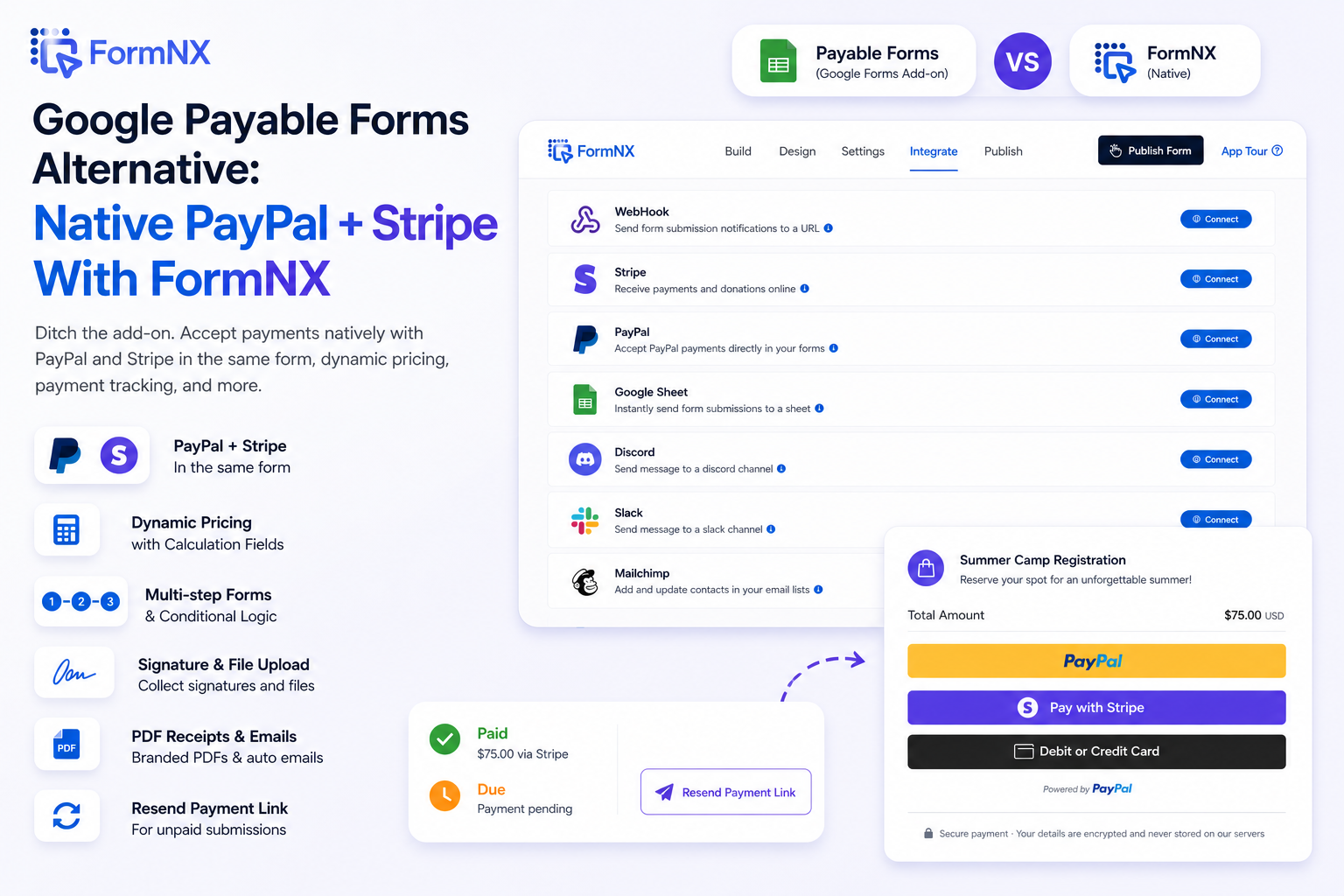
At a Glance: FormNX vs Payable Forms
| Capability | Payable Forms (Google Forms add-on) | FormNX (native) |
|---|---|---|
| Form builder | Google Forms | FormNX builder |
| Setup | Install add-on, authorize, configure sidebar | Drag-and-drop, payment is a built-in feature |
| PayPal | ✅ via Payable | ✅ native |
| Stripe | ✅ via Payable | ✅ native |
| PayPal and Stripe in the same form | ❌ one processor per form | ✅ customer picks at checkout |
| Dynamic pricing from form answers | ✅ priced lists | ✅ calculation field formulas |
| Multi-step / multi-page forms | Limited | ✅ |
| Conditional logic | Limited | ✅ |
| Native PDF builder + PDF receipts | ❌ | ✅ |
| Signature field | ❌ | ✅ |
| Resend payment link for unpaid submissions | Manual via spreadsheet | ✅ one-click resend |
| Paid / Due status on each response | Spreadsheet column | ✅ first-class status + filter |
| Free tier | Free install, fees on paid plans | Free plan available |
If you only need a Google Form with a payment button and you're staying inside Google Workspace, Payable Forms is a perfectly fine choice. If you want one tool that owns the form and the payment without juggling an add-on, keep reading.
Why People Search for a Payable Forms Alternative
Three reasons come up repeatedly in Reddit threads, support forums, and our own user interviews:
- The add-on is a layer. Payable Forms sits on top of Google Forms — meaning two product surfaces, two settings panes, and an authorization step every time someone new in the team builds a form.
- One processor per form. Most Payable Forms setups force you to pick either PayPal or Stripe per form. If half your customers prefer PayPal and the other half prefer Stripe, you either build two forms or you lose conversions.
- Limited form features around the payment. Google Forms doesn't do multi-step flows, real conditional logic, signature fields, or branded PDF receipts well. The add-on fixes payments — it can't fix the form.
This isn't a knock on Payable Apps. They built the right thing for what Google Forms is. But if your form needs are growing past "ten questions and a checkout," a builder with payments built in saves a lot of duct tape.
What Is Payable Forms?
Payable Forms is a Google Workspace add-on by Payable Apps that adds a checkout layer to Google Forms. After install, you connect a payment processor (Stripe, PayPal, Square, Rapyd, or Razorpay), set prices on your answer options ("Item Name - $10"), and Payable generates a payment page when someone submits.
Strengths:
- Lives inside Google Workspace — no new account, no migration.
- Supports the widest list of processors of any Google Forms payment add-on.
- Free to install (you pay processor fees only).
- Subscription / installment items are configurable.
Limitations:
- It's an add-on — installations, authorizations, and Workspace policies can break it.
- Form-level features stay limited to what Google Forms offers.
- One processor per form for most setups; mixing PayPal + Stripe in a single form is awkward.
- Reconciliation of unpaid submissions is a spreadsheet job.
What Is FormNX?
FormNX is a no-code form builder that treats payments as a first-class field, not an integration. PayPal and Stripe both connect at the form level. Calculation fields handle dynamic pricing. Every payment-enabled submission carries a Paid / Due status and a one-click "resend payment link" for abandoned checkouts.
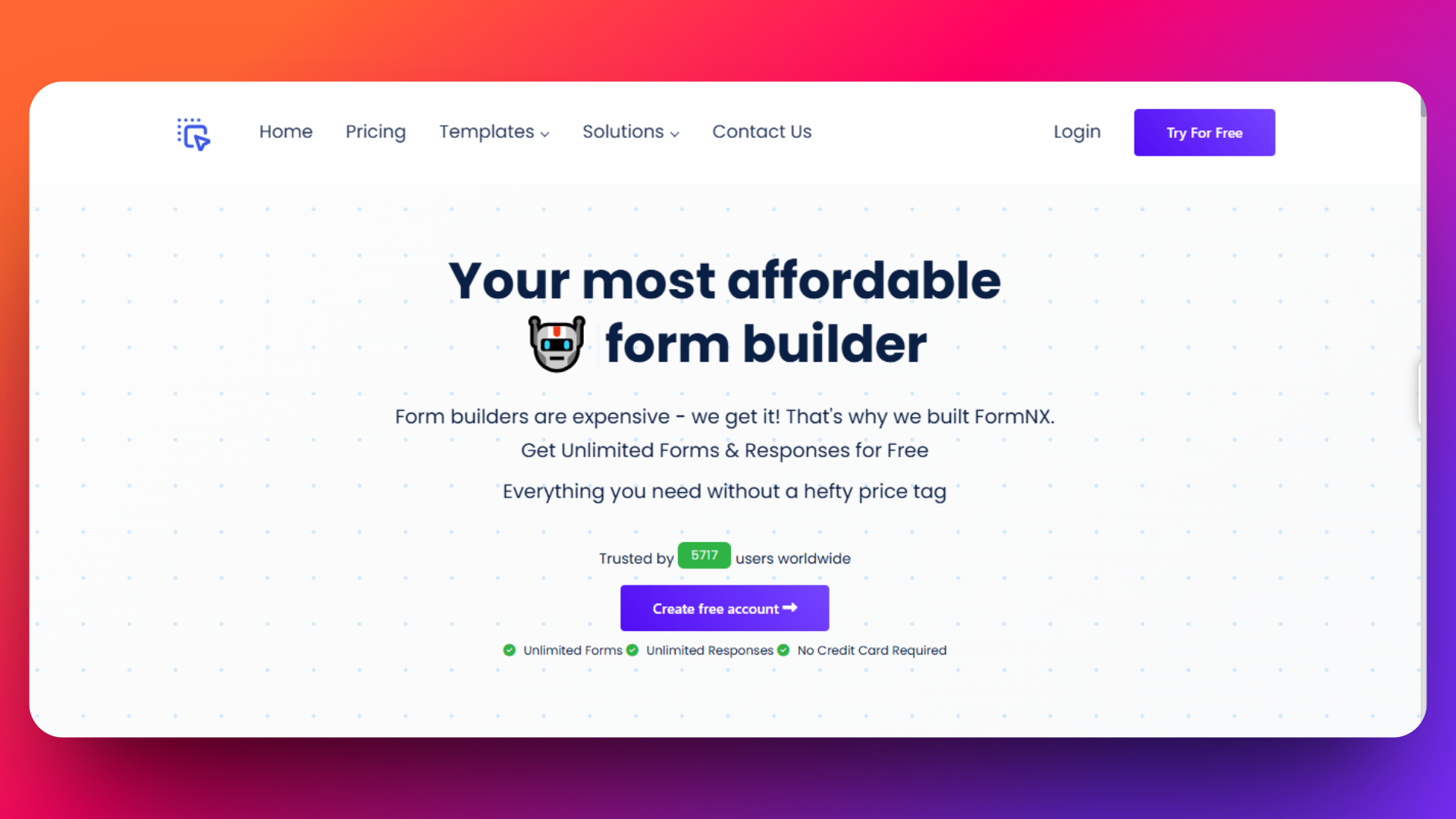
It's used by 7,000+ customers who've created 13,000+ forms and processed 5 lakh+ submissions — many of them payment forms (donations, event tickets, registrations, services).
Strengths:
- One product, one builder. No add-on dependency.
- Stripe + PayPal can coexist on the same form — customers pick at checkout.
- Calculation field for dynamic pricing (sliding scale, add-ons, group pricing, sibling discounts).
- Multi-step forms, conditional logic, signature, file upload, PDF builder, auto-confirmation email — all built in.
- 0% Stripe Connect platform fees on paid plans.
- Independent reviews on G2 and AppSumo.
Limitations:
- PayPal integration is on the Pro plan, not the free plan.
- If you're firmly committed to Google Forms as your form builder, FormNX is a different tool — not an add-on.
Feature-by-Feature Breakdown
1. Setup & Maintenance
Payable Forms: Install from Google Workspace Marketplace, authorize Google account, open a form, click the puzzle icon, configure the Payable sidebar, connect Stripe/PayPal/Square. Each new collaborator repeats the auth step. Workspace admin policy changes can break the add-on without warning.
FormNX: Sign up, drag the form calculation field onto a form, and connect the payment integration. Paste your Stripe key (or PayPal Client ID + Secret), then publish. Everything stays inside one app.
Verdict: FormNX has a flatter setup. Payable wins if you can't leave Google Forms.
2. Payment Processors Supported
Payable Forms: Stripe, PayPal, Square, Rapyd, Razorpay.
FormNX: Stripe and PayPal. Square / Rapyd / Razorpay aren't supported yet.
Verdict: Payable wins on processor count. If you specifically need Square or Razorpay, this is a real reason to stay with Payable. If Stripe and PayPal cover your need, FormNX has the edge in how it uses them — see below.
3. PayPal and Stripe in the Same Form
This is the cleanest differentiator.
Payable Forms: One processor per form. If you want both, you either build two forms (and split your data) or wire up a switch via a separate tool.
FormNX: Enable both Stripe and PayPal on the same form. The customer sees both payment options at checkout and picks the one they prefer. Submissions list shows which method was used.
This matters more than it sounds. Many merchants find that 15–30% of customers strongly prefer one method over the other — forcing a single processor leaves money on the table.
4. Dynamic Pricing
Payable Forms: Pricing is set per answer option ("T-Shirt - Large - $25"). Works well for menu-style products.
FormNX: Calculation fields let you write formulas. Need "$50 base + $20 per extra attendee + 10% if 'rush' is checked − $15 sibling discount when registrants > 1"? That's a calculation field. The total flows directly into the Stripe or PayPal charge.
Verdict: FormNX is more flexible for anything beyond fixed-price items.
5. Form Features Around the Payment
Payable Forms: Inherits Google Forms — single page (or basic sections), no real conditional logic, no signature, no native PDF receipt, basic email confirmation.
FormNX: Multi-step forms with progress bar, conditional logic (show/hide fields by answer), signature field for waivers and consent, PDF builder for branded receipts auto-emailed after payment, auto-response email with dynamic tags.
Verdict: This is the bigger picture. The payment is one moment in a flow — and FormNX gives you the rest of the flow.
6. Tracking Paid vs Unpaid Submissions
Payable Forms: Status lives in the connected Google Sheet as a column. Reconciliation = manual spreadsheet work.
FormNX: Every submission on a payment-enabled form shows Paid or Due as a first-class status badge in the responses list. You can filter by status. For Due submissions (abandoned checkouts), one click regenerates a payment link and resends it to the customer — no rebuilding the order, no chasing on email.
Verdict: FormNX, decisively. This is the feature you didn't know you needed until you have a Friday-night abandoned-cart problem.
Pricing Comparison
| Payable Forms | FormNX | |
|---|---|---|
| Add-on / signup cost | Free to install | Free plan available |
| Per-payment fee (above processor fee) | Tiered by Payable plan | 0% Stripe Connect platform fee on paid plans |
| PayPal access | Available on free install | Pro plan |
| Subscription / installment items | Yes | Stripe subscriptions supported |
| Form-builder cost | Free (Google Forms) | Free + paid plans |
Honest take: if you're processing very small volumes occasionally and you already live in Google Workspace, Payable Forms' free install is hard to beat. Once you're processing meaningful volume — or you want PayPal and Stripe, dynamic pricing, multi-step flows, or branded PDFs — FormNX's paid plans pay for themselves in saved hours and recovered abandoned payments.
For current pricing on either side, check the live pricing pages — both update independently.
Which Should You Choose?
Stay with Google Forms + Payable if:
- You can't migrate from Google Forms (Workspace policy, IT lock-in, team familiarity).
- You're collecting fixed-price items, no dynamic pricing.
- You don't care about reconciling unpaid submissions automatically.
Switch to FormNX if:
- You want one product instead of two.
- You want PayPal and Stripe in the same form.
- Your pricing involves calculations, discounts, or per-quantity logic.
- You need multi-step flows, conditional logic, signatures, or branded PDF receipts.
- You're losing money on abandoned checkouts and want a one-click resend.
- You're already comparing Google Forms alternatives more broadly — see our Google Forms alternatives roundup for the full landscape, or the focused FormNX Google Forms alternative landing page for a feature-by-feature side-by-side.
Migrating from Payable Forms to FormNX
If you decide to move, the path is short:
- List your active Payable forms. Export the linked Google Sheets so you have a record of what's been collected.
- Recreate the form in FormNX. Use a registration template or start from scratch. Most Payable forms map cleanly onto a single FormNX form.
- Connect Stripe and/or PayPal. Stripe setup guide · PayPal setup guide. Enable both if you want dual checkout.
- Set up your dynamic pricing. Replace Payable's per-option prices with FormNX calculation fields for full flexibility.
- Turn off the Payable add-on on the old Google Form once the new FormNX form is live and tested.
For PayPal specifically, our walkthrough on adding PayPal to Google Forms (and why a native builder is simpler) covers all three workaround paths and the FormNX native equivalent.
FAQ
What are Payable Forms?
Payable Forms is a Google Workspace add-on by Payable Apps that lets Google Forms accept payments. It connects to Stripe, PayPal, Square, Rapyd, or Razorpay and generates a payment page when a respondent submits the form. It's the most-installed Google Forms payment add-on.
Is Payable Forms free?
Payable Forms is free to install from the Google Workspace Marketplace. You'll still pay your payment processor's transaction fees (Stripe, PayPal, etc.), and Payable Apps has paid plans that unlock additional features and higher transaction caps. Always check the live pricing page before committing.
What's the best alternative to Payable Forms?
It depends on whether you want to keep Google Forms or change builders.
- Keeping Google Forms: PayQ is the closest direct alternative add-on inside the Workspace Marketplace.
- Changing builders: FormNX gives you native PayPal + Stripe (in the same form), dynamic pricing, multi-step flows, signatures, PDF receipts, and a Paid/Due status with one-click resend — without an add-on.
For a wider survey, see Top 8 alternatives to Google Forms, or the dedicated FormNX vs Google Forms comparison page.
Can FormNX replace Payable Forms entirely?
Yes for most use cases. The exception is if you specifically need Square, Rapyd, or Razorpay — FormNX currently supports Stripe and PayPal only. If your processor is Stripe or PayPal (or both), FormNX covers everything Payable Forms does and adds dynamic pricing, dual checkout, payment status tracking, and richer form features.
Does FormNX charge per-payment fees on top of Stripe/PayPal?
FormNX charges 0% platform fee on Stripe Connect for paid plans — you pay only Stripe's standard processing fees. PayPal fees are whatever PayPal charges your account. There is no FormNX surcharge on top of the processor fee.
How do I move from Payable Forms to FormNX without losing data?
Export the connected Google Sheet from your Payable Forms setup before switching. Recreate the form in FormNX, connect Stripe/PayPal, and run both forms in parallel for a week to validate. Once you're confident, disable the Payable add-on. Past submissions stay in your Google Sheet as historical record.
The Bottom Line
Payable Forms made sense in a world where Google Forms had no native payments. It still makes sense if Google Forms is non-negotiable for your team and you're collecting simple fixed-price items.
If your forms are growing past that — dynamic pricing, dual PayPal+Stripe checkout, multi-step flows, abandoned-payment recovery, branded PDF receipts — a builder with payments built in beats a form builder plus an add-on. That's the gap FormNX fills.
Try FormNX free and run one form in parallel with your existing Payable setup for a week. If it doesn't earn its keep, the Google Forms add-on is exactly where you left it.