Time Off Request

Create a professional time off request form in under 5 minutes. No coding required.

Fully Customizable Mobile Responsive Instant Forms
⭐ 4.5/5 rating  ·  9,072+ users Free — no credit card required
Time Off Request
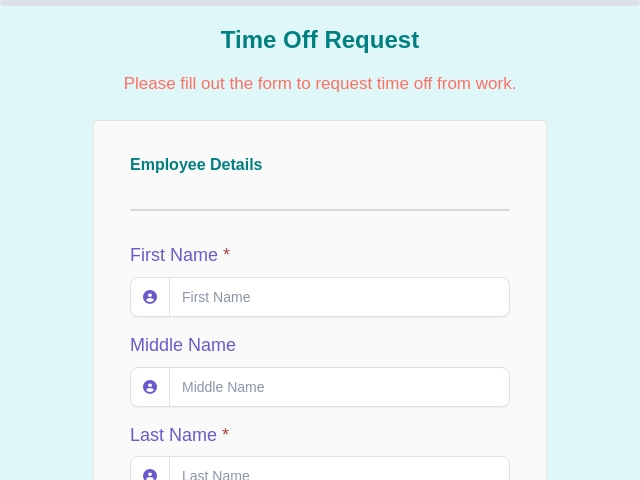
Time Off Request Form Template Preview

Use this template in 3 easy steps

Get your time off request form live in under 5 minutes

1

Select

Click "Use Template" to instantly copy this template into your account. No setup needed.

2

Customize

Add, remove, or rearrange fields. Match your brand with colors, logo, and custom thank-you page.

3

Publish

Share via link, embed on your website, or generate a QR code. Start collecting responses instantly.

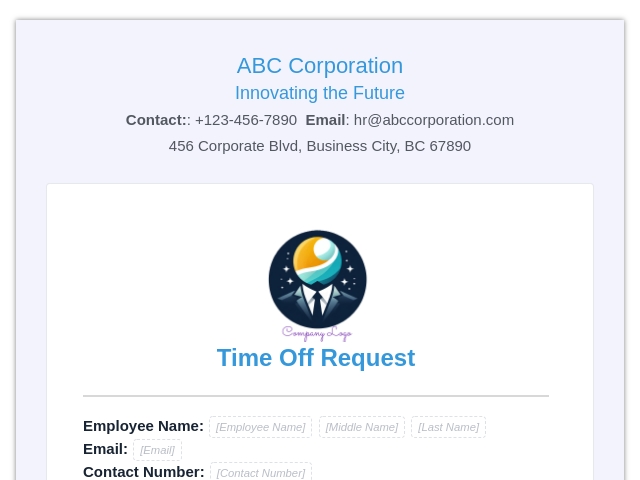
PDFs for Time Off Request Form
About template Time Off Request Form

Time Off Request Form Template

What is a Time Off Request Form?

A time off request form is a form used by employees to request leave from work, such as vacation, sick leave, or personal time off.

This form ensures a structured and transparent leave request process.

What is the Purpose of a Time Off Request Form?

The main purpose of a time off request form is to simplify leave management and approval workflows.

Who Uses This Time Off Request Form?

  • Employees: To request leave.
  • HR Teams: To manage leave records.
  • Managers: To approve or reject requests.
  • Organizations: To streamline workforce planning.

What Information Should Be Collected in a Time Off Request Form?

  • Employee Full Name
  • Employee ID
  • Department
  • E-mail
  • Contact Number
  • Start date
  • End date
  • Start to work on
  • Reason for Leave
  • Additional Comments

What Are the Benefits of Using an Online Time Off Request Form?

  • Easy Requests: Employees can apply anytime
  • Faster Approvals: Streamlined workflow
  • Accurate Records: Centralized data storage
  • Better Planning: Avoid team conflicts
  • Improved Transparency: Clear communication

With FormNX, managing time off requests becomes simple and efficient.

Tips to Create an Effective Time Off Request Form

  • Keep the form simple and clear
  • Include leave type options
  • Use simple and easy language
  • Only ask for relevant details
  • Enable email notifications for quick responses

How Can I Create a Time Off Request Form Using FormNX?

  • Login or create a new account in FormNX
  • Choose a template and click on “Use This Template” to create your form.
  • Customize the fields of the form.
  • Customize the design for your form.
  • Customize the “Thank you” page to show a customized message after submission.
  • Enable email settings to send or receive notifications upon submission.
  • Preview your form.
  • Publish and share it.

Some Advanced Features You Can Use in This Form

A time off request form is essential for managing employee leave, improving workflow efficiency, and maintaining proper records.

With FormNX, you can easily create and customize leave request forms to streamline your HR processes.

FAQs About Time Off Request Form

1. Can employees select leave types?
Yes, you can add multiple leave options.

2. Is the form mobile-friendly?
Yes, it works on all devices.

3. Can I customize the form?
Yes, the template is fully customizable.

4. Can I track leave requests?
Yes, all submissions can be monitored easily.

read more...

Created By: FormNX

Time Off Request Form

Create Time Off Request Form Form for Free

Build professional Time Off Request Form forms with FormNX's intuitive drag-and-drop builder. Create custom forms, surveys, and applications without any coding knowledge. Perfect for businesses, organizations, and individuals who need reliable data collection solutions.

  • ✅ Drag-and-drop form builder with professional templates
  • ✅ Customize Time Off Request Form forms to match your brand
  • ✅ Integrate with popular apps and automation tools
  • ✅ Collect responses and manage data efficiently
  • ✅ Mobile-responsive design works on any device
  • 🆓 Start free with no credit card required
  • ⭐ 4.5/5 rating  ·  9,072+ users
    Unlimited Forms Unlimited Responses No Credit Card Required