
Introduction
Forms are everywhere - from event registrations to online bookings, invoices to certificates. But collecting data is only half the job. In most real-world workflows, you need to turn that data into a document people can download, print, or save - preferably instantly and professionally.
That’s where automatically generated PDF documents shine. Whether you’re confirming a registration or issuing a certificate of completion, PDFs serve as a formal and shareable output that adds credibility and convenience.
In this blog, we’ll explore the most valuable use cases for PDF generation after form submission and walk through what each confirmation PDF typically includes - so you know what to expect and how to deliver professional results.
Why Confirmation PDFs Matter
A confirmation PDF serves multiple purposes:
- Proof of submission or payment
- Official record for future reference
- Professional communication
- Reduced follow-up questions
Instead of saying “we’ve received your response”, a PDF says “here is your official document”.
Let’s look at how this works across different form types.
Types of PDFs You Can Generate From Online Forms
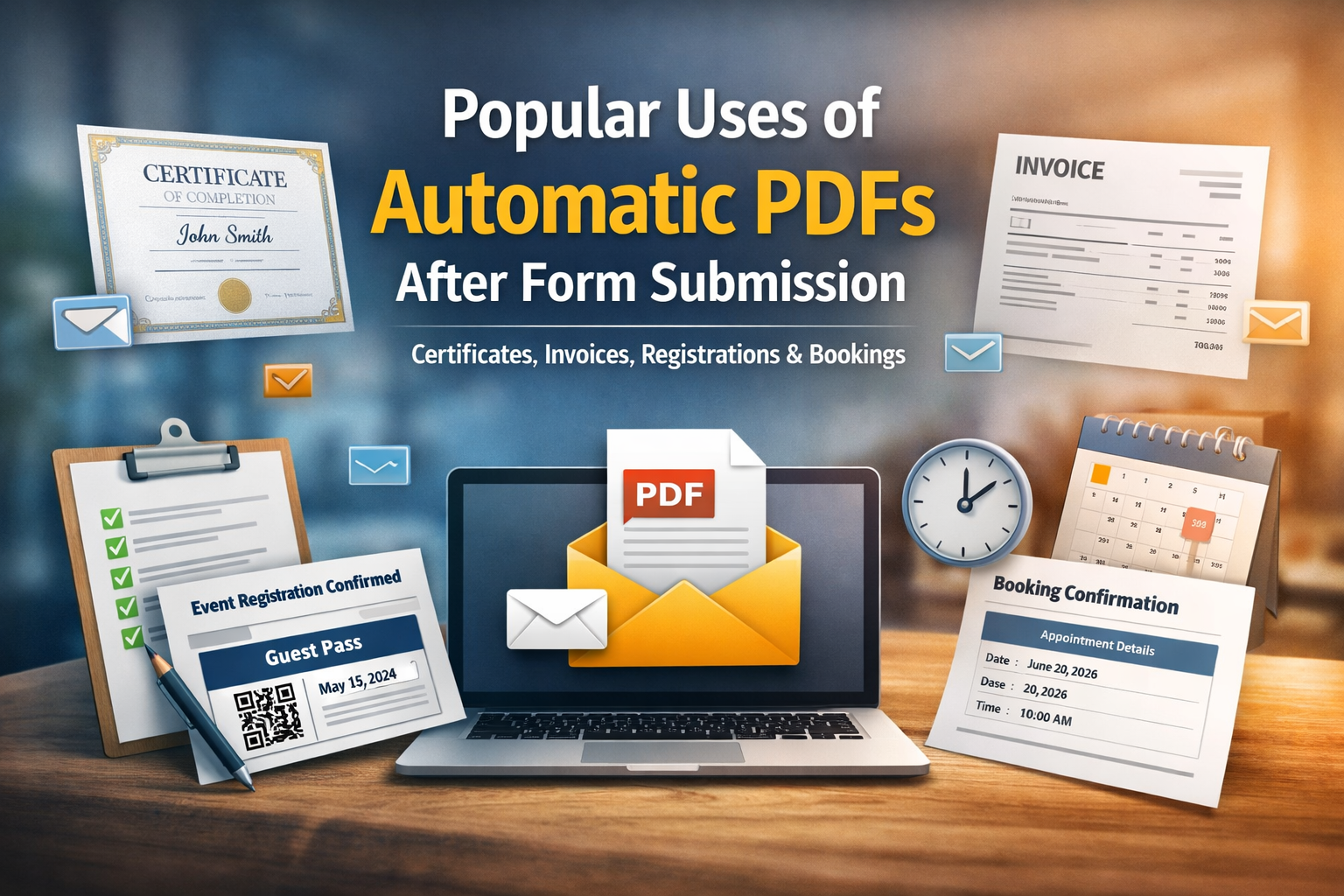
🎟️ 1. Event Tickets & Registration Confirmations
When someone signs up for an event - whether it’s a workshop, webinar, or in-person seminar - they expect proof of registration.
What Goes into a Registration PDF
A registration or event ticket PDF typically includes:
- Participant’s name
- Event title and date
- Unique ticket/registration ID
- Event venue/location
- QR code or barcode for scanning (if applicable)
- Instructions (entry time, agenda points)
A well-designed registration confirmation PDF reassures attendees and acts as a digital ticket they can store on their phone/laptop or print.
🏆 2. Certificates and Awards
Certificates are widely used - in education, training, employee recognition, and competitions.
What a Certificate PDF Should Cover
Most certificates include:
- Full name of the recipient
- Title of the certificate (e.g., “Certificate of Achievement”)
- Date of issue
- Course or program details
- Signature line(s) or digital signature
- Institutional branding and logo
This type of PDF gives you a polished, official document that participants can showcase or archive.
💳 3. Invoices & Receipts
For any business that accepts payments online, invoices and receipts are among the most critical document outputs.
Essential Invoice Data
A professional invoice PDF should contain:
- Customer’s name and address
- List of products or services with pricing
- Total amount, including taxes
- Invoice number
- Payment terms or due date
- Company logo
Receipts differ slightly - they confirm that payment was received and are typically shared immediately after purchase.
This automated PDF generation for paid forms saves hours of manual billing work and ensures compliance and clarity in financial records.
📅 4. Booking Confirmations
Whether it’s a hotel stay, flight, rental service, or appointment booking, sending a confirmation PDF makes the transaction feel secure and complete.
What’s Inside a Booking Confirmation
A booking PDF generally includes:
- Booked service or appointment details
- Date and time
- Customer’s name
- Payment or reservation ID
- Special instructions (check-in time, cancellation policy)
Booking confirmations are especially helpful in service industries. They act as both proof of arrangement and a reference document for customers.
🧾 5. Order Confirmations & Purchase Summaries
E-commerce sites and order forms often generate order confirmation PDFs that summarize the user’s purchase.
What a Purchase PDF Includes
- Product names with quantities
- Order total and tax breakdown
- Billing and shipping details
- Order number and confirmation text
This type of PDF acts as a reference for customers and integrates directly into your order management system or CRM.
📄 6. Application Confirmations
Forms used for job applications, course admissions, loans, or membership registrations often generate a confirmation PDF.
Typical Contents
An application confirmation PDF might include:
- Applicant’s details
- Submission date and reference ID
- Program or position applied for
- Next steps or contact details
This gives the user a formal receipt of their application and helps administrators track submissions.
📊 7. Reports, Summaries & Compliance Documents
Beyond confirmations and tickets, PDF generation is vital in creating:
- Survey summaries
- Inspection reports
- Compliance documentation
- Technical reports
These are useful in educational, corporate, or regulated environments where record-keeping and exportability are required.
What Makes a Great Confirmation PDF
Regardless of the use case, the best confirmation PDFs share these characteristics:
- Clean and professional design
- Personalized data pulled from the form (e.g., name, date)
- Branding elements (logo, colors, footer)
- Clear instructions or next steps
- Download link or automatic email delivery
When you design your PDFs this way, you not only serve your users better but also strengthen your brand experience.
How Automatic PDF Generation Improves Workflow
Automatic creation of PDFs after submission eliminates:
- Manual copy-paste errors
- Time-consuming paperwork
- Delayed communications
- Inconsistent document formatting
Instead, your users receive a ready-to-use PDF instantly - whether it’s a ticket, certificate, invoice, or booking confirmation. This is exactly what modern workflows demand.
With FormNX’s built-in automatic PDF feature, you can design, customize, and automate these outputs effortlessly.
How FormNX Handles All These Use Cases
FormNX is a no-code form builder with a built-in PDF generator, allowing you to:
- Design custom PDF templates
- Insert dynamic form responses
- Generate PDFs instantly after submission
- Automatically send confirmation PDFs via email
Instead of using separate tools for forms, documents, and emails, FormNX combines everything into one workflow.
To speed things up even more, FormNX also offers a ready-to-use PDF templates library, so you can start with pre-designed layouts for certificates, invoices, registrations, and booking confirmations instead of designing everything from scratch.
PDF Output Settings
“FormNX also lets you control how each confirmation PDF is generated and delivered.”
- PDF Name & Description - Label and describe the PDF for easy internal reference
- Page Size - Choose standard sizes like A4 or A3, or set a custom size
- Orientation - Switch between Portrait or Landscape layout
- Filename Template - Define how the downloaded PDF is named
- Watermark - Add branding or protection to your PDF documents
Why Businesses Prefer PDF-Based Confirmations
Across industries, confirmation PDFs:
- Feel more official than emails alone
- Are easy to download and store
- Reduce support queries
- Improve trust and professionalism
When PDFs are generated automatically, these benefits come without additional work.
Reference Guide: You can refer to this Documentation for detailed, step-by-step instructions on how to create customizable PDFs for your forms and utilize the PDF feature to send automatic customized PDF documents via email to the users.
Final Thoughts
PDFs are the bridge between data collection and formal documentation. They give users tangible proof of actions - whether that’s registering for an event, booking a service, or paying for a product.
Understanding the most common PDF use cases helps you plan your forms better and deliver exactly what your audience needs.
Ready to Automate Your PDF Workflows?
Stop juggling spreadsheets and manual document creation.
Frequently Asked Questions (FAQs)
What is a confirmation PDF in online forms?
A confirmation PDF is a document automatically generated after a form is submitted. It serves as proof of submission and usually includes key details such as the user’s information, reference numbers, dates, and relevant instructions.
Can a single form generate different types of PDFs?
Yes. With FormNX, you can customize PDF templates based on your form’s structure and needs. The same form can generate different types of PDFs depending on the use case, such as certificates, invoices, or booking confirmations.
Do users receive the PDF immediately after submitting the form?
Yes. Once the form is submitted, FormNX instantly generates the PDF and can automatically send it to the user’s email.
Are these PDFs legally or professionally acceptable?
Yes. PDFs generated through FormNX are structured, branded, and consistent, making them suitable for professional, institutional, and business use. Many organizations use them as official records or acknowledgements.
Can I customize what appears in the confirmation PDF?
Absolutely. You control the PDF layout, text, branding, and dynamic data. You can decide exactly what information appears in the confirmation document based on the form responses.
Is PDF generation possible without technical knowledge?
Yes. FormNX is a no-code platform. You can create forms, design PDFs, and automate confirmations without writing scripts or using third-party tools.
Why are PDFs better than plain email confirmations?
PDFs provide a structured, downloadable record that users can save, print, or share. They feel more official than plain emails and help reduce follow-up questions or disputes.