Cafe Feedback Form Template
What is a Cafe Feedback Form?
A Cafe Feedback Form is a simple form used by cafes, coffee shops, and small restaurants to collect feedback from their customers about their experience. It helps businesses understand what customers liked about the food, coffee, service, and environment and where improvements are needed.
Customer feedback plays a very important role in the growth of any cafe. By using a feedback form, cafe owners can easily collect valuable suggestions, complaints, and ratings from their customers. With an online form builder like FormNX, you can quickly create and customize a cafe feedback form and start collecting responses in minutes.
What is the use of the Cafe Feedback Form?
A cafe feedback form helps cafe owners understand their customers experiences and improve their services accordingly. It also allows businesses to collect real/genuine opinions about food quality, service, pricing and overall customer satisfaction.
With the help of feedback data, cafes can identify areas that need improvement and create a better experience for their customers.
What information is collected in the Cafe Feedback Form?
A Cafe Customer Feedback Form generally collect the following information:
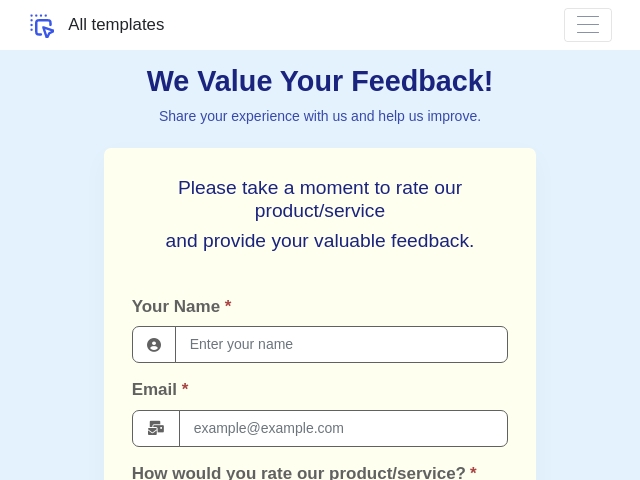
- Customer Name (Optional)
- Contact Information (Email or phone number)
- Date of Visit
- Food Quality Rating
- Coffee or Beverage Quality Rating
- Customer Service Experience
- Cleanliness and Ambience of the Cafe
- Overall Satisfaction Rating
- Suggestions or Improvement Feedback
- Would you recommend our cafe to others?
Who can use this Cafe Feedback Form?
The Cafe Feedback Form Template can be used by different types of food and beverage businesses that want to understand their customers better.
- Cafe Owners: To gather feedback about customer satisfaction and improve services.
- Coffee Shops: To evaluate quality, service, and customer experience.
- Restaurant Managers: To monitor customer feedback and improve hospitality.
- Small Food Businesses: To collect suggestions and identify improvement areas.
- Franchise Cafes: To maintain service quality across multiple locations.
What are the benefits of an online Cafe Feedback Form?
Using an online cafe feedback form offers several advantages compared to traditional paper feedback forms.
- Customers can submit feedback quickly using their phone or tablet.
- Collect real-time feedback immediately after the visit.
- Reduce paperwork and manual data entry.
- All feedback responses are stored in one place for easy analysis.
- Instant email notifications when new feedback is submitted.
- Helps improve customer experience and service quality.
- Easily collects feedback for cafe
- Easy to customize fields based on your cafe's needs.
- Identify spots in customer satisfaction and service issues.
Tips to Create an Effective Cafe Feedback Form
To get useful feedback from customers, your form should be simple, clear, and quick to complete. Here are some tips to create an effective cafe feedback form:
- Keep the form short and easy to complete.
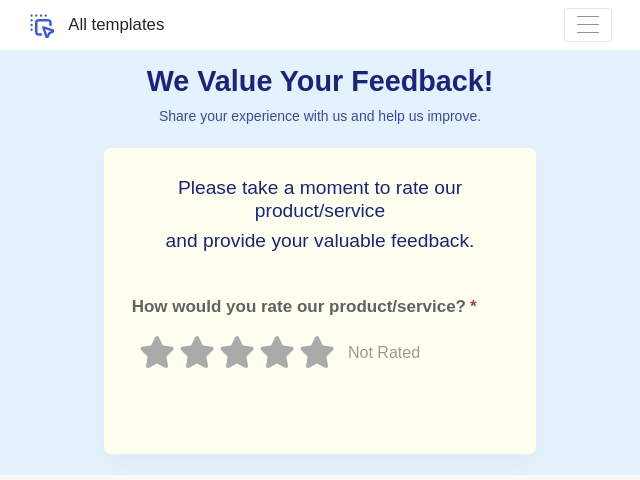
- Use rating scales for food quality, service, etc.
- Allow customers to provide suggestions or comments.
- Make the form simple so customers can fill it easily.
- Avoid asking too many personal questions.
- Add optional contact details if customers want a response.
- Place a QR code on tables so customers can quickly access the form.
- Enable email notifications to receive feedback instantly.
How Can I Create a Cafe Feedback Form Using FormNX?
- Login or create a new account in FormNX
- Choose a template and click on “Use This Template” to create your form.
- Customize the fields of the feedback form.
- Customize the design for your feedback form.
- Customize the “Thank you” page to show a customized message after submission of the feedback.
- Enable email settings to send or receive notifications upon submission.
- Preview your form.
- Share it with customers via QR code or link.
With FormNX, you can quickly create a customizable Cafe Feedback Form that helps you collect valuable customer insights and improve your cafe services. Start using this free, ready-to-use template today and build a better experience for your customers.
FAQs About Cafe Feedback Form
1. Can I collect ratings from customers?
Yes, you can add rating fields.
2. Is the form mobile-friendly?
Yes, it works on all devices.
3. Can I customize the form?
Yes, the template is fully customizable.
4. Can I track responses?
Yes, all submissions can be monitored easily.
5. Can I add branding?
Yes, you can customize the design with your cafe branding.